wadelli
Member
-
Joined
-
Last visited
Everything posted by wadelli
-
sitting here at the end of October with still the same issue - but the button mapping worked, thanks for that @Fred350
-
can confirm, opened a topic my self for MSFS2020 only temporarily fixable by calling the TIME-page on the POSITION-tab on the MCDU
-
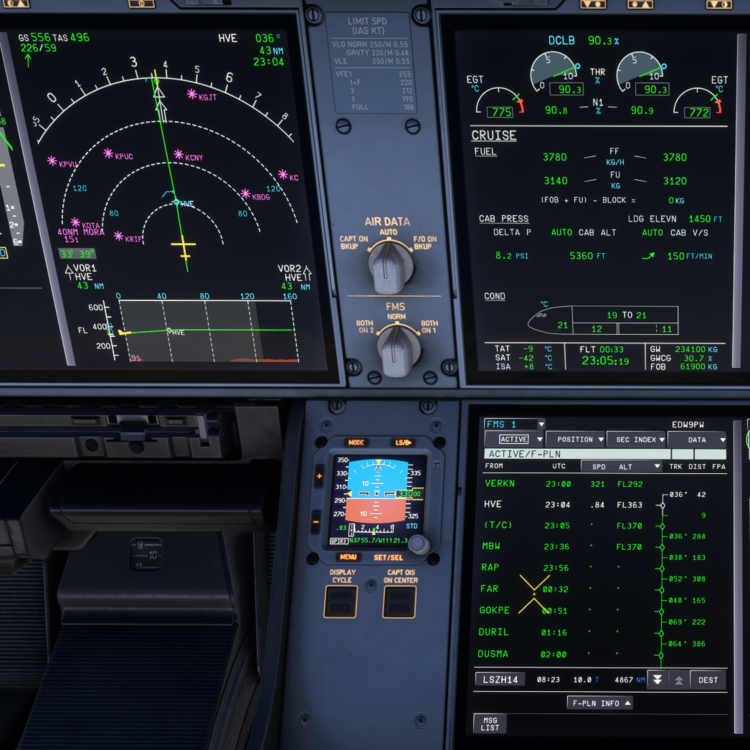
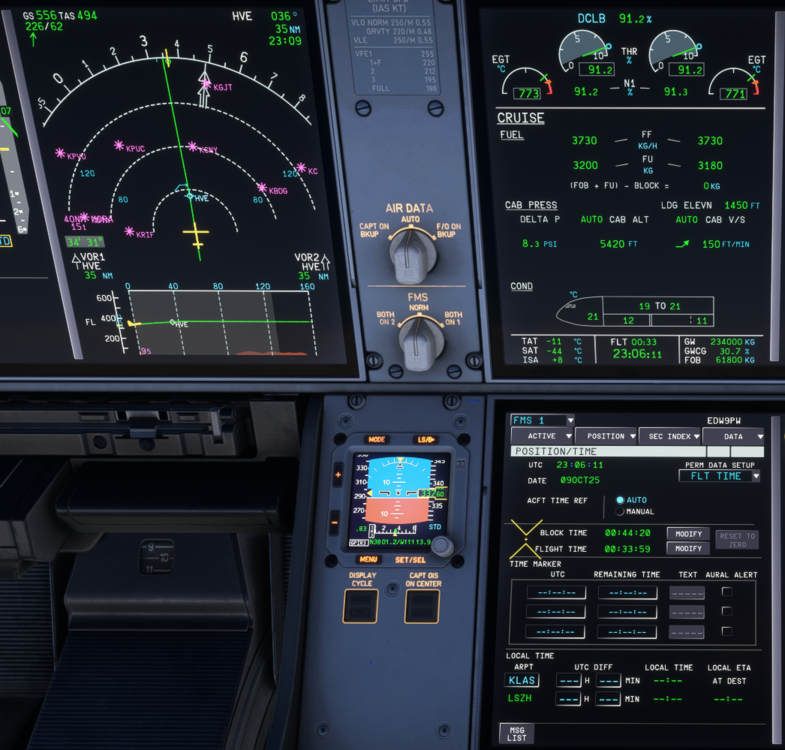
The ETAs for waypoints are calculated in a false manner, and are in the past. only when opening the TIME-Page in the POSITION tab they are updated. After leaving the page the ETAs gradually work their way down into the past and become wrong again. the first screenshot shows an ETA in the past (compared to the current time) The second screenshot shows updated and correct times after opening the TIME-Page MSFS2020 A350 v1.1.6 nothing particular to recreate the behaviour, just occurs every flight. in this case from KLAS to LSZH tested WX ON/OFF on the EFIS, different PERM DATA SETUP modes, but to no avail noticed it in the version before, but thought it would be a one off.