




JA01XJ
Member
-
Joined
-
Last visited
-
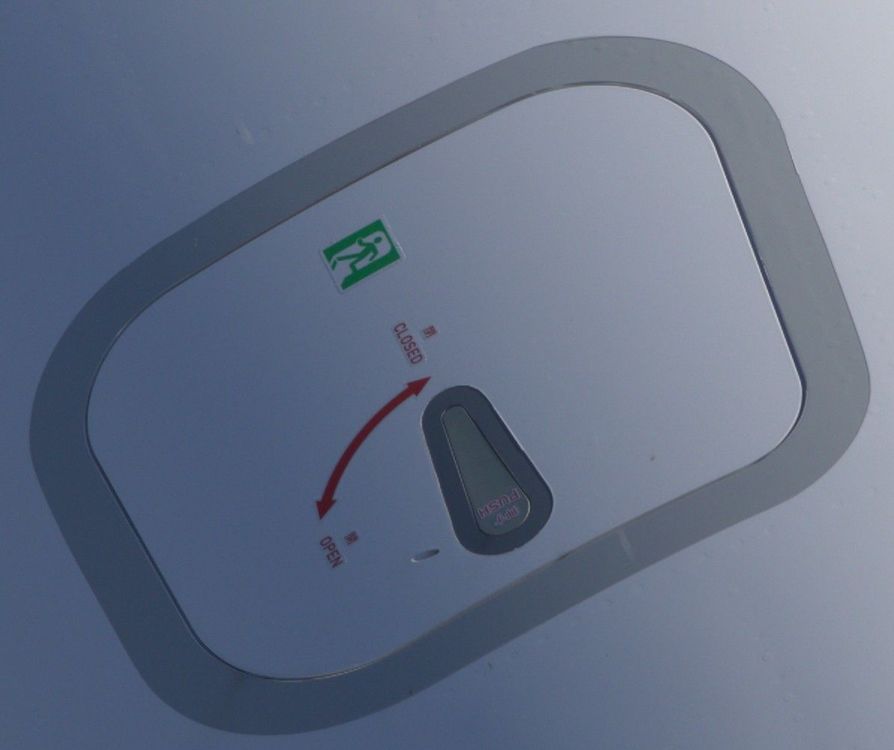
On the A350-1000, the "Escape Hatch" markings—both the text and the arrows—are black, which is incorrect. In reality, they are red! This applies to Qatar's MSN006, JAL's MSN321, and even the recent Starlux MSN791. On the A350-900, there is no "Emergency Exit" symbol, and the text and arrows are black. So, please fix this in an update! I'm asking you. https://www.facebook.com/pcaviationpassion/videos/airbus-a350-escape-hatch-%E4%B8%AD%E6%96%87english-%E5%9C%A8%E7%A9%BA%E4%B8%AD%E5%B7%B4%E5%A3%ABa350%E9%A7%95%E9%A7%9B%E8%89%99%E7%9A%84%E5%8F%B3%E4%B8%8A%E6%96%B9%E9%9A%B1%E8%97%8F%E4%BA%86%E4%B8%80%E9%81%93%E5%8F%ABescape-hatch%E7%9A%84%E7%B7%8A%E6%80%A5%E9%80%83%E7%94%9F%E9%96%80%E7%95%B6%E9%A7%95%E9%A7%9B%E8%89%99%E9%96%80/545613264666039/
-
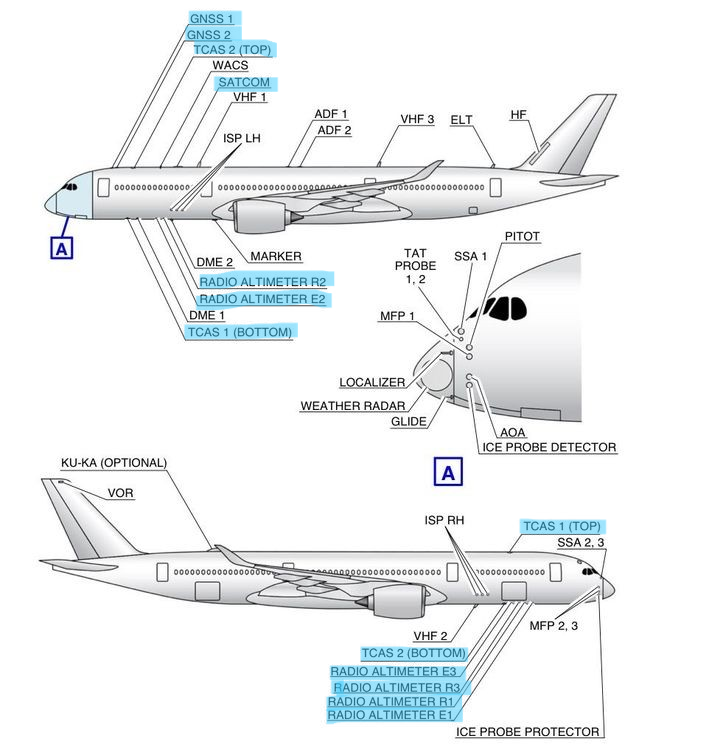
Where are the TCAS, RADIO ALTIMETER, and SATCOM texture files?
-
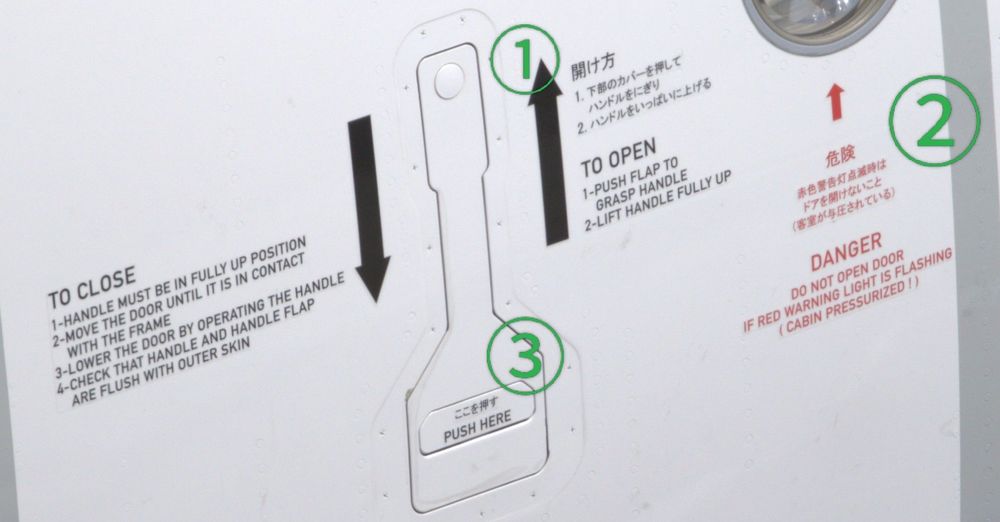
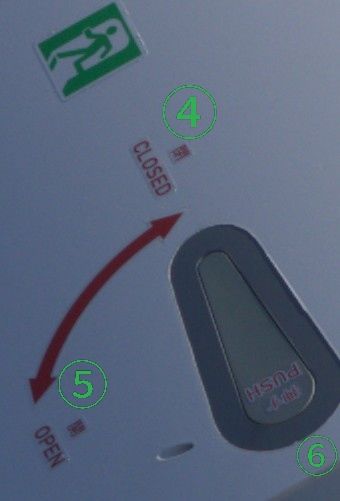
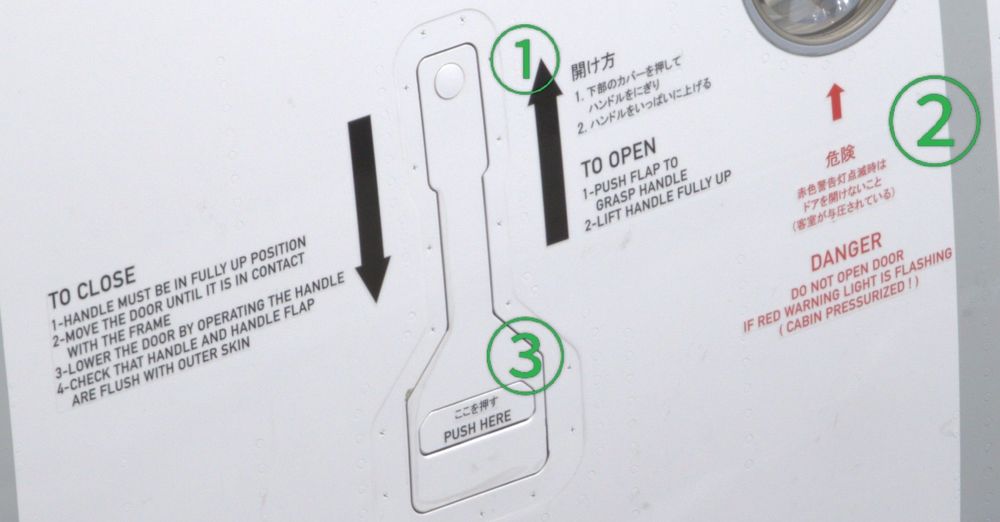
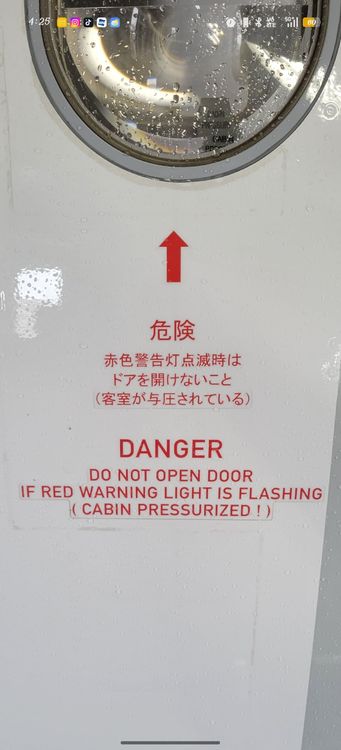
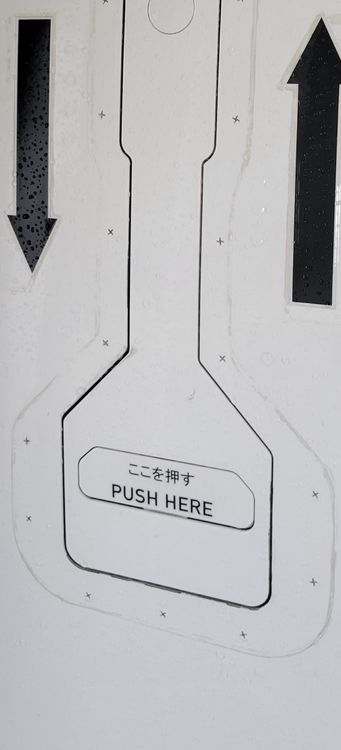
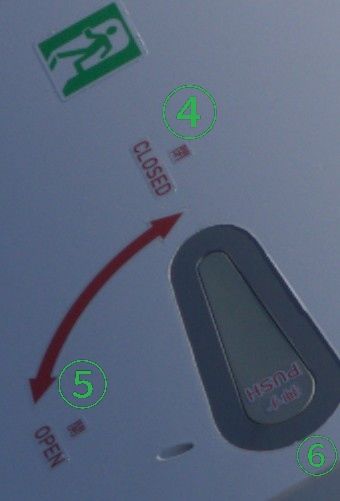
The first photo I posted was of the actual JAL A350. Would you consider updating the Japanese text for ① to ⑥ to two photos? Please change the color of ④ to ⑥ from black to red. Do you know about the new satcom model? Thank you
-
This is IniManager' JA01XJ.
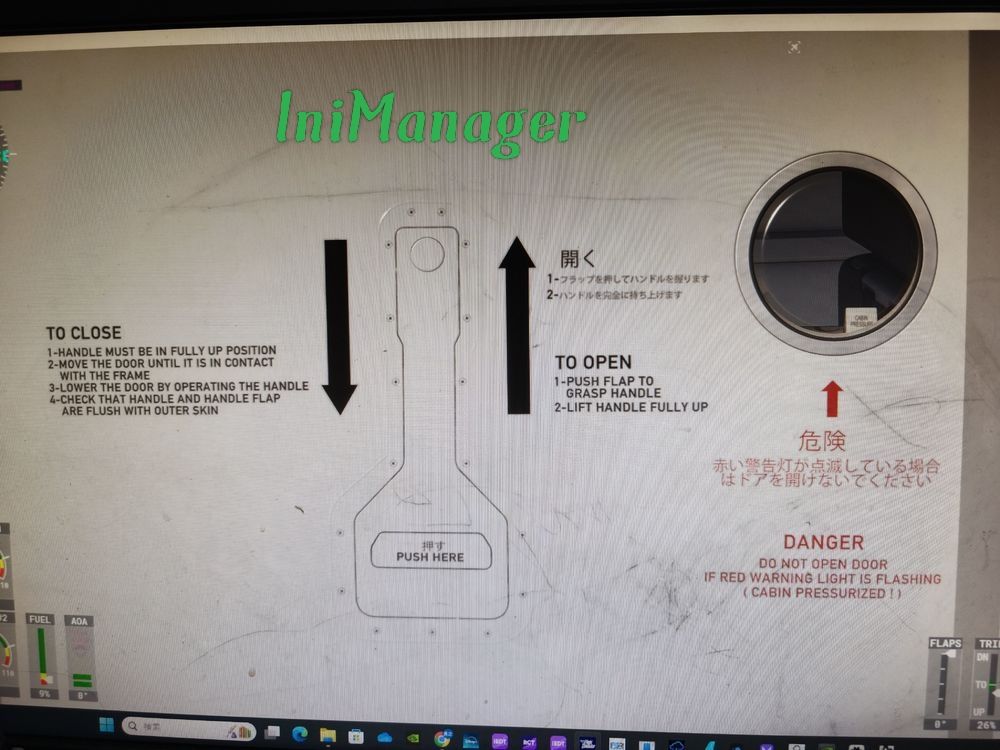
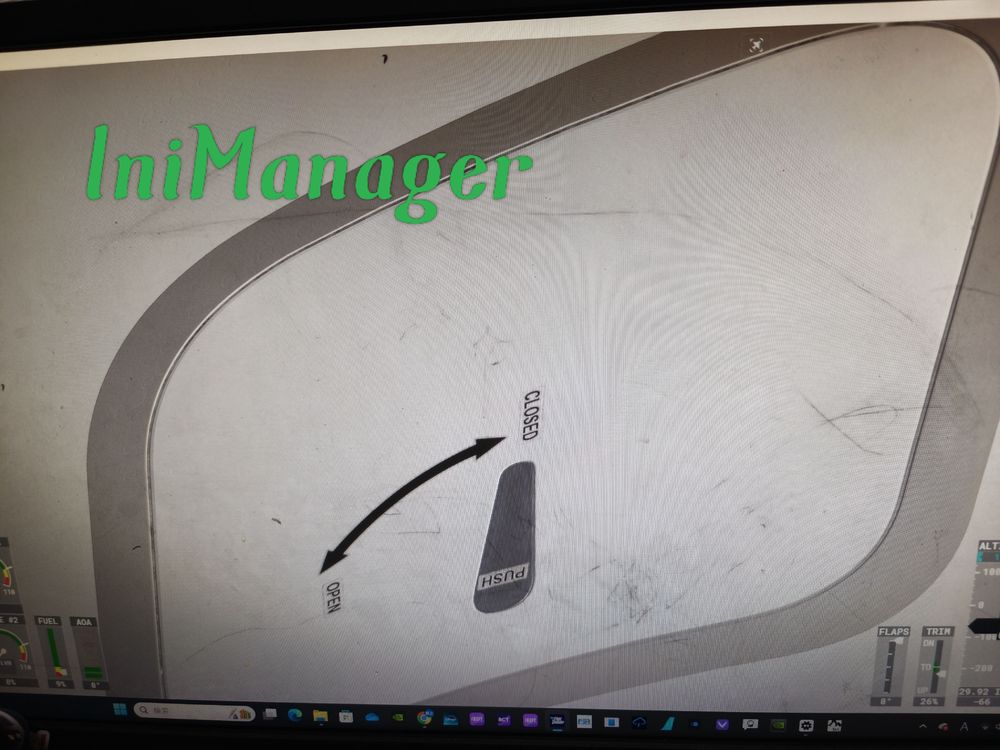 The photos I posted are actually photos I took myself! inibuilds' door placard in Japanese is here Currently, the ones I know of are JA01XJ to JA17XJ, JA01WJ to JA10WJ
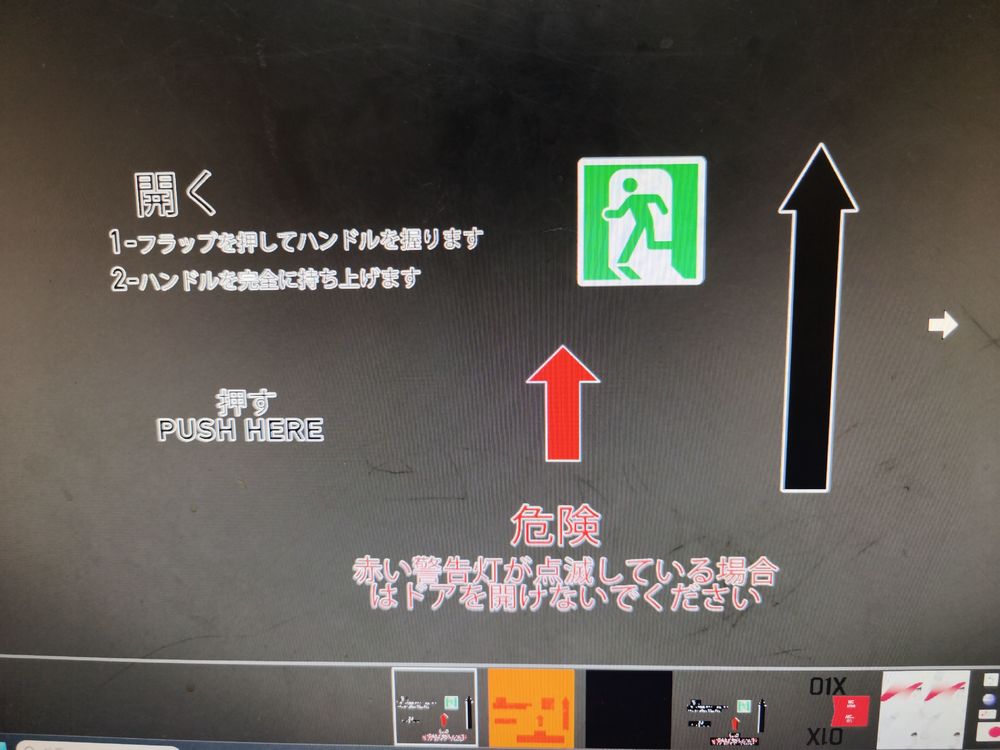 The Japanese written on the door is incorrect It is written exactly like this ① 開け方 1.下部のカバーを押して ハンドルをにぎり 2.ハンドルをいっぱいに上げる ② 危険 赤色警告灯以外の時は ドアを開けないこと (客室が与圧されている) ③ ここを押す There is no Japanese description of the cockpit escape hatch. ④ CLOSED →閉 ⑤ OPEN→開 ⑥ PUSH→押す Actual photo I want it to be rewritten in reality I use Google Translate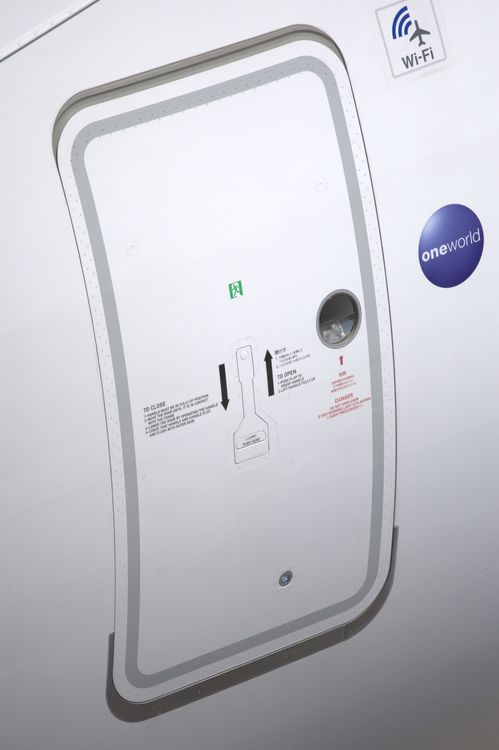
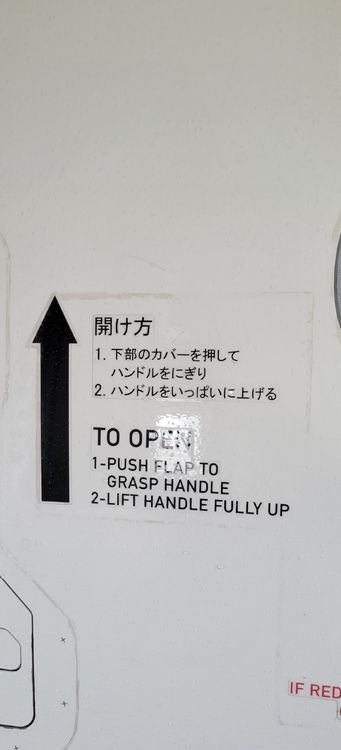
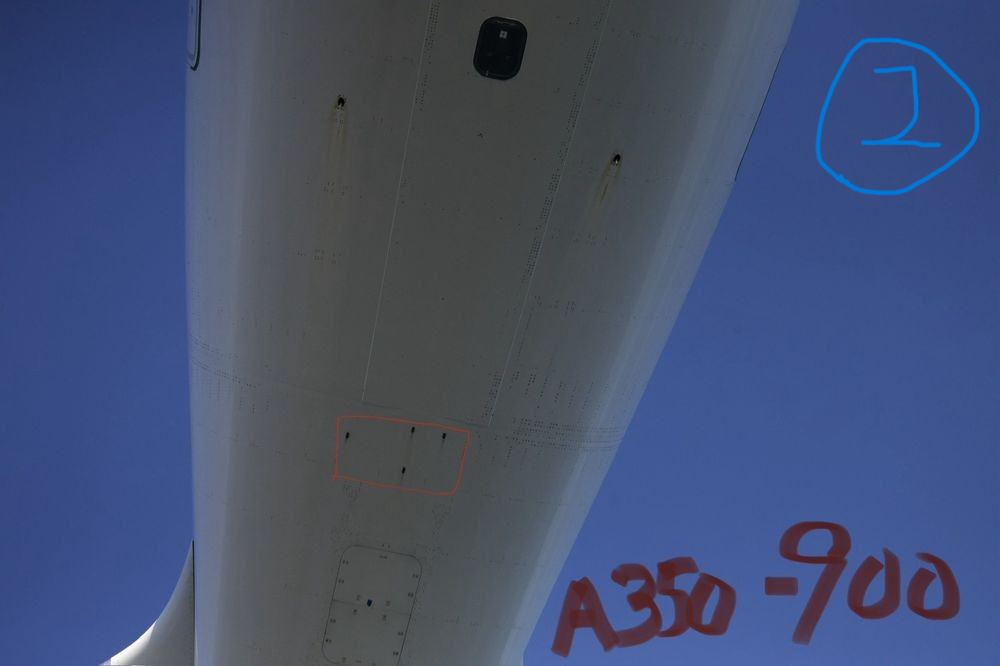
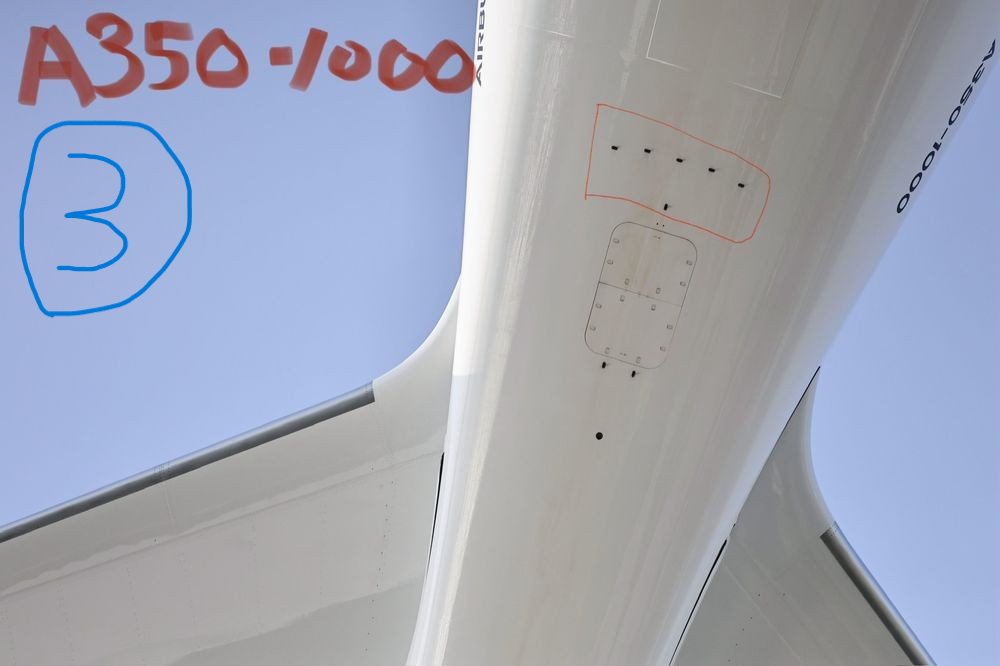
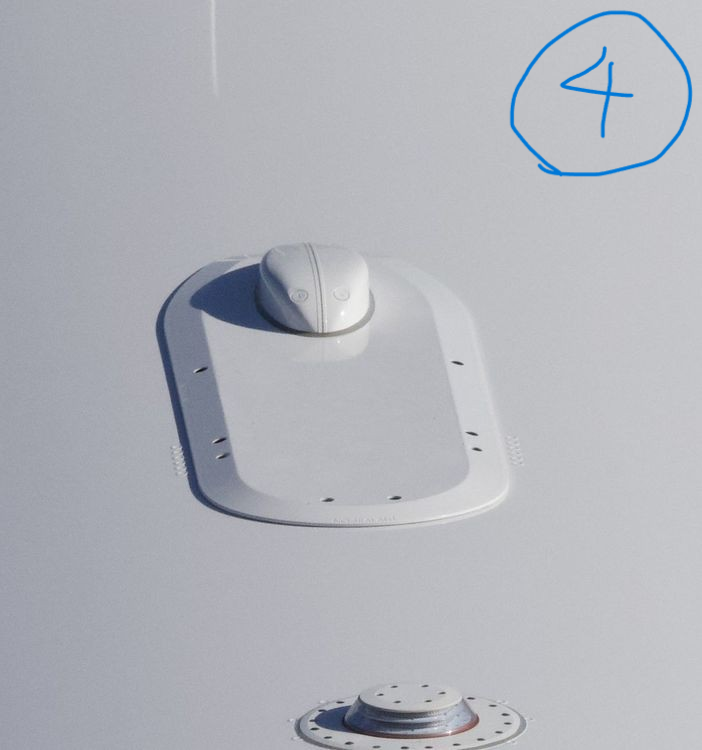
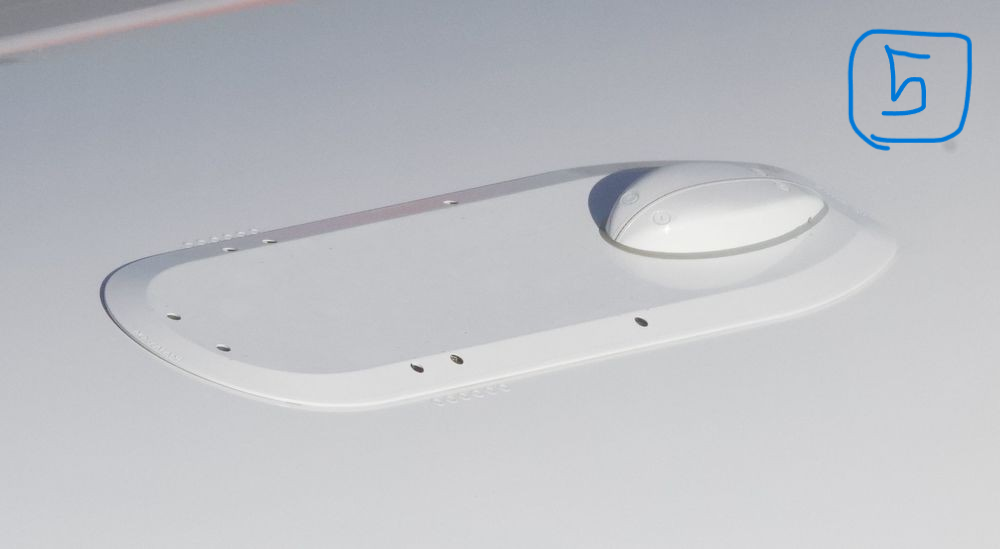
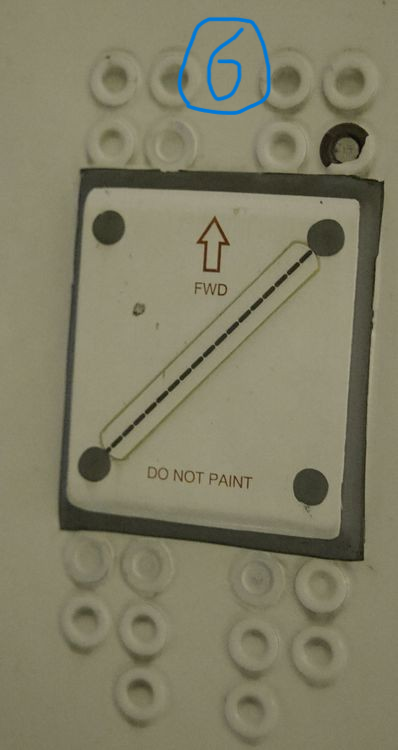
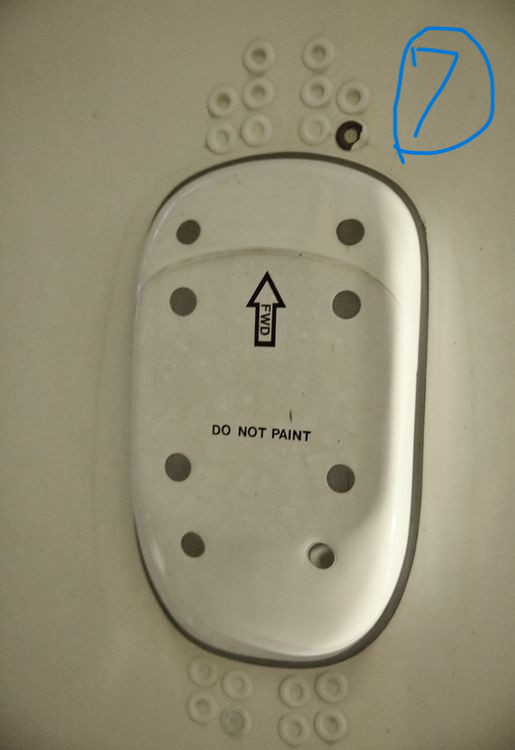
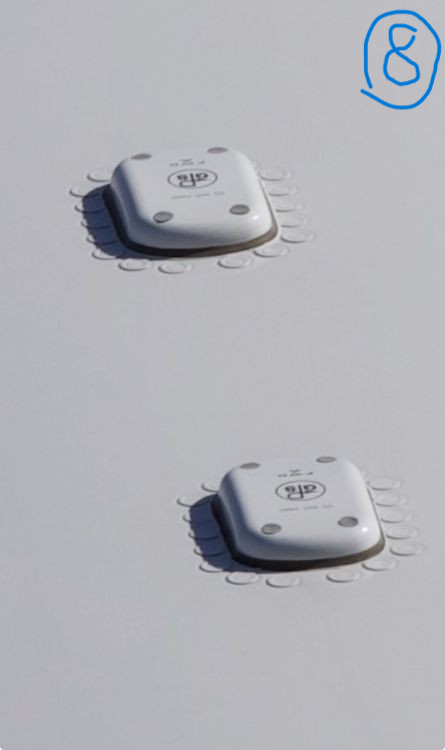
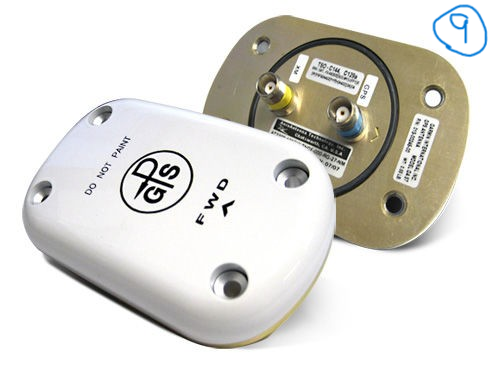
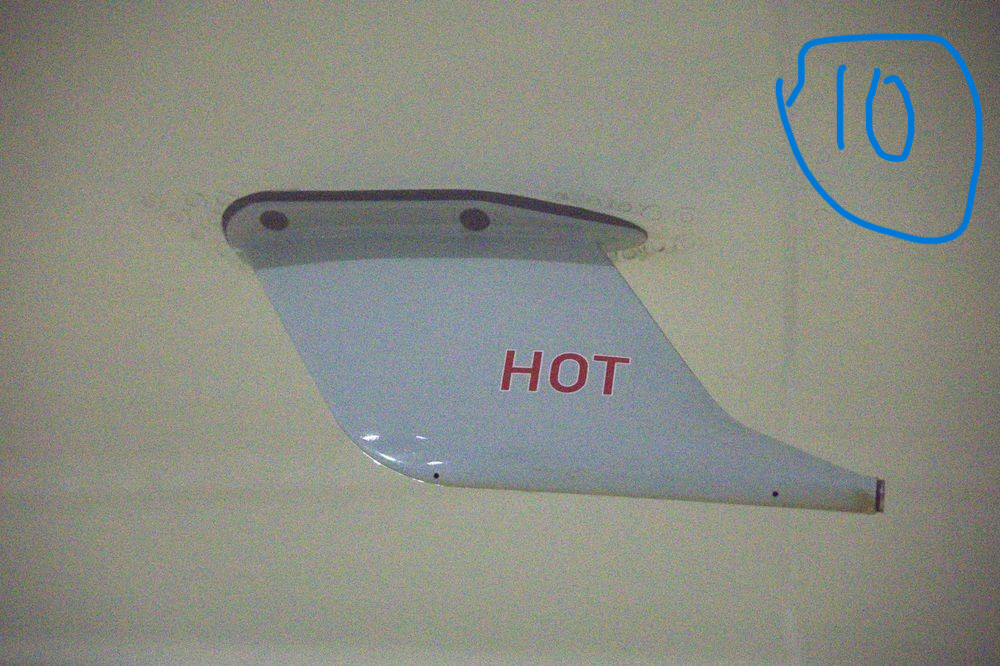
 Are there any plans to add more cabins to Japan Airlines?Hello! Thank you to the team for sharing Also, if there are any new differences in the A350-941/JA17XJ (MSN731/F-WZNF), we would like to share the information, so please check back from time to time! I'm going to go take some photos this week!The drainage pipe on the A350-900 (JA17XJ) has also been relocated. Please refer to photo 3 I'll take a photo at the end of the month or next month. Please consider it, inibuilds!!Differences in drainage pipe arrangement between the A350-900 and A350-1000(The Drainage Pipe is black) The A350-1000/MSN610 has a new Drainage Pipe arrangement. A new type of SATCOM has also been released. [New Light Cockpit SATCOM (LCS)] Currently, only the A350-1000 is available. RA (E1-E3, R1-R3), TCAS II (TOP2, BOTTOM2), GNSS (1, 2), Drain Mast,textures for the(A350-900, A350-1000). Please consider the Drain Pipe arrangement and Cockpit SATCOM (LCS) for this A350-1000 model. Actual photo of the A350 ②A350-900 Drainage Pipe ③A350-1000 Drainage Pipe ④⑤Light Cockpit SATCOM ⑥RA ⑦TCAS II ⑧⑨GNSS ⑩Drain Mast This article was created based on a translation. There may be some parts that are difficult to understand, so please take a look at the attached image.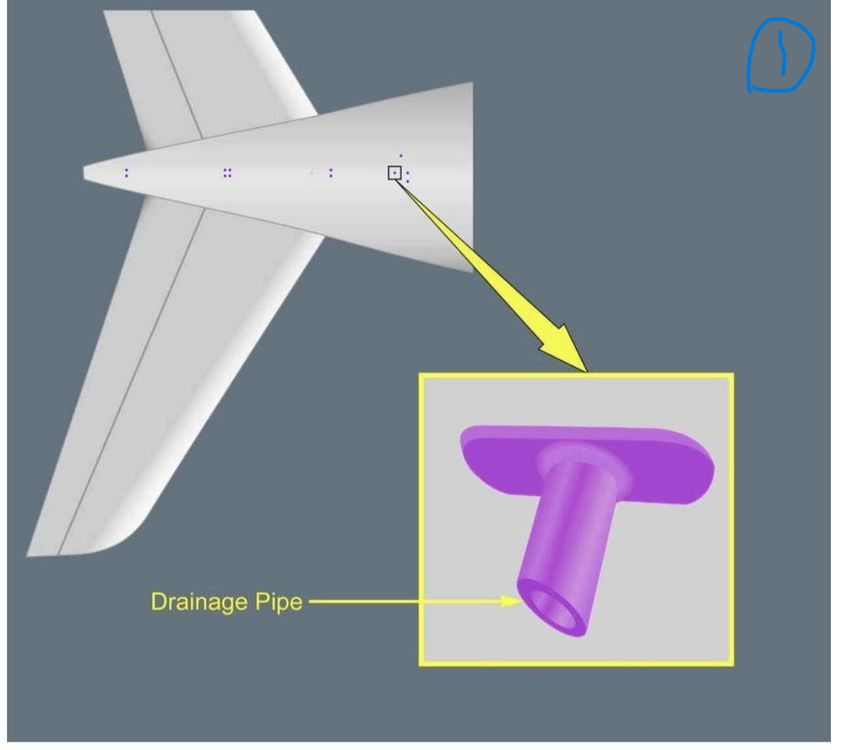


Account
Navigation
Configure browser push notifications
Chrome (Android)
- Tap the lock icon next to the address bar.
- Tap Permissions → Notifications.
- Adjust your preference.
Chrome (Desktop)
- Click the padlock icon in the address bar.
- Select Site settings.
- Find Notifications and adjust your preference.
Safari (iOS 16.4+)
- Ensure the site is installed via Add to Home Screen.
- Open Settings App → Notifications.
- Find your app name and adjust your preference.
Safari (macOS)
- Go to Safari → Preferences.
- Click the Websites tab.
- Select Notifications in the sidebar.
- Find this website and adjust your preference.
Edge (Android)
- Tap the lock icon next to the address bar.
- Tap Permissions.
- Find Notifications and adjust your preference.
Edge (Desktop)
- Click the padlock icon in the address bar.
- Click Permissions for this site.
- Find Notifications and adjust your preference.
Firefox (Android)
- Go to Settings → Site permissions.
- Tap Notifications.
- Find this site in the list and adjust your preference.
Firefox (Desktop)
- Open Firefox Settings.
- Search for Notifications.
- Find this site in the list and adjust your preference.