georgealdrich
Member
-
Joined
-
Last visited
Everything posted by georgealdrich
-
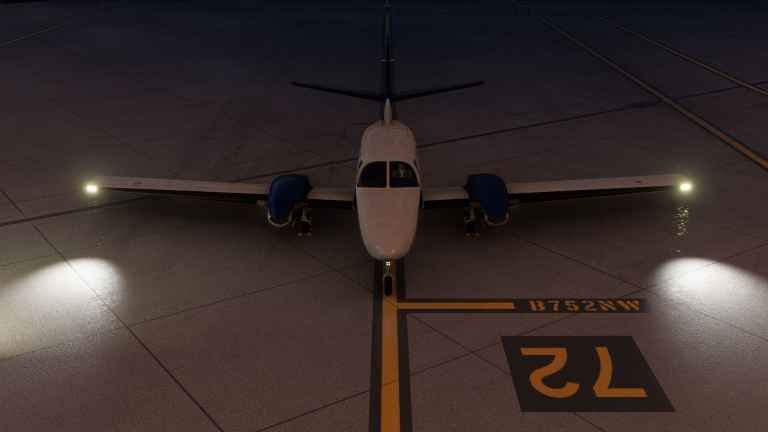
Just to add, I am also getting no taxi light illumination on ground. Landing lights do illuminate, just no taxi light. Oddly I can now only upload 15kb?! maximum image sizes now, down from 1.7mb this morning and 6mb yesterday. Please excuse the low resized resolution. Cheers
-
As per iniBuilds F406 product blurb - "Exterior realism including a high-fidelity model based on 3D scans, custom fowler flaps, exhaust effects, propeller blur and more!" There are no exhaust effects on either engine, inside or outside view, when they are running. I have already logged a major visual bug with iniBuilds' default Airbuses (jet and turboprop) on the MSFS forums about their heat effect behaviour (ie. start one engine, and the others also generate heat blur when they shouldn't because they're still turned off) but still to no avail, sadly. Hopefully these effects can properly be implemented here. Cheers
-
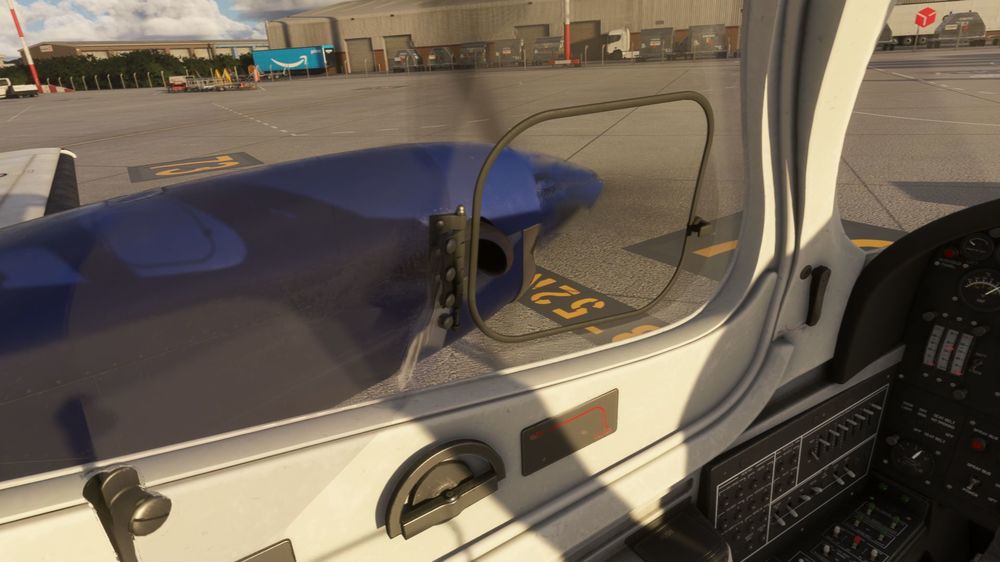
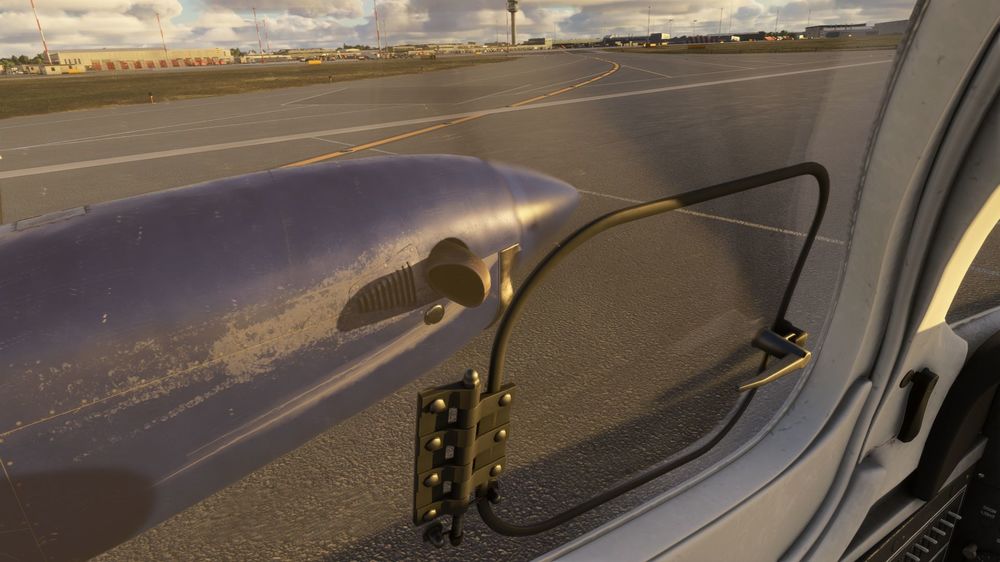
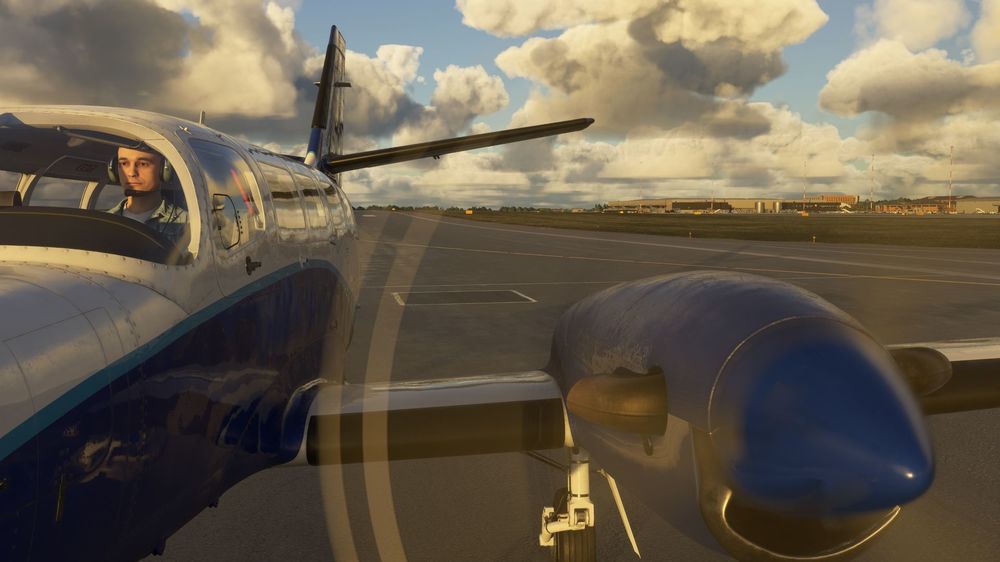
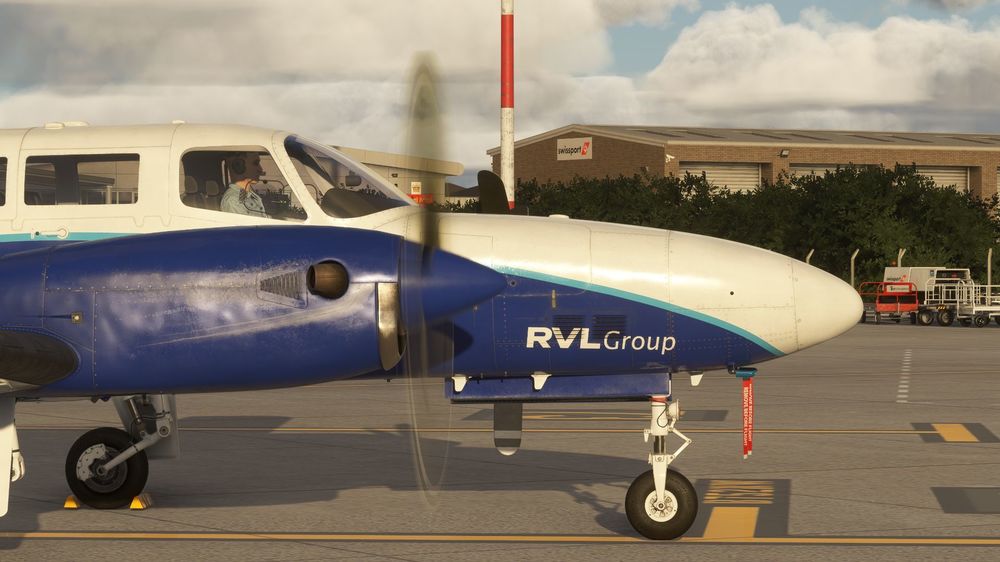
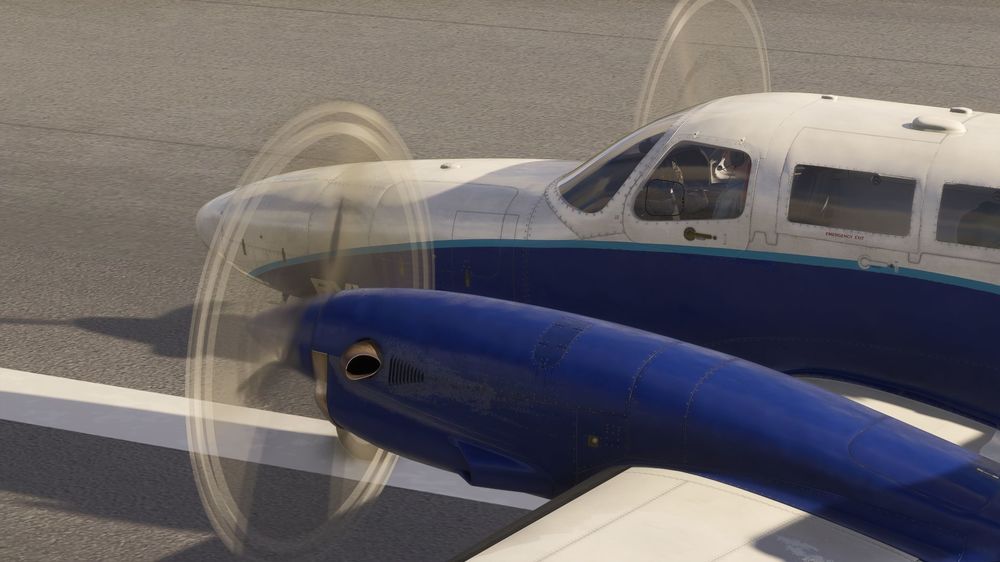
When the engines are running the propeller blur has some odd orange/brown colouring when viewed from side angles, neither face of the propeller blades when still are this colour. Also, the propeller blade disks when viewed from behind the aircraft seem to duplicate the front 'striped tips' and they show from the back, when the propeller blade backs are not striped when still. Cheers

-
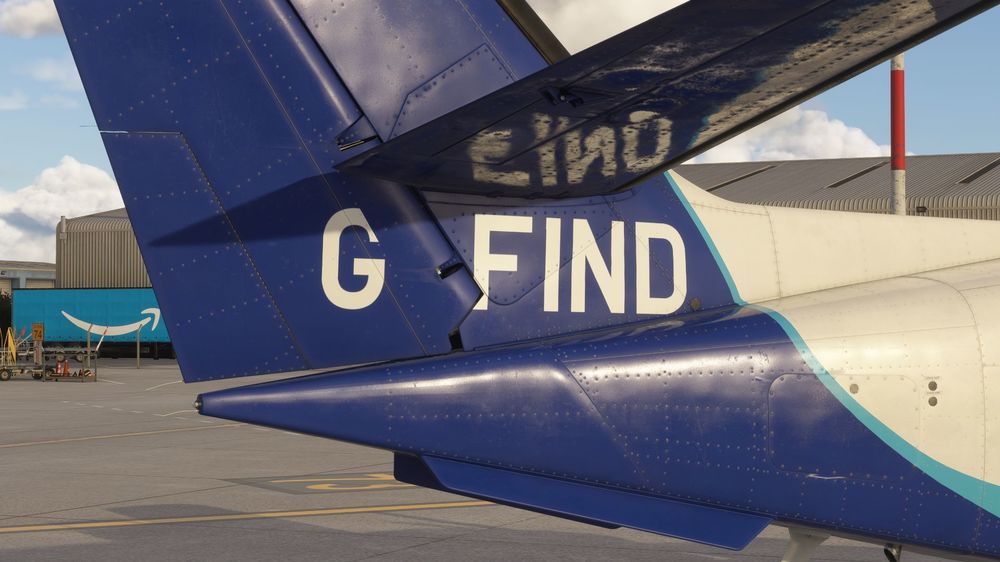
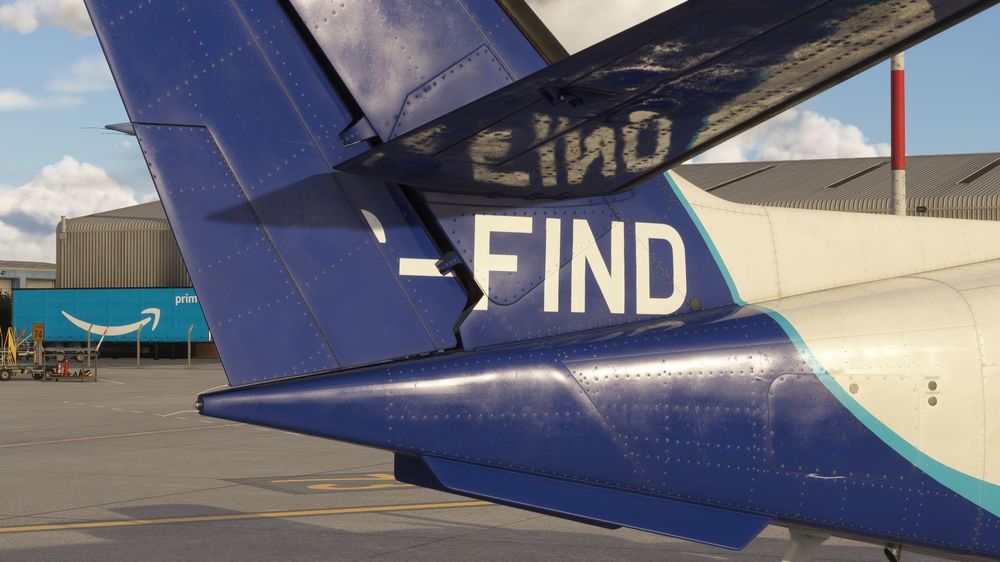
Still can't upload any more than 1.7mb of photos per post (used to be 6-7mb yesterday?) so as promised, the rudder at different deflections with registration not moving with surface of rudder. Lower res JPGs, sorry. Cheers
-
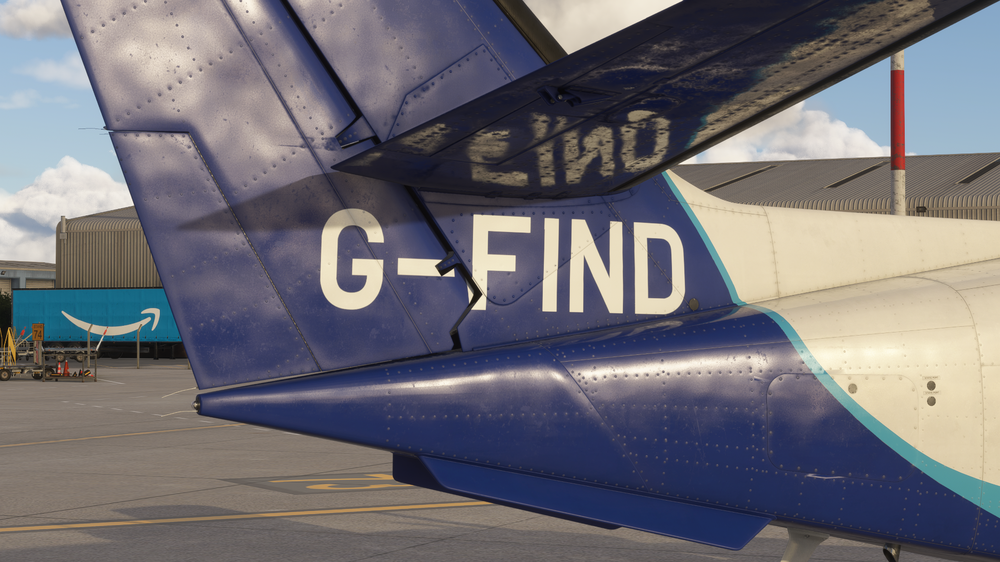
When the rudder is operated the tail registration is stationary and the part on the rudder doesn't travel with it. No deflection shown here. Edit - I cannot upload any more screenshots to this post as their file sizes exceed what I am now given, which would show the G-registration being clipped by the rudder. I will try again later or tomorrow as I have more bugs to report. Cheers
-
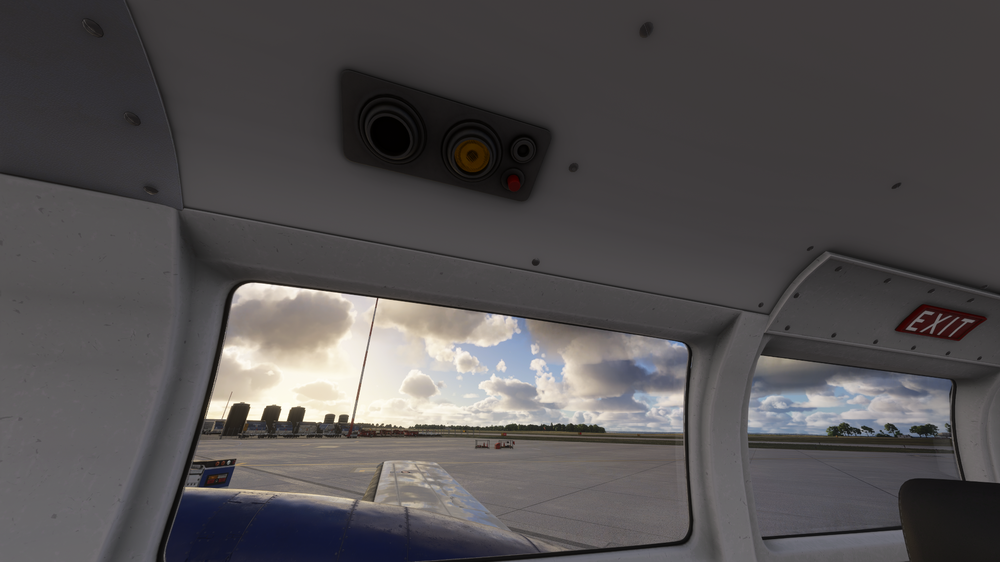
The cabin interior lighting consoles do not work, switch on/off or have the ability to be individually controlled. I believe this works on the similar Cessna 404 default MSFS 2024 aircraft through the red switches, unless this was just never modelled here, and thus not a 'broken' thing. Would be nice to see this considered, given the beautiful lighting available in the cockpit. Cheers
-
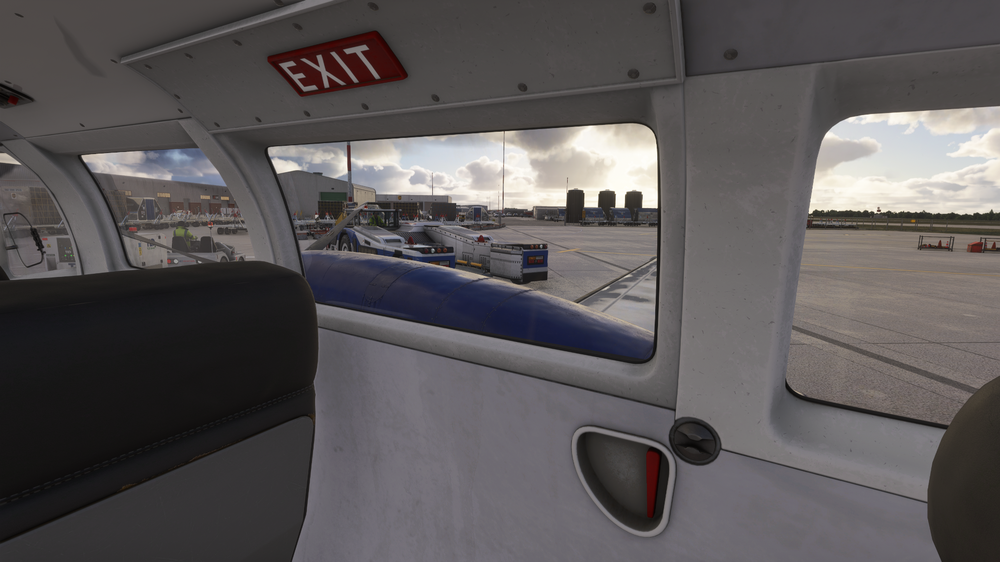
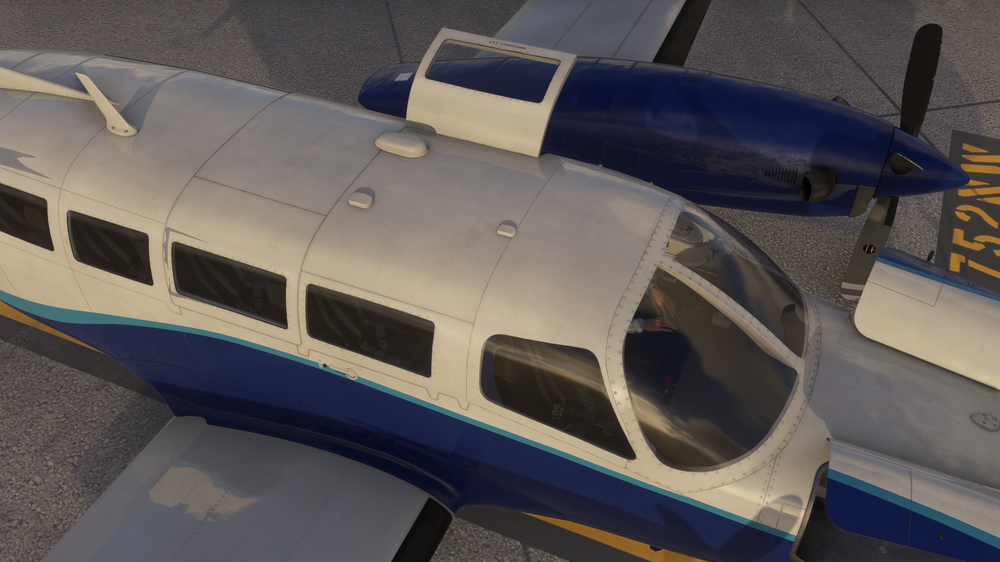
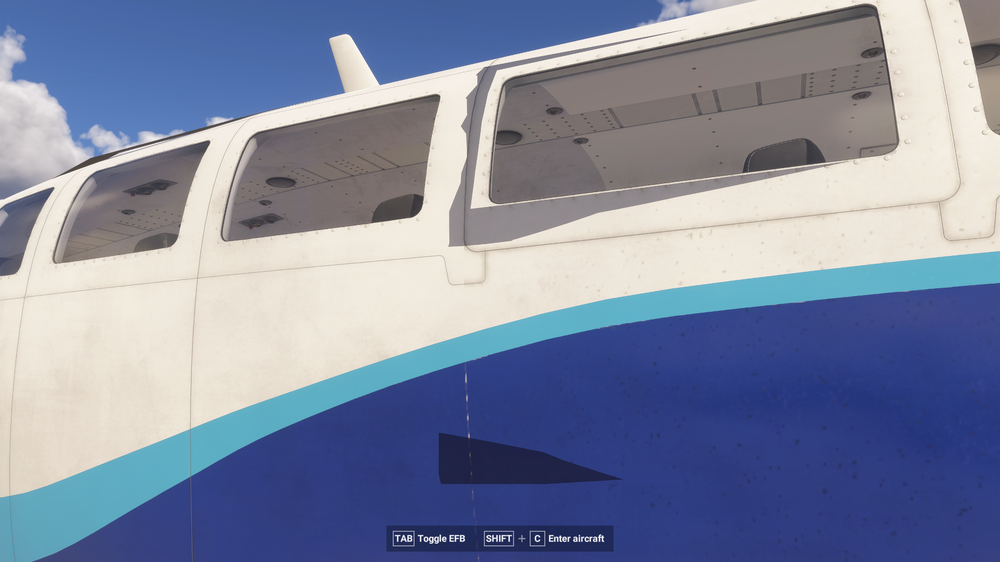
As title explains, the left hand cabin emergency exit operates nicely from it's red handle in the cabin or via the tablet. It also rightly makes noises when opened or closed (see my reports of other doors not doing so in the 'Sound' section). However the right hand door does nothing when it's handle is clicked, there's no clickspot there. Also, clicking it via the tablet on the yoke seems to make a noise of something opening and closing, but it still does not actually open. I believe it was intended to because of those noises and the option to open it, which is a neat detail, it's just not doing it. Cheers
-
Additional screenshot of same area, taken at different time of day and sun position. Cheers
-
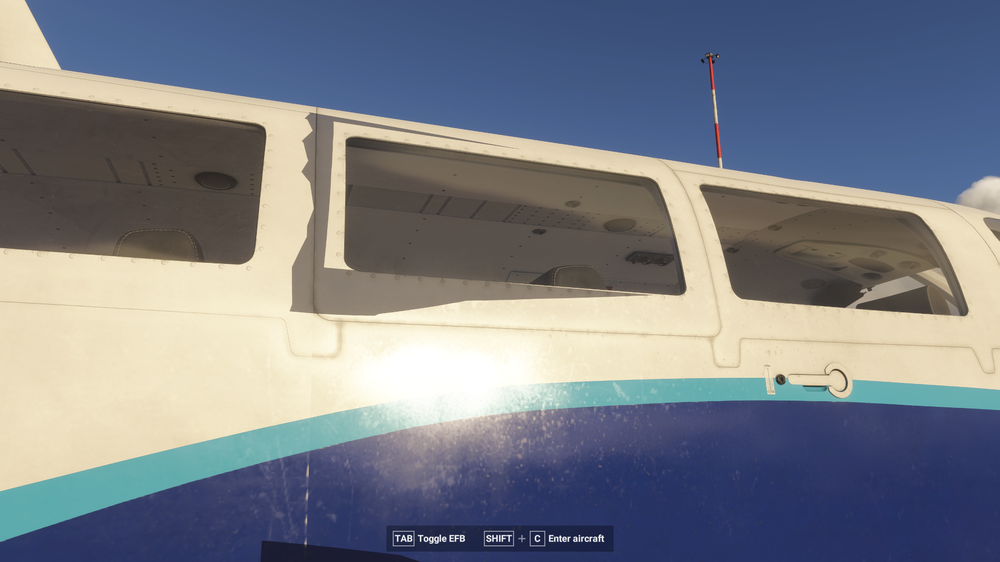
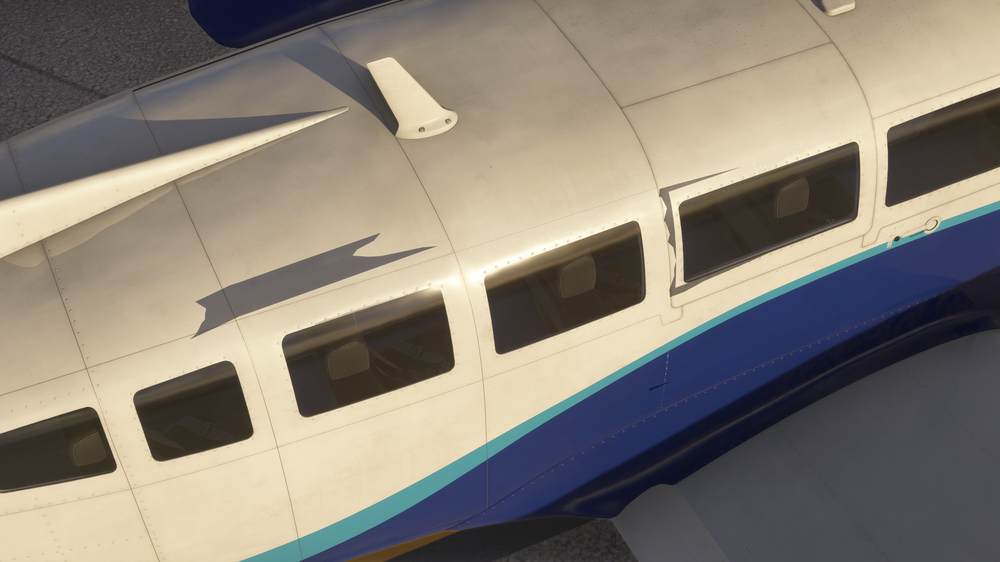
The aircraft has sections of large grey flickering texture around the passenger windows, mainly on the right hand windows seen here. Cheers
-
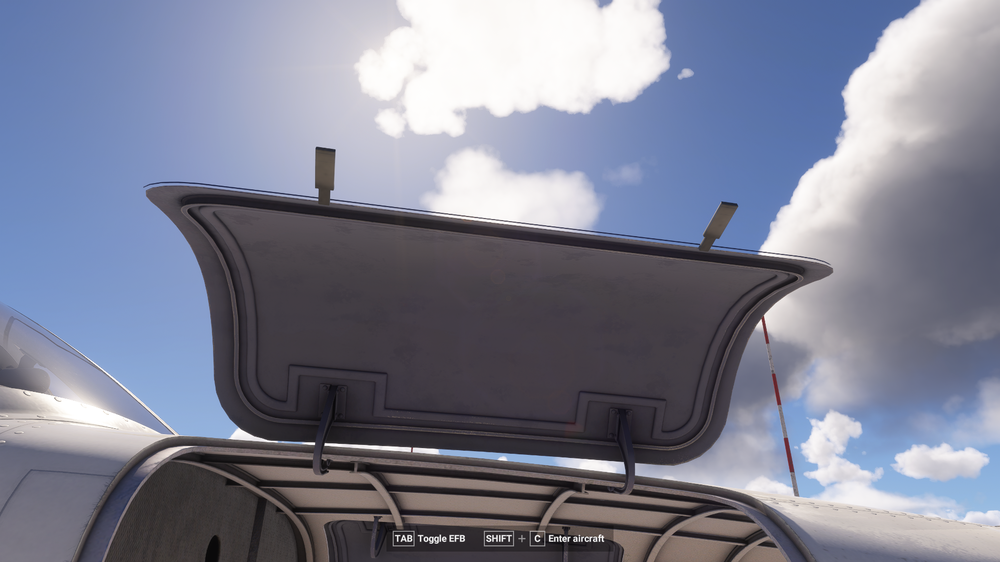
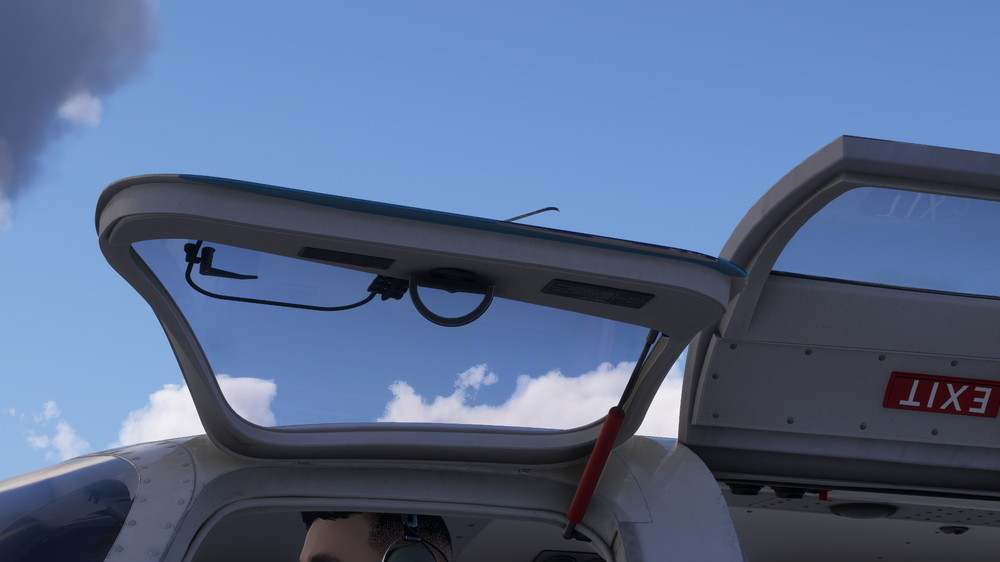
When viewed from underneath both these have artifacts. The baggage door has a 'floating' edge seemingly not attached to anything all around its upper. The pilot's emergency exit handle (the diagonal object sticking out the top edge of door in shot) is see-through and hollow when viewed from outside the aircraft while opened. Cheers
-
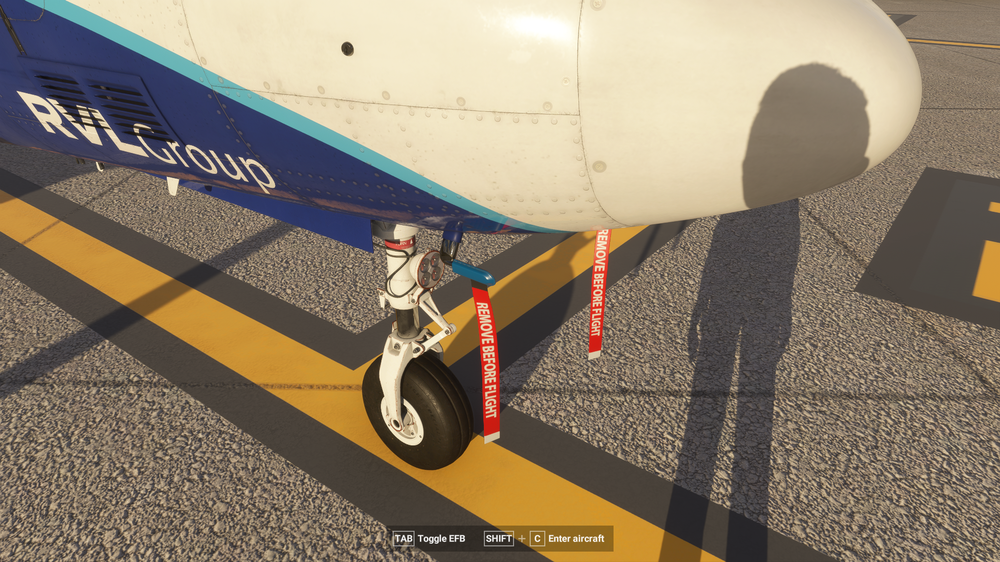
Half bug, half suggestion I guess. When looking at the nose pitot RBF tags they don't move with the wind or external influences like other, and even default, MSFS aircraft tags can do. Hopefully this can be looked at in the future, or if indeed it is supposed to happen, be fixed. Cheers
-
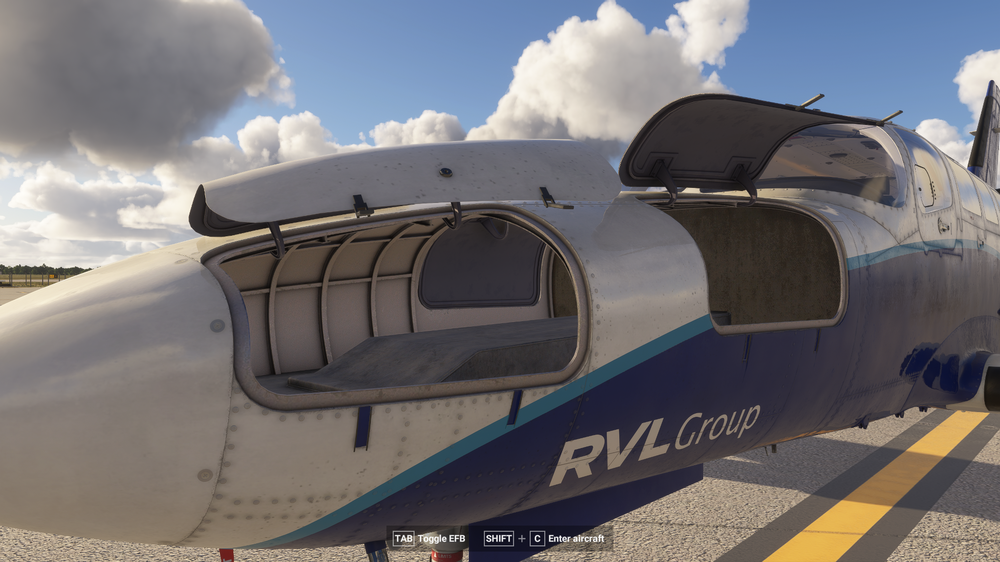
3. The nose hatch(es) open with sounds but close completely silent. Cheers
-
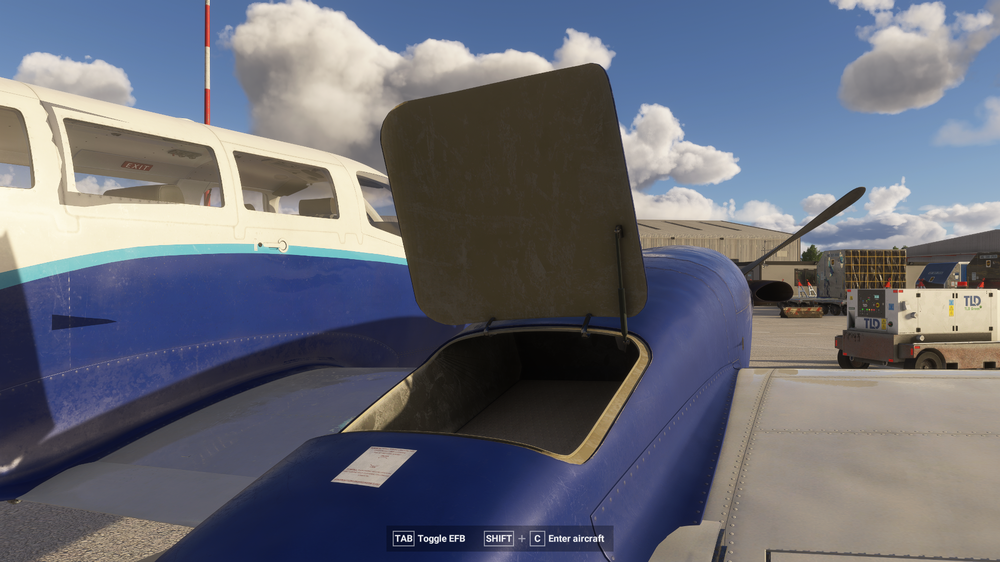
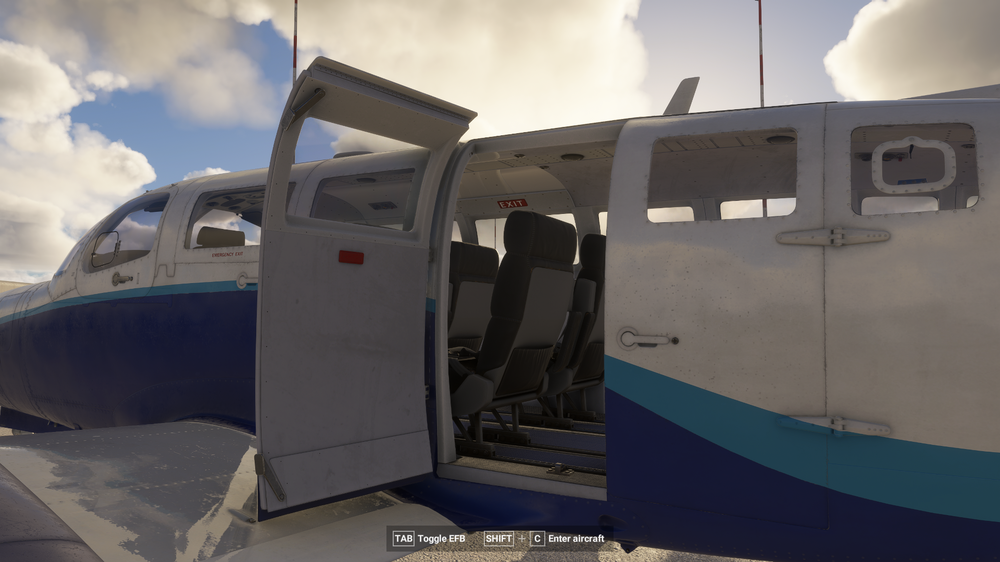
When operating the aircraft doors either by themselves or from the tablet some doors have opening 'clunk' noises, but will oddly stay completely silent when closed. One or two are correctly modelled and do make noises both opening and closing (for example, the pilot's window hatch, and one of the two emergency exits). There are more examples than I can attach as screenshots to one post so examples of which others do not behave correctly, will be in replies underneath. 1. The engine baggage doors open with a lovely ‘clunk’ but make no noise at all when closed. Would be nice and not so immersion-breaking on a walkaround. 2. The ‘secondary’ side door to the left of the main exit door is silent when opened or closed, from inside or outside the aircraft. Cheers
-
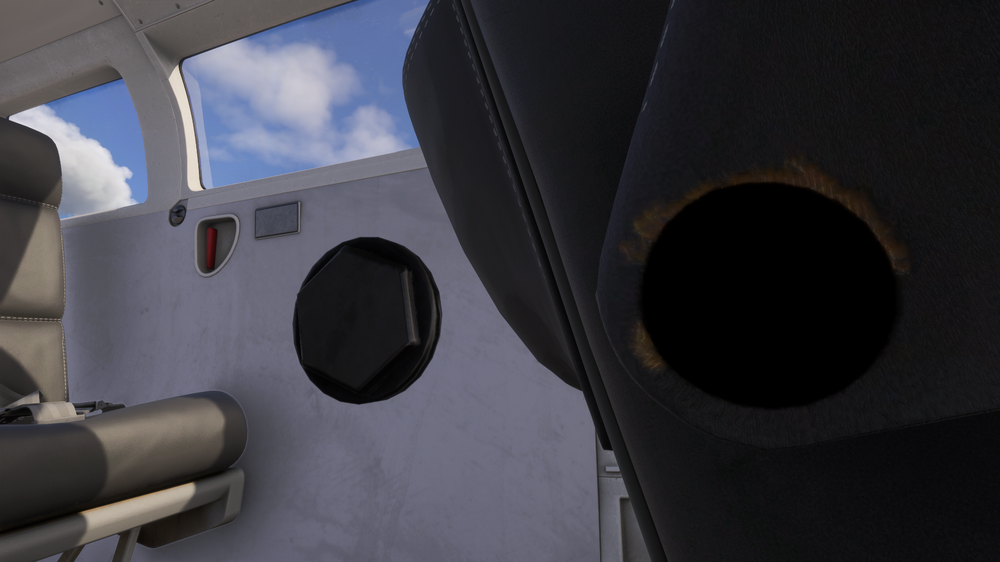
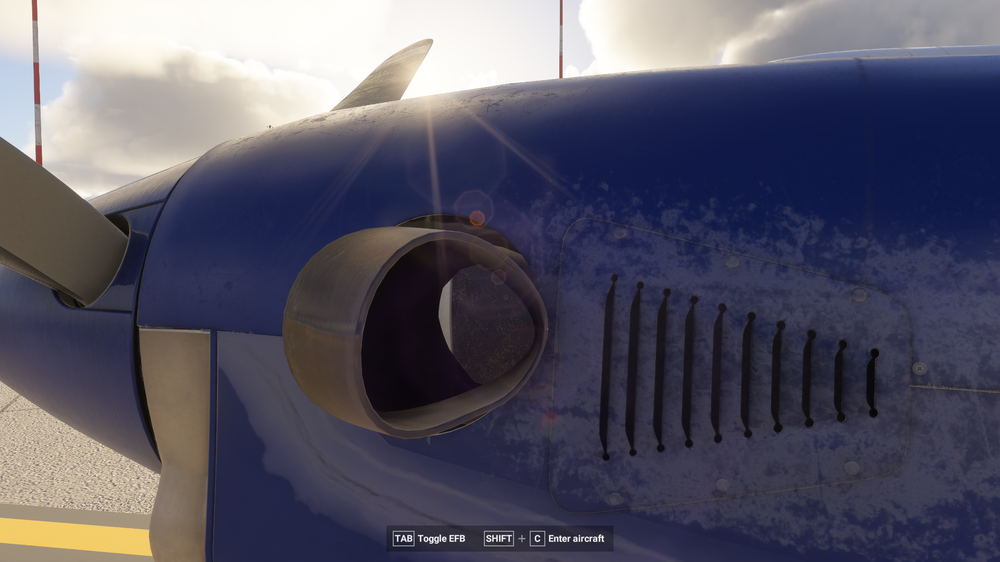
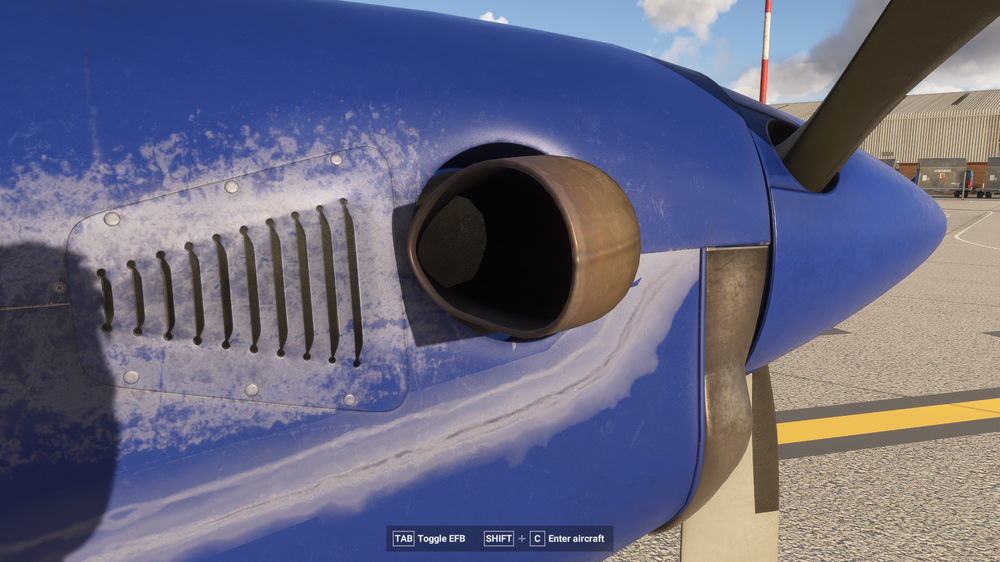
When the engine covers are taken off on walkaround, inside the exhausts there are parts (of the engine?) visibly clipping through into the 'dark' interior of the exhaust. Cheers
-
Good afternoon, i can confirm I am also seeing this issue. MSFS 2024, passenger variant Caravan. Cheers