



Skip to content
View in the app

A better way to browse. Learn more.

iniBuilds Forum

A full-screen app on your home screen with push notifications, badges and more.

To install this app on iOS and iPadOS
  1. Tap the Share icon in Safari
  2. Scroll the menu and tap Add to Home Screen.
  3. Tap Add in the top-right corner.
To install this app on Android
  1. Tap the 3-dot menu (⋮) in the top-right corner of the browser.
  2. Tap Add to Home screen or Install app.
  3. Confirm by tapping Install.

bugraa

Member
  • Joined

  • Last visited

Everything posted by bugraa

  1. I tried it but it didn't work unfortunately
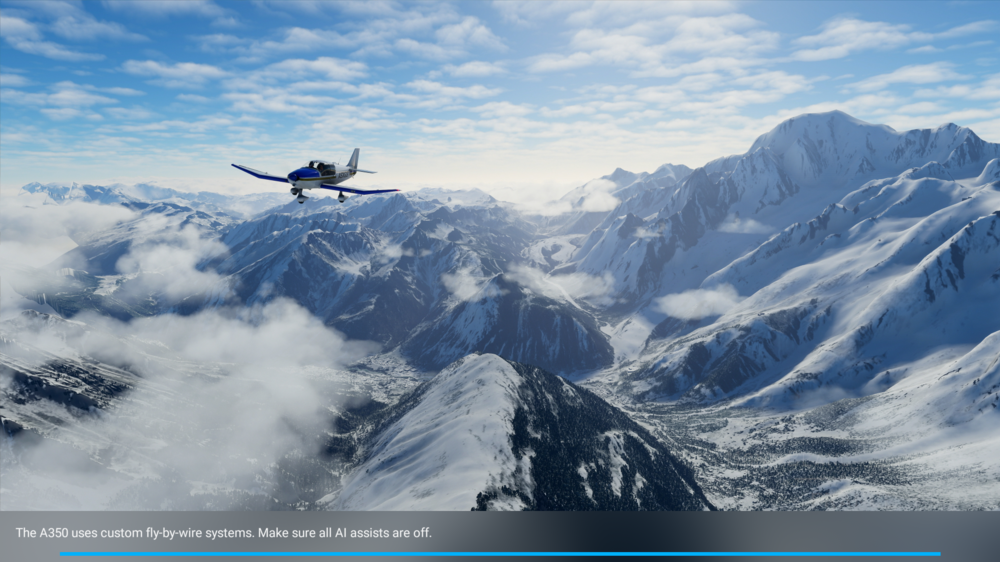
  2. Hello, I own the iniBuilds A350. In MSFS 2020, when I select an airport and try to start a flight, the simulator gets stuck on the loading screen. I waited for about an hour, but the game never loaded. I tried clearing the "work" folder and launching again, but it didn’t help. I also emptied the Community folder and tried again — still no success. I uninstalled and reinstalled the aircraft, but the issue persists. If anyone knows a solution to this problem, I’d really appreciate the help.
Account

Navigation

Configure browser push notifications

Chrome (Android)
  1. Tap the lock icon next to the address bar.
  2. Tap Permissions → Notifications.
  3. Adjust your preference.
Chrome (Desktop)
  1. Click the padlock icon in the address bar.
  2. Select Site settings.
  3. Find Notifications and adjust your preference.