




Lukáš Orliv
Member
-
Joined
-
Last visited
Everything posted by Lukáš Orliv
-
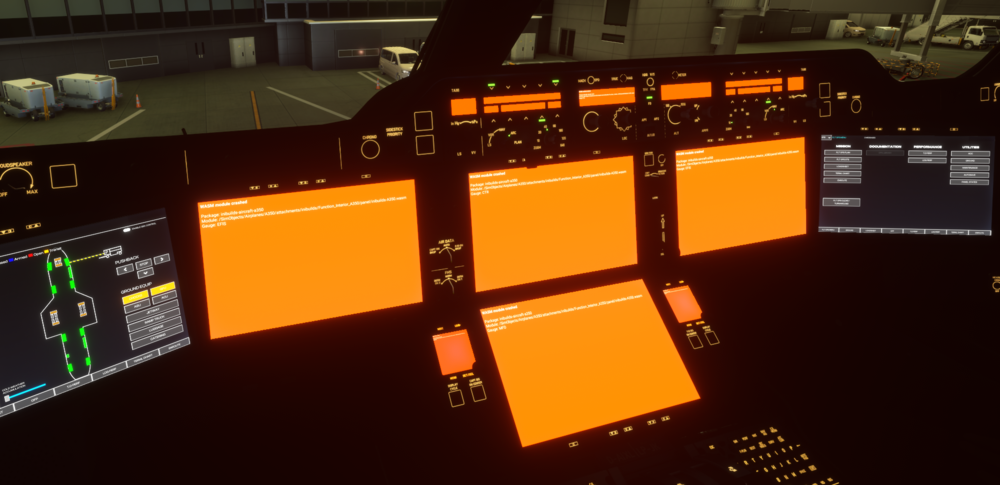
I deleted and reinstalled the plane but this message still appears, see photo. I can delete the WASM folder over and over again but the message persists. Is there any way to make the plane usable because at the moment it's just a waste for 69 euros?

-
Here Mr. DroneSim October 7, 2025 that the A340 will be in the ini market within several time periods, it is slowly the end of 2025 and the A340 is not in iniStrou. Even the A350 can't fly anymore due to the WASM problem, I can delete the maid and reinstall the plane 1000 times and it still appears again, I won't give a single penny to inibuilds and the support doesn't solve it, such an aircraft is completely shit to me, I don't know how it is with the A340, if there are the same problems, but this is too much, fenix and PMDG don't have a problem with it, see photo. And I'm not the only one who does this, there's a lot of it on Discord too.
-
I have decided not to support inibuilds and currently I will not buy A340 through the marketplace. I don't know what the inimanager is for if they don't put A340 on the market. I have no problem supporting it through the app, but I won't buy anything through the marketplace.
-
Plánujete toto letadlo zařadit do vašeho inimarketu, nebo je dostupné pouze na imarketplace v MSFS24, což mi nefunguje. Nemůžu si letadla koupit, jen chci informace, zda to plánujete a kdy bude na inimarketu. Nemám problém si toto letadlo koupit přes inimarket. Děkuji.


