ChunkyMonkeyHustler
Member
-
Joined
-
Last visited
Everything posted by ChunkyMonkeyHustler
-
I too am having a significant number of flights burning way too much fuel compared to historical norms. In fact, every flight performed with V.1.2.3 in MSFS2020 start on the ground with the fuel at destination warning already displaying. Most flights seem to be between 33% and 46% difference in flight plan fuel vs. fuel required inflight. Please, please fix these issue. More importantly please, please, please conduct RIGOROUS testing before distributing updates!
-
Ditto. CABIN READY message will not extinguish. ...it's always something with a new update.
-
Reporting back in, and as of now this seems to be the solution. I will report back if i encounter anymore anomalies. I suppose this means when we add new liveries we have to load the new plane and then ESC to main menu and then reenter the aircraft to get the terrain data? Any confirm? Seems like a flaw in the system if this is the case.
-
Thank you for your quick reply. I will test this option and report back soon. Thanks again.
-
I have been having significant difficulties with the new terrain download file and display ever since its implementation. After deleting the file or deleting the entire WASM folder and redownloading per instructions, the terrain will load and display. However, if I change liveries (I use MFSF linker) the terrain data no longer loads or displays on the ND. It just shows the low and high terrain as 0. It will also randomly stop working even with the same livery it had worked on for a previous flight. All assistance, ideas and solutions would be greatly appreciated. MSFS 2020 A350 version 1.2.1
-
I’ll second the motion for window shades on MSFS A350 with no cabinet, please.
-
There are a few threads going around with this issue. IniBuilds has indicated they are aware, are seeking more information on the problem and hunting for solutions to the challenge.
-
I too am suffering from this issue, and was curious if any of the before mentioned items were relevant to you. I seem to be able to just reload the flight and the plane comes up on GPU power, which is the profile i have load when starting iniBuilds A350. I'm hopeful iniBuilds will begin to address this as these reports are starting to popup all over the forums. I have tried all the alleged "fixes" to no avail. Thanks, ChunkyMonkeyHustler
-
Questions for both of you: Is MSFS2020 crashing on exit? Do you have to use Task Manager to End Process? And, have you tried spawning a new flight in a new A350 livery at a new position?
-
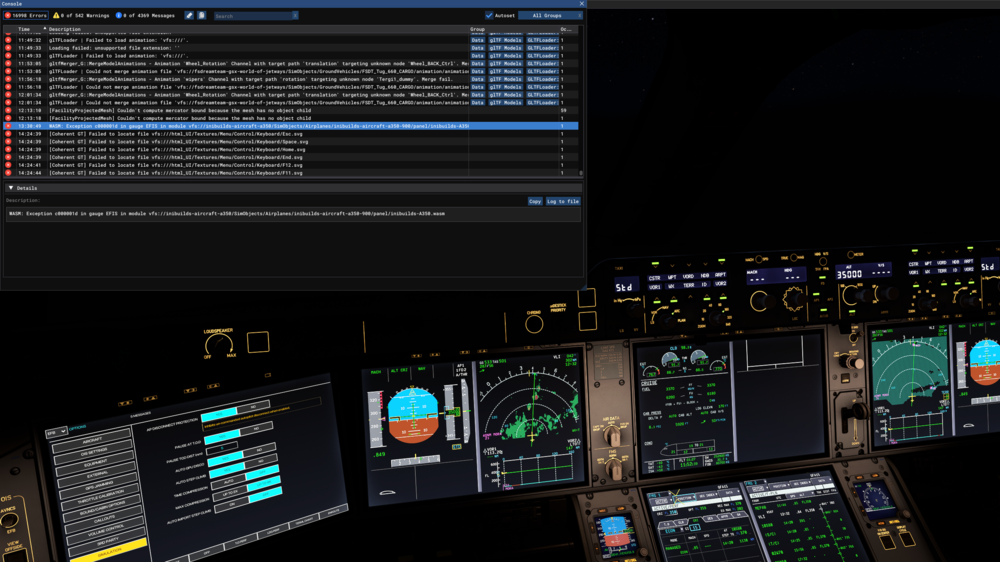
I had a WASM crash, while enroute from YBBN to KLAX, four times on four separate days attempting this flight. To reproduce After taking off and reaching altitude (FL350) about an hour into the flight the clock freezes. No keys or buttons pushed. No obvious WASM crash inducing event that I am aware of. Happens in both 1x and 4x sim rate. Panel becomes non responsive and the aircraft appears to be flying straight, but the NAVIGRAPH moving map shows the aircraft in a large righthand turn. Information Aircraft: A350-900 Simulator: FS20 Navdata Method: NAVIGRAPH OFP: Not required, happens on any route between YBBN and KLAX (possibly others).1749842793.bin Specs: Intel i9-10900KF, RTX 3090, 32GB RAM Autosave: Attached latest .BIN file before crash WASM: Exception c000001d in gauge EFIS in module vfs://inibuilds-aircraft-a350/SimObjects/Airplanes/inibuilds-aircraft-a350-900/panel/inibuilds-A350.wasm
-
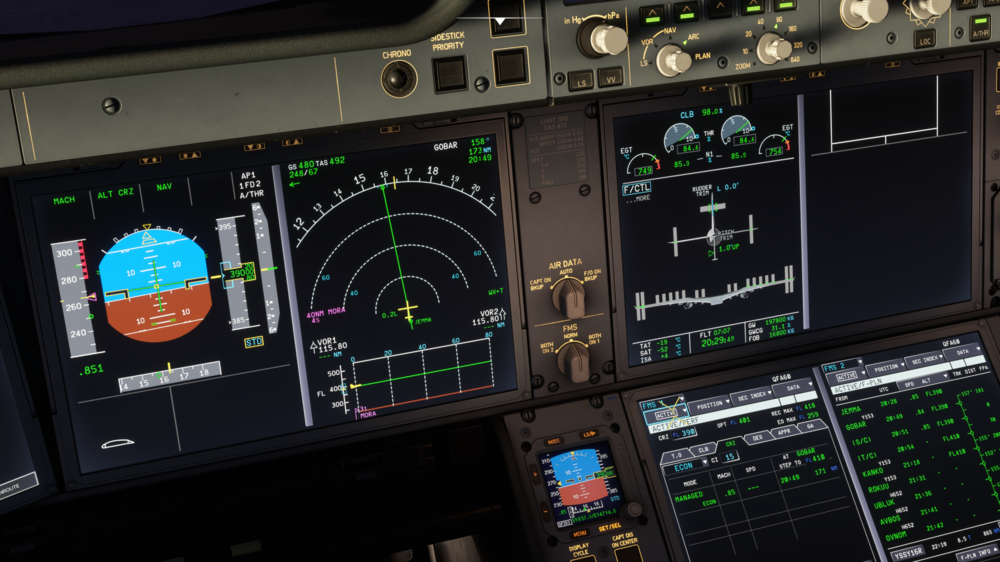
I have had serval instances over the last two or three updates where the A350-900 and A350-1000 flies .02NM to the left just after departure and upon autopilot engagement all the way through the autopilot intercepting the ILS on approach. I've tried disconnecting the autopilot and manually recentering on the route. When I reengage the autopilot the aircraft will drift back to the 0.2NM left. Take note of how the autopilot commands the ailerons. (This phenomenon occurs regardless of wind speed and direction.) Thoughts, suggestions or solutions?
-
-
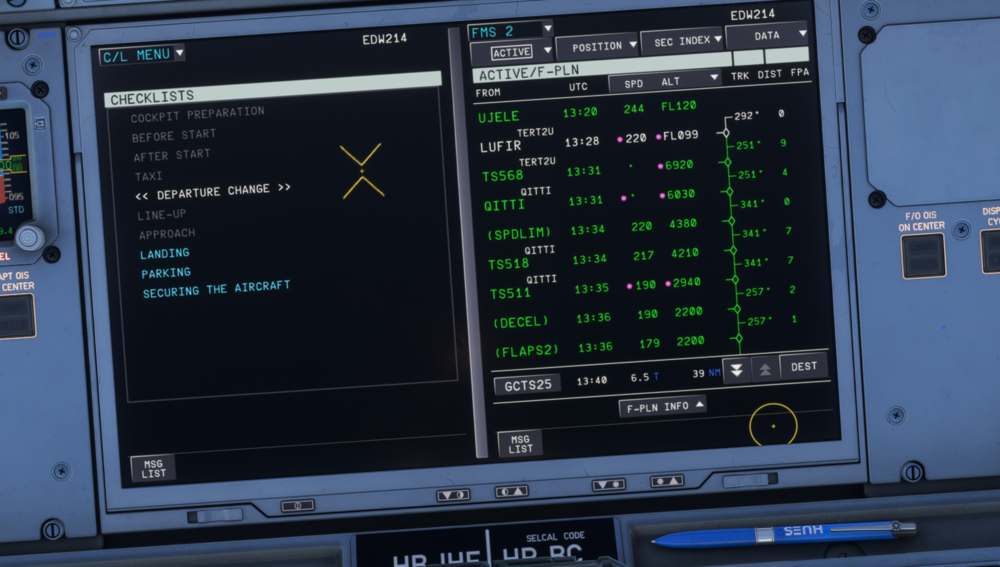
Hello everyone, First, I would like to thank all those who had a hand in brining such an amazing aircraft to MSFS. Bravo! I have however, not seen an After Takeoff checklist in the electronic checklist menu ever since purchasing and installing v1.05. Even after each successive update, v1.06 and now v1.07, I have not had the After Takeoff checklist present in any on my iniBuilds A350 variants. It was not until I watched a few online tutorials that I discovered my missing checklist was not by design. So, I ask iniBuilds and fellow flight simmers if they have experienced this before, and if so how do I remedy the situation? I have run the updates per instructions and have cleared MSFS2020 and Nvidia graphics caches, and I have cleared the WASM folder as well. Any and all help would be greatly appreciated. Thank you!