



Skip to content
View in the app

A better way to browse. Learn more.

iniBuilds Forum

A full-screen app on your home screen with push notifications, badges and more.

To install this app on iOS and iPadOS
  1. Tap the Share icon in Safari
  2. Scroll the menu and tap Add to Home Screen.
  3. Tap Add in the top-right corner.
To install this app on Android
  1. Tap the 3-dot menu (⋮) in the top-right corner of the browser.
  2. Tap Add to Home screen or Install app.
  3. Confirm by tapping Install.

xwind30kts

Member
  • Joined

  • Last visited

Everything posted by xwind30kts

  1. I had to do a WASM reset, and was trying to download the terrain data for FS2020. I tried via the OIS in the aircraft, and it is stuck at DOWNLOADING... In the INI manager there is an error : FAILED TO VERIFY FILE INTEGRITY. I have tried restarting the sim and the INI manager many times, ensuring everything is closed, but I still have the same error. Let me know how this can be fixed.
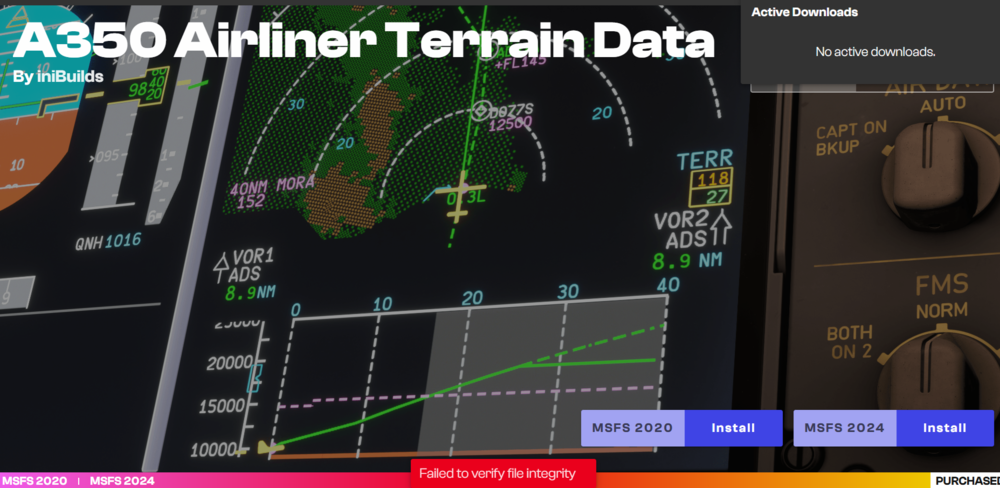
  2. Can you indicate how? I was unable to find it in the ini manager.
  3. xwind30kts replied to Huno's topic in Sounds
    It is okay after pressing the disconnect button again within 0.5 - 1.5 seconds.
  4. For both A350-900 and 1000 variants the taxi lights for the main landing gear under the wings are not working, Here are the settings in the OIS, am i missing something or the bug is still there?

Account

Navigation

Configure browser push notifications

Chrome (Android)
  1. Tap the lock icon next to the address bar.
  2. Tap Permissions → Notifications.
  3. Adjust your preference.
Chrome (Desktop)
  1. Click the padlock icon in the address bar.
  2. Select Site settings.
  3. Find Notifications and adjust your preference.