



Skip to content
View in the app

A better way to browse. Learn more.

iniBuilds Forum

A full-screen app on your home screen with push notifications, badges and more.

To install this app on iOS and iPadOS
  1. Tap the Share icon in Safari
  2. Scroll the menu and tap Add to Home Screen.
  3. Tap Add in the top-right corner.
To install this app on Android
  1. Tap the 3-dot menu (⋮) in the top-right corner of the browser.
  2. Tap Add to Home screen or Install app.
  3. Confirm by tapping Install.

etomcat

Member
  • Joined

  • Last visited

Everything posted by etomcat

  1. etomcat replied to robro8's topic in Other
    And A330 please. Love this plane
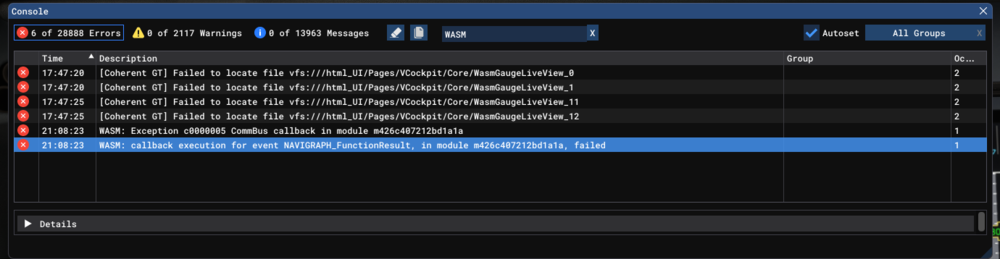
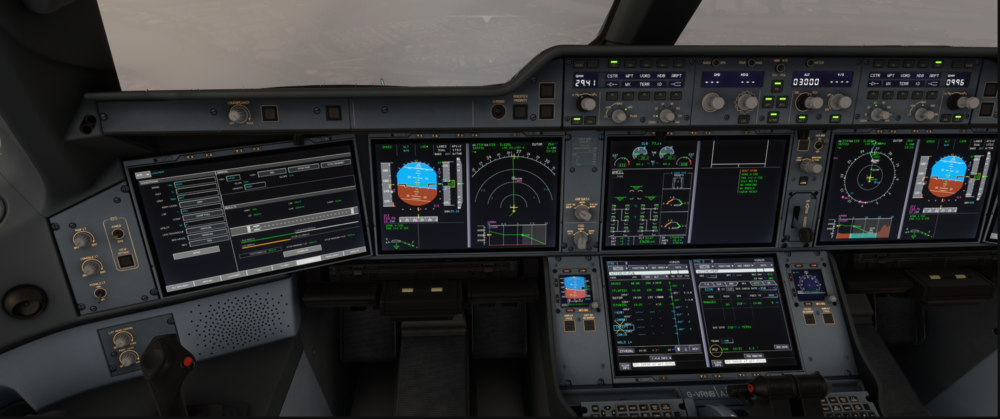
  2. Information Aircraft: A350-1000 Simulator: FS20 Navdata Method: NAVIGRAPH OFP: Simbrief / Attached PDF Specs: i9 14900k, RTX 4090, 48GB RAM / 6400 XMP on WASM: Exception c0000005 CommBus callback in module m426c407212bd1a1a WASM: callback execution for event NAVIGRAPH_FunctionResult, in module m426c407212bd1a1a, failed Arrival: GRIZZ7 / Trans.: PAE Approach: ILS26L BTV was configured for CYVR26L Controls froze shortly AFTER activating Approach in MCDU, and AFTER activating Approach mode in FCU KSEACYVR_PDF_1741818494.pdf
Account

Navigation

Configure browser push notifications

Chrome (Android)
  1. Tap the lock icon next to the address bar.
  2. Tap Permissions → Notifications.
  3. Adjust your preference.
Chrome (Desktop)
  1. Click the padlock icon in the address bar.
  2. Select Site settings.
  3. Find Notifications and adjust your preference.