Ralf
Member
-
Joined
-
Last visited
-
Same here. Cabin Pack 1 and 2 were the reason the cockpit was gone.
-
Update: I reinstalled all the liveries. It worked after that. The update hadn't helped. thx
-
Okay. I think I've always had the mode set to legacy. I might be wrong, but I'll check it. No, that definitely won't work. Unfortunately.
-
Hello, After a long time, I wanted to get my A350 up and running again in 2020. I installed the latest update. Since last using it, I also have a new graphics card (5070 Ti OC). Now comes the problem: when I move the mouse cursor over the buttons, instead of the hand with the extended index finger, I get an arrow pointing right or left. This means I can't even turn the machine on. The mode is set to Legacy, TAA is enabled, DX11 is active, and the usercfg.opt file was write-protected, which I've removed. I've also uninstalled and reinstalled A350. Everything works normally on the Fenix. I'm completely out of ideas. Does anyone have any suggestions?
-
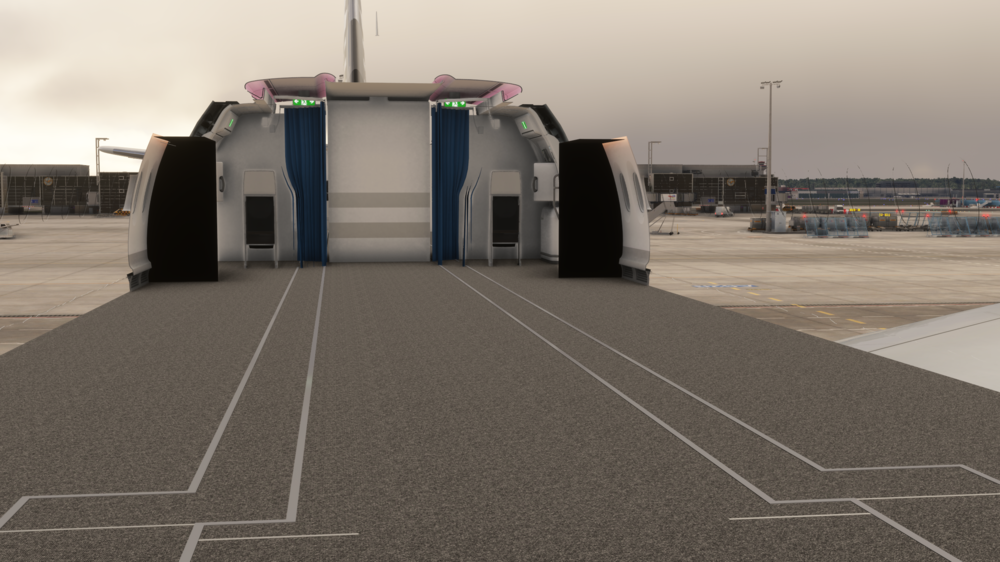
Why is the cabin shown as a convertible? Regards Ralf