




Delta_Who
Member
-
Joined
-
Last visited
-
Some of the reason for the delay, I had to look down the barrel of the gun on this. The Bulldog was created in 3DS Max, but it seems that Laminar are dropping support for it and authoring for it was getting difficult. So I spent some time trying to port this over to blender, and so far the only outstanding things are animations and manipulators. Should make things easier going forward
-
The "Before"
-
Taken 2 weeks ago, heavily wip. Remodelling the front panels
-
Highly unlikely, that being said... I have worked on the Bulldog alot the past 2 days 😮
-
Pretty ^_^
-
Glad you're enjoying it. Still not eta on updates atm. Apologies. Would suggest having a bound axis for prop.
-
Origami Studios has released v1.3 of London Gatwick (EGKK) for X-Plane 11. A changelog is available below.This update can be downloaded via your iniBuilds Store account: store.inibuilds.com/account v1.3 - New generated shadow maps for north and south terminal. So there is more "depth" particularly in areas under cover - Re-touched the concrete textures. Now have a edge dirt/roughness as well as an additional dirt layer on top to try and break up repetitive textures - Concrete normal's adjusted to not look quite as thick - Runway textures reworked. Now has tar lines, resurfacing details, new asphalt. - Centre line markings draw order adjusted so they are more prominent - Edited ortho to remove brown soil running down Zulu - Added water bodies - Replaced pedestrian markings - New tar/dirt markings on aprons - Gatwick Hill along North Terminal modelled - Gatwick mound along 08R modelled - New vehicle assets - Added taxiway crossing lights for vehicles - Added entrance structure for North Terminal - 08L/26R touchdown zone now solid bars instead of piano bars - Added Beehive - Added Brookhouse
-
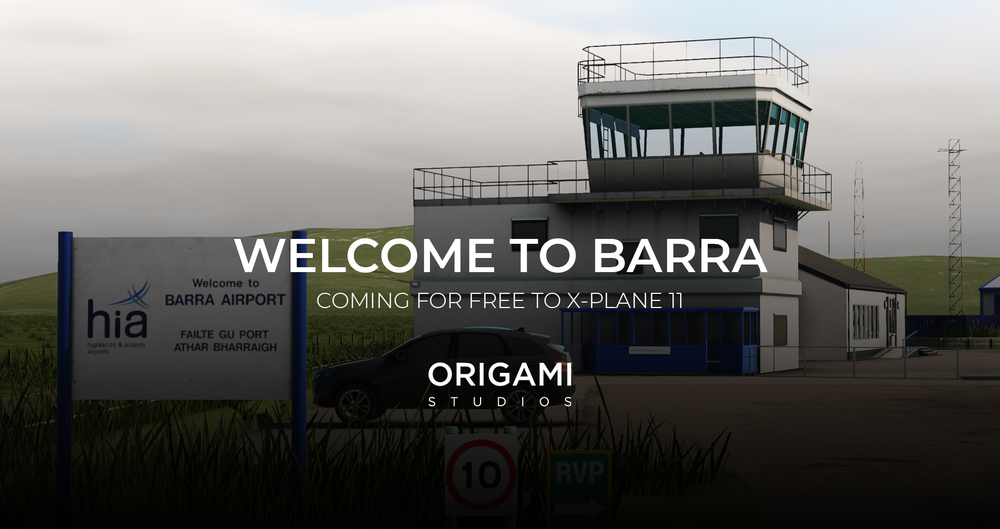
Origami Studios is proud to present our first freeware scenery: Barra Airport for X-Plane. Are you ready to take on Barra? Located at the northern tip of the Island of Barra, Scotland. This airport is unique for being the only airport in the world with scheduled flights to land at a tidal beach. Whether you're just shuttling island residents, delivering cargo, or visiting for tourism, Barra is nothing short of spectacular views. Origami has lovingly recreated this airport for FREE exclusively for X-Plane owners. With various features including - 4K PBR textures - Extremely high-fidelity modelling - Custom 3D terrain around the shoreline - Terminal with near full interior - Colour corrected grass for Orbx True-earth North (Mandatory requirement) - Custom water/sand markings with visual cues to aid sim-pilots Barra will be arriving this summer. Check out www.origamistudios.co.uk for more information!
 Unfortunately I agree.That is...errr... very blue 😄 Is that some photoshop I see?
 Delta_Who Liveries | Felis 747-200 - Qantas | VH-EBL
 An ex-Olympic aircraft painted as part of an ASDA commercial.
 Includes : - Options for PW logo on engine cowlings - Three different shades of blue for the fuselage reflecting UV aging and wear
 Delta_Who Liveries | Felis 747-200 - BOAC (Fictional) | G-AWNB


