



Skip to content
View in the app

A better way to browse. Learn more.

iniBuilds Forum

A full-screen app on your home screen with push notifications, badges and more.

To install this app on iOS and iPadOS
  1. Tap the Share icon in Safari
  2. Scroll the menu and tap Add to Home Screen.
  3. Tap Add in the top-right corner.
To install this app on Android
  1. Tap the 3-dot menu (⋮) in the top-right corner of the browser.
  2. Tap Add to Home screen or Install app.
  3. Confirm by tapping Install.

SRQ_Av8r

Member
  • Joined

  • Last visited

  1. SRQ_Av8r replied to SRQ_Av8r's topic in Systems
    Well it's modeled in the aircraft, strange.
  2. SRQ_Av8r posted a topic in Systems
    As title says, cannot get HUD to deploy in new update.
  3. KATL/27R N0497F400 NASSA2 YAALL J14 PNH DCT ACH DCT ABQ J78 DRK DCT GABBL HLYWD1 KLAX/25L
  4. Uplinked FP into FMS, when clicking to insert, received a CTD.
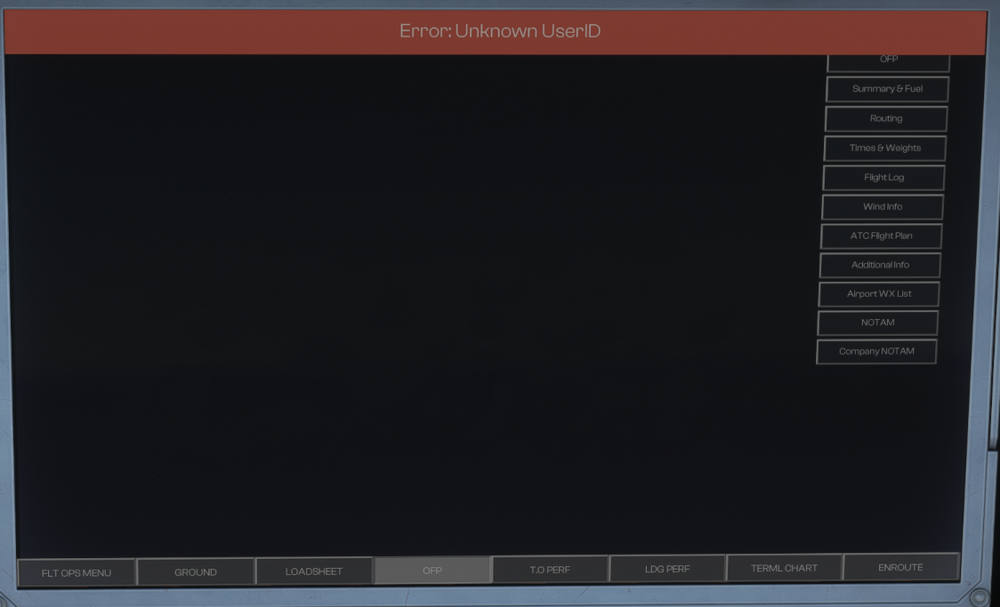
  5. Solved by inputting my "Pilot ID" from Simbrief and not username.
  6. Loaded aircraft in MSFS2020, input HOPPIE code as well as my SimBrief ID into EFB. When loading an OFP, I get a message that says "UNKNOWN USER ID". I've tried resetting sim, and re-typing ID. Thanks, Jacob
Account

Navigation

Configure browser push notifications

Chrome (Android)
  1. Tap the lock icon next to the address bar.
  2. Tap Permissions → Notifications.
  3. Adjust your preference.
Chrome (Desktop)
  1. Click the padlock icon in the address bar.
  2. Select Site settings.
  3. Find Notifications and adjust your preference.