Skip to content
View in the app

A better way to browse. Learn more.

iniBuilds Forum

A full-screen app on your home screen with push notifications, badges and more.

To install this app on iOS and iPadOS
  1. Tap the Share icon in Safari
  2. Scroll the menu and tap Add to Home Screen.
  3. Tap Add in the top-right corner.
To install this app on Android
  1. Tap the 3-dot menu (⋮) in the top-right corner of the browser.
  2. Tap Add to Home screen or Install app.
  3. Confirm by tapping Install.

Thrawn215

Member
  • Joined

  • Last visited

  1. Aight not sure whether it was clearing the WASM folder or signing out of everything on Navigraph, but i have the navdata now!
  2. its not addon linker - i have never had any issues with it before or with any other aircraft. that said, i have cleared the WASM folder and trying what Rolf tried with the navigraph account, so we'll see...
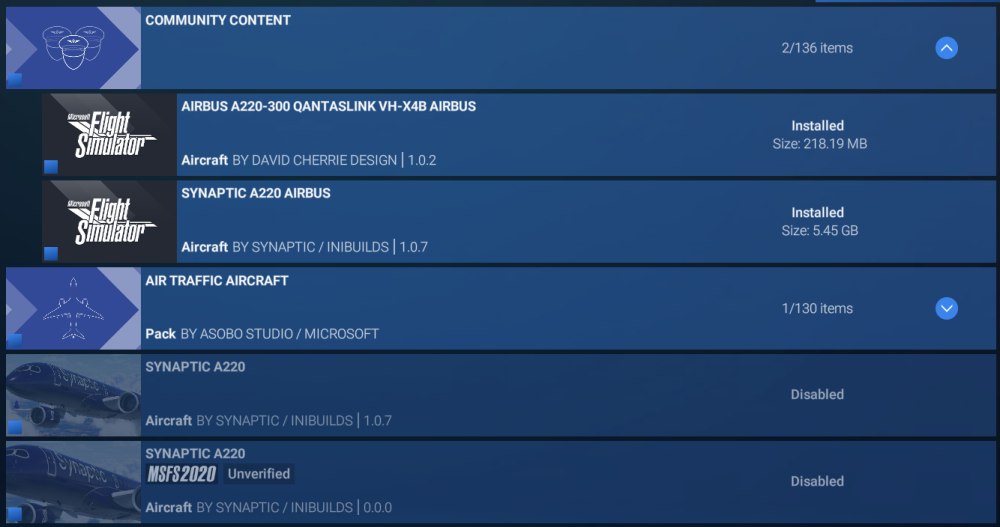
  3. I use addon linker, so im not sure the whole community folder thing would work.... but ill try the WASM folder...
  4. this was after a fresh install...
  5. I've tried this, and while it did work when i was streaming the aircraft, since installing the aircraft via the inibuilds store, this is no longer working...

Account

Navigation

Configure browser push notifications

Chrome (Android)
  1. Tap the lock icon next to the address bar.
  2. Tap Permissions → Notifications.
  3. Adjust your preference.
Chrome (Desktop)
  1. Click the padlock icon in the address bar.
  2. Select Site settings.
  3. Find Notifications and adjust your preference.