aviationnut
Member
-
Joined
-
Last visited
Everything posted by aviationnut
-
Thanks for the reply. The problem is the mouse cursor isn't even visible. I literally can't click anywhere, and my view is frozen. I can't reset the view or anything when it's in this state.
-
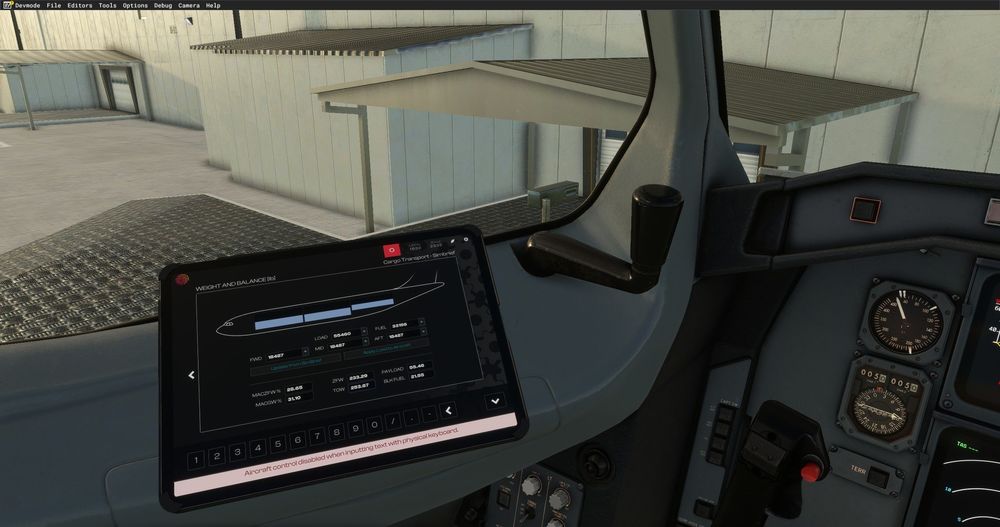
Hi all, This has happened to me twice and it has proven very annoying because I literally have no way out of this state until I close and restart MSFS entirely. I might be pressing buttons on the EFB and it seems if I do some combination of mouse clicks or something it gets into this state where it thinks I focused a field in the EFB and locks me in, waiting for my keyboard input. As a result, my mouse and all other controls are frozen, and the keyboard is also no-op. Nothing I press on the keyboard either manipulates anything on the EFB or gets me out of this state. I am not exactly sure how to reproduce this consistently, but it seems to be perhaps if I accidentally click the left and right button at roughly the same time or perhaps I click on a border of a field where one part thinks I have focused a field, while another one thinks I missed the mark and doesn't focus, leaving me in this stalemate. I hope I explained myself clearly. Is there any hotkey that gets me out of this state?