




Takadiurga
Member
-
Joined
-
Last visited
Everything posted by Takadiurga
-
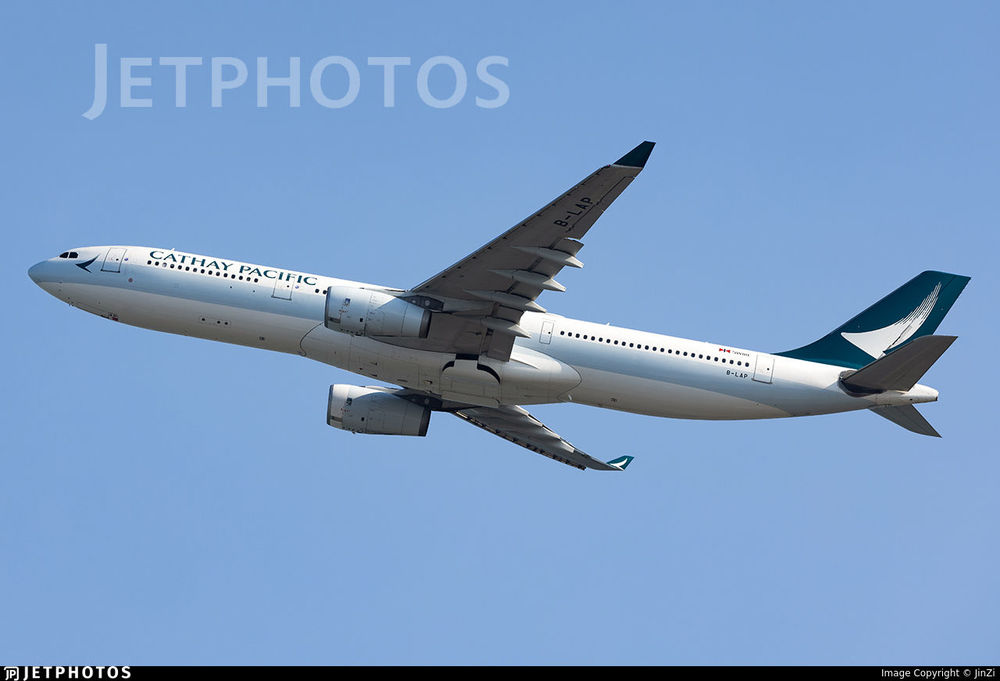
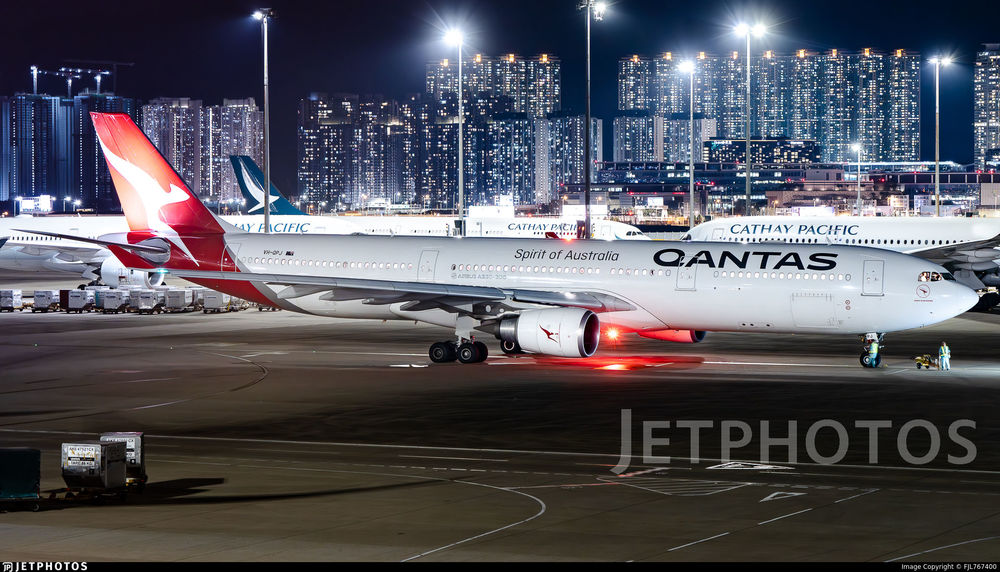
Hey team, Just wondering if Inibuilds has plans to implement different door configurations for the A330-300. Examples that I am talking about are the third door, sitting behind the wing which can come in either a smaller emergency exit door, or a full-sized one from Airbus. Currently the A330 we have in game has the smaller door. Example smaller: Cathay Pacific B-LAP Example bigger: Qantas VH-QPJ Thanks!
-
Hi team, Just as an FYI, I am assuming this will come under the cockpit glass reflections, but at night time when the taxi light is on, it reflects so badly into the cockpit glass that it effectively renders you blind to being able to see the taxiways / runway. Just in case it's actually a lighting issue, but pretty sure it will be the cockpit glass as well.


