




Maruju
Member
-
Joined
-
Last visited
Everything posted by Maruju
-
Is that also coming to the 2024 sim? Also not working there.
-
Hello, thank you for giving us an option to add stairs to the A320 Neo V2. However, these stairs are only the default airport stairs. The problem I have is that at some stands, there are no default airport stairs placed, which means, I still can't connect stairs to the aircraft. And if there are stairs, I can only connect them to the front left door. Would it be possible to add stairs to the aircraft like other companies do to their aircraft that spawn next to the aircraft and connect if triggered by the player? Thanks!
-
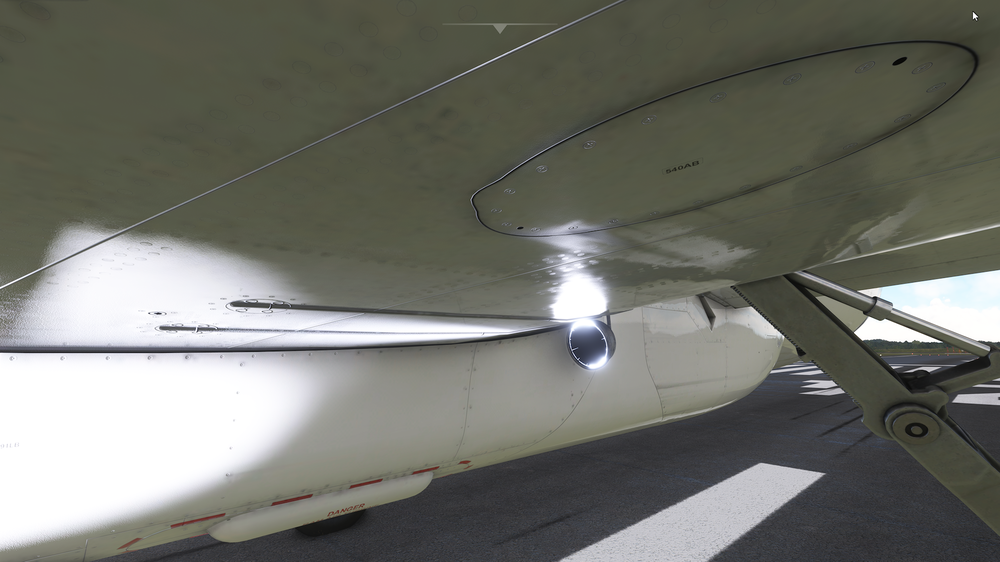
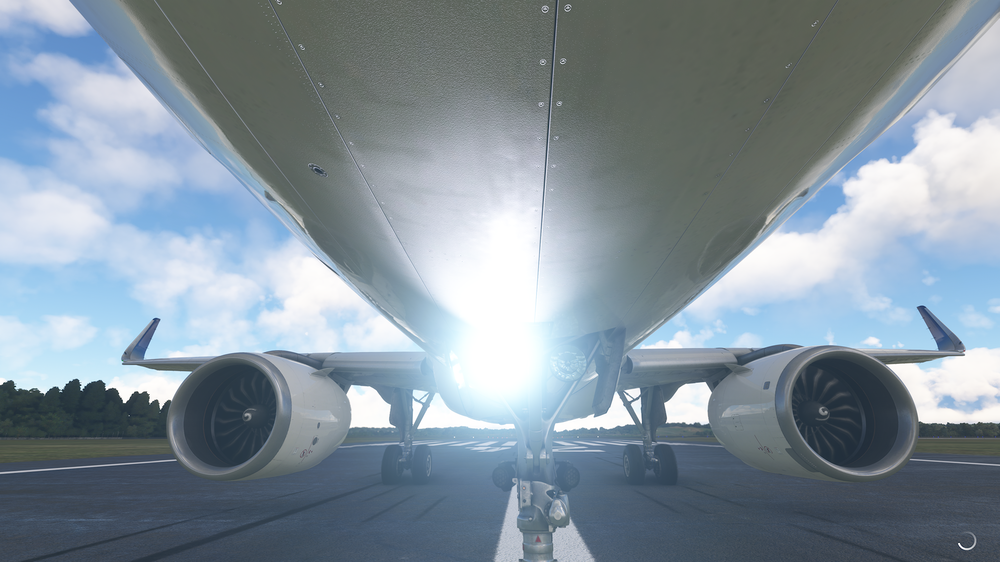
Thank you for your answer. These are great news to me and surely to many more of us aswell! I these screenshots show what I mean. The taxi light e.g. is displayed correctly, so the actual light bulb is illuminated. But the landing lights are not. There is only bright light, but the light bulb itself is dark.
-
Hello, I would like to add some things that I hope can be fixed in the future. One thing are the lights. The landing lights aren't correctly displayed under the wings (actual light is not on) and the beacon light is way to dark. I stood in front of an a321neo this week and it was really bright. And the second thing, is it possible to add an option for xbox users to have movable stairs toggled via the efb? Other planes do have this option and it would be great for airports that have no jetway. Thank you for this great aircraft!

