




honzik251
Member
-
Joined
-
Last visited
-
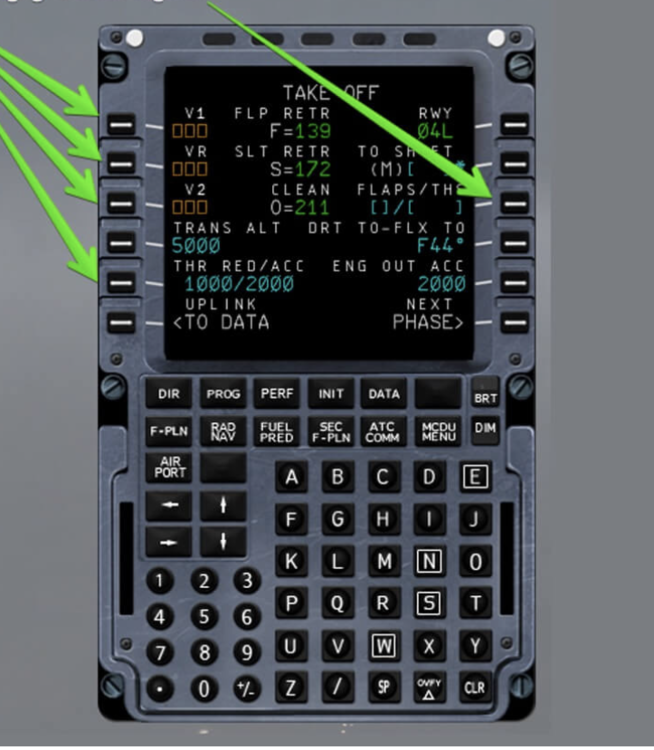
Hello In all the A340s when setting the Flex Temperature, the value needs to be preceded with an F. ex. F54. I don't know if it was intentional or if the aircraft that served as a base was like this, but would you be so kind to consider it for your next update ?
-
I have the same problem. I'm using SU4 and the aircraft I have installed not stream. If the aircraft is stationary when the simulator starts, the textures are fine. The problem occurs as soon as the aircraft starts moving.Hello, during cruise flight, the dot next to the flight level should not be displayed — it should only appear during climb or descent when the managed mode is selected. 🙂
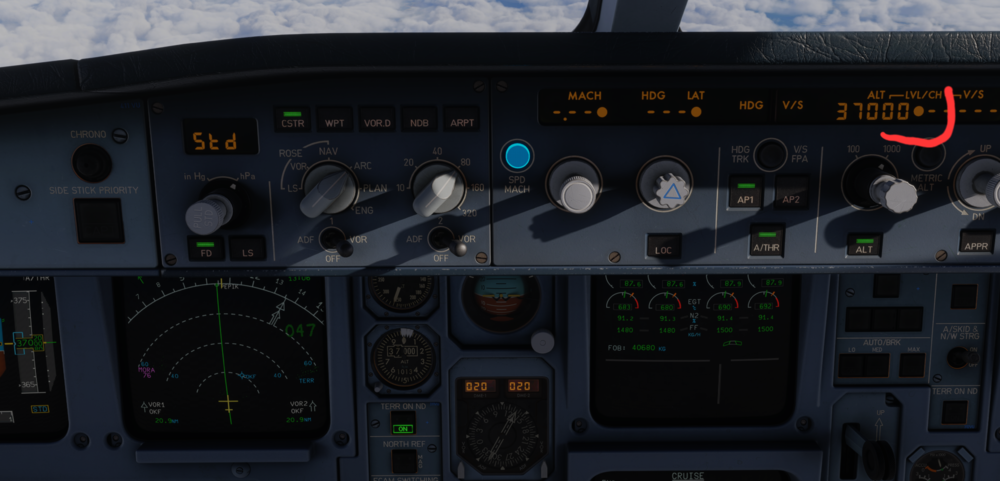 Hello, during cruise flight, the dot next to the flight level should not be displayed — it should only appear during climb or descent when the managed mode is selected. 🙂


