



Skip to content
View in the app

A better way to browse. Learn more.

iniBuilds Forum

A full-screen app on your home screen with push notifications, badges and more.

To install this app on iOS and iPadOS
  1. Tap the Share icon in Safari
  2. Scroll the menu and tap Add to Home Screen.
  3. Tap Add in the top-right corner.
To install this app on Android
  1. Tap the 3-dot menu (⋮) in the top-right corner of the browser.
  2. Tap Add to Home screen or Install app.
  3. Confirm by tapping Install.

jasper435

Member
  • Joined

  • Last visited

Everything posted by jasper435

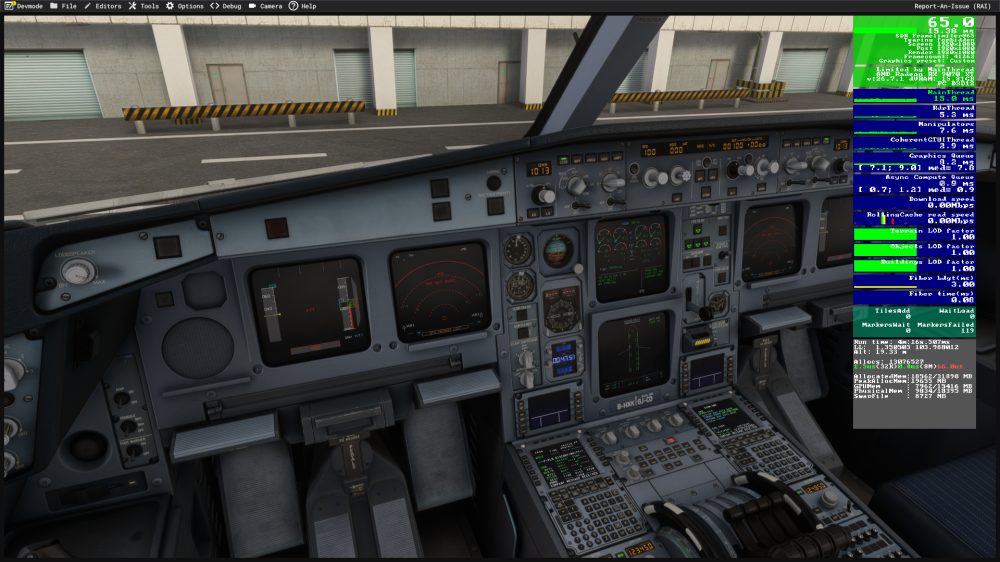
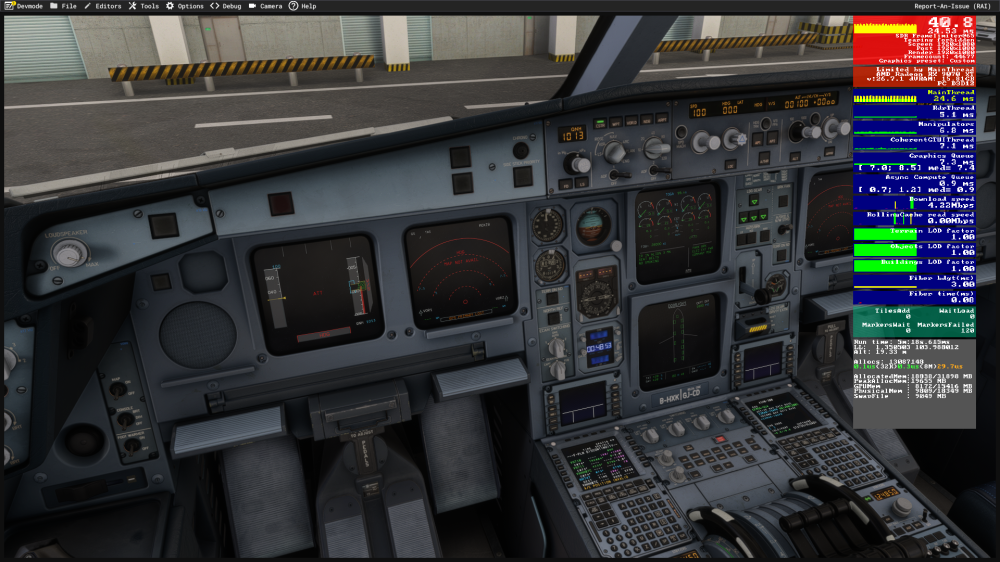
  1. Hi everyone, I've been having an issue with A340 v1.0.12 (marketplace version, streamed). When I'm in flight planning stage and insert arrival data into FMS, my performance dramatically reduces. This is when inserting VHHH BETY3A arrival into ILS07C if that's important. I was able to reproduce this issue multiple times. No WASM crashes specifically being logged on the console. I attached two pictures one before inserting the arrival data and one after. The fps drop then persist unless I exit to the main menu. I have an AMD 9800X3D CPU, Radeon 9070 XT and 32 GB of RAM. I'm also on SU7 of MSFS2024, using sim nav data. Thanks!
Account

Navigation

Configure browser push notifications

Chrome (Android)
  1. Tap the lock icon next to the address bar.
  2. Tap Permissions → Notifications.
  3. Adjust your preference.
Chrome (Desktop)
  1. Click the padlock icon in the address bar.
  2. Select Site settings.
  3. Find Notifications and adjust your preference.