



Skip to content
View in the app

A better way to browse. Learn more.

iniBuilds Forum

A full-screen app on your home screen with push notifications, badges and more.

To install this app on iOS and iPadOS
  1. Tap the Share icon in Safari
  2. Scroll the menu and tap Add to Home Screen.
  3. Tap Add in the top-right corner.
To install this app on Android
  1. Tap the 3-dot menu (⋮) in the top-right corner of the browser.
  2. Tap Add to Home screen or Install app.
  3. Confirm by tapping Install.

snidge

Member
  • Joined

  • Last visited

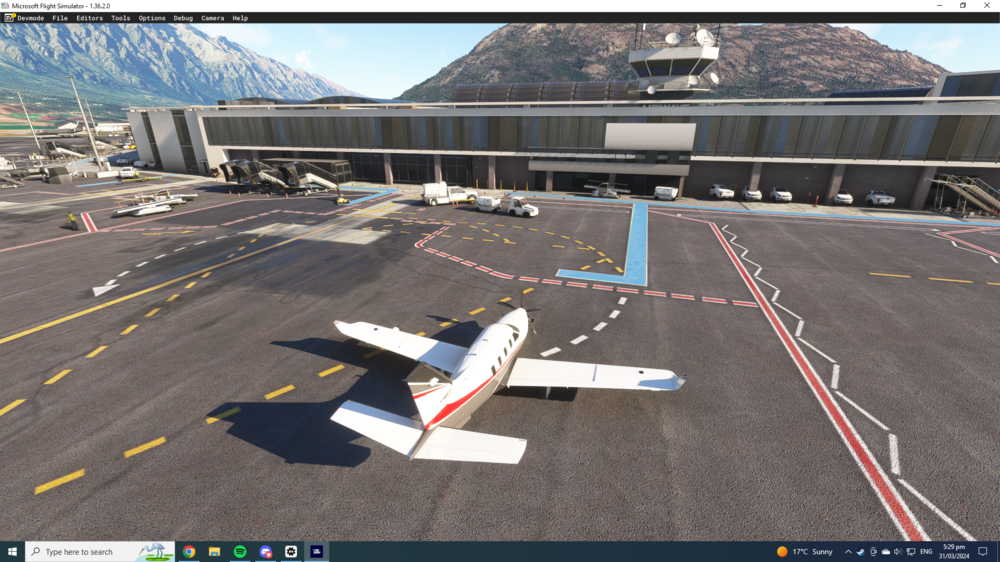
  1. Hey ever since the patch that Asobo did for the NZ scenery in November, I've had default buildings showing over the top of the ini scenery. These aren't the custom asobo buildings, but the auto generated airport buildings. I've tried uninstalling/reinstalling everything including the asobo custom scenery to see if it had something out of whack, and now things are in a state of ini being installed, and Asobo uninstalled, and I'm still getting default airport buildings showing.
Account

Navigation

Configure browser push notifications

Chrome (Android)
  1. Tap the lock icon next to the address bar.
  2. Tap Permissions → Notifications.
  3. Adjust your preference.
Chrome (Desktop)
  1. Click the padlock icon in the address bar.
  2. Select Site settings.
  3. Find Notifications and adjust your preference.