



Skip to content
View in the app

A better way to browse. Learn more.

iniBuilds Forum

A full-screen app on your home screen with push notifications, badges and more.

To install this app on iOS and iPadOS
  1. Tap the Share icon in Safari
  2. Scroll the menu and tap Add to Home Screen.
  3. Tap Add in the top-right corner.
To install this app on Android
  1. Tap the 3-dot menu (⋮) in the top-right corner of the browser.
  2. Tap Add to Home screen or Install app.
  3. Confirm by tapping Install.

Bphillips0309

Member
  • Joined

  • Last visited

  1. 2 flights today...both times EGT 2 throttle position needle was 0...is this a bug or a feature?
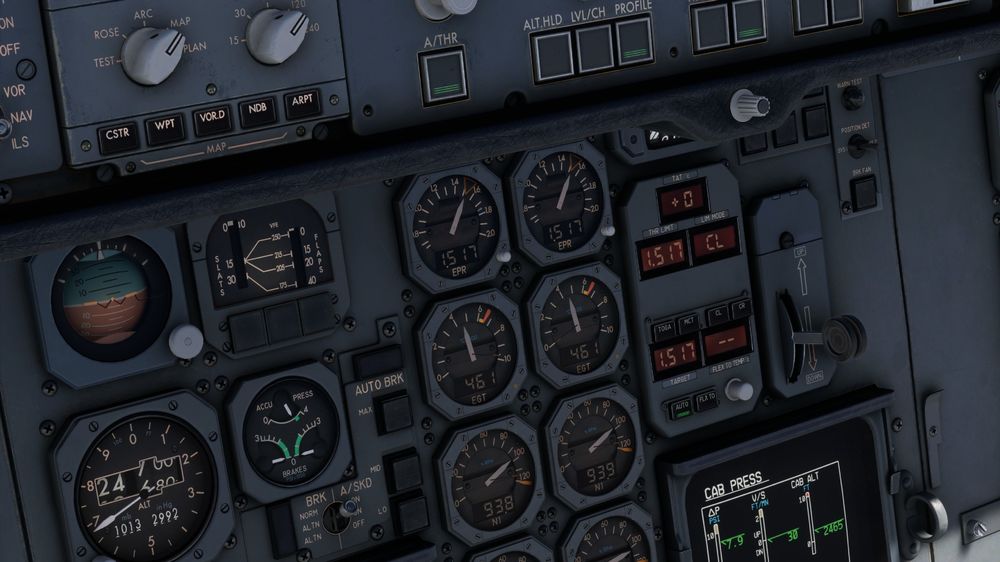
  2. Bphillips0309 replied to kaese5128's topic in Systems
    Like Luke said....click the button to the left of the squawk code and it opens the TCAS options...
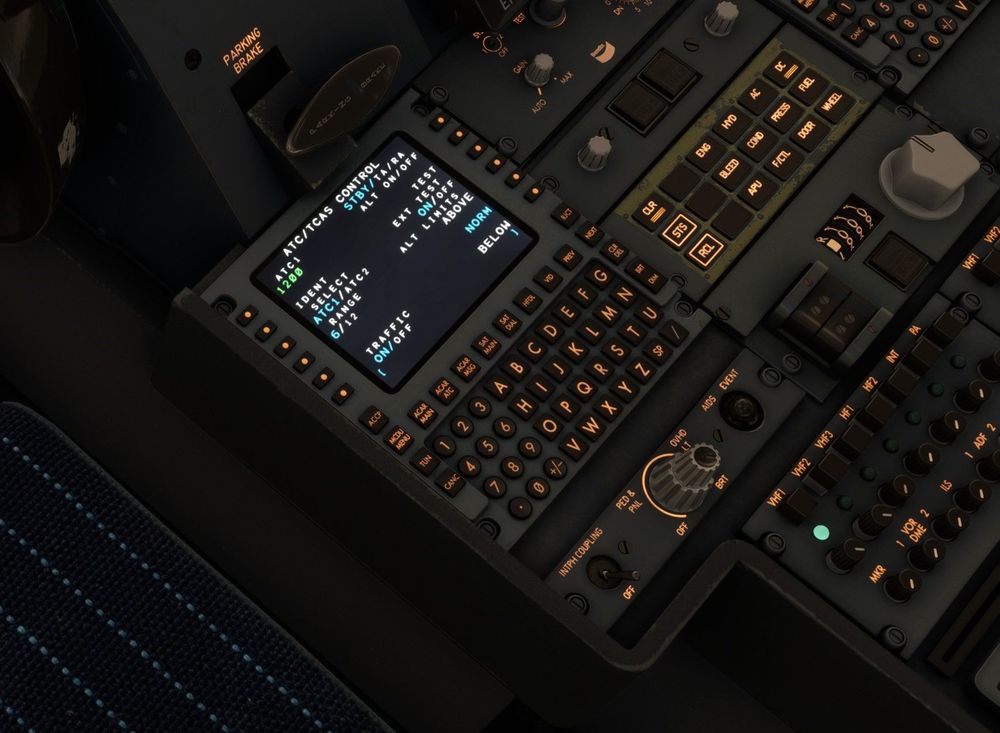
  3. Bphillips0309 replied to kaese5128's topic in Systems
    I’ll give that a try next time I’m in….
  4. Bphillips0309 replied to kaese5128's topic in Systems
    Has anyone figured out how to change the TCAS settings? In the video he shows how to change modes but not how to change ranges or up/down priority…

Account

Navigation

Configure browser push notifications

Chrome (Android)
  1. Tap the lock icon next to the address bar.
  2. Tap Permissions → Notifications.
  3. Adjust your preference.
Chrome (Desktop)
  1. Click the padlock icon in the address bar.
  2. Select Site settings.
  3. Find Notifications and adjust your preference.