STEVEBOB87
Member
-
Joined
-
Last visited
-
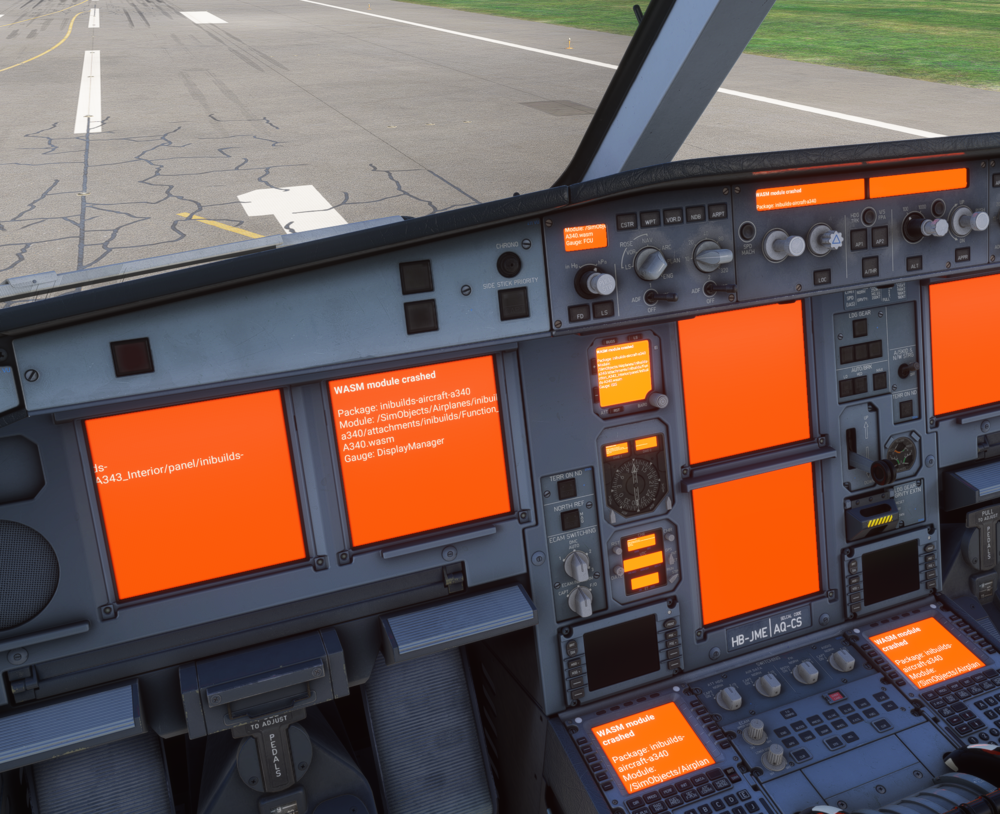
Hi, Count me in. The orange screens are still present even after restarting the sim (as shown in the screenshot). The WASM crash occurred mid-flight, about three hours in, while I was working in the MCDU on the STEP ALTS page. I’ve given this aircraft multiple chances since its release, but I’m honestly quite disappointed. I experience a WASM crash every second or third flight, even after five updates. The first time it happened, I didn’t even realise it was a WASM crash - I haven’t encountered anything like this in years, it "only" happens with this product. It’s particularly frustrating because the aircraft is excellent when it works. I deliberately stayed away from the 350 due to the WASM reports, despite really wanting it. I couldn’t resist the 340, unfortunately - lesson learned. Please, fix this product. Sandro