Skip to content
View in the app

A better way to browse. Learn more.

iniBuilds Forum

A full-screen app on your home screen with push notifications, badges and more.

To install this app on iOS and iPadOS
  1. Tap the Share icon in Safari
  2. Scroll the menu and tap Add to Home Screen.
  3. Tap Add in the top-right corner.
To install this app on Android
  1. Tap the 3-dot menu (⋮) in the top-right corner of the browser.
  2. Tap Add to Home screen or Install app.
  3. Confirm by tapping Install.

CvzImTom

Member
  • Joined

  • Last visited

Everything posted by CvzImTom

  1. As seen on the screenshot, the airport requires pushback on stand 25, 27 and 28, which are not available in the gsx profile.

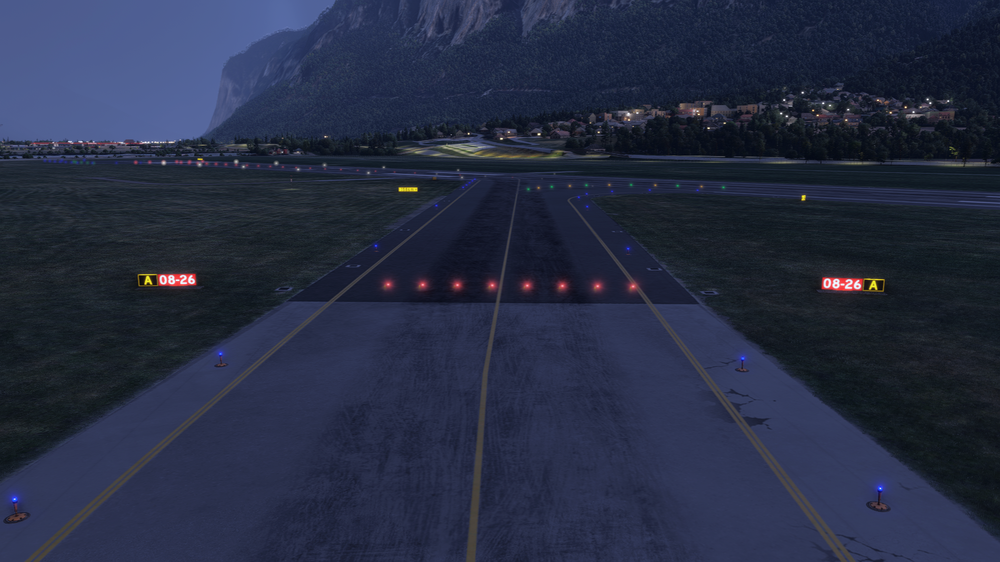
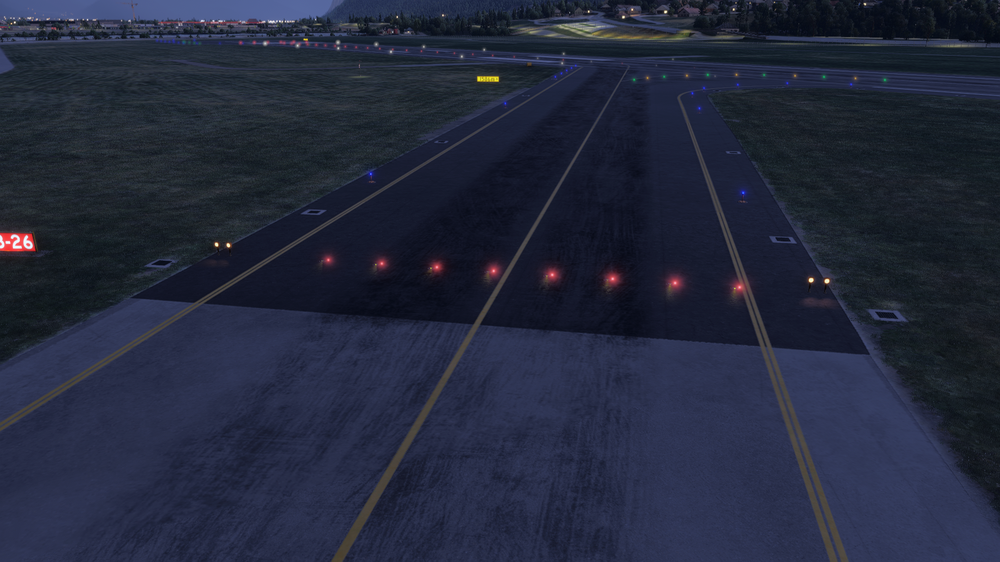
  2. At the hold short points for the runway, the wigwags seem to only render in when you are really close to them. They are also not flashing, but I don't know if that's intended or not. Entry Taxiway A (Same goes for the Entry at B):
  3. Another Bug: GSX dropdown Menu is disappearing entirely when trying to open it after repositioning the aircraft. Have to toggle the gsx integration off and then on to make it appear again.

Account

Navigation

Configure browser push notifications

Chrome (Android)
  1. Tap the lock icon next to the address bar.
  2. Tap Permissions → Notifications.
  3. Adjust your preference.
Chrome (Desktop)
  1. Click the padlock icon in the address bar.
  2. Select Site settings.
  3. Find Notifications and adjust your preference.