



Skip to content
View in the app

A better way to browse. Learn more.

iniBuilds Forum

A full-screen app on your home screen with push notifications, badges and more.

To install this app on iOS and iPadOS
  1. Tap the Share icon in Safari
  2. Scroll the menu and tap Add to Home Screen.
  3. Tap Add in the top-right corner.
To install this app on Android
  1. Tap the 3-dot menu (⋮) in the top-right corner of the browser.
  2. Tap Add to Home screen or Install app.
  3. Confirm by tapping Install.

Trent-o-matic

Member
  • Joined

  • Last visited

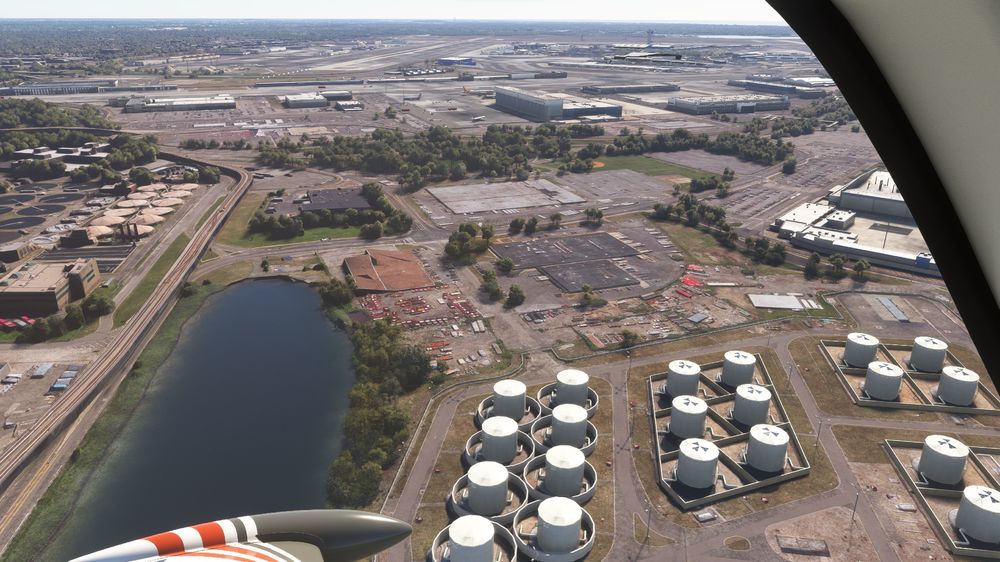
  1. There are some pancaked buildings at JFK that looks like a visual glitch. Without knowing much about how the system works, would it not simply be possible to let the photogrammetry just continue towards the custom-made buildings you've made at JFK? I suspect the data is there underneath? Would look nice if the photogrammetry border would be set at the fence as an example.
  2. To emphasis what the OP wrote. I thought about buying the A300 today, but won’t do it until it’s possible to make aviaCDU or similar support for the A300.
  3. And even for people who are not into spado-machocism, it would be awesome to have aviaCDU support!

Account

Navigation

Configure browser push notifications

Chrome (Android)
  1. Tap the lock icon next to the address bar.
  2. Tap Permissions → Notifications.
  3. Adjust your preference.
Chrome (Desktop)
  1. Click the padlock icon in the address bar.
  2. Select Site settings.
  3. Find Notifications and adjust your preference.