dmb_nl
Member
-
Joined
-
Last visited
-
-
I get the same (erroneous) behaviour for the LUNIP4L arrival in ENGM (Oslo). It has altitude constraints AT FL110 at GM416 and AT FL110 GM414, so VNAV should assign FL110 everywhere in between but it actually assigns higher values in between and ignores the first constraints. Funny enough, when I remove GM414 entirely, the altitude constraint at GM416 suddenly becomes active and seems to be considered by VNAV. @Nico - GumbyI really enjoy the A300 a lot! I think VNAV is one of the very few points that could still be improved so I am happy you are working on it.
-
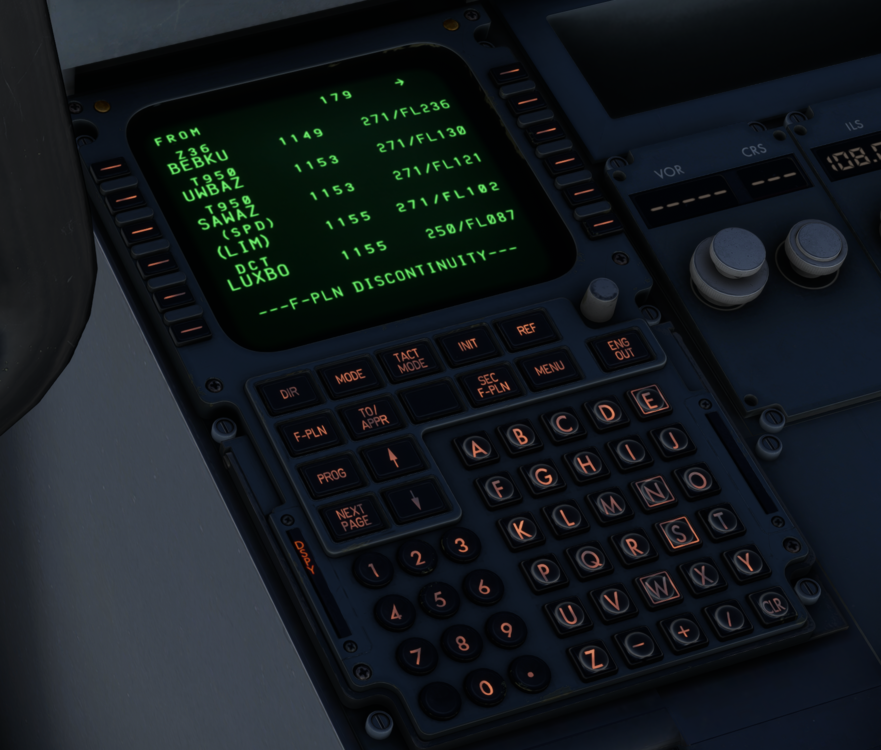
Hi, today I did a flight from EKCH to EDDP. I wanted to enter a lower altitude constraint than automatically calculated but the VNAV path was not recalculated (see pictures). I tried this several times with different waypoints but to no avail. I know, the A300's VNAV is quite rudimentary in the real airplane but I am pretty sure, this is not how it is supposed to work. Thanks for having a look.