




swissdani
Member
-
Joined
-
Last visited
Everything posted by swissdani
-
That helped, thank you
-
@DroneSim and then inside this folder (inibuilds-a340) you have the 300 folder and inside the 300 folder the gsx.cfg?
-
I tried the Pax version only, but same result. Maybe the cfg file has to be directly inside this folder? Not inside the folder?
-
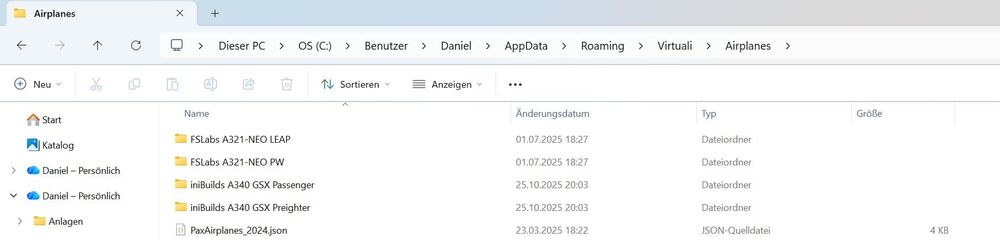
Hi there I still have the problem, that I get the GSX error message: Can't read aircraft type I have seen this topic here: I downloaded the two files and unpacked them in the virtuali app data (see screenshot), but the error message still shows up. Did you put the two files in the correct place? What also could be the issue? Any help is appreciated. Daniel
-
Does somebody else have the problem that this scenery has a very big hit on the fps. For me it's the 2nd ini-scenery in msfs2024 after Dubai that has this big hit on fps. London however is just fine. When "parked" on the runway I get solid 27 to 29 fps (locked) but during high speed phases like takeoff or landing the fps drop to 3 to 5, which is unflyable. My system is pretty decent and I do not have these problems at other big airports from other developers, so there must be something with the ini-sceneries that hits the fps very hard. Any ideas?
