




PierreFSX
Member
-
Joined
-
Last visited
Everything posted by PierreFSX
-
Hi I am wondering if Active Sky is compatible with the synaptic A220. I am asking the question because when I use the weather from MSFS 2024, I can load the wind information using the FMS, FPLAN option and I get the wind/temp info. But when I use Active Sky the load doesn`t work and I have to load the info by hand. Did I mis a setup configuration somewhere? Pierre
-
I just realized that I should mention that I am using MSFS2024. Also I just did some testing with the A350, and it seem that this aircraft has the same problem. I tested other aircraft like FENIX and PMDG and they are find, reading the correct info from Active Sky. Pierre
-
Hi, Just purchase the A340 what a wonderful aircraft. I was configuring for my first departure (CYUL) and I notice that the Pressure and wind direction and speed was different in the EFB (the metar for CYUL indicate 03010KT, pressure 30.21 (1023)) in my flight option screen, but on Active Sky it was showing (60 @ 11 kts true, pressure 1019) . see attach picture My Flight screen My Active Sky screen I also check my OPS plan from Simbrief using the View Flightplan option and as you can see the weather info is simular as Active Sky and not with My Flight. When I upload the weather info in the takeoff option screen in the EFB it loaded the wrong info, the one in the My Flight option. So where does the A340 EFB takes is weather info? Is this simply a missing options choice on my side? Pierre
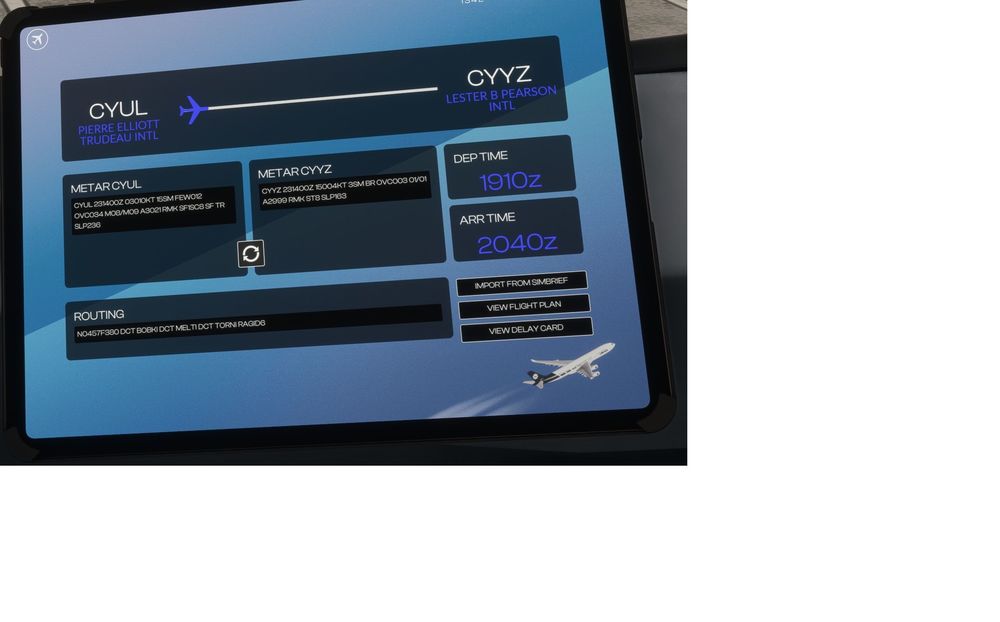
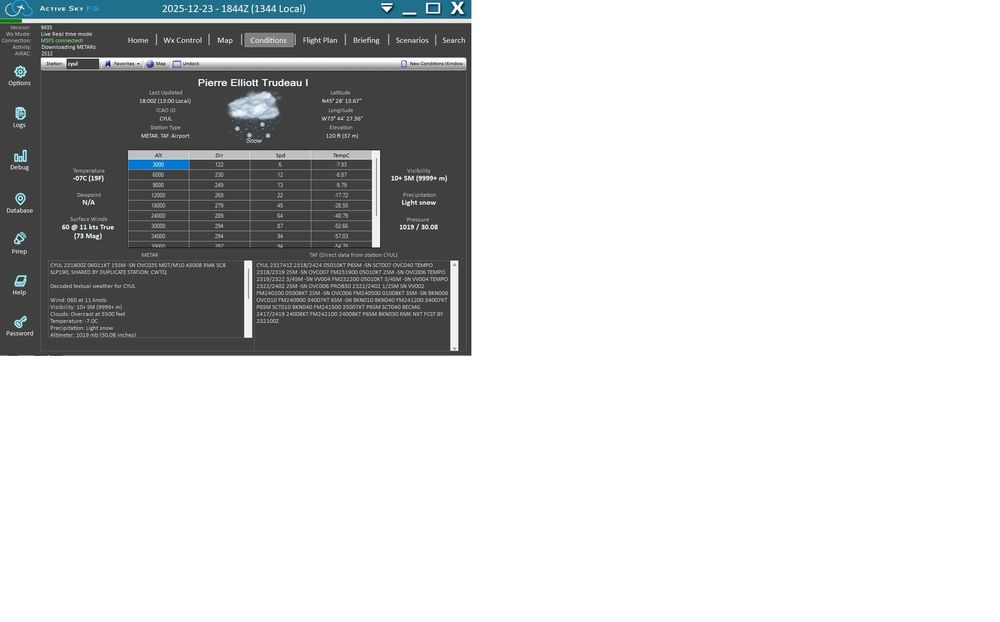
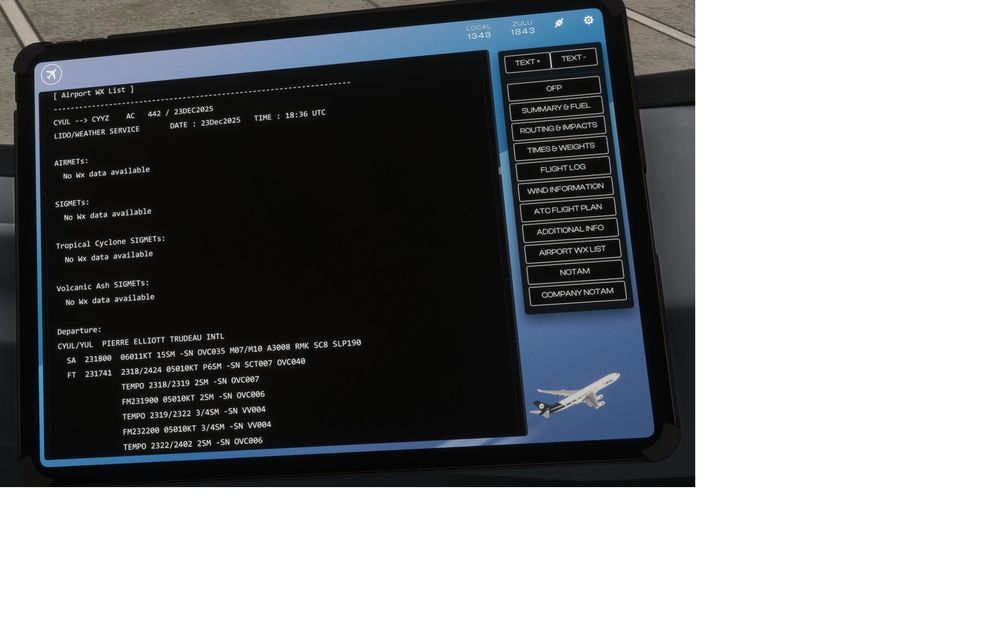
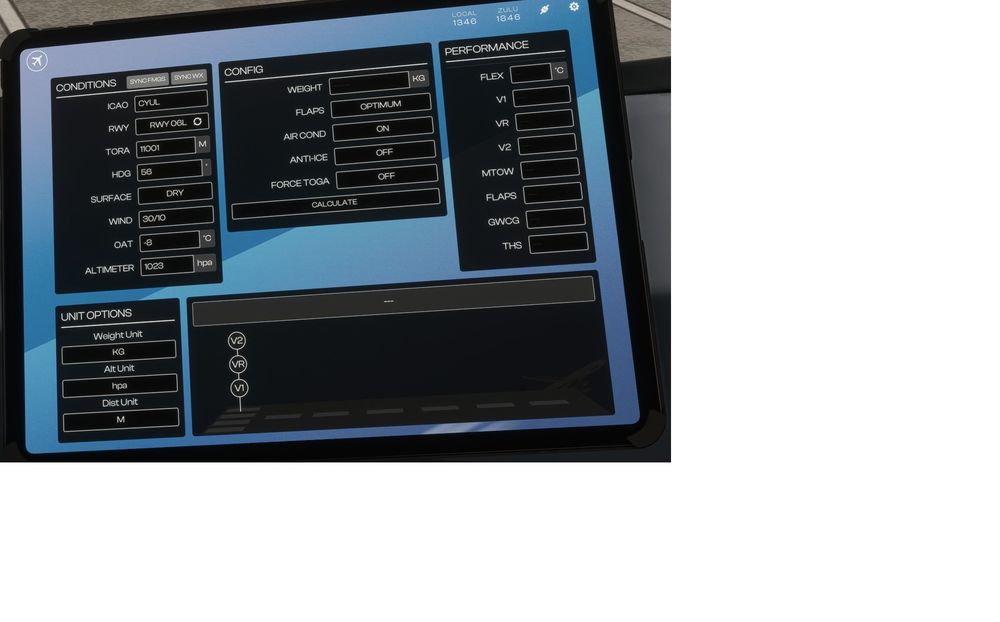
-
I should also mention that I was running msfs2024 and A350 v1.1.8 Thanks
-
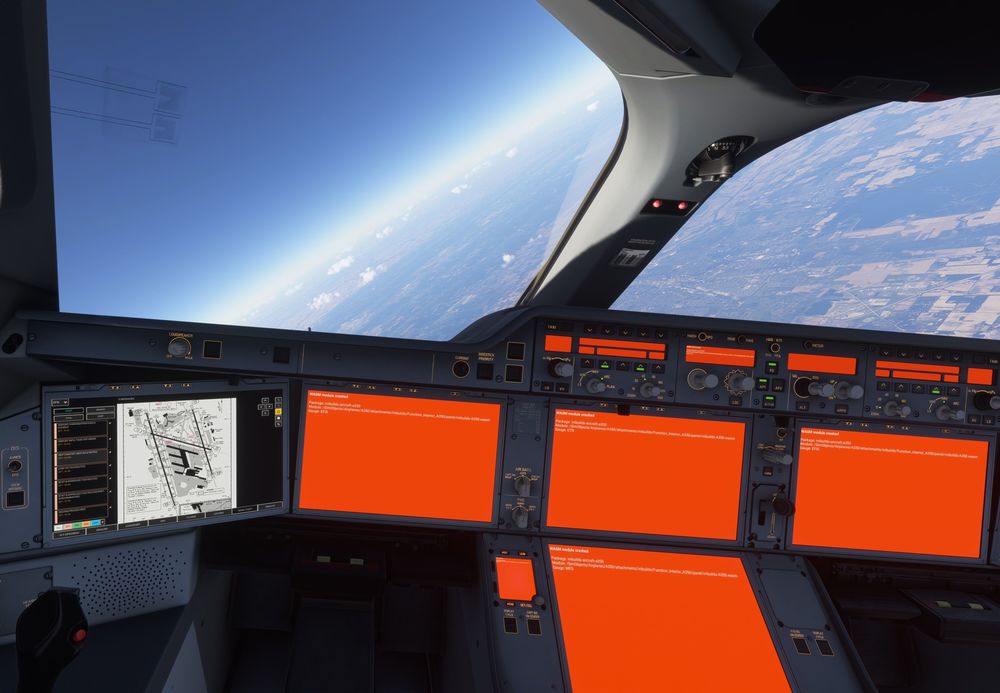
Hi, I was inflight to Louisiana (KSDF) and right after the T/D, I was instruct by ATC (FShub) that I was clear for landing on 35L using STAR DLAMP8. I had everything configure in my flight-plan but I needed to add the STAR. So I loaded the flight plan on FMS 1, then hit the arrival airport code and from the pop menu choose arrival and on the next screen hit star and load the DLAMP8, then all the screens came orange with a message that the WASM module crashed. (see attach picture) Any suggestion on how to ovoid this, very annoying after 2.5 hrs of flight Pierre
-
Hi , Just want to make sure, I am having this problem in msfs2020. In my case, it works find in msfs2024. I completely cleared my msfs2020 community folder and only keep this: inibuilds-a350-900-aca-cglax iniBuilds-a350-900-afr-vg inibuilds-aircraft-a350 mkstudios-airport-cyul-montreal The AFR-vg livery from inibuilds work find, but the ACA-CGLAX from flightsim doesn`t show the aircraft frame the livery has no cabin. Pierre
-
Yes a revert option to the previous release would be fantastic, for now i am not flying the A350 and had to go back to the PMDG777
-
I have the same problem, if I use a liveries from flightsim the fuselage doesn`t show, only the interieur of the plane is visible. This is in MSFS2020. When using a liveries from INIBUILDS everything works find. I do not have the packing issue. I didn't had that problem with version 1.1.6 Any help would be appreciated Pierre
-
Yes I did, but after re installing the plane with the manager, I started a new flight and everything seems to be find now. I will report back if the problem comes back. Thanks
-
Sorry speak to soon, the speed window is not working when setting DH value on landing. You cannot get the speed to show in the window. But speed window works perfectly if you do not set DH. This is new since the last update.
-
This morning I un-installed and re-installed the Airbus300 using the INI manager, and all the problems that I had after installing the update were gone. Including the speed display not working. Everything is back to normal
-
Me too, but it a new bug it's since the new update.
-
Sorry, this is for the Airbus 300-600
-
This morning I use the weight and balance page and I realized that a new feature was added. So I did the update from simbrief and hit apply loads to aircraft. A new circular red arrow appeared in the right corner . I click on it and the load fuel now appeared like before to get instant fuelling. So at that point the number for TOW, ZFW, MACGW% should not change anymore, the aircraft is supposedly loaded. This morning I notice that those numbers were increasing, even after 15 minutes. It was like the loading process was not terminated and that weight was added to the payload. I did check if the proper amount of fuel was loaded and yes it was. I didn't use GSX Anybody else got that problem, I could get the INIT second page filled up because the CW% kept changing.
-
I have the same issue with my TCA


