




theking6353
Member
-
Joined
-
Last visited
-
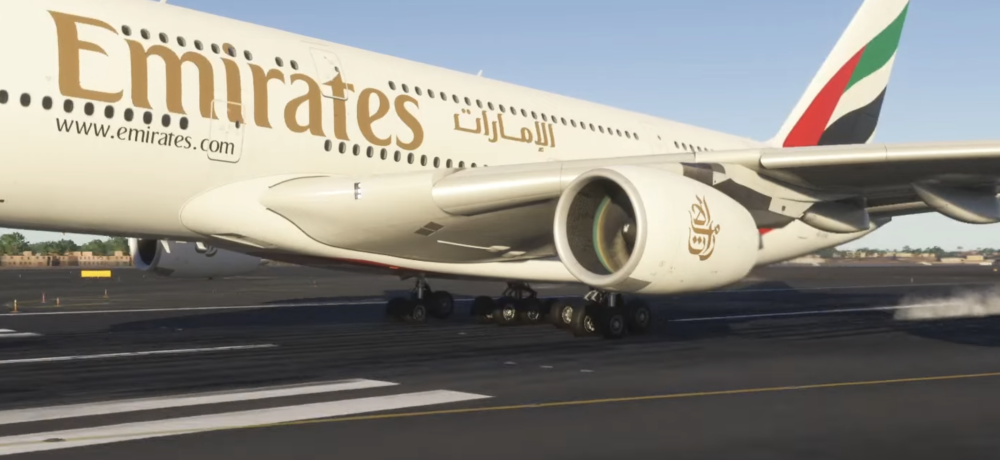
Here’s an image for context. The inner trucks settle properly, but the front tires on the outer trucks animate as though the front tire is not making contact when the plan has clearly landed until it clips below the runway and then as it settles the front tires re-emerge from under the runway.
-
I am commenting to revisit this. I have the inibuilds a300, a350, and the newly released a380. All of these aircraft are a dream to fly, especially the new a380…but the landing gear animations on touchdown leave a lot to be desired. This aircraft beats flyby wire in every facet except the landing gear animations on landing. With the simulations depth and attention to detail that went into this aircraft, I know that the team has to be aware that the landing gear animations are not up to par. I hope this issue has not been abandoned and hopefully future updates will solve this for the a380 and hopefully the a350 v2 solves this issue as well. Keep up the amazing work guys

