



Skip to content
View in the app

A better way to browse. Learn more.

iniBuilds Forum

A full-screen app on your home screen with push notifications, badges and more.

To install this app on iOS and iPadOS
  1. Tap the Share icon in Safari
  2. Scroll the menu and tap Add to Home Screen.
  3. Tap Add in the top-right corner.
To install this app on Android
  1. Tap the 3-dot menu (⋮) in the top-right corner of the browser.
  2. Tap Add to Home screen or Install app.
  3. Confirm by tapping Install.

spur

Member
  • Joined

  • Last visited

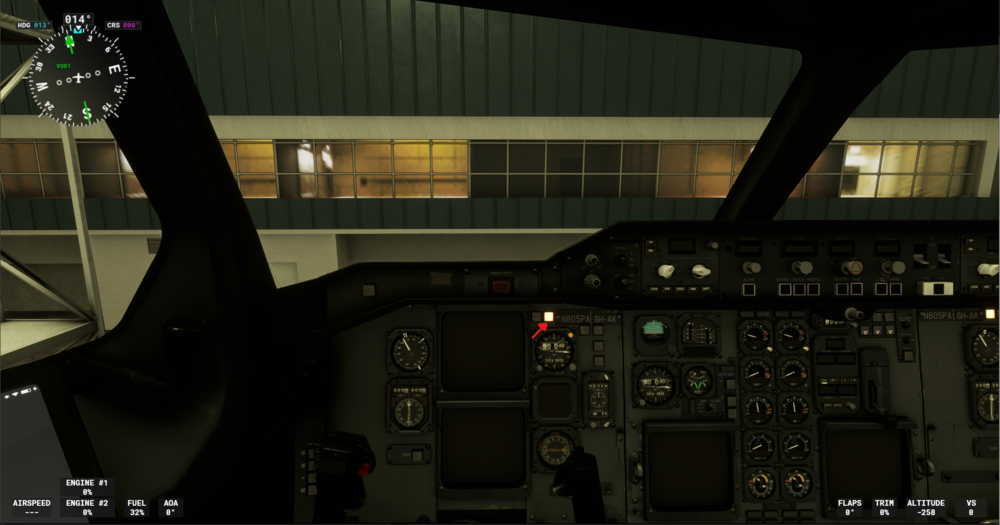
  1. i've just started getting this issue today where no matter where i spawn in, there will always be a sound of engines shutting down. when i enter the cockpit the master caution button is stuck on and the inibuilds tablet is already on as well. when i try to follow the checklist (cold & dark) nothing happens to the aircraft and i'm essentially just pressing buttons that do nothing. when i tried to use the preset configs in the tablet i would press confirm/activate and nothing would happen (ex. tried to press 'on apu' and nothing worked). this has happened every single time i've spawned or restarted the sim. how do i fix it to where it's a true cold and dark and i can actually do things in the cockpit? thanks
Account

Navigation

Configure browser push notifications

Chrome (Android)
  1. Tap the lock icon next to the address bar.
  2. Tap Permissions → Notifications.
  3. Adjust your preference.
Chrome (Desktop)
  1. Click the padlock icon in the address bar.
  2. Select Site settings.
  3. Find Notifications and adjust your preference.