pilotjon
Member
-
Joined
-
Last visited
-
Hi all- Ok, Once I selected that Community 1.0.0, thats the version that worked, so problem solved! holy cow!
-
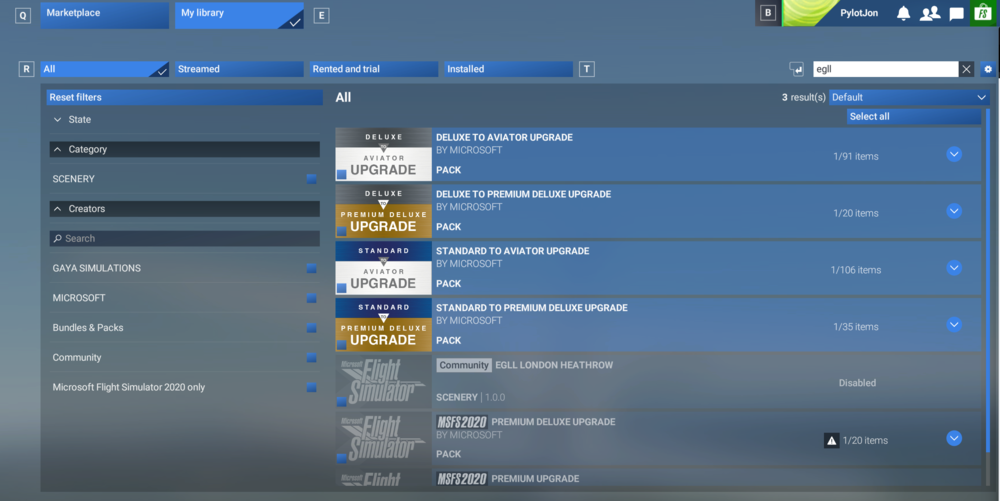
As an addon here, I also do not see the IniBuilds EGLL in marketplace. There is a Community EGLL 1.0.0, Is that the one I need to enable? All others show disabled..
-
I have tried to install this 6 times now. I've gone into the marketplace and disables all EGLL instnances and installed the premium version from the IniBuilds client numerous times. I can see the folder in the Community folder..Still nothing. What else should I check- this is getting annoying...
-
Disregard- I didnt press ALIGN in the MCDU...
-
Hi all: Im having an issue when aligning the INS. I have loaded in the flightplan from Simbrief, entered all of the PERF data, etc... Engines are running, all lights on overhead are out and everything looks good except the MCDU says Align INS. All 3 INS knobs are in the ALIGN position but if I switch them over it does not initialize. I have the INS alignment in SETTINGS set to INSTANT. Is there a step i'm missing?
-
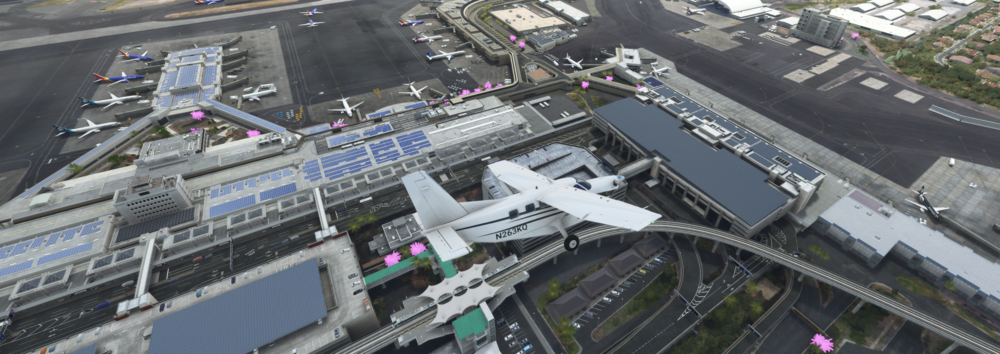
I updated the Accuseason client and that fixed the texture- I'll leave in case someone else asks..🙂
-
and all the palm trees are bright pink- Is there something Im missing or are these supposed to be that way?