



Skip to content
View in the app

A better way to browse. Learn more.

iniBuilds Forum

A full-screen app on your home screen with push notifications, badges and more.

To install this app on iOS and iPadOS
  1. Tap the Share icon in Safari
  2. Scroll the menu and tap Add to Home Screen.
  3. Tap Add in the top-right corner.
To install this app on Android
  1. Tap the 3-dot menu (⋮) in the top-right corner of the browser.
  2. Tap Add to Home screen or Install app.
  3. Confirm by tapping Install.

Swan

Member
  • Joined

  • Last visited

  1. Swan replied to Skyace2018's topic in Support
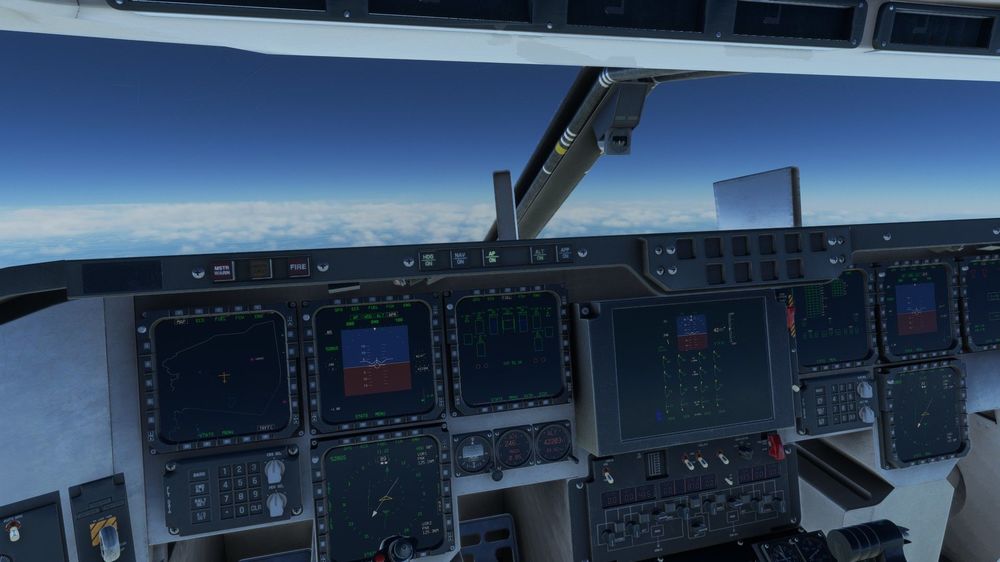
    I was also getting a little bit of stuttering from the start, then extreme performance degradation after 2 hours, which became unplayable at 2hrs 13min. Have attached a picture of my display setup, as displays and lighting tend to be the most common cause of performance degradation in an aircraft. Also for reference; R5 5600X / RTX 3060 / 16GB RAM, 3.9k total hours in MSFS - Sim was using a normal amount of memory and cpu usage throughout.
Account

Navigation

Configure browser push notifications

Chrome (Android)
  1. Tap the lock icon next to the address bar.
  2. Tap Permissions → Notifications.
  3. Adjust your preference.
Chrome (Desktop)
  1. Click the padlock icon in the address bar.
  2. Select Site settings.
  3. Find Notifications and adjust your preference.