




sp196
Member
-
Joined
-
Last visited
-
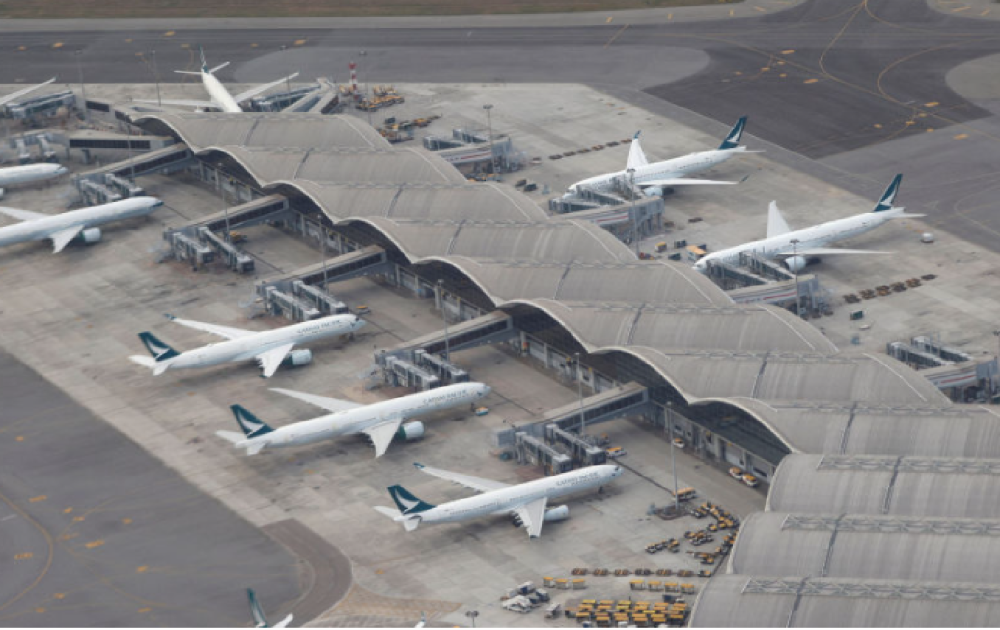
Pls take the picture for your reference on the apron in VHHH. Thanks
-
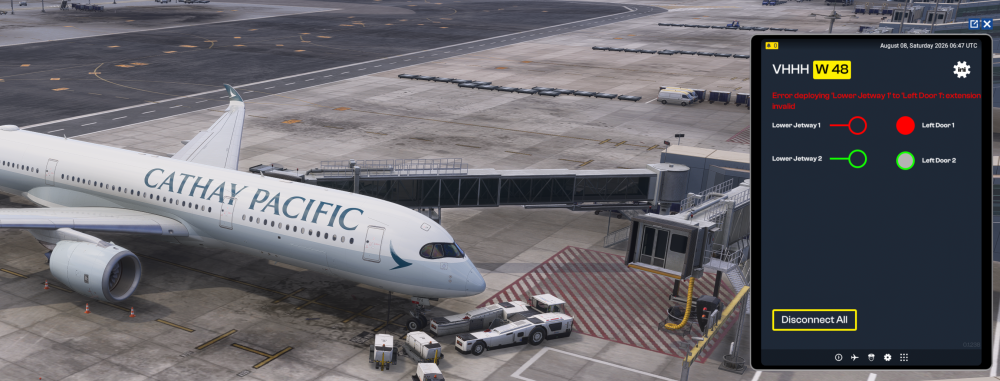
Hi all, First of all, I would like to say that this is one of the best HKG airport sceneries I have used. The level of detail is excellent, and the buildings look highly realistic. However, I am disappointed with the parking-position alignment at some gates. At Gate W48, the designated parking position appears to be significantly different from the real-world stand position. I have updated both the scenery and the GSX profile to the latest versions, but when I park the aircraft at the correct stop position for W48, Jetbridge 1 is unable to connect to the aircraft. Could you please check the gate coordinates and jetbridge positioning for W48 (I do believe W40-W50 also having the same problem). It would greatly improve the realism of an otherwise outstanding scenery.
-
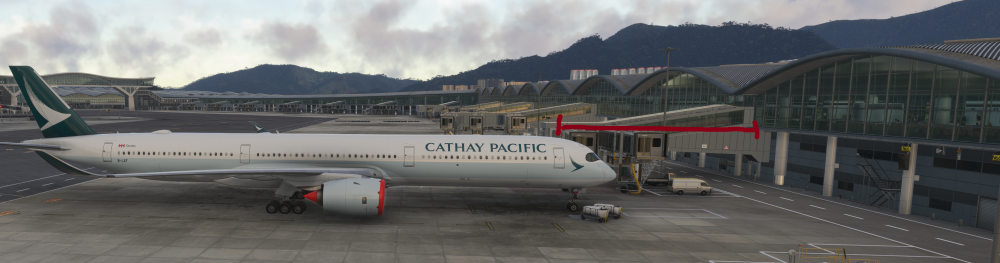
Hi, thanks for your reply. I’ve already updated to the latest GSX profile, but the aircraft is still parked (N66) super far from the terminal and doesn’t match the real-world stand position. At VHHH in reality, the L1 door should line up with the first jetway. As you can see from the picture, however, the L1 door is actually positioned behind the second jetway.
-
Indeed. I think the wrong parking and jetway issue should the top priority to be fixed because this is the biggest issue that all users able aware of it. It is annoying when seeing my A346's tail is already out of the ramp on the taxiway.
-
How can I apply the window plug?
-
Really cannot see the effect on the tires unlike with the A350 does


