




alw
Member
-
Joined
-
Last visited
Everything posted by alw
-
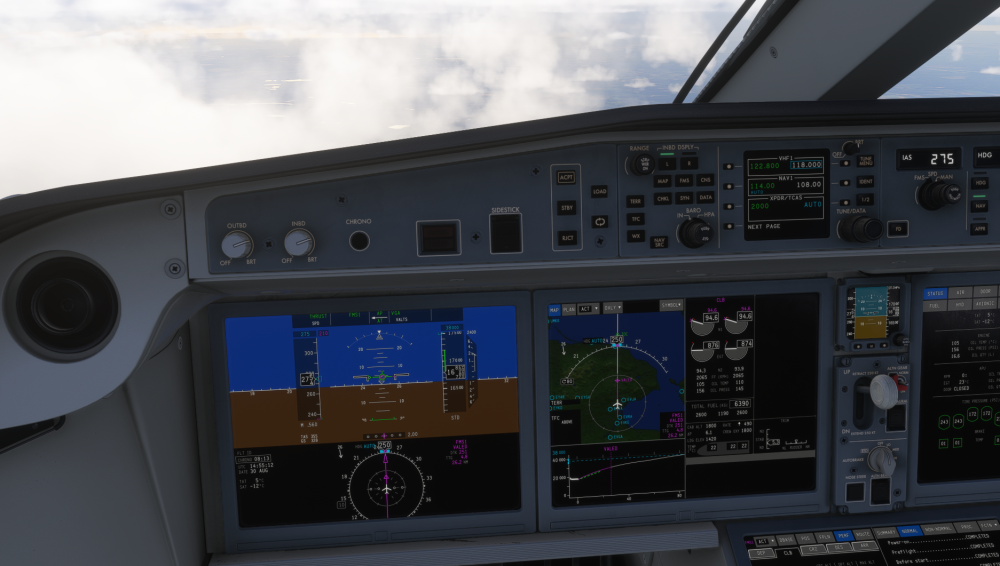
Hi, As you can see from the screenshot, the FMS managed mode wants to maintain 210 KIAS, however the profile in the FMS is set up to 275 KIAS, so I have to manually select the speed. If I turn back to FMS-mode, the aircraft will pitch up to gain 210 kias. The same goes for during desent. There are no restraints in the FMS that say that I have to follow 210 kias. What is wrong?
-
And auto step climb 🫡😁
-
After "hotfix" 9, the aircraft automatically deletes my autosteps. It does not allow me to change anything, even when I have selected that the system should not import the autostep automatically. I addressed the issue to inibuilds two weeks ago without any reply. I have reinstalled the aircraft to see it it works and it doesn't. For some reason, there seems to be an increased amout of bugs appearing after the updates than when it was first released which is extremely frustrating. Anyone knows how to fix it?


-
Same problem here...9 hrs in. When it happened, I started regretting the purchase. It happened with the clickable "video"-button.
-
 inactive link....


