



Skip to content
View in the app

A better way to browse. Learn more.

iniBuilds Forum

A full-screen app on your home screen with push notifications, badges and more.

To install this app on iOS and iPadOS
  1. Tap the Share icon in Safari
  2. Scroll the menu and tap Add to Home Screen.
  3. Tap Add in the top-right corner.
To install this app on Android
  1. Tap the 3-dot menu (⋮) in the top-right corner of the browser.
  2. Tap Add to Home screen or Install app.
  3. Confirm by tapping Install.

Miyoshi

Member
  • Joined

  • Last visited

Everything posted by Miyoshi

  1. Setting an altitude limit has no effect whatsoever.
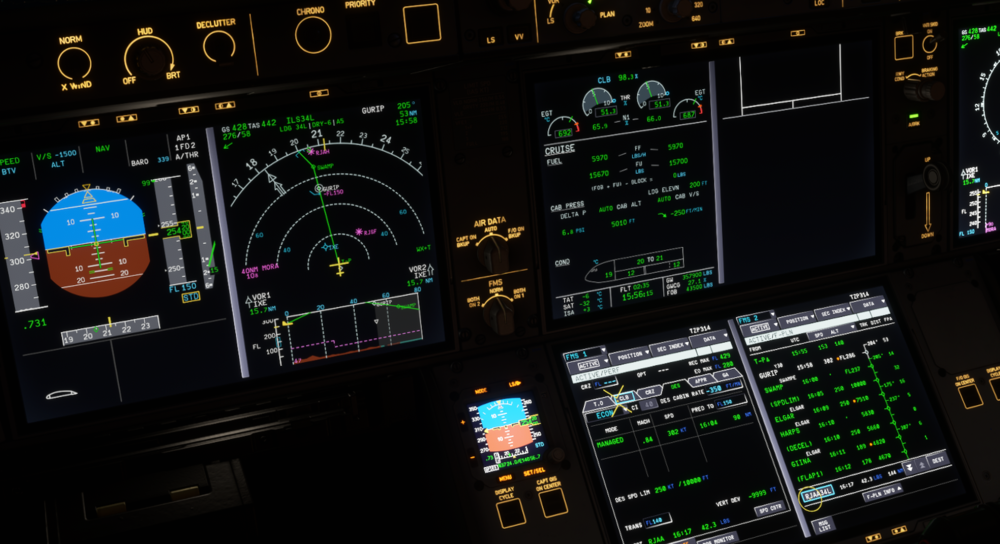
  2. After the update, I did a clean install of everything and discarded all repaints, but I still get a CTD during loading. I don't know if crash reports are saved or where they are. Please let me know.
  3. Am I doing this wrong? I can't hear anything.
  4. That happens to me too. First, calm down. And then I give up.
  5. Miyoshi replied to Huno's topic in Sounds
    I don't understand what you're saying. No matter what I do, the warning sound doesn't go off. My operating method is different, right? I'm an idiot. I'm sorry, but could you please tell me how to do it?
  6. Have you given up trying to solve this problem yet? Isn't it strange to ignore it?
  7. Miyoshi replied to Huno's topic in Sounds
    Why did it suddenly sound like a Master Warning?

Account

Navigation

Configure browser push notifications

Chrome (Android)
  1. Tap the lock icon next to the address bar.
  2. Tap Permissions → Notifications.
  3. Adjust your preference.
Chrome (Desktop)
  1. Click the padlock icon in the address bar.
  2. Select Site settings.
  3. Find Notifications and adjust your preference.