Nopatio
Member
-
Joined
-
Last visited
-
I am humble and a little ashame, so thank you so much😳
-
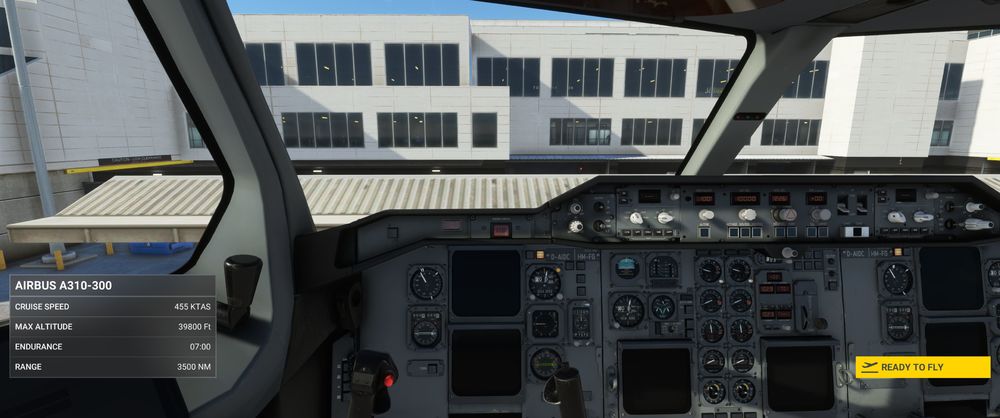
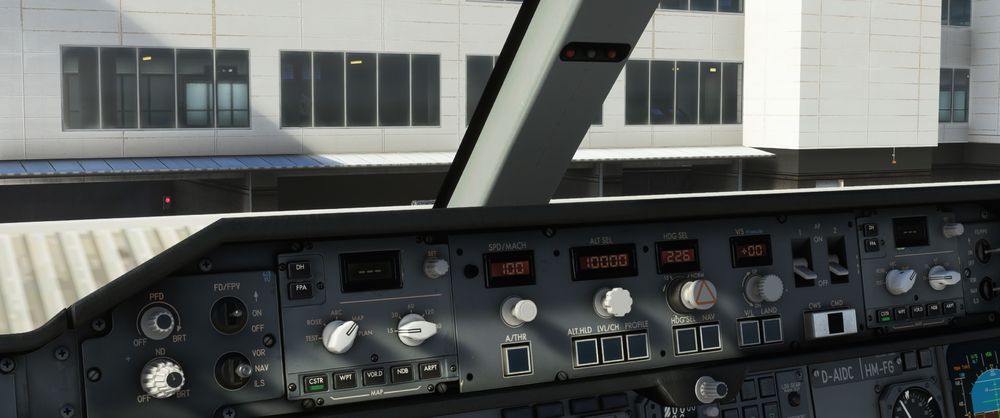
Yes, I can turn the knob, but it have no effect at all.🤥 It is like there are no electric connection. When I am loading the aircraft, and the yellow bar saying ready to fly, the light is on, but as soon I press the sign, the light dissapear! But if I choose the "ready to takeoff" button on the EFB, the light is ON, so somewhere in between, from cold and dark, and to takeoff, there must be somewhere to turn the glareshield ON and OF, but where? Ready for takeoff The light is ON at "Ready to fly";
-
Hello, it look like I have got a problem! When I load the A-310 from cold and dark, I can´t get any light in the glareshield. But if I load it as ready for takeof, it is there. I can't find the contact that do the trick. It should be under the glareshield, but if that the one, it is not working. And I can't fly without knowing the speed, height etc.