HomeReader
Member
-
Joined
-
Last visited
Everything posted by HomeReader
-
One more word, I had an outdated version of simHeaven installed which was causing this error. With the latest version the error doesn't show up, sorry for the uproar. Dieter
-
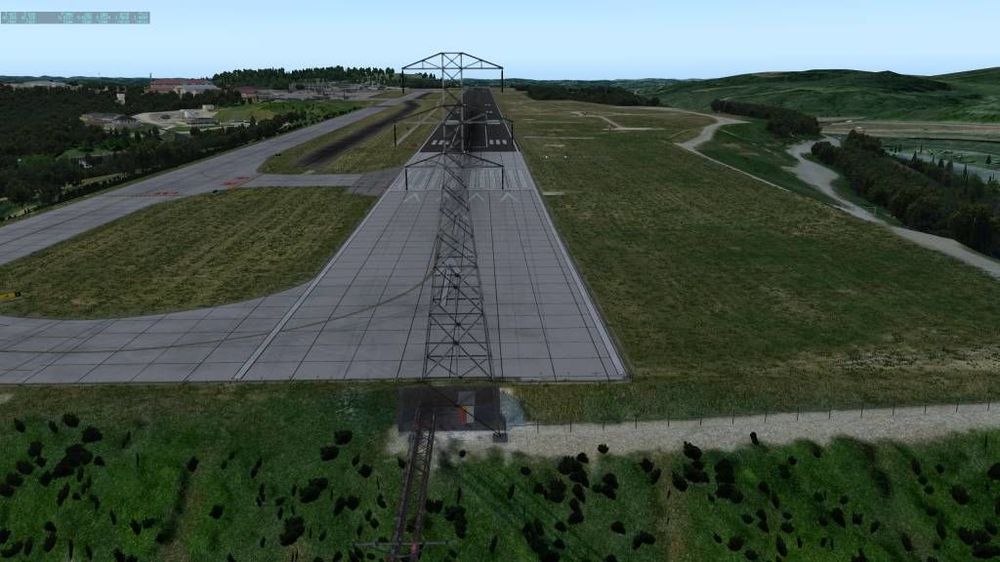
Problem solved, it´s simHeavens, I disabled it and the power pole is gone. Thanks, I guess I have to ask them. Dieter
-
Thanks for your reaction, my english is bad. I use the link in optional mesh folder link: https://drive.google.com/file/d/1W5m4RQXnAHJDE9yJwLuXrqlWRR3IfkYl/view?usp=sharing and installed this. Without this part I had the same problem with the hangars and hovering cars. The airfield is fine now but this power pole(?) is stupid. I also use simHeaven X America. Thats all Dieter Swada
-
Hi, I don't know why the Mesh KCRW topic got locked, no one seems to care about my problem with the masts. Or does that have nothing to do with the mesh? Dieter Swada