



Skip to content
View in the app

A better way to browse. Learn more.

iniBuilds Forum

A full-screen app on your home screen with push notifications, badges and more.

To install this app on iOS and iPadOS
  1. Tap the Share icon in Safari
  2. Scroll the menu and tap Add to Home Screen.
  3. Tap Add in the top-right corner.
To install this app on Android
  1. Tap the 3-dot menu (⋮) in the top-right corner of the browser.
  2. Tap Add to Home screen or Install app.
  3. Confirm by tapping Install.

Kdb972

Member
  • Joined

  • Last visited

  1. Kdb972 replied to KorEl's topic in Suggestions
    Hello It seems to me that I have already had frost on the windshield wipers
  2. Hi you have to secure the plane or do the security checklist (securing aircraft) either turn off the I.R.S and the power. restart the batteries etc.
  3. sorry maybe I need to do the shutdown checklist and leave with the batteries off
  4. First Thanks for this A306 impossible to make a second flight by changing the fpln with Simbrief after taking off. FMCDU: impossible to enter data on page 2 (INIT) BLK FUEL / ZFW / MACZFW only the flight plan matters - not the data. So vnav inop. thank you
  5. Kdb972 replied to aiwip86's topic in Systems
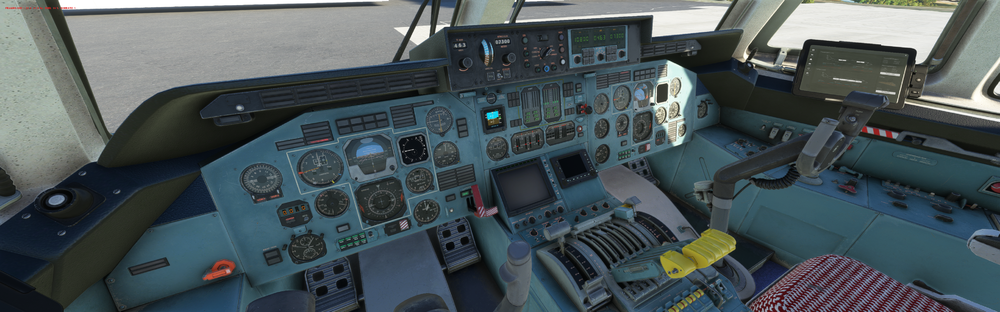
    Hello where is the pitot heat switch please?
  6. I have the same issue with the gns. i have empty my communauty folder bit the problem stays. i have change plane then cole again with the An225 gns come back but mcp functions (altitude and hdg) doesn’t change/knob turn but the screen don’t moove
Account

Navigation

Configure browser push notifications

Chrome (Android)
  1. Tap the lock icon next to the address bar.
  2. Tap Permissions → Notifications.
  3. Adjust your preference.
Chrome (Desktop)
  1. Click the padlock icon in the address bar.
  2. Select Site settings.
  3. Find Notifications and adjust your preference.