Futurecvsh
Member
-
Joined
-
Last visited
-
Hello, I have problems following the flight plan with this plane. Sometimes it fails and the plane does not follow the flight plan route. For example, in one case it happened to me that after loading the departure in the flight plan in the menu, the plane was not able to follow the departure, I repeated the process again and the same thing happened Another mistake that happened to me is that in the middle of the flight plan, it was not able to follow the established route and it went straight instead of continuing the flight plan route as if there was some discontinuity (which there wasn’t) because it always did. I check It seems that the plane has problems to follow the navigation with the autopilot on certain occasions, thus failing the game experience also the plane has failures in the ILS intercept, setting the ILS COURSE and frequency to NAV1 and activating the approach modes PC+ VL is not able to intercept the ILS since it is decentered from the runway and flies to a different point (I have to say that I am not a newbie) I fly with planes like PMDG and FENIX without any kind of problem, but I think this plane is not very polished, and it is a pity that the Autopilot fails in Navigation and ILS on certain occasions, ruining your experience flight Does anyone else have these problems? Does anyone know if an integration with simbrief is planned? Thanks
-
Hi, I don't know what I'm doing wrong but I can never capture the ILS, I set the ILS NAV1 frequency and set the ILS CRS, when I'm aligned with the runway I put the selector in APROACH mode and activate PC AND VL, on the first try I get I made the plane decentered towards the axis of the runway to the right in LEMD R18, in the second attempt that I made the plane did not center with the runway nor on runway LFRS R03, previously I correctly configured the flight plan with the ILS approach from the menu, I don't know what I'm doing wrong, any help?
-
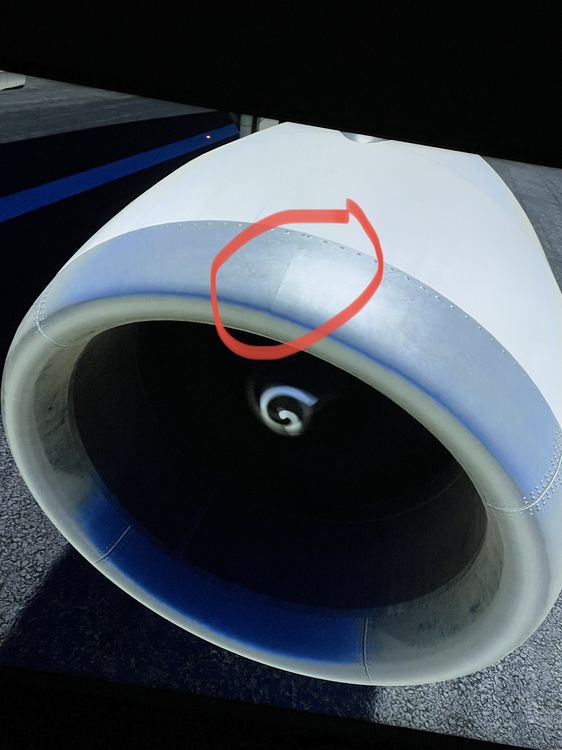
also occurs on the opposite bottom on engines
-
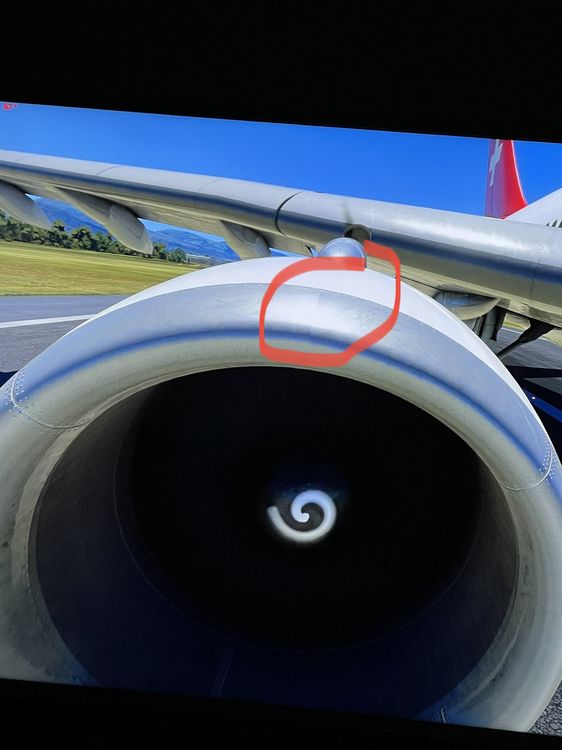
hello my name is jonathan and i wanted to congratulate you for this great product, I wanted to tell you about a texture problem in both engines as I show you in the photo, a texture overlap-glitch is perfectly appreciated could you solve this? thanks greetings