



Skip to content
View in the app

A better way to browse. Learn more.

iniBuilds Forum

A full-screen app on your home screen with push notifications, badges and more.

To install this app on iOS and iPadOS
  1. Tap the Share icon in Safari
  2. Scroll the menu and tap Add to Home Screen.
  3. Tap Add in the top-right corner.
To install this app on Android
  1. Tap the 3-dot menu (⋮) in the top-right corner of the browser.
  2. Tap Add to Home screen or Install app.
  3. Confirm by tapping Install.

Steve Greenspan

Member
  • Joined

  • Last visited

  1. Thanks Chris! Just a note: When purchased on the Microsoft Store, the airport is installed as "inibuilds-kvcv-victorville" in the OneStore directory of MSFS. I copied the "scenery" directory from your "xometry-kvcv-victorville" attachment and overwrote the existing files when asked. Let me know if this was correct. Much appreciation for the quick response. Steve
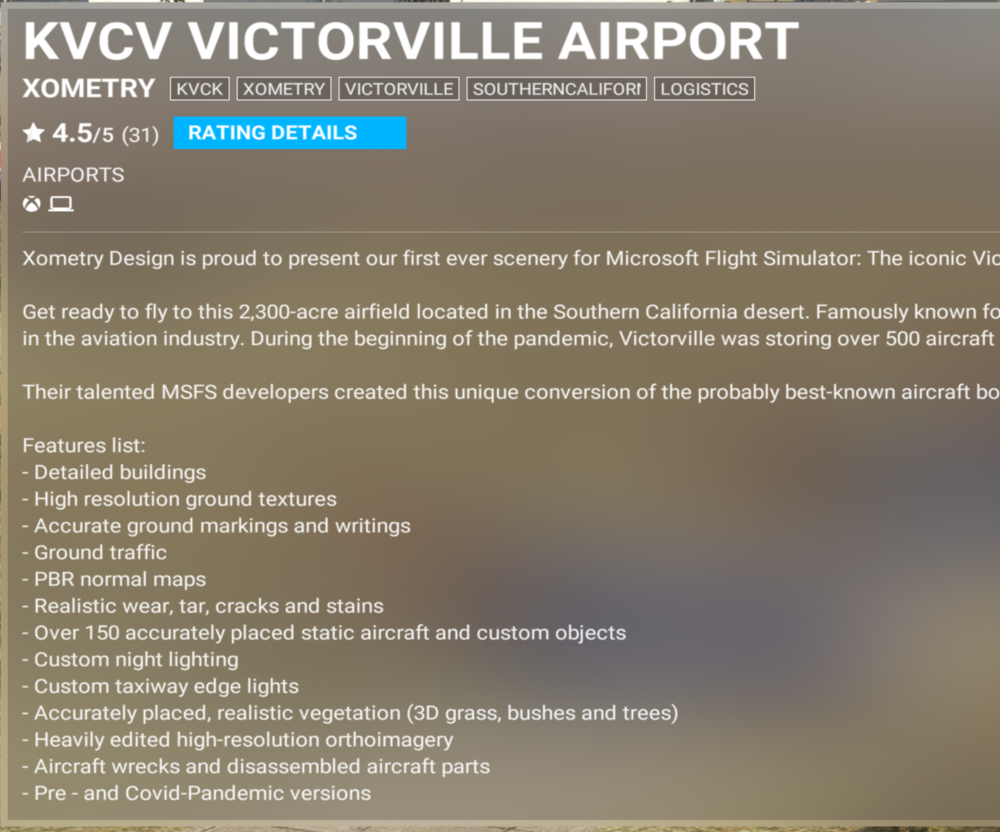
  2. I am quite disappointed to see that there is only a Pandemic version of KVCV in the MSFS store. I recently purchased the airport from the store based on the feature list stating that both pre- and post- versions were available. Please look at the MSFS store and advise. Purchase was today, 16 October 2023. Thank you. Steve
Account

Navigation

Configure browser push notifications

Chrome (Android)
  1. Tap the lock icon next to the address bar.
  2. Tap Permissions → Notifications.
  3. Adjust your preference.
Chrome (Desktop)
  1. Click the padlock icon in the address bar.
  2. Select Site settings.
  3. Find Notifications and adjust your preference.