




lknfly
Member
-
Joined
-
Last visited
Everything posted by lknfly
-
@pacha35 ça marche!!! Merci beaucoup! Bon vol! 😉
-
@pacha35 Thank you for your reply, I take a look now to the link 😉
-
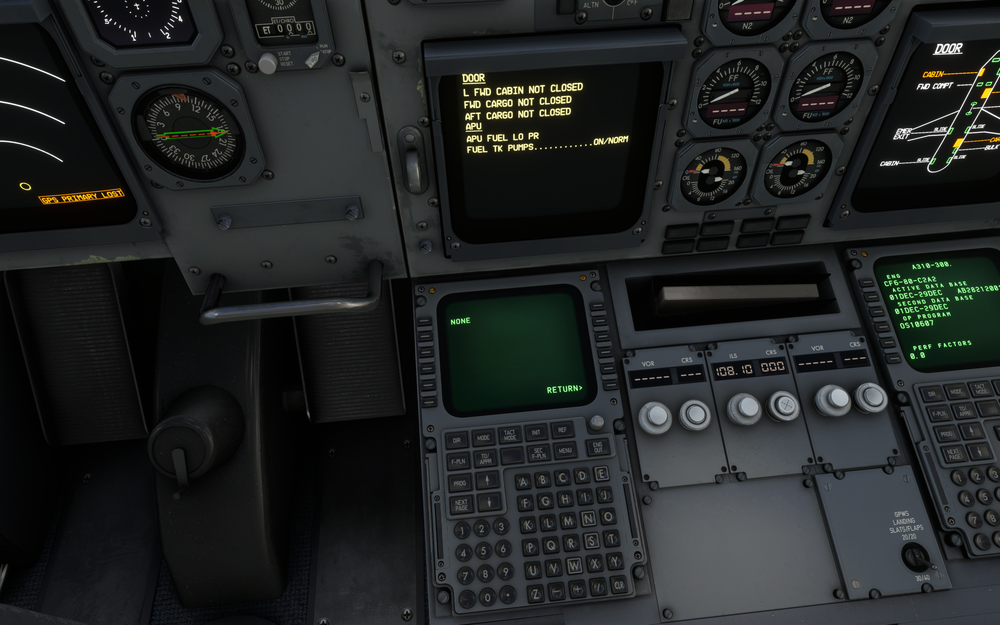
Hi Captains, Still the same issue on my side, and it's worse than before because even if I download correctly the Simbrief FP in the right folder Official\Steam\microsoft-aircraft-a310-300\Data\FMS plans. I can't find the flight plan in the CDU and I have type LSGG/LFRB but it is indicated "NONE" and "RETURN" on the next page so that I have to enter all the route manually! Well it's kind of frustrating, hopefully we'll find a way to get rid of this bug. ACARS menu only "SIMBRIEF REQUEST" no more "PENDING" and I'm stuck there ? MSFS 2020 updated 1.29.30 A310 1.1.16 😉

-
Same problem here! Also, it seems that it misses two lines on the left of the MCDU it’s supposed to have two other menus (three in total) I only have "Pending’ -PENDING -ATIS -MESSAGES I'll try to give a try to the tricks I've read here to see how it goes... Love this bird by the way! Thanks a lot IniBuilds team!!! ✈️👍👏
.thumb.png.3f1d63dd0cad325392531fda1bcced7c.png)
.thumb.png.d8819561b460b6333659da8a267a5360.png)


.png.93ad17afdedf8bd2289341e0cc3e52df.png)
.png.d4ad5b8ac4eced5f855331c93ad1f867.png)