




FrankD1
Member
-
Joined
-
Last visited
Everything posted by FrankD1
-
Hi Kyle, Another update from my end: I took the ultimate step and did a complete, clean uninstall and reinstall of MSFS 2024 from scratch. To ensure zero third-party interference, I installed ONLY the default iniBuilds A340-300 on the default house livery (no other add-ons, scripts, or sceneries added to the sim). Unfortunately, the problem STILL persists on the A340, while my A350 continues to import SimBrief plans flawlessly under the exact same environment. Here is the exact behavior on this 100% clean setup: 1. The EFB successfully connects and downloads the SimBrief OFP. 2. The payload files simbrief.json and the .fpl route file) ARE successfully written to the local WASM work/ directory. 3. However, pressing INIT REQUEST on the MCDU immediately returns "ERROR DOWNLOADING DATA" or fails to populate the route. Since the files actually generate in the aircraft's WASM work folder, the EFB-to-API communication is working, but the A340's WASM FMGC gauge is failing to ingest or parse the local .fpl payload into the active session. Since this issue survives a full MSFS 2024 reinstall on a stock setup (and is isolated strictly to the A340 FMGC module vs the A350), could the team look specifically into the WASM route ingestion/parsing logic or file handle/permissions within the A340 gauge code? Let me know if there are any specific WASM log files or debug traces I can grab for you. Thanks again for your help!
-
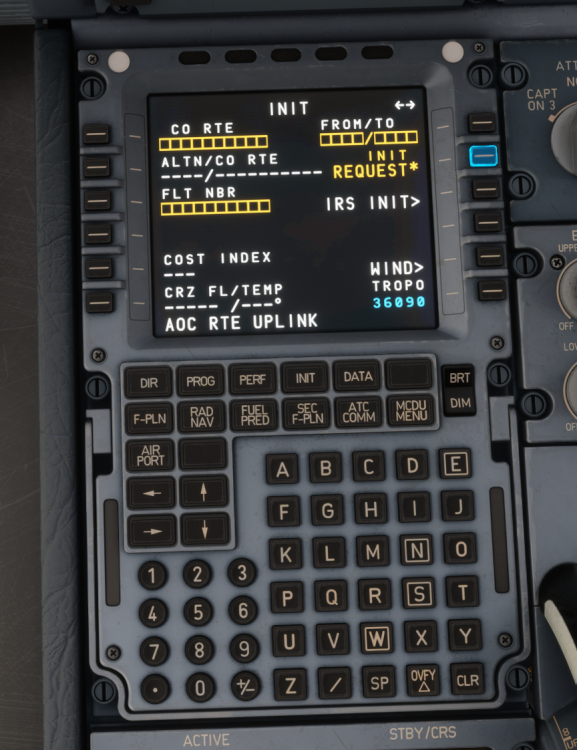
Hi Kyle, Thanks for the suggestion. I gave the clean Community folder method a try, but unfortunately, the result is still the same — the EFB and AOC messages load fine, but the FMGC MCDU still returns ERROR DOWNLOADING DATA on INIT REQUEST or nothing loads at all. It is very frustrating and I am at a loss! Since resetting the Community folder doesn't clear out local state data, I also went ahead and purged the aircraft's WASM work/cache folder located in %APPDATA% / %LOCALAPPDATA%, verified I am using my numeric SimBrief Pilot ID (rather than username) in the EFB keyboard, and tested on the default house livery. Since the EFB successfully fetches the OFP via web API while the MCDU/FMGC WASM datalink request consistently fails across all fresh reinstalls and clean folder tests, it seems like a specific local state or WASM uplink handler issue. For reference, I have attached: My raw simbrief.json payload The compiled .fpl route file (CYULLFMN_INA_1792172214.fpl) A screenshot of the blank MCDU screen on INIT REQUEST As you can see, the route files generate fine in the work directory, but the FMGC fails to ingest or parse them into the cockpit session. Is there anything specific in these payloads or local files that could be causing the FMS parser to reject the import? Thanks again for continuing to look into this! simbrief.json CYULLFMN_INA_1792172214.fpl
-
Hi Kyle and the iniBuilds team, I wanted to follow up on this thread since it has been a couple of weeks since our last update. I am still completely unable to load flight plans into the FMGC via INIT REQUEST on the A340, which renders the aircraft unusable for my flights. Since my last post, here is a quick recap of what I've done to troubleshoot on my end: SimBrief Settings: Configured to match the standard layout (Detailed Navlog, ETOPS, etc. enabled as suggested above). Fresh Installation: Completely uninstalled and reinstalled the A340 in MSFS 2024. Other Aircraft: My other aircraft (including the iniBuilds A350) continue to import SimBrief routes and Navigraph data without any issues. I know edge-case bugs can be tricky to isolate, but as a paying customer who really enjoys your products, it's frustrating to have an aircraft sitting parked in the hangar for weeks due to this bug. Has the team had a chance to look into this further, or is there any additional diagnostic data/logs I can provide from my system to help you investigate? Thanks for your help, and I look forward to hearing from you!
-
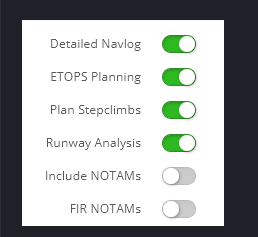
Hi all, Thanks for the suggestion — I tested the SimBrief OFP settings exactly as shown above. I re‑enabled Detailed Navlog, ETOPS Planning, Plan Stepclimbs, and Runway Analysis just like in the screenshots. In my case, the issue is still there. To rule out any installation problems, I actually uninstalled the A340 completely from MSFS2024 and then reinstalled it again before trying these settings. Even after a fresh install, the behavior doesn’t change: AOC FLT INIT works normally INIT REQUEST still does not load the flight plan into the FMGC The EFB shows the SimBrief package correctly, but the FMGC never receives the uplink So this seems to be a different issue than the one caused by unticking Detailed Navlog. Just adding this here so the team knows this is not the same edge case. Thanks.
-
-
Hi Kyle, Just checking in on this since your last update on Monday. I tested the A340 again today after the latest SimBrief/Navigraph update, but the FMGC import is still not working — same behavior as before (EFB downloads the OFP, but the MCDU/AOC pages don’t load the route). No rush at all, I just wanted to see if you had any new findings from your troubleshooting. Thanks again for looking into this.
-
Thank you — I’m at a loss. I don’t understand what’s happening. It’s the only plane that stopped working right after the Navigraph update. The A350, works fine.
-
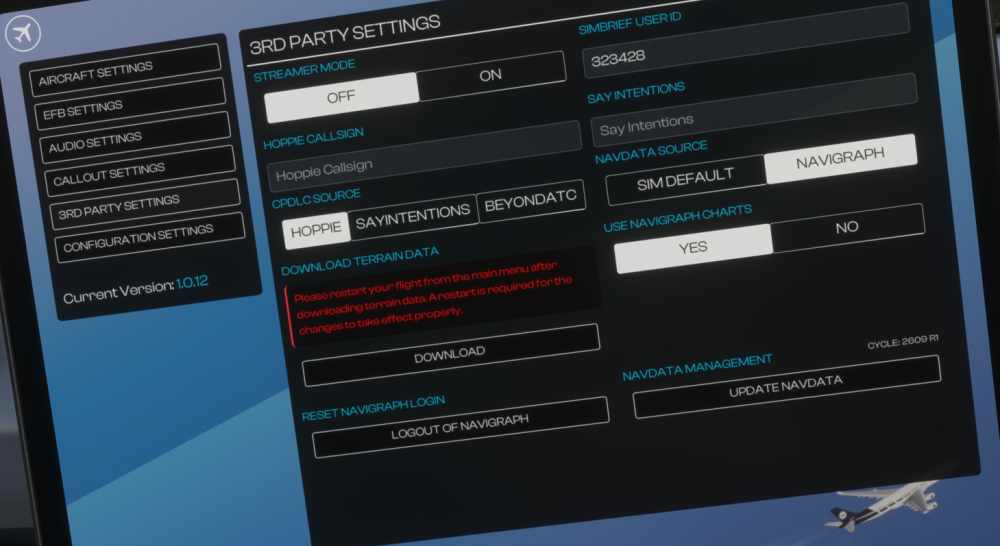
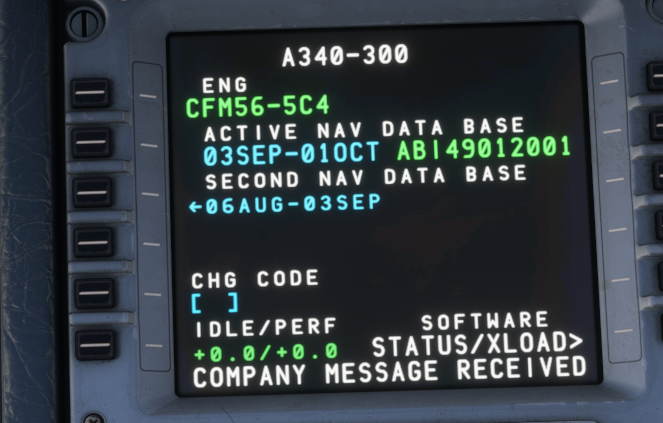
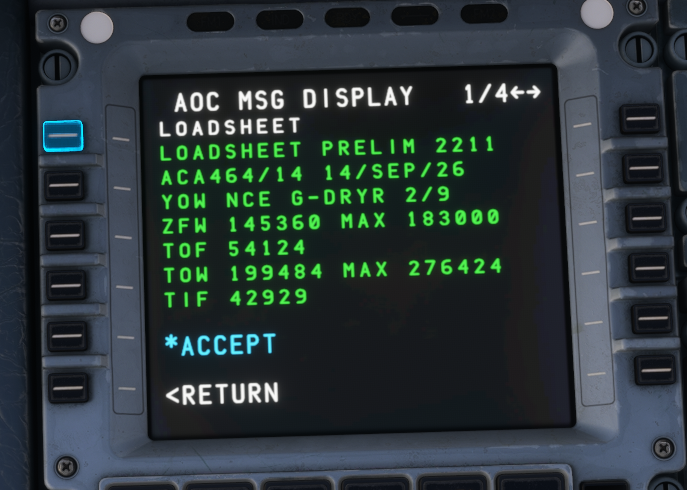
Hi, thanks for the reply. I have verified all the items you requested: SimBrief AIRAC: 2609 A340 EFB AIRAC: 2609 R1 FMGC Active Navdata: 03SEP–01OCT (AIRAC 2609) Navigraph login: Active Hoppie login: Configured SayIntentions: Not required for FMGC uplink AOC messages (like the loadsheet) DO arrive correctly, which confirms datalink connectivity. However, the following still fail every time: INIT REQUEST → ERROR DOWNLOADING DATA AOC FLT INIT → fields do not populate AOC RTE UPLINK → no route uplink VERIFY → SEND → does nothing Since AIRAC cycles match and datalink messages are received, this appears to be an FMGC/AOC uplink logic issue rather than a configuration problem. Please advise on next steps. Thanks.
-
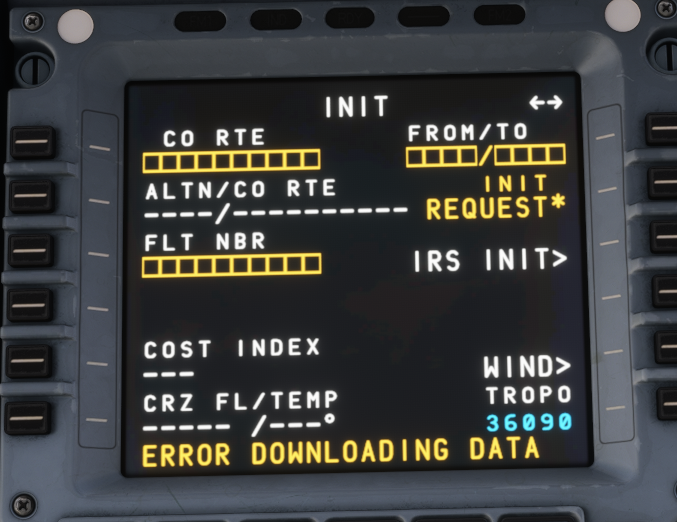
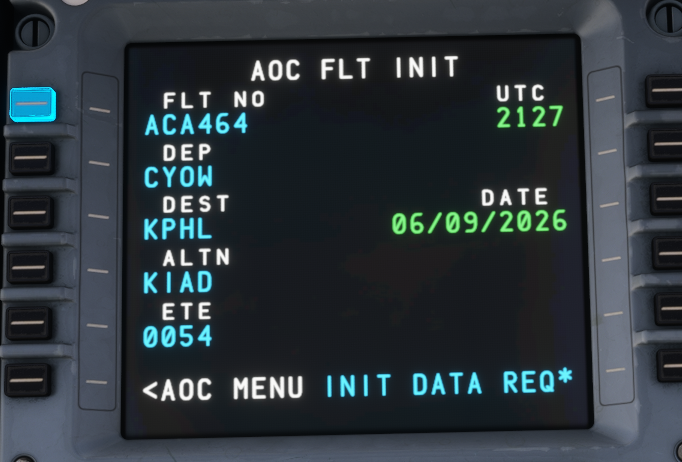
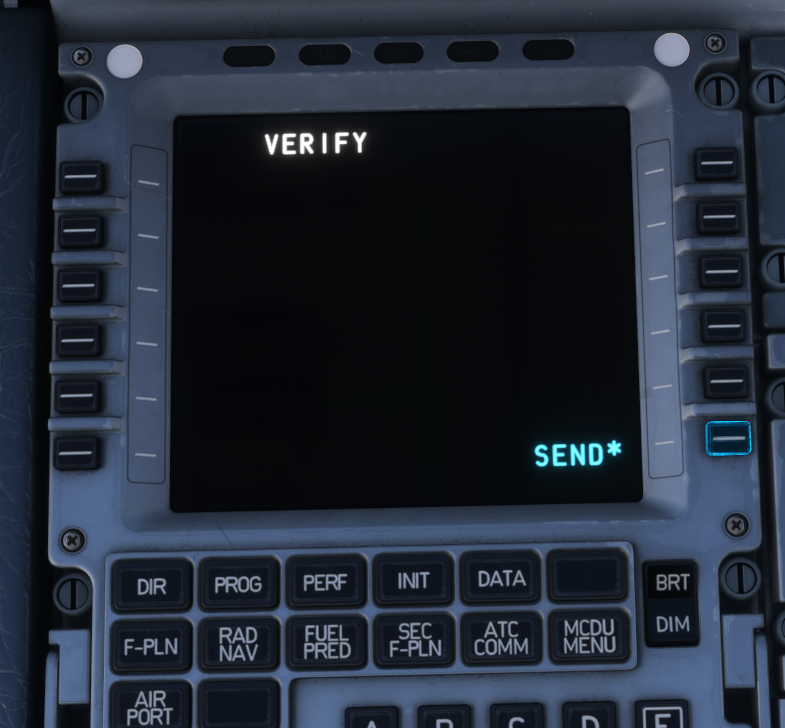
Hello, I am experiencing a major issue with the A340 FMGC / AOC systems. For the past week, the aircraft has been unable to download any operational data through the MCDU. The following functions fail every time: INIT REQUEST → returns “ERROR DOWNLOADING DATA” AOC FLT INIT → does not populate fields automatically AOC RTE UPLINK → no route uplink VERIFY → SEND → does nothing, no uplink FMGC does not receive any company route or weather data I have attached screenshots showing: INIT page stuck with “ERROR DOWNLOADING DATA” AOC FLT INIT not receiving dispatch data ATC MENU and AOC MENU pages functioning, but uplink actions fail VERIFY/SEND page not transmitting anything I have already: Reinstalled the A340 Cleared rolling cache Restarted MSFS 2024 Tried multiple airports (CYOW, KPHL, KIAD) Tried multiple flight numbers Tested with and without SimBrief integration The issue persists across all flights. This looks like a deeper FMGC/AOC logic failure. Please advise — I have also submitted a Direct Support ticket 8 days ago but have not received a reply. Thank you.
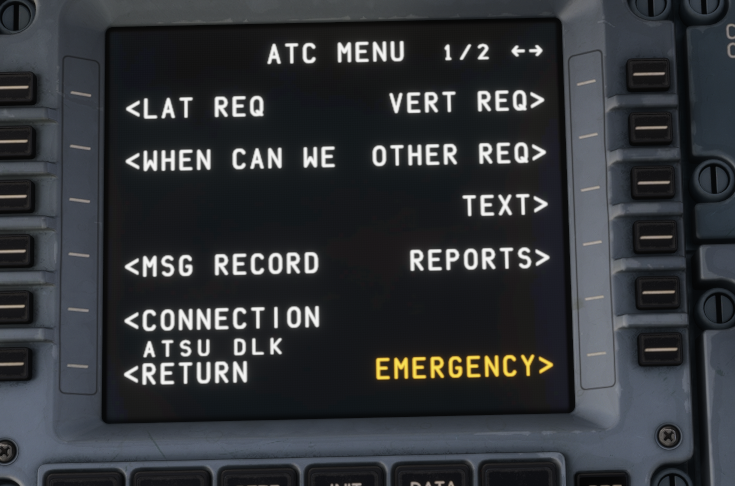
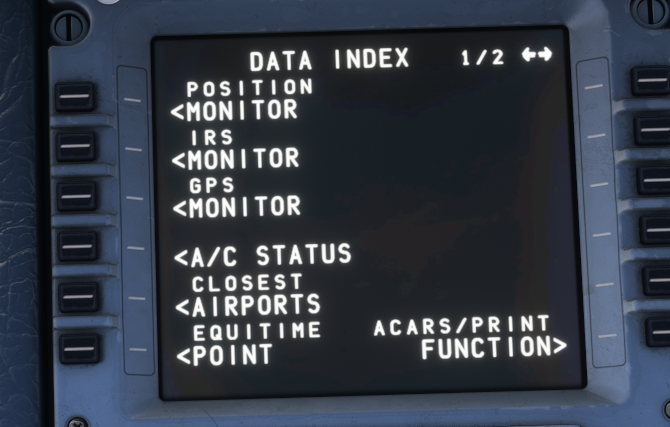
-
Hi Jamir, thank you for the clarification. I completely understand the decision. If it’s appropriate to ask, is the possibility of revisiting the cabins something that might be evaluated again in the future? I’d certainly welcome their return if it ever aligns with your plans.
-
Hello there, I was trying to find some information here on the forum but couldn’t find anything. I purchased the A350 Package today (version 1.2.1) for MSFS 2024 and was really looking forward to using the custom cabin interiors for Emirates and Etihad. However, the package I downloaded through the iniManager only includes cabins for Air France, Lufthansa, and a few others. Could you please someone clarify what happened to the Emirates and Etihad cabin interiors I saw showcased in a few videos? Will they be made available again? If they are already available elsewhere on this website, I would appreciate guidance on where to download them. Thanks!


