richboy2307
Staff
-
Joined
-
Last visited
-
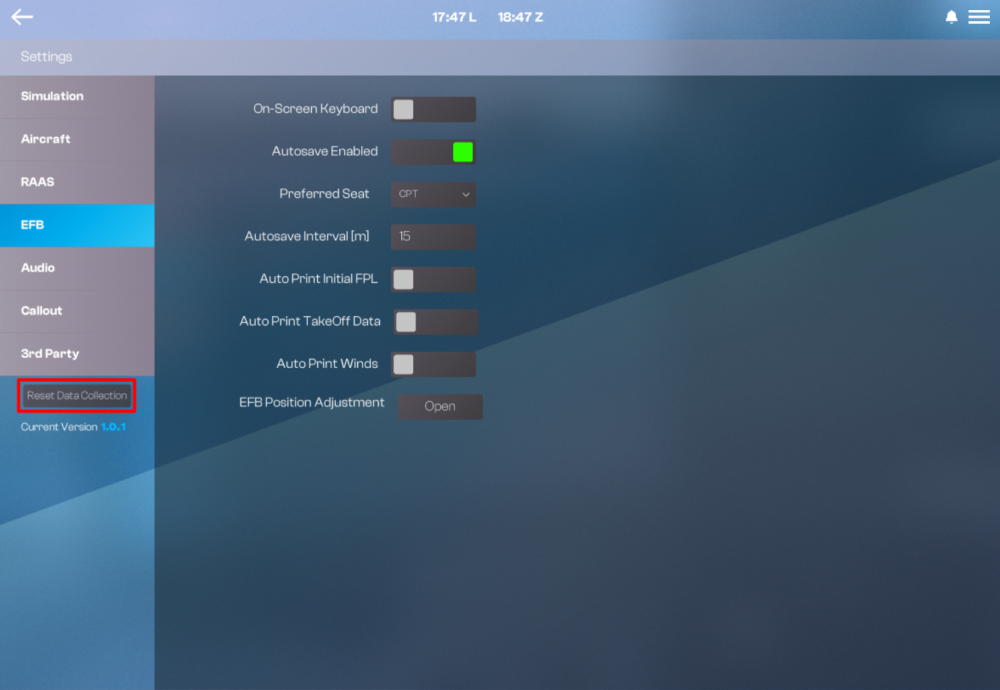
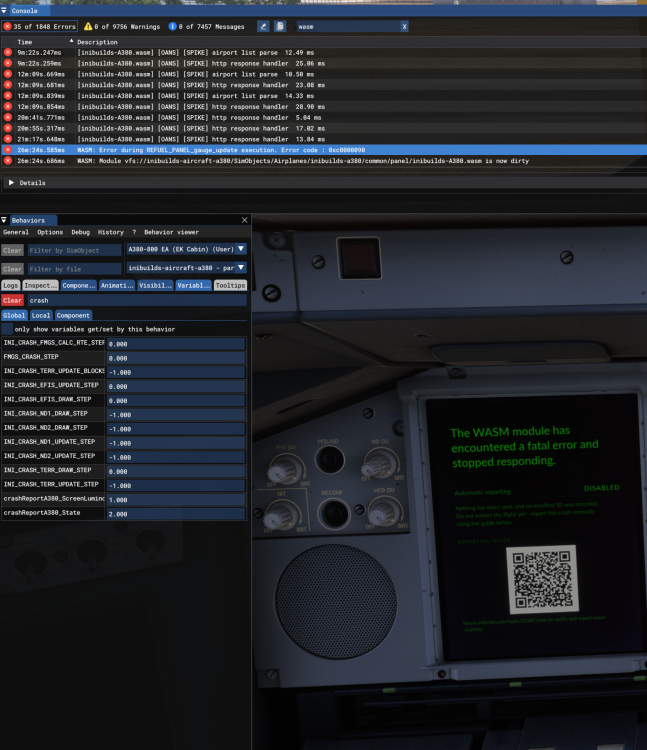
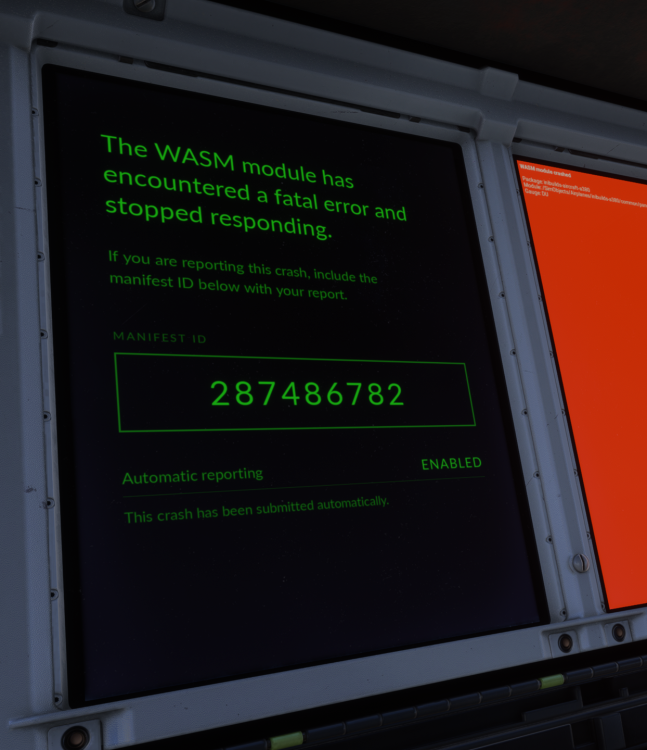
What is it?To help us better diagnose and fix issues, the iniBuilds A380 Airliner now includes an optional automatic WASM crash reporting feature. If a WASM crash occurs, the A380 can automatically send a diagnostic report directly to our development team, no manual reporting needed on your end! What gets sent?If enabled, a report will include: Add-on version The failed component Relevant technical counters Aircraft position Flight plan The latest portion of the diagnostic log No personal data or session-identifying information is collected. All reports are sent over an encrypted connection and are only accessible to our development team for crash investigation purposes. How to enable itOn your first load of the A380 following the update, you'll be prompted with the option to enable crash reporting on the MFD FMS. Click ACCEPT if you wish to participate. (Click to enlarge image) If you choose not to participate, click DECLINE and nothing will be sent to us, although diagnostic logs will continue to be stored locally on your PC. Your preference can be changed at any time through the EFB Settings page. Changing your preference laterChanged your mind? No problem! You can click the RESET DATA COLLECTION button on the EFB Settings page any time. Note: The changes will only take effect from next time you load into the A380 from the Free Flight menu. The Consent Prompt will be shown again on the MFD FMS. Click ACCEPT or DECLINE as preferred. (Click to enlarge image) Why it mattersThis extra telemetry helps us catch and fix hard-to-reproduce issues much faster, and means less back-and-forth needed from you when reporting a crash. Every report helps us improve the A380 for everyone!+ Automatic Crash ReportIf you have a WASM crash after clicking ACCEPT on the consent prompt, you will see a screen such as below with a reference MANIFEST ID that indicates that the report is sent. (OPTIONAL) You can share this ID with our support staff for reference to help locate the corresponding crash report logs. (Click to enlarge image) Manual Crash ReportIf you choose not to participate, click DECLINE and nothing will be sent to us, although diagnostic logs will continue to be stored locally on your PC. To report the crash manually, please follow the How to - Verify and Report WASM Crashes? guide to report all of the following: Aircraft Variant: A380 RR or EA Navdata Method: SIM DEFAULT or NAVIGRAPH OFP: Include a PDF of your Operational Flightplan (OFP) if related to FMS/Route Procedures crashes WASM Error: The error you see on the console. Crash VARs: A screenshot of the CRASH variables in the behaviours debug menu. Specs: CPU, GPU and RAM of your system. Autosave File: Please include the latest ".bin" autosave file prior to your crash. For more info see How to - Autosave guide. Screenshot / Video: showing what you pressed/did just before the crash happened to give us more clues. Repro Steps: How to reproduce the crash so that we can try ourselves with debugging tools to identify the cause of crash. Autosave Folder Paths
-
Issues with CalibrationIf you experience any issues with the Throttle Calibration process, you may force-reset the calibration on the EFB via either of the following methods: PC & Xbox: Press the 'RESET CALIBRATION' button, PC Only: Delete the 'ThrottleData.ini' file to start fresh on next launch of the simulator. This file will be found in the work folder of the aircraft, and the path will vary based on where you purchased the simulator: Steam: %APPDATA%\Microsoft Flight Simulator 2024\WASM\MSFS2024\inibuilds-aircraft-a380\work MS Store: %LOCALAPPDATA%\Packages\Microsoft.Limitless_8wekyb3d8bbwe\LocalState\WASM\MSFS2024\inibuilds-aircraft-a380\work Issues with ReversersIf you experience any issues with the operation of reversers on hardware with reverse on axis (E.g. TCA Quadrant Airbus Edition), please ensure the following: Reverse on Axis: Ensure you have selected YES on the EFB Throttle Calibration page. Calibration: Ensure you have completed the calibration at least once. This will ensure the creation of a 'ThrottleData.ini' file. ThrottleData.ini : The file can be found at the path stated above. Open with a text editor (e.g. Notepad) and check that it says the following - [throttle] reverse_on_axis = true If it says false, change it to true as above and save the file. Reversers should then work after a sim restart.
-
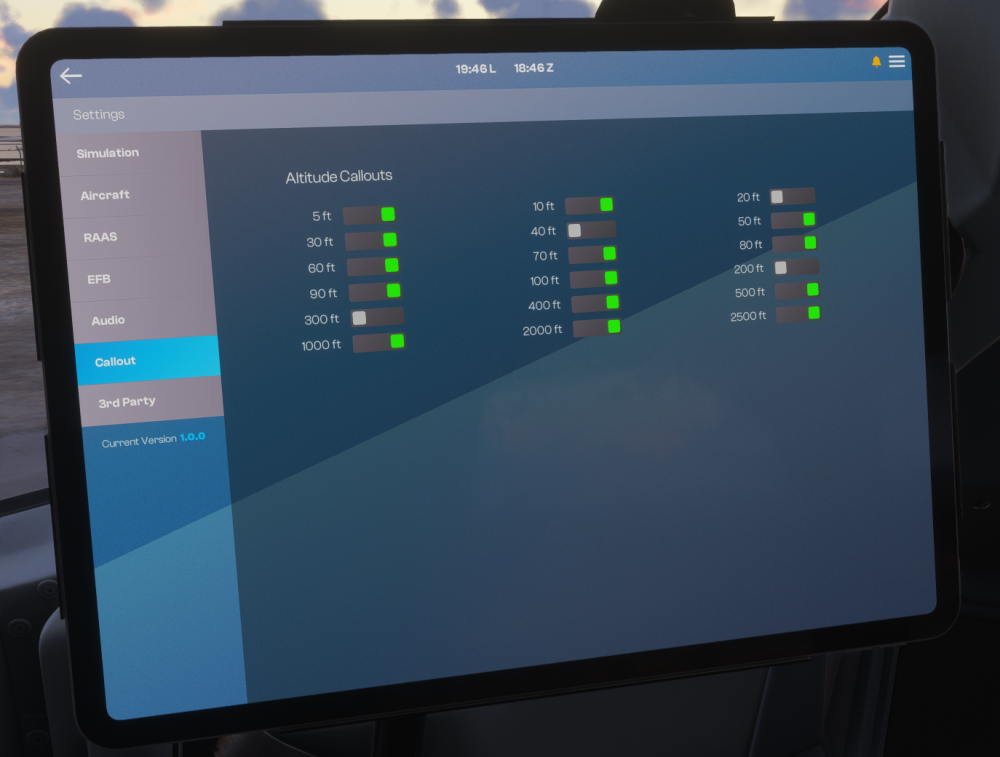
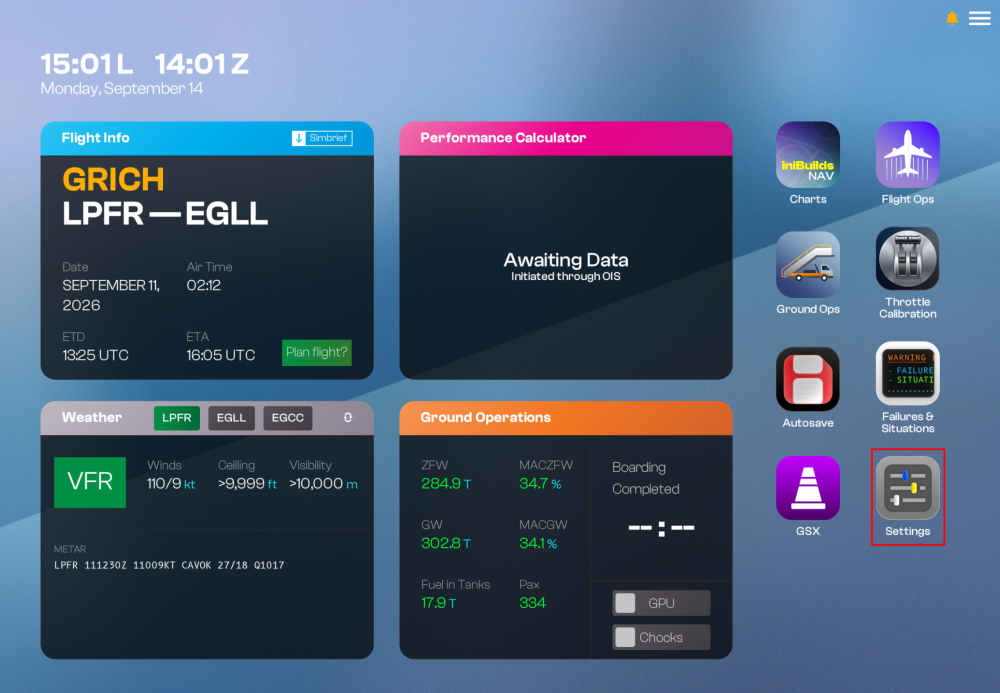
Radio Altitude (RA) callouts are automated aural announcements that alert the flight crew to the aircraft's height above ground during approach and landing. They provide critical situational awareness in the final phase of flight, helping pilots monitor descent rate, verify height against the expected profile, and prepare for landing or go-around decisions. You can toggle which RA callouts you wish to hear via the EFB Callout Settings page. (Click to enlarge image) Changing RA CalloutsOpen the EFB and navigate to Settings > Callouts Toggle the switch next to the desired callout to enable or disable it. Your selections are automatically saved and will persist across sessions and aircraft variants.
-
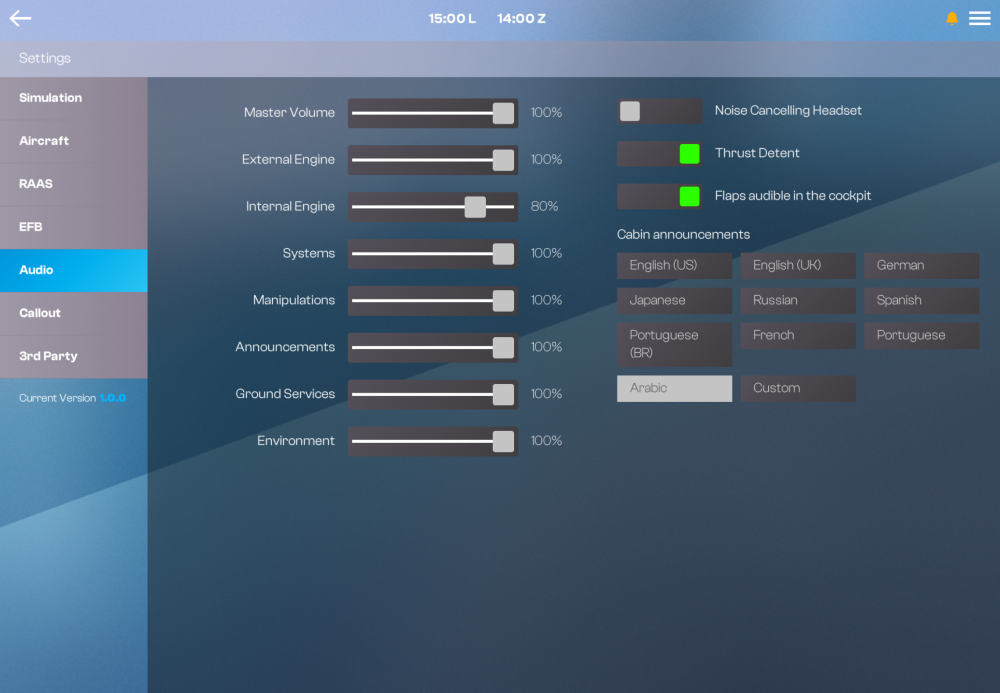
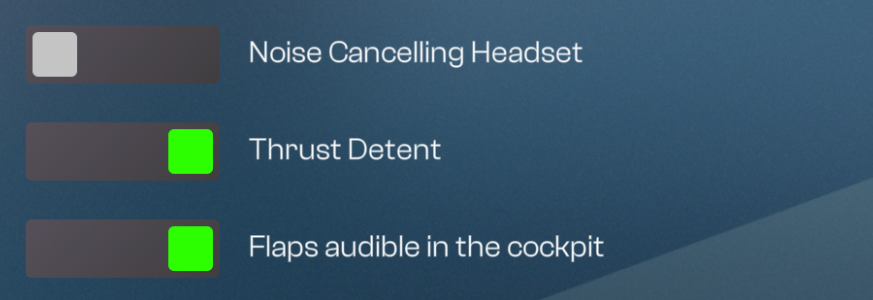
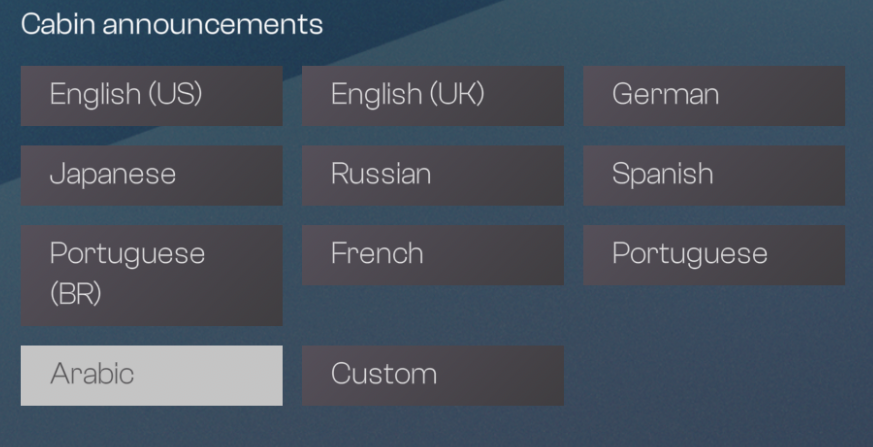
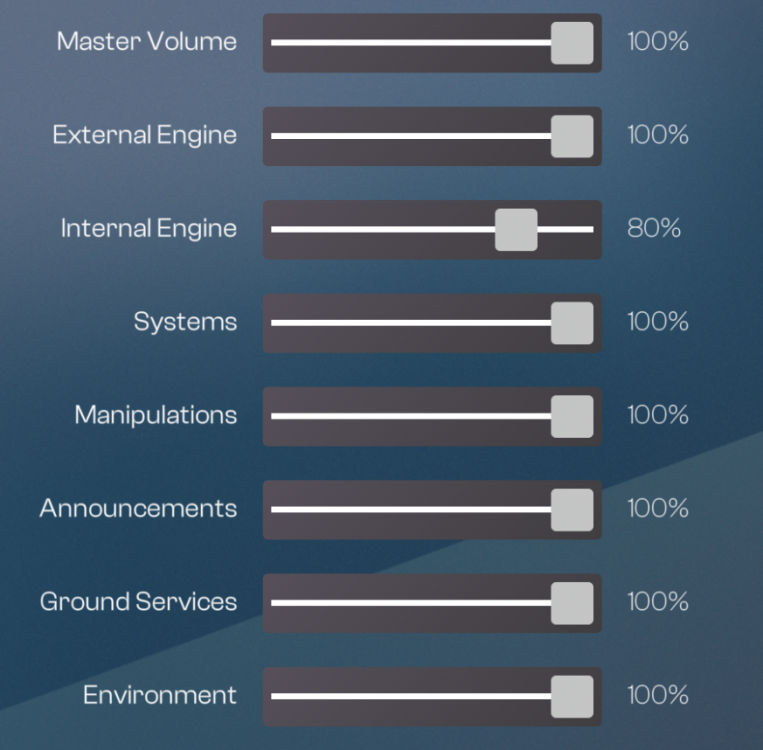
The Audio settings page on the Electronic Flight Bag (EFB) allows you to fine-tune individual sound category volumes, enable specific sounds, control noise-cancelling and select your preferred cabin announcement language. This page is accessed via EFB Settings > Audio. (Click to enlarge image) Volume SlidersEach category below can be independently adjusted from 0% to 100% using its respective slider: Category Description Master Volume Global volume control affecting all aircraft sounds. External Engine Engine sounds heard from an external camera view. Internal Engine Engine sounds heard from inside the cockpit and cabin. Systems Aircraft systems sounds (hydraulics, avionics fans, relays, etc.). Manipulations Switch clicks, knob turns, and other cockpit interaction sounds. Announcements Cabin crew and PA announcements. Ground Services Sounds related to ground handling (GPU, air conditioning carts, jet bridge, etc.). Environment Ambient and environmental sounds (wind, rain, airframe noise). Tip: Lowering Internal Engine relative to Systems or Announcements can help improve callout and PA clarity during critical phases of flight. Adjust the sliders for what works best on your Audio/EQ setup. Audio TogglesNoise Cancelling Headset Simulates the effect of a noise-cancelling headset, reducing ambient cockpit noise for clearer radio and callout audio. Note: For this feature to function correctly, ensure Loudness Limiter and Headphone Simulation are disabled in your simulator's Settings > General > Sound menu. For more information refer to How to - Disable Loudness Limiter & Headphone Simulation. Thrust Detent Enables audible click/detent sounds when moving the throttle levers through IDLE, CLB, FLX, and TOGA positions. Flaps Audible in the Cockpit Enables the sound of flap surface movement to be heard from inside the cockpit. Cabin Announcements - Language SelectionChoose the language used for cabin crew announcements (e.g., safety demonstrations, boarding, and arrival PAs): English (US) English (UK) German Japanese Russian Spanish Portuguese (BR) French Portuguese Arabic Custom - Allows use of a custom/user-provided announcement audio set. Simply click on your preferred language button to apply it. The currently selected language will be highlighted. Custom Cabin Announcements - COMING SOONCOMING SOON
-
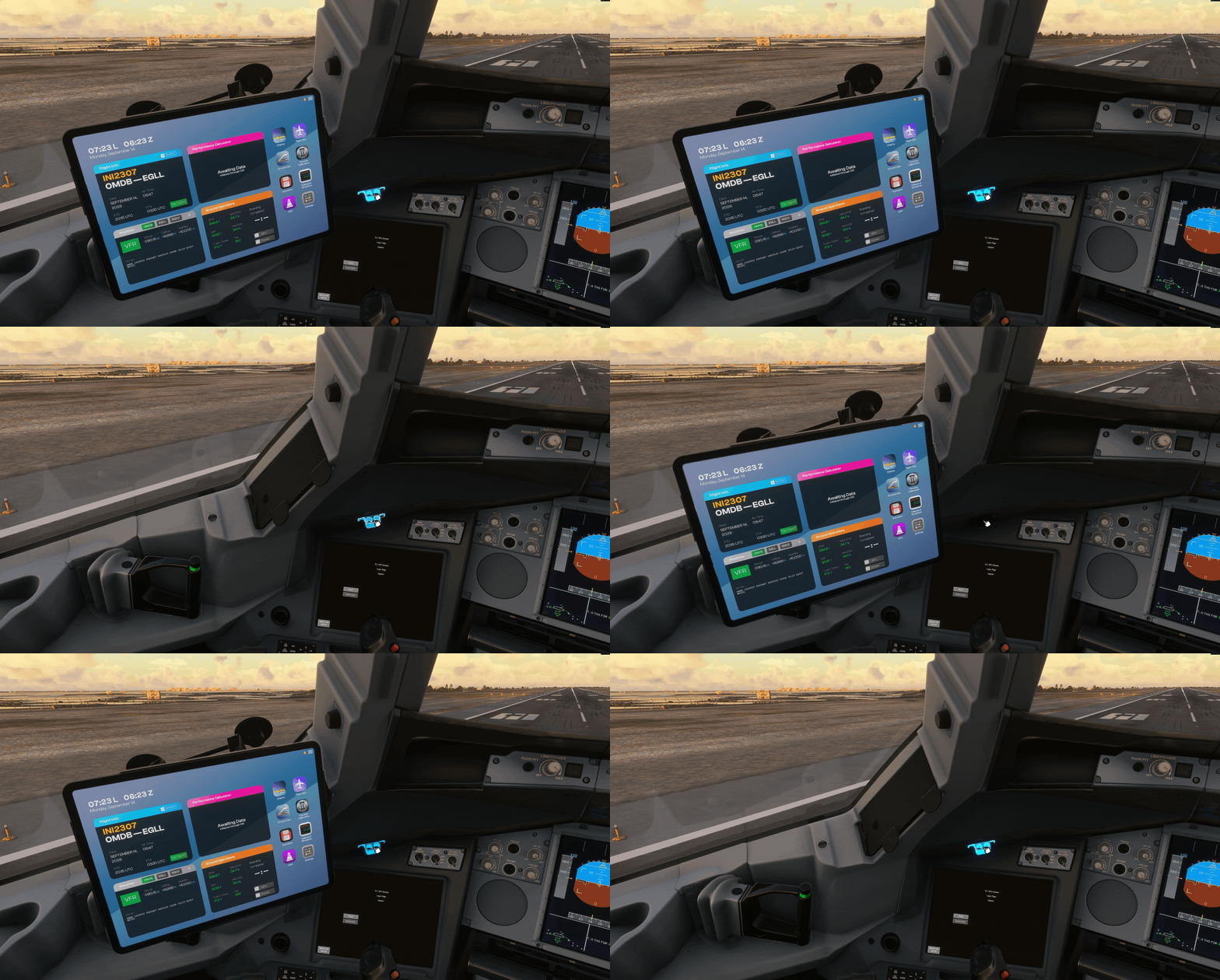
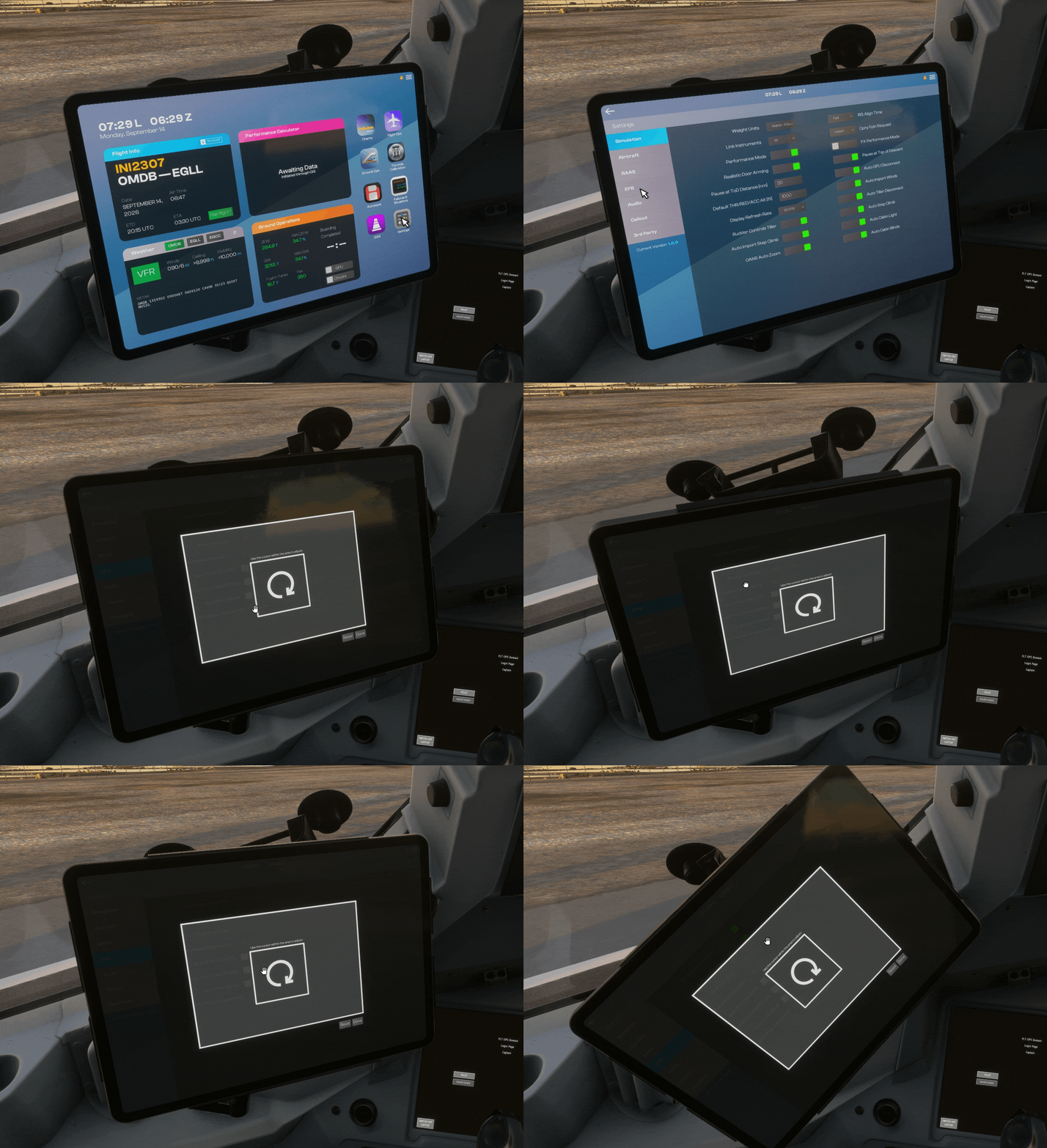
Showing / Hiding the EFBClick on the pen holder located above the OIT, on either the Captain (CPT) or First Officer (FO) side, to show or hide the respective EFB. (Click to enlarge image) Adjusting EFB Position (Tilt & Rotation)Open EFB > Settings > EFB > EFB Position Adjustment. A pop-up window will appear with an adjustment area. Click and drag with your mouse within the white box to adjust the EFB's mounting pivot: Inner (center) area — Adjusts Rotation Outer area (within the white box) — Adjusts Tilt Once satisfied with the position, click Done to confirm. Click Reset at any time to restore the default position. (Click to enlarge image)
-
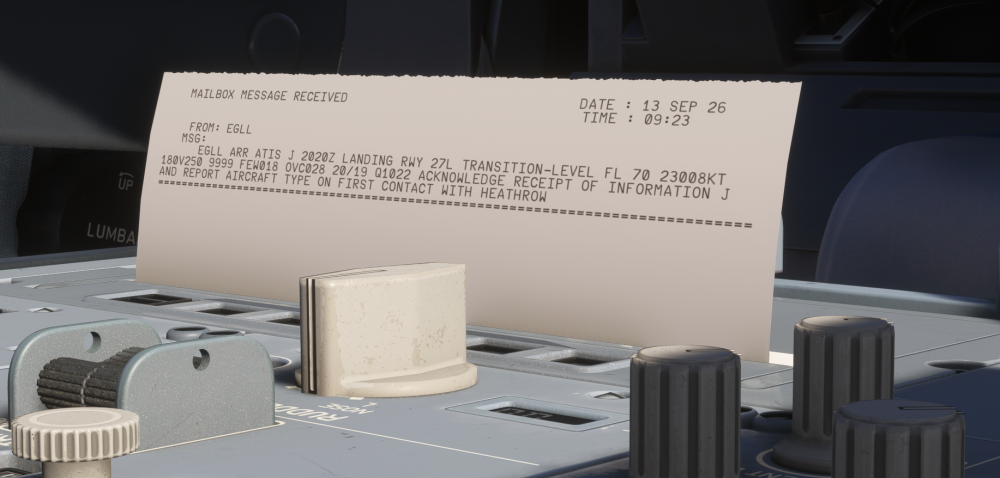
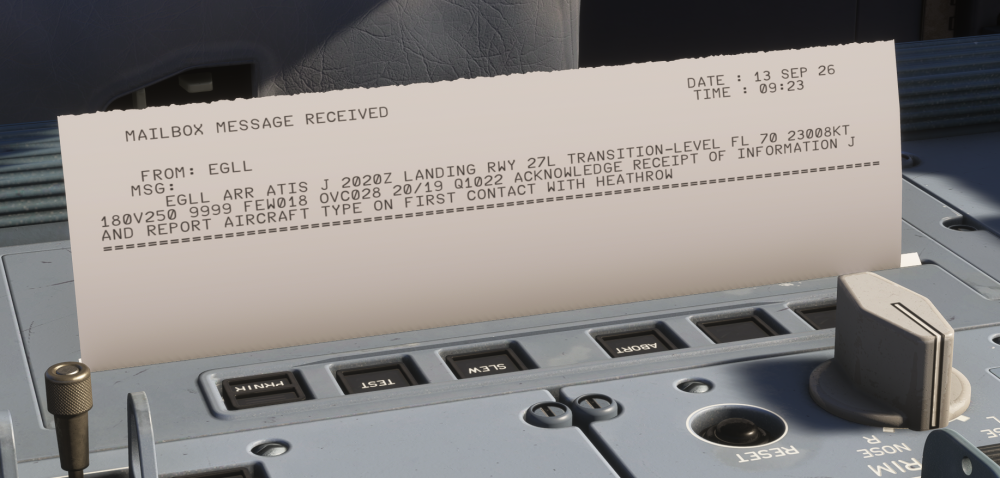
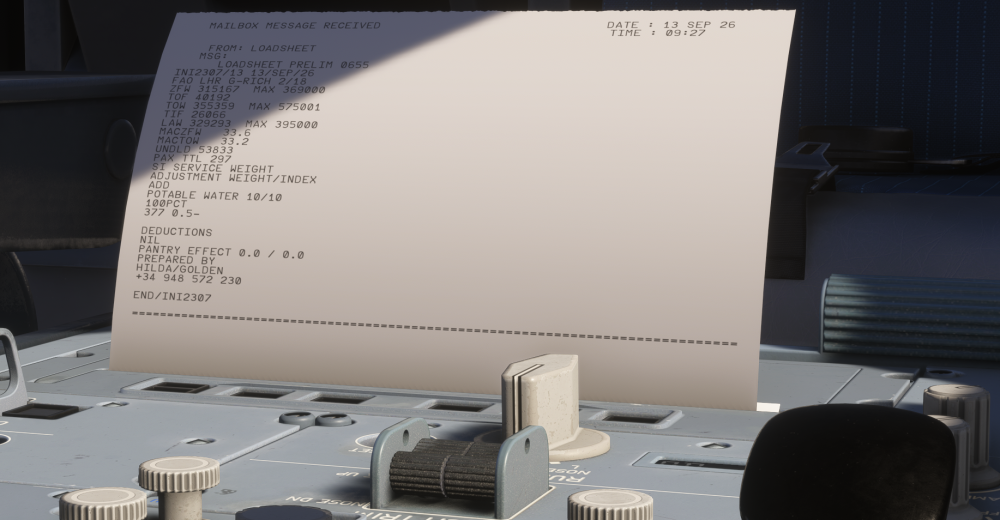
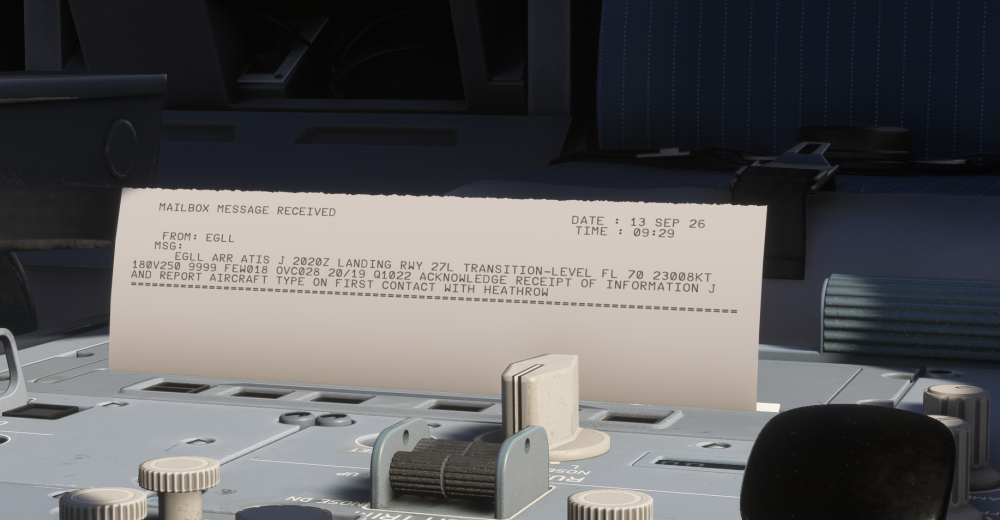
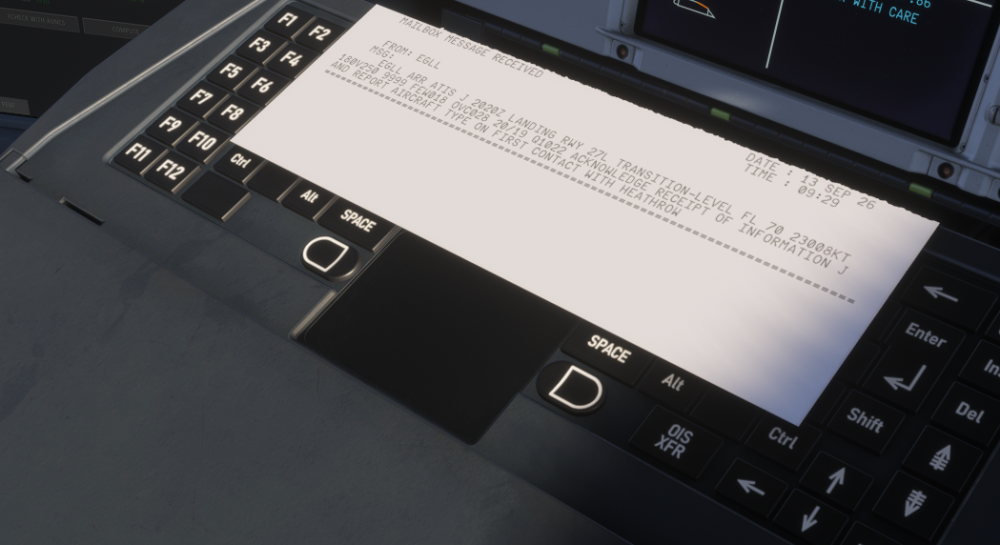
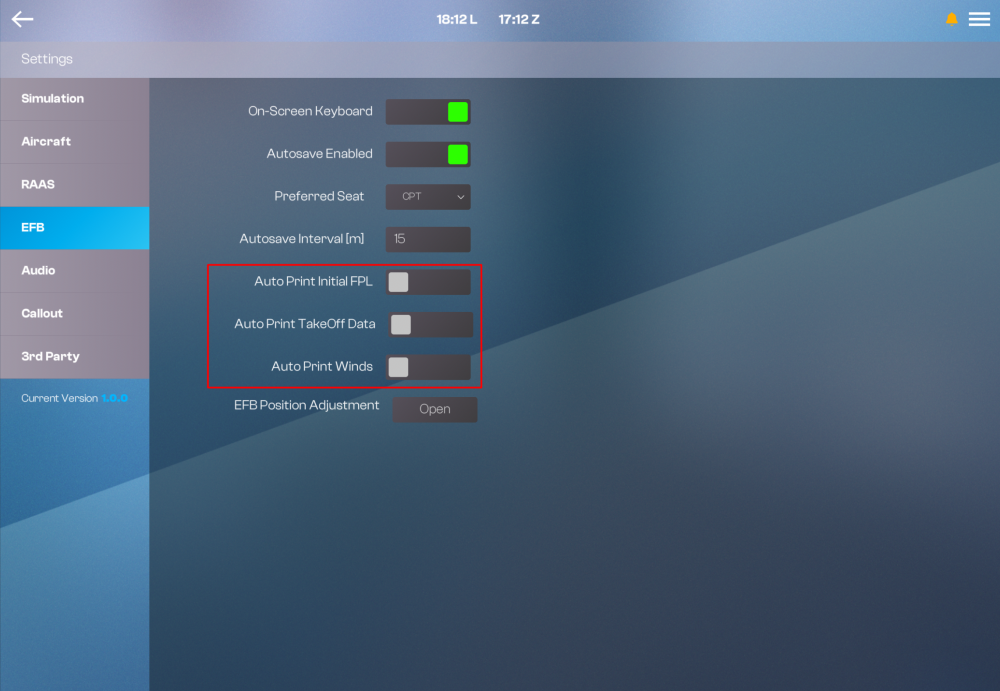
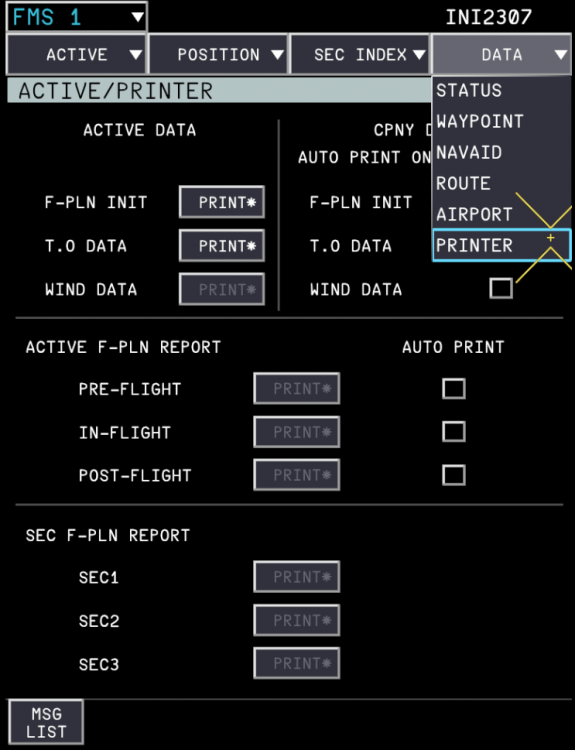
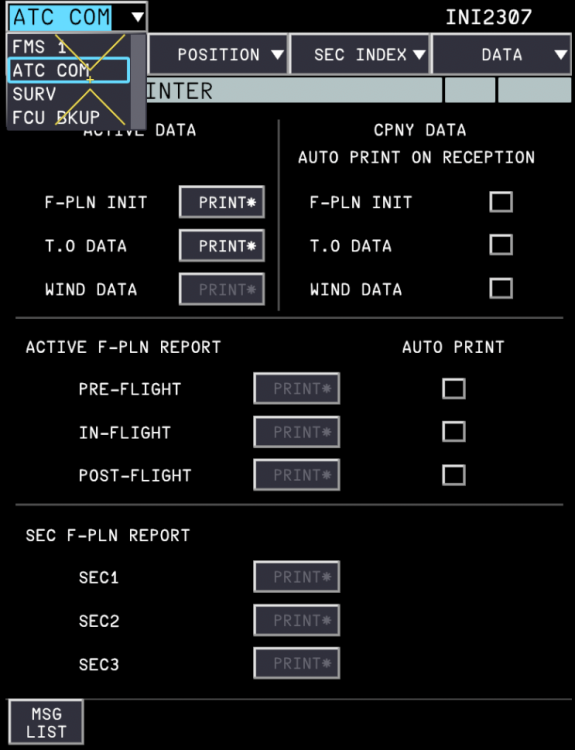
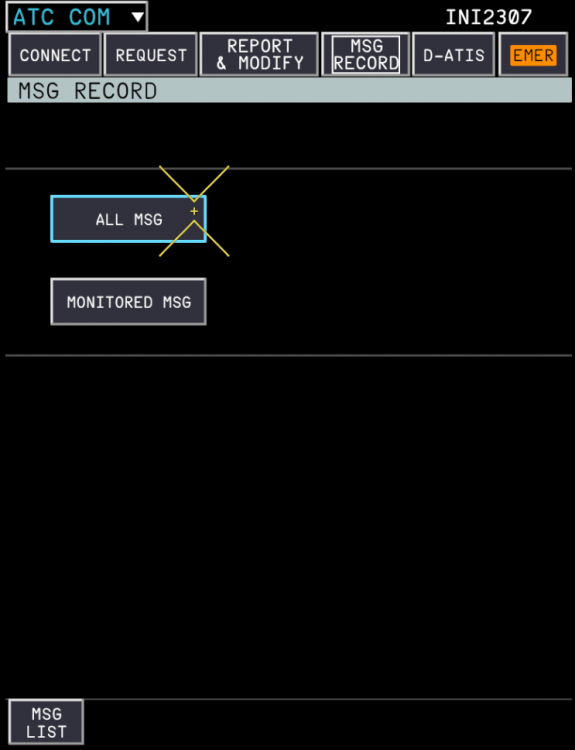
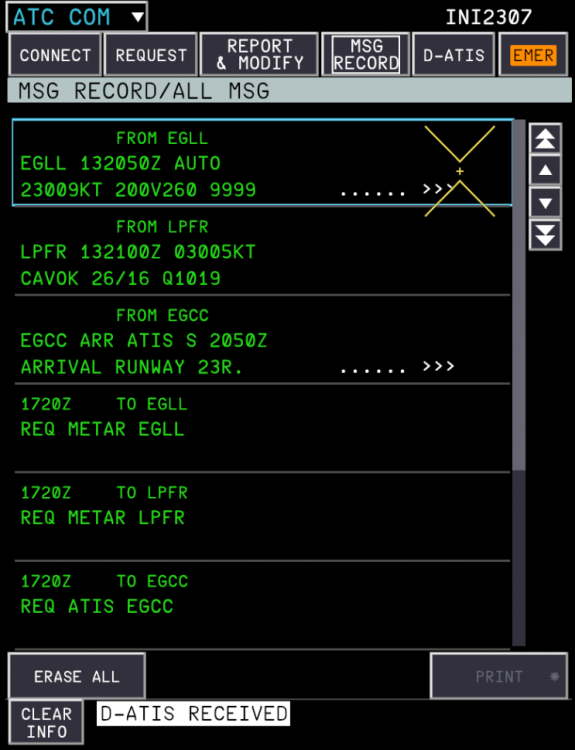
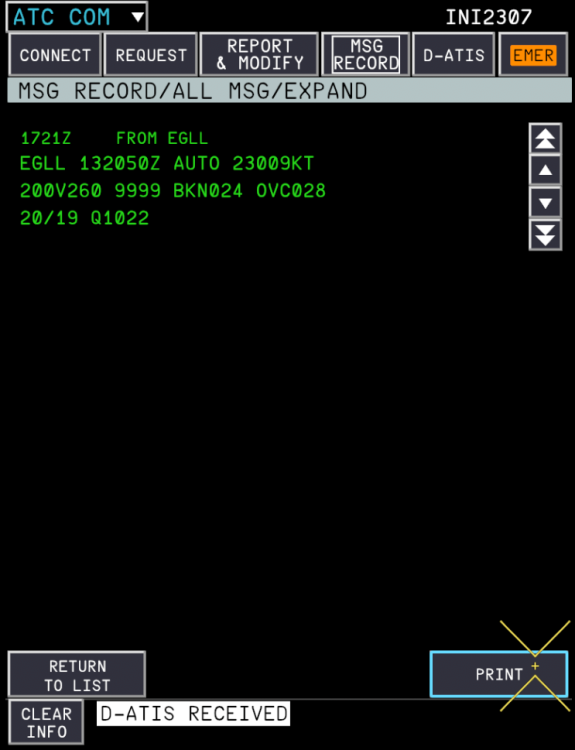
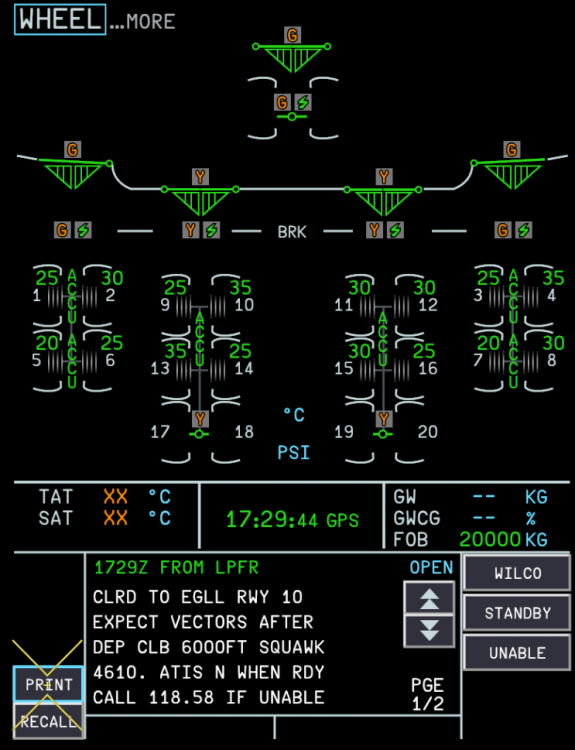
The onboard printer is used to create hard copies of key flight data like Take-Off (T.O) Data, Flight Plan (F-PLN), METAR, Mailbox messages, and more. While this data is already accessible via the Electronic Flight Bag (EFB), Onboard Information Terminal (OIT) and Flight Management System (FMS), printing allows you to cross-check and reference information physically on the cockpit tray table. (Click to enlarge image) How It WorksThe printer simulates a realistic print process using a combination of: 3D model animations - representing the physical printing mechanism Show/hide attachments - simulating the printed page being fed out and placed onto the tray table in the cockpit Once data is sent to print, it is automatically formatted using a template corresponding to the type of printout requested (e.g., F-PLN INIT, METAR, T.O Data) and rendered onto the printed page texture. Note: Page sizes may vary Paper length is dynamic and scales based on the content being printed. For example, a METAR printout will use significantly less paper than a full F-PLN printout. (Click to enlarge image) How to Print1. Configure Auto-Print Options (Optional)Open the EFB, navigate to Settings > EFB, and enable any desired auto-print options (e.g., Auto Print Initial FPL, Auto Print TakeOff Data, Auto Print Winds) if you want certain items to print automatically without manual input. (Click to enlarge image) 2. Print Flight Plan, Take-Off or Wind DataNavigate to the Printer page on the FMS (DATA > PRINTER) using the MFD and cursor controls. Select the on-screen PRINT prompt where available to send that data to the printer. The options will remain gray until the relevant data is uplinked into the FMS first. (Click to enlarge image) 3. Print Loadsheet, METAR or Mailbox MessagesGo to the Mailbox or MFD ATC Communications (ATC COM) page on the FMS, select the specific METAR or message you wish to print, and press the on-screen PRINT button. OR 4. Collect Your PrintoutOnce printing completes, click on the simulated printout located on the pedestal to retrieve it. It will then be placed on the cockpit tray table for reference. Note: Only 1 printout can be displayed at a time. The printed page remains on the tray table until manually removed or replaced by a new printout. The printed page will show/hide alongside the tray table when closed. Since paper length varies by content, larger printouts (e.g., full F-PLN with multiple waypoints) will take slightly longer to complete than smaller ones (e.g., METAR). Use the printer as a quick physical reference during busy phases of flight, reducing the need to repeatedly navigate FMS/OIS pages. Note: The printout is strictly simulated inside the virtual cockpit only. The virtual printout cannot be sent to a real-world physical desktop printer or exported directly as a PDF at this time.
-
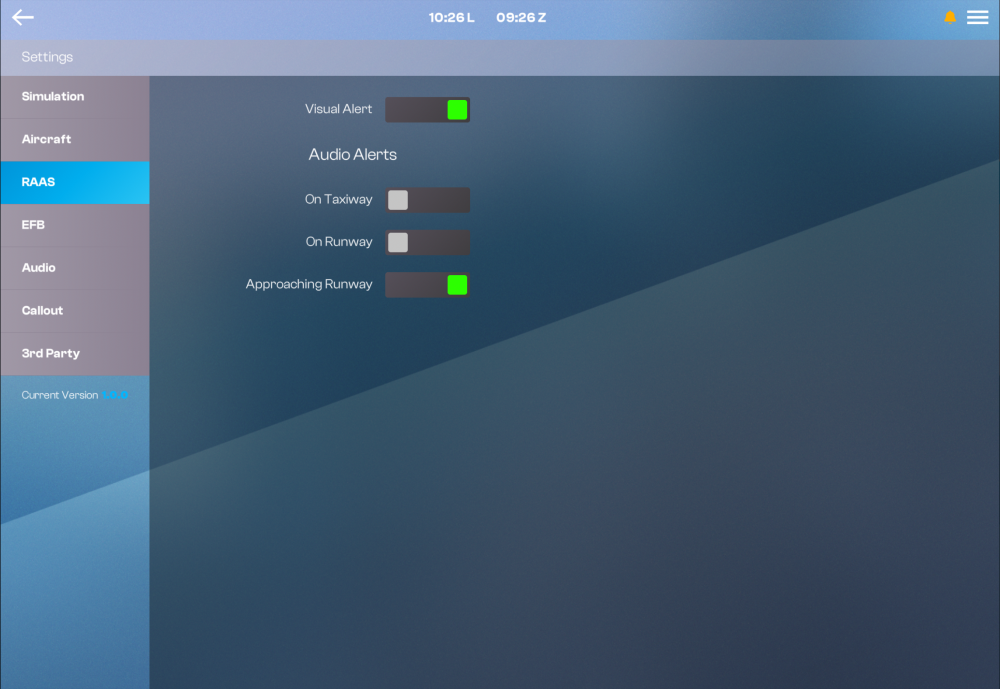
RAAS (Runway Awareness and Advisory System) is an optional feature designed to enhance situational awareness during ground operations by alerting the flight crew to the aircraft's position relative to taxiways and runways. What is RAAS?RAAS provides both visual and aural alerts to help prevent runway incursions and improve positional awareness during taxi, takeoff, and landing phases. Alerts are displayed on the PFD and ND, accompanied by corresponding audio callouts. Available Alerts: ON TAXIWAY: Indicates the aircraft is on a taxiway. ON RUNWAY: Indicates the aircraft has entered a runway. APPROACHING RUNWAY: Alerts when approaching a runway during taxi. Enabling / Disabling RAASRAAS is optional and can be configured via the EFB: EFB > Settings > RAAS Each alert can be individually enabled or disabled using its respective toggle switch. Setting Description Visual Alert Toggles the visual display of all RAAS alerts on the PFD and ND. Audio Alerts - On Taxiway Toggles the aural alert when the aircraft is on a taxiway. Audio Alerts - On Runway Toggles the aural alert when the aircraft is on a runway. Audio Alerts - Approaching Runway Toggles the aural alert when approaching a runway.
-
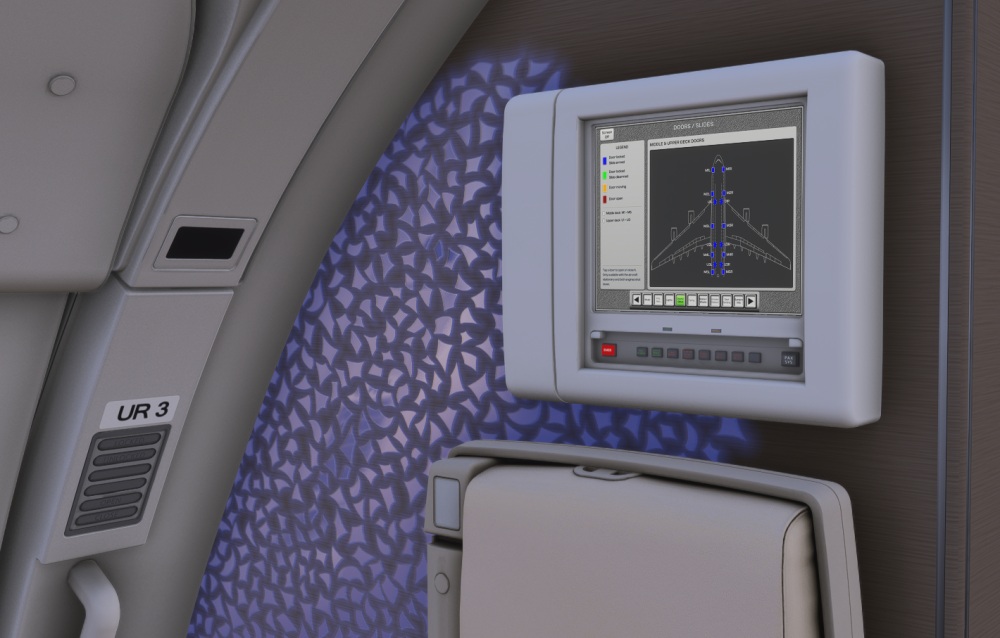
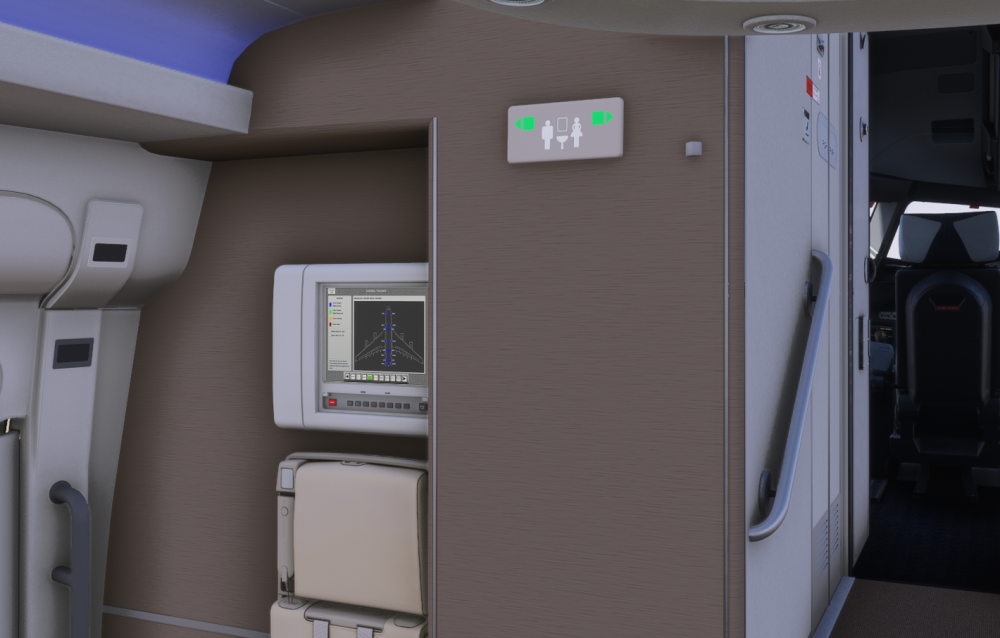
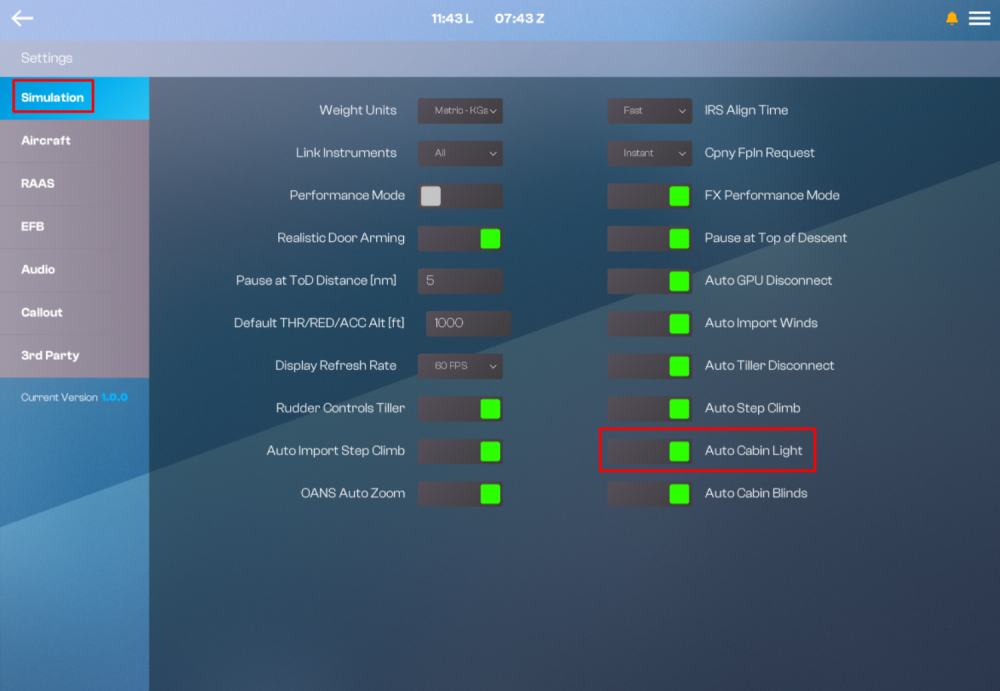
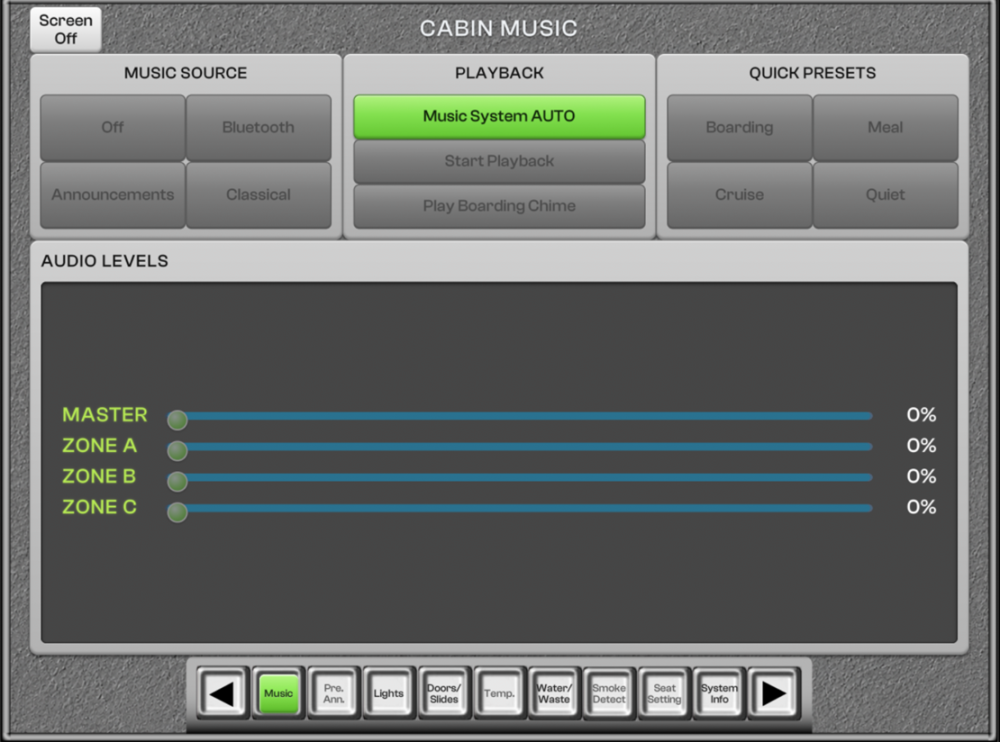
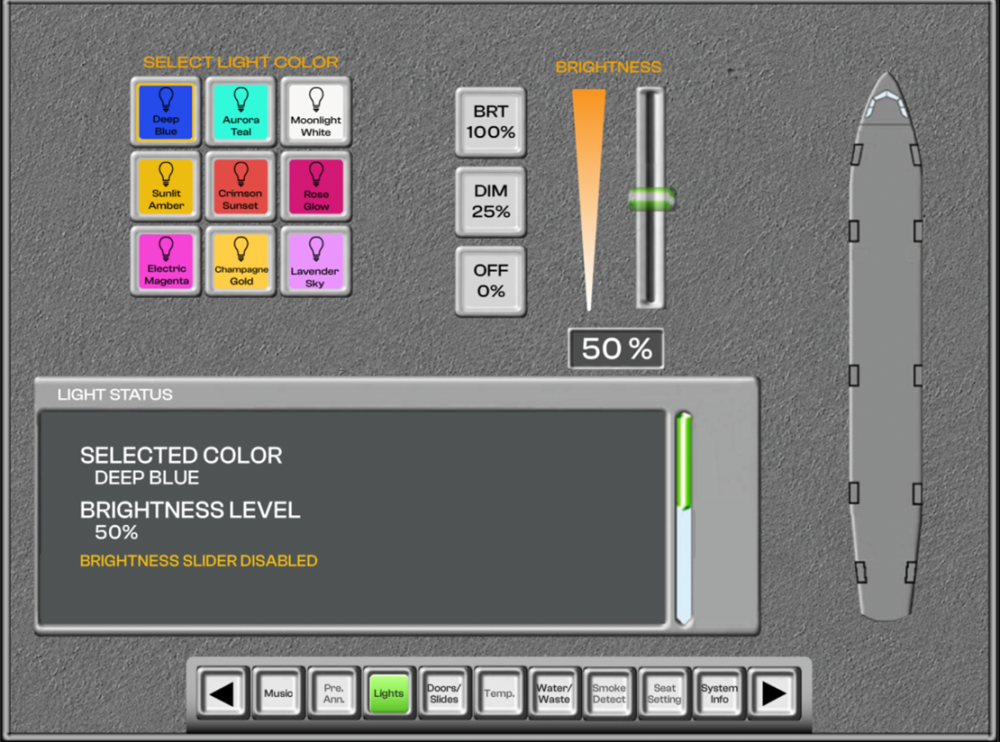
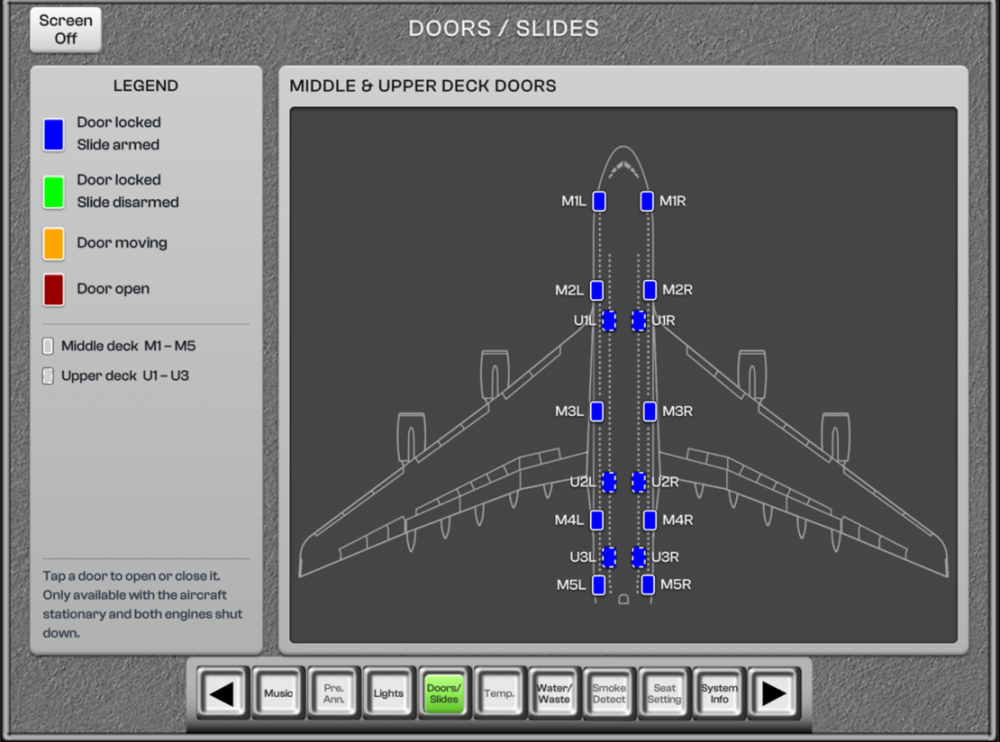
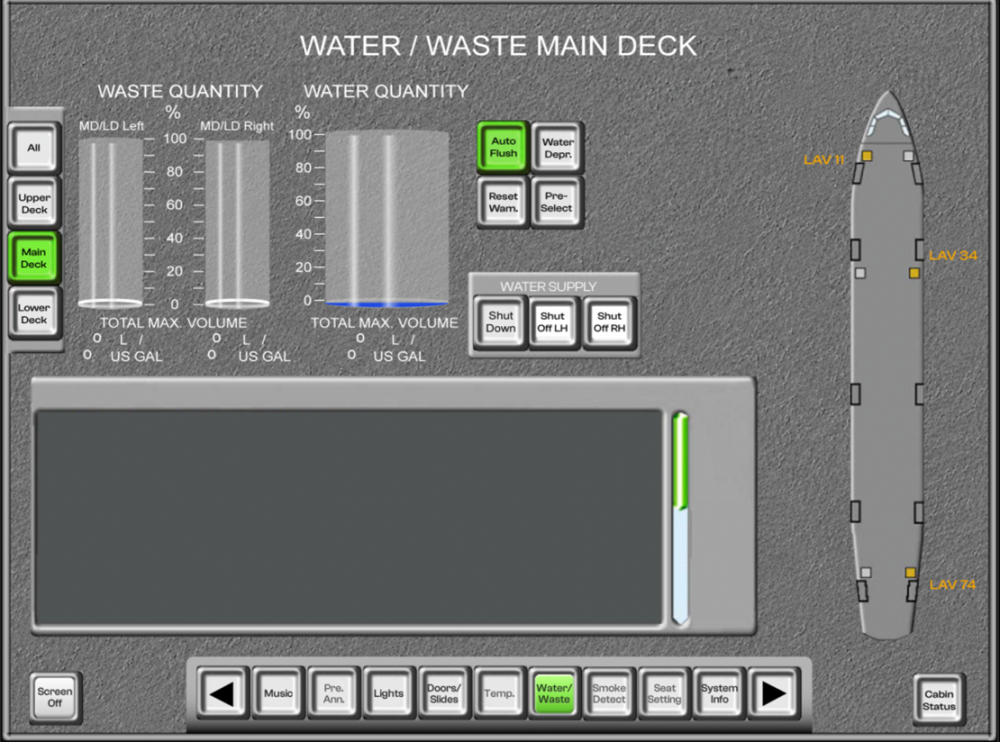
On the iniBuilds A380 Airliner you can use the Flight Attendant Panel (FAP) to manage and monitor: Lounge Music Cabin Lighting Cabin Doors Water and Waste Tanks Capacity / Status FAP - LOCATIONSThere are two touchscreen FAPs installed on the aircraft: Lower Deck - FWD galley near door M1L Upper Deck - AFT galley near door U3R (Click here to enlarge image) FAP - NAVIGATIONEach FAP screen features a bottom navigation bar allowing you to switch between the following simulated pages: Music Lights Doors/Slides Water/Waste System Info Use of the ◀ / ▶ arrows to scroll through additional pages is not currently simulated. FAP - MUSICControls the lounge's ambient audio system. The following interactions are currently simulated: Playback: Toggle Music System AUTO or OFF (Click here to enlarge image) FAP - LIGHTSControls cabin ambient lighting. The following interactions are currently simulated: Select Light Color: Choose from preset lighting themes (e.g., Deep Blue, Aurora Teal, Moonlight White, Sunlit Amber, Crimson Sunset, Rose Glow, Electric Magenta, Champagne Gold, Lavender Sky). Brightness: Set brightness using the BRT (100%), DIM (25%), or OFF (0%) presets, or manually adjust via the slider. Light Status: Displays the currently selected colour and brightness level Note: the brightness slider is disabled when auto-cabin lighting option is enabled. (Click here to enlarge image) FAP - DOORS/SLIDESProvides a visual overview and control of all cabin doors across the Middle and Upper Decks. The following interactions are currently simulated: Toggle Door: Toggle the selected door OPEN or CLOSE by clicking on it while the aircraft is stationary with the engines OFF. Door Status: The door colour will update according to the legend to indicate the current status. (Click here to enlarge image) FAP - WATER/WASTEMonitors and manages potable water and waste system levels. The following interactions are currently simulated: Waste Quantity: Displays waste levels for MD/LD Left and MD/LD Right as a percentage and volume (L / US GAL). This will fill up throughout the flight. Water Quantity: Displays total potable water quantity as a percentage and volume (L / US GAL). This will drain as you use the showers or flush. Shutdown Supply: Shuts off all water supply. (Click here to enlarge image)


-
Step into the cabin and bring the iniBuilds A380 to life. From the iconic First Class showers to ambient cabin lighting, discover every interactive element available throughout the aircraft. Common InteractionsThe following interactions are available across all cabin variants, regardless of your selected livery or engine variant. LavatoriesToilet Doors: Fully interactive lavatory doors throughout the cabin. (Note: Doors will be stickered INOP if Potable Water Quantity is too low.) Toilet Flush: Functional toilet flush mechanism. Toilet Seat Cover: Raise or lower the seat cover. Sink Faucets: Interactive lavatory sink faucets. ShowersShowers: Fully interactive shower suites, available for passenger use during flight. Shower Doors: Fully interactive shower doors (Note: Doors will be stickered INOP if Potable Water Quantity is too low.) Shower Tank Water Quantity Indicators: Tank quantity changes as you use the shower. Stairs & Bar AreaElectronic Window Blinds (AFT Bar): Motorized blinds specific to the bar area, adjustable independently of the automatic cabin blinds. Waterfall / Bar Feature (FWD Stairs): Interact with the staircase feature, either the Waterfall or Bar variant depending on configuration. Cabin Access & DoorsCabin Door Handles: Interactive door handles on all cabin doors, across both decks. Curtains: Class-dividing curtains throughout the cabin. Cabin SeastsSeat 6D - Seat Recline (Business Class - Upper Deck): Fully interactive reclining business class seat. Seat 35E - Footrest (Premium Economy - Lower Deck): Adjustable footrest. Seat 55D - Tray Table (Economy - Lower Deck):: Fold-down tray table. Crew SystemsFlight Attendant Panels (FAP): Interactive FAPs located on both decks, to manage and monitor Lounge Music, Cabin Lighting, Cabin Doors and Water/Waste Tanks Status. For more info see How to - Flight Attendant Panel (FAP) Operations. Lighting & AmbienceAdjustable Cabin Lights: Customize cabin lighting brightness and colour theme to suit the mood or phase of flight (FAP Lighting Settings) Automatic Cabin Blinds: Cabin window blinds that automatically adjust based on the position of the sun and current phase of flight (EFB Option) EK Cabin (4-Class) Exclusive InteractionsThe following interactions are only available when flying with the EK (Emirates) 4-Class cabin configuration called CABIN. First Class - Upper DeckSuite 1F - Doors: Fully enclosing First Class suite doors. Suite 1F - Amenities Drawer and Table: Interactive personal storage drawer and dining table. Suite 1F - In-Seat Bar: Personal mini-bar unit built into the suite. Suite 1F - Divider: Adjustable privacy divider between suites.
-
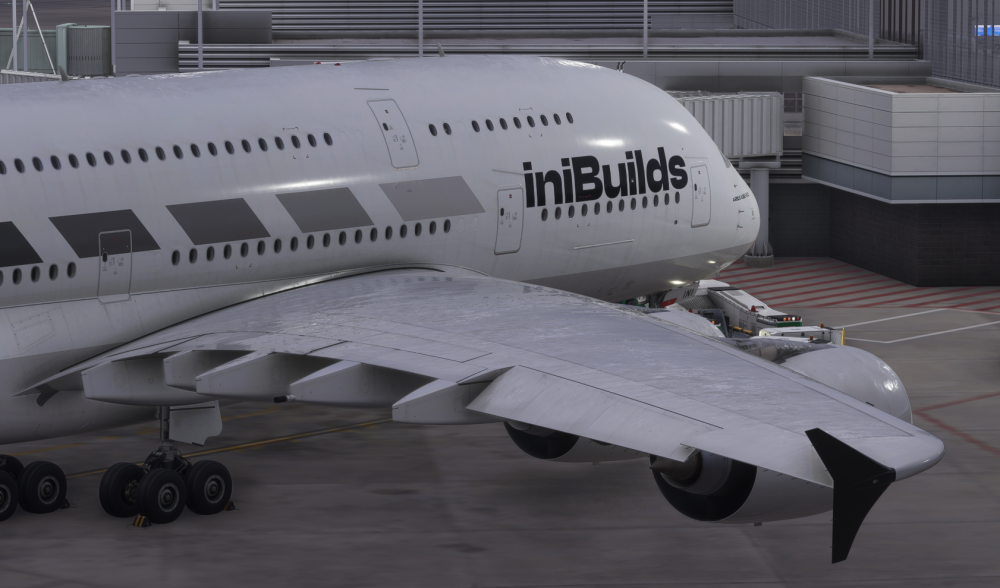
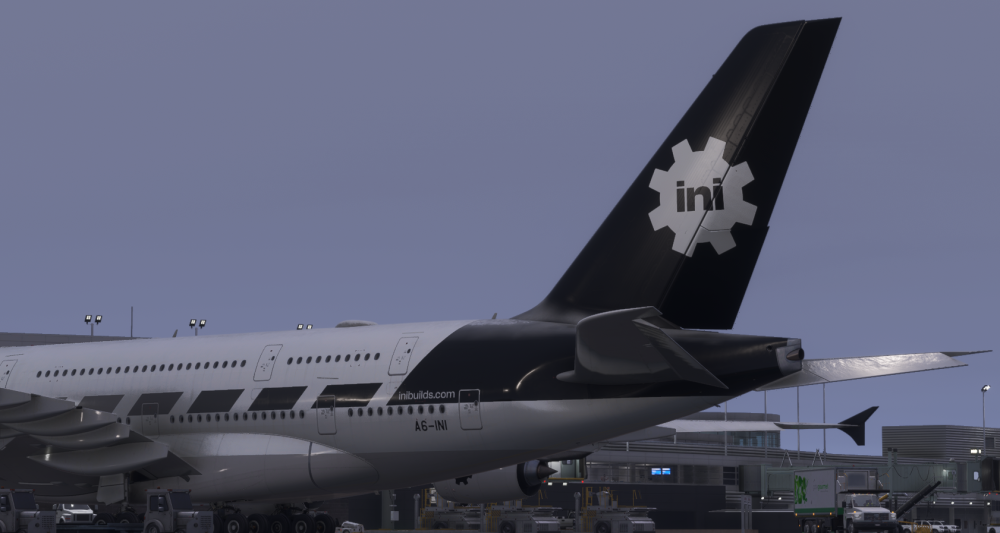
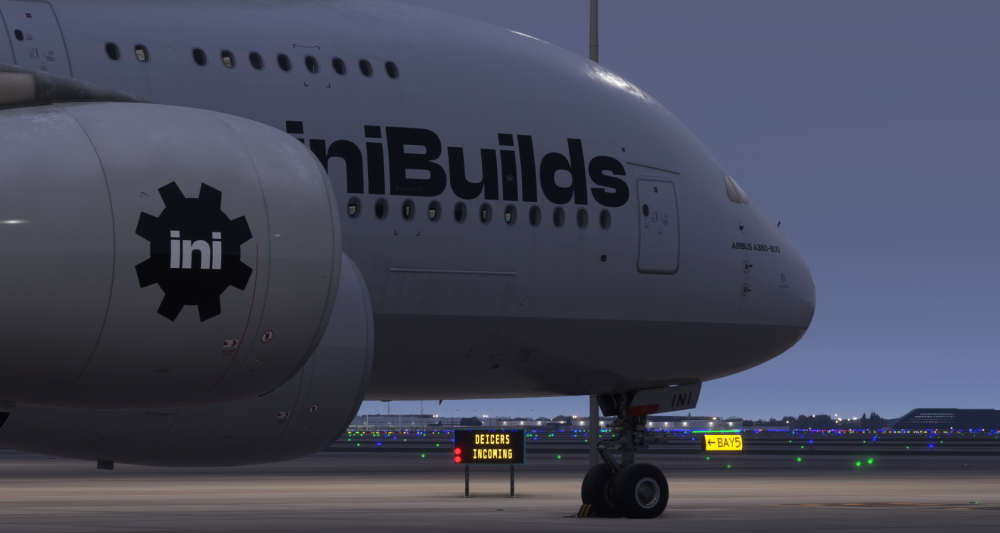
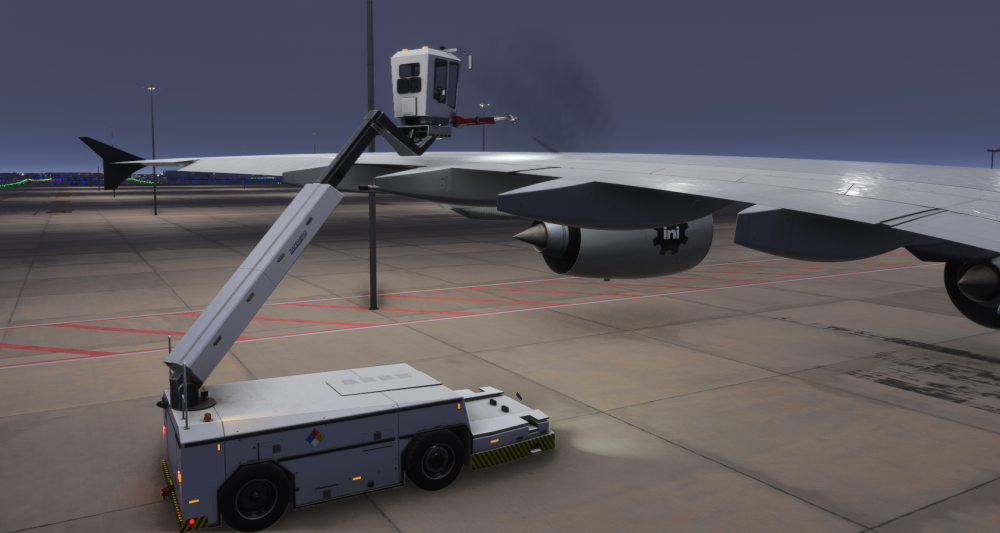
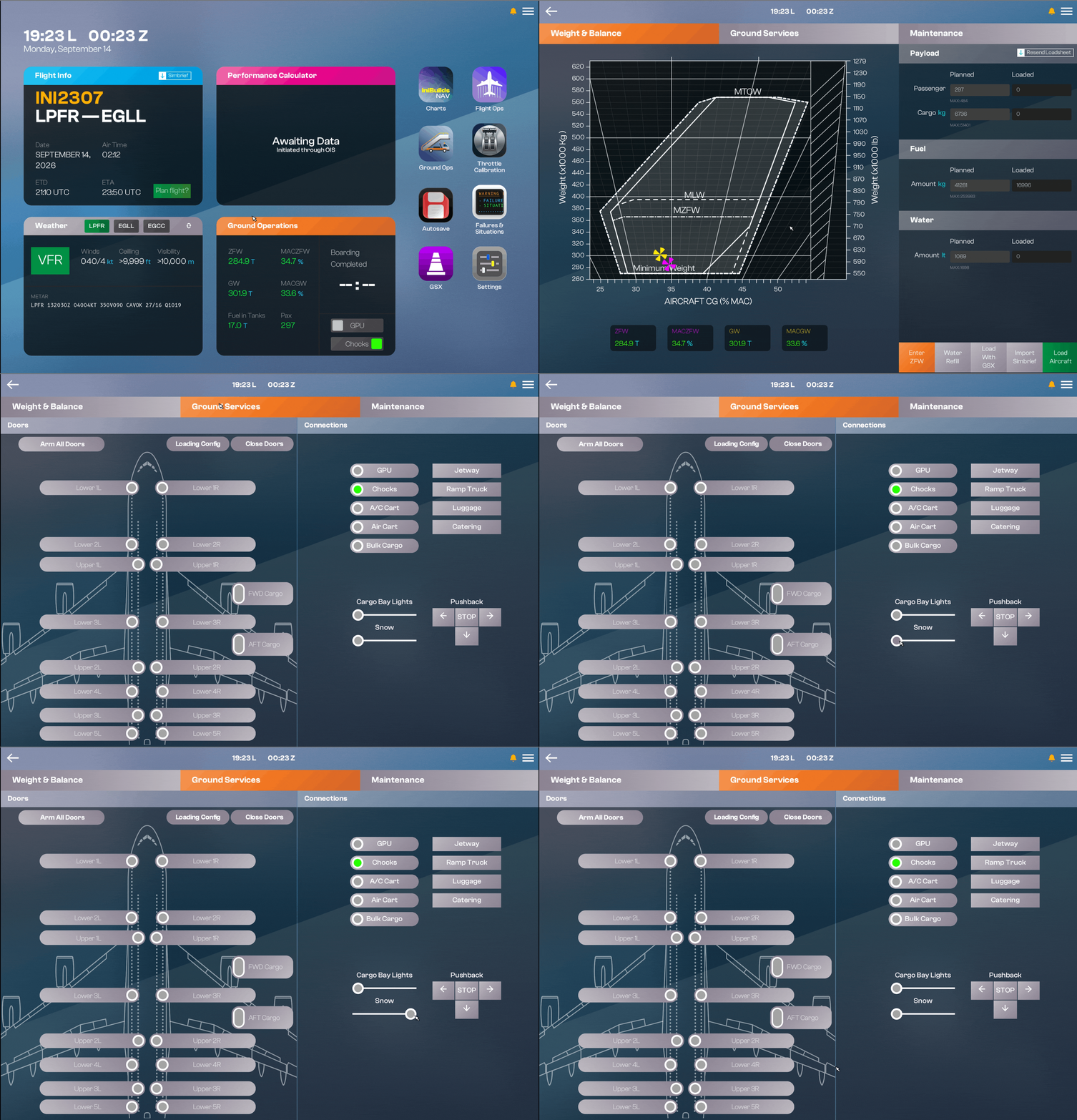
The iniBuilds A380 airliner features integrated snow and icing effects on the wings, fuselage, and horizontal stabilizer. These effects can develop dynamically over time depending on the type and rate of precipitation, or can be manually adjusted for visual impact through the EFB, functioning as a standalone feature. (Click to enlarge image) Dynamic Snow Accumulation & RemovalThe snow layer forms over the aircraft when you spawn in at the gate in a cold and dark state and the weather conditions are met. This layer will dissolve over time as the aircraft is powered up from its cold and dark state leaving only the ice layer underneath. Furthermore, if you use FSDreamTeam’s GSX add-on, the snow and icing can be eliminated as part of the de-icing procedure on the ground when required. (Click to enlarge image) EFB Snow Accumulation SliderYou can also manually control the various levels of Snow & Ice Accumulation on the EFB Ground Ops page. (Click to enlarge image)

-
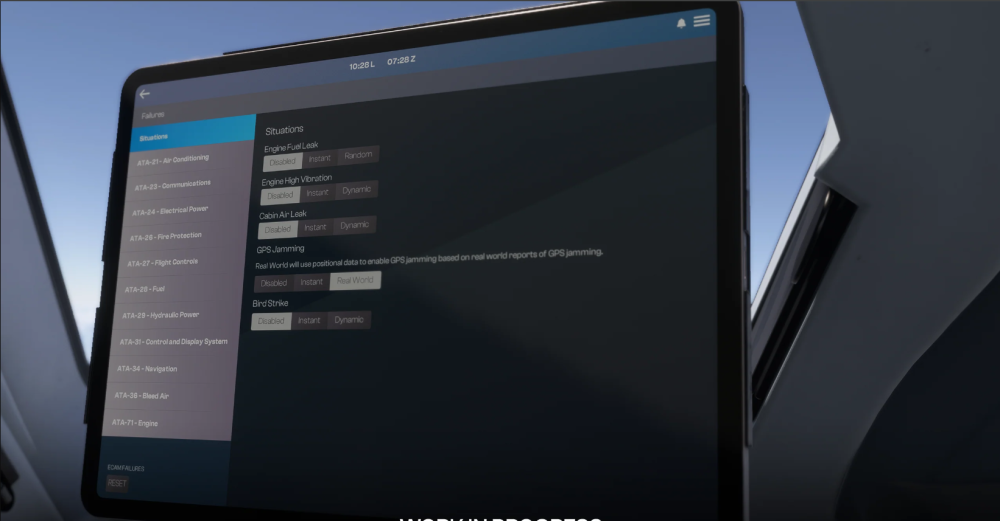
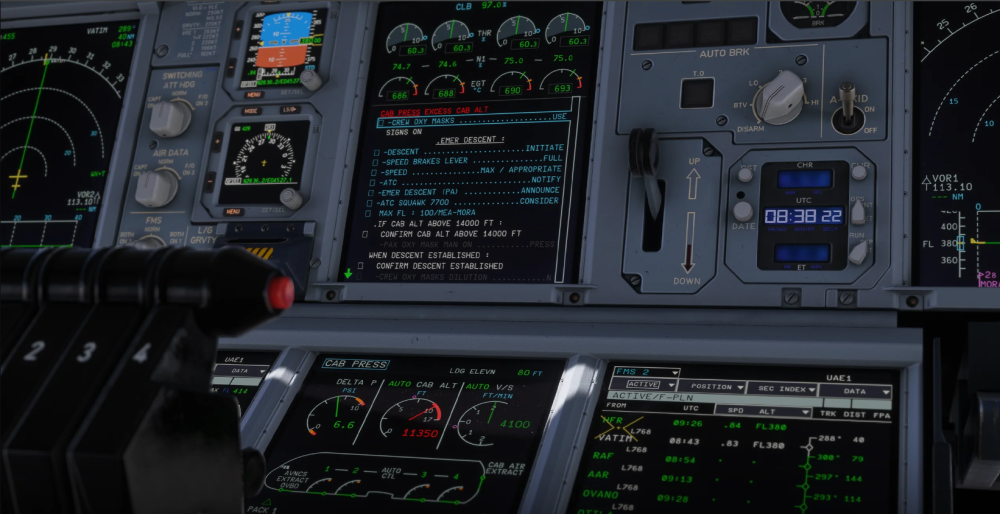
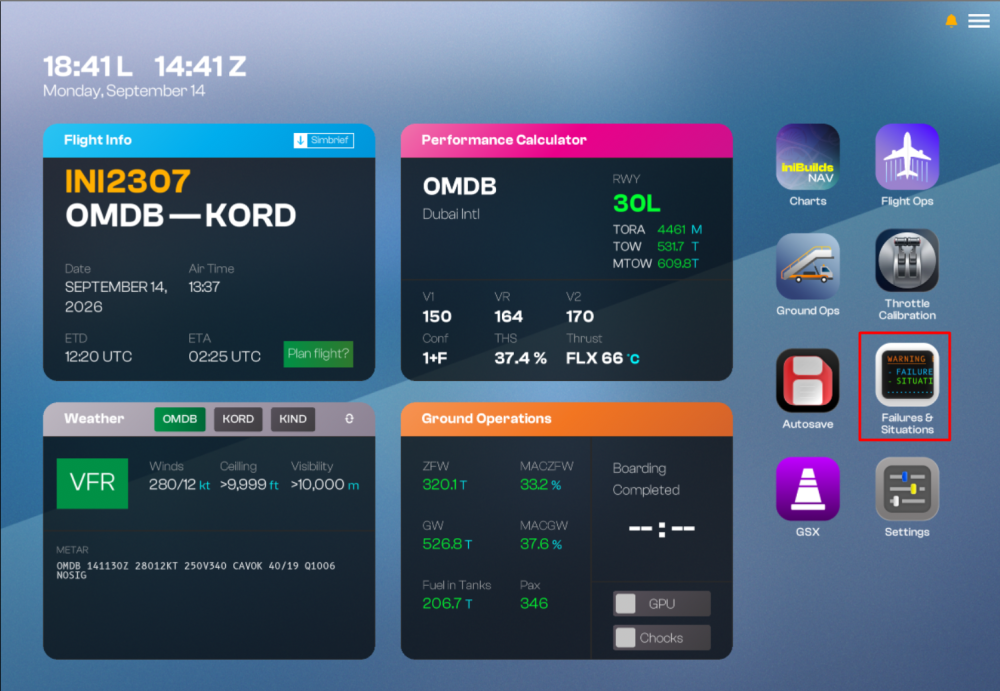
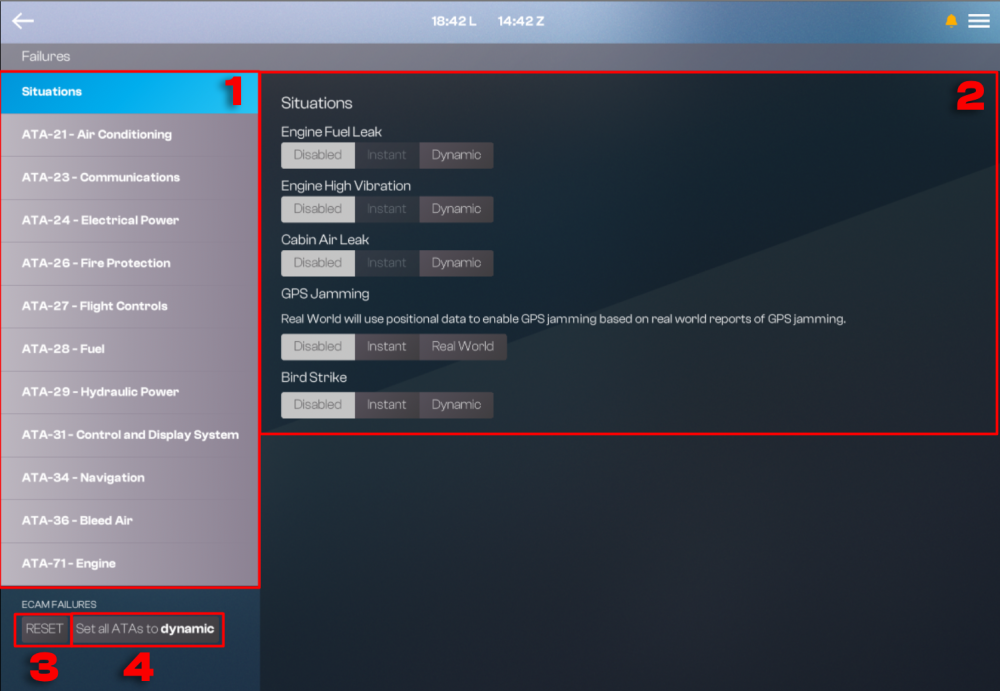
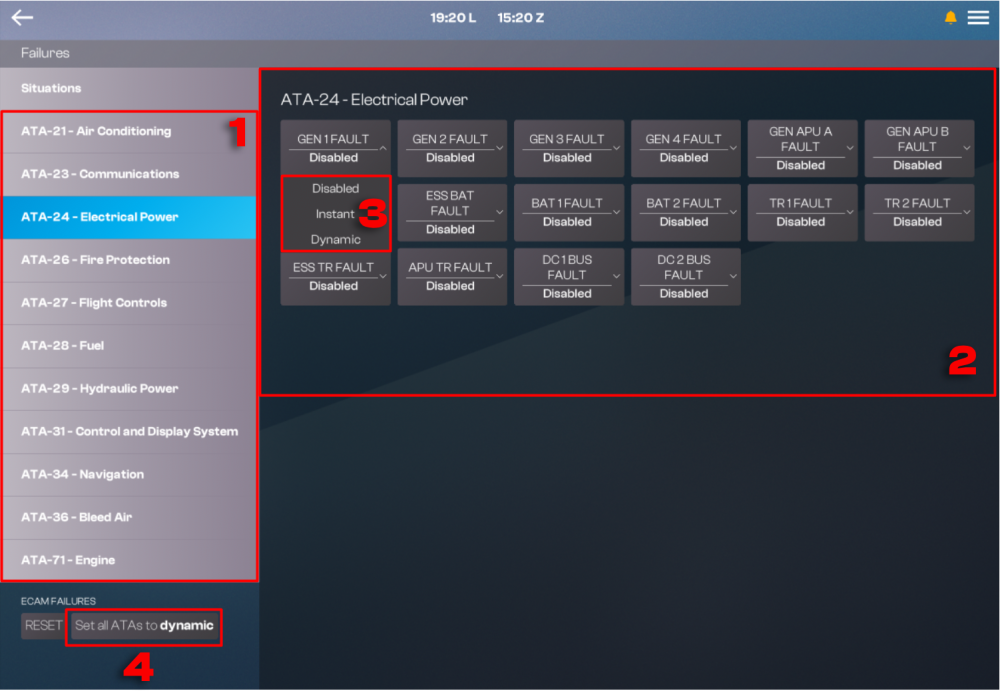
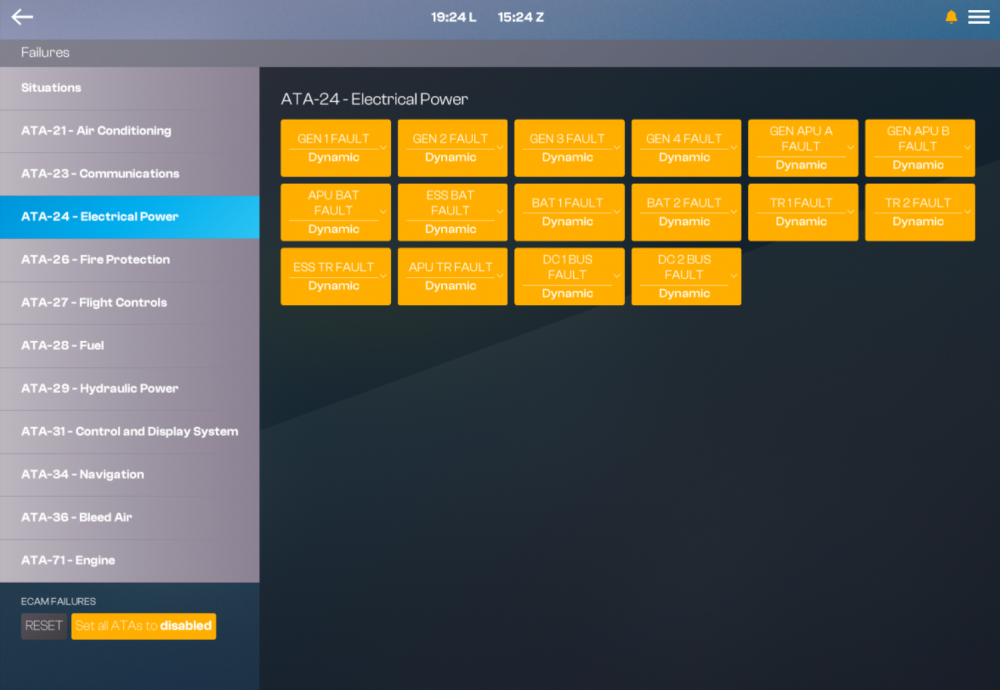
The inibuilds A380 Airliner features configurable failure scheduling, allowing faults to occur immediately or randomly during flight. The failure-management system is organized around the aircraft's ATA chapter structure, making failures easier to locate and configure while aligning their organisation more closely with real-world aircraft documentation and procedures. (Click here to enlarge image) Note: This guide only provides an overview of the Failures and Situations menu, options and how to configure it. It is not a guide or Quick Reference Handbook (QRH) on how to appropriately manage or respond to any individual failure or situation. Always refer to the appropriate FCOM/QRH procedures for guidance on handling specific system failures or abnormal situations. Such documentation cannot be provided with the product for legal reasons. HighlightsA number of individual scenarios have also been added or significantly expanded: Engine Fuel Leaks - Can develop under a variety of operating conditions, requiring the crew to identify the problem, follow the appropriate procedures, and manage the aircraft through the relevant ECAM-driven workflow. Cabin Pressurisation Leaks -May develop gradually rather than presenting immediately. A small leak can initially be difficult to notice unless indications are closely monitored, eventually requiring intervention, descent, or diversion. Display Unit Failures - Simulate the loss of primary flight information on individual displays. Crews must then reconfigure displays using available alternate procedures, creating a more involved abnormal situation to manage. (Click here to enlarge image) Accessing Failures and Situations MenuThe Failures and Situations menu is accessed via the EFB home page and is organised as follows: (Click here to enlarge image) Menu Overview - SituationsSituations/System Menu Located on the left side, this panel lists Situations (general scenarios) alongside individual ATA chapters (e.g., ATA-21 Air Conditioning, ATA-24 Electrical Power, ATA-28 Fuel, ATA-29 Hydraulic Power, etc.), allowing failures to be browsed and configured by system. Situations Options Once a category is selected, the available failures/situations are displayed here. Each item can be individually set to: Disabled - The failure/situation will not occur. Instant - Triggers the failure/situation immediately. Dynamic - Introduces a random chance of the failure/situation occurring at some point during the flight. Certain situations (e.g., GPS Jamming) may include additional unique options, such as Real World, which uses real-world positional data to simulate GPS jamming based on actual reported occurrences. ECAM Failures Reset Button Clears and resets any currently active failures triggered through the ECAM. Global System Failure Selection Located in the top-right corner, this allows you to apply a setting across all failures/situations simultaneously: Disabled - Disables any previously active/enabled failures across all systems. Dynamic - Applies a random chance of failure across all systems for the remainder of the flight. (Click here to enlarge image) Menu Overview - FailuresWhen selecting an individual ATA chapter from the left-hand menu (e.g., ATA-24 – Electrical Power), the corresponding system failure buttons for that chapter are displayed. ATA Chapter Header Displays the currently selected system category (e.g., ATA-24 – Electrical Power). System Failure Buttons Each button represents an individual failure available within that ATA chapter (e.g., GEN 1 FAULT, BAT 1 FAULT, DC 1 BUS FAULT). Clicking a button reveals its available failure options. System Failure Options Each individual failure can be set to: Disabled - If previously enabled, disables the active failure. Instant - Enables the failure immediately. Dynamic - Introduces a random chance of the failure occurring at some point during the remainder of the flight. Global System Failure Selection Located in the bottom-left corner, this allows you to apply a setting across all ATA failures: Disabled - Disables any currently active failures within this chapter. Dynamic - Applies a random chance of failure to all items within this chapter for the remainder of the flight. (Click here to enlarge image) Example: All failures set to Dynamic (Click here to enlarge image)
-
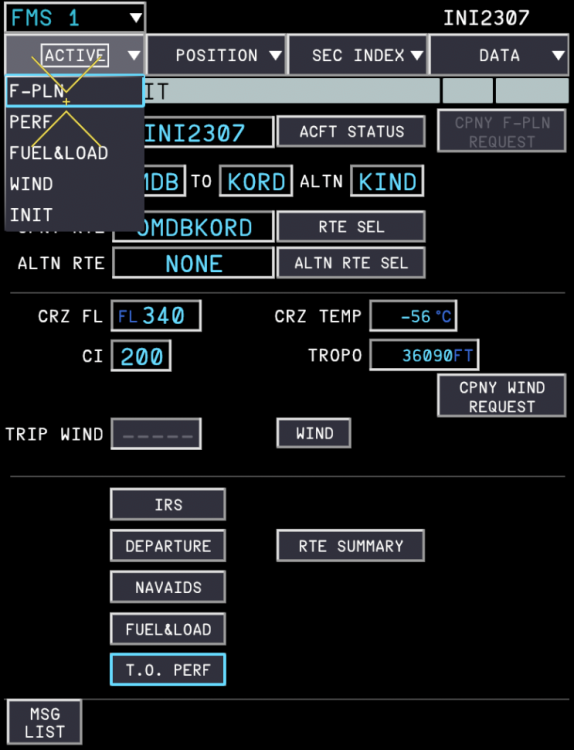
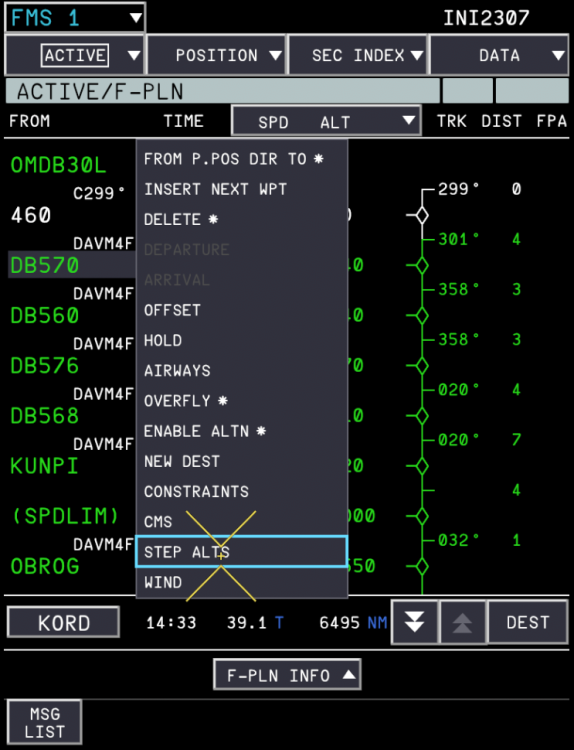
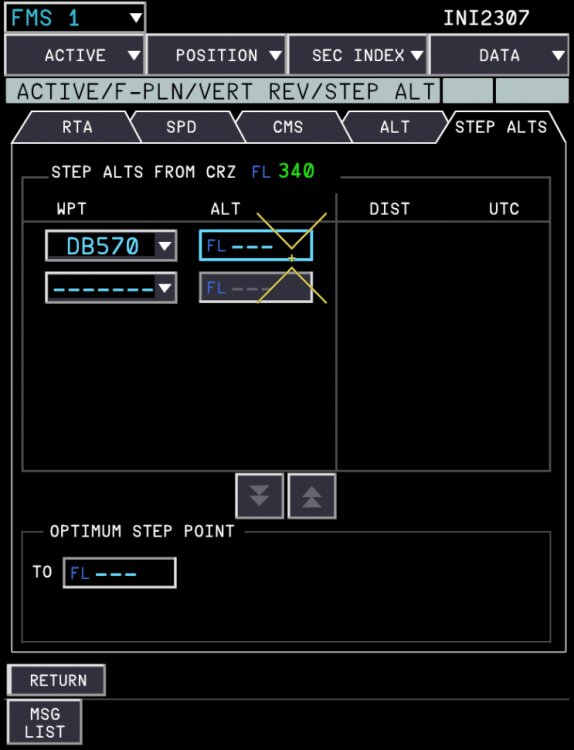
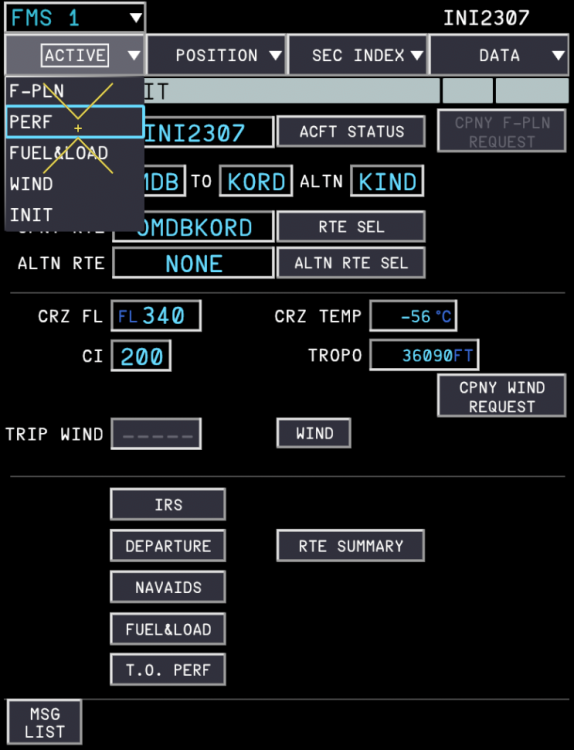
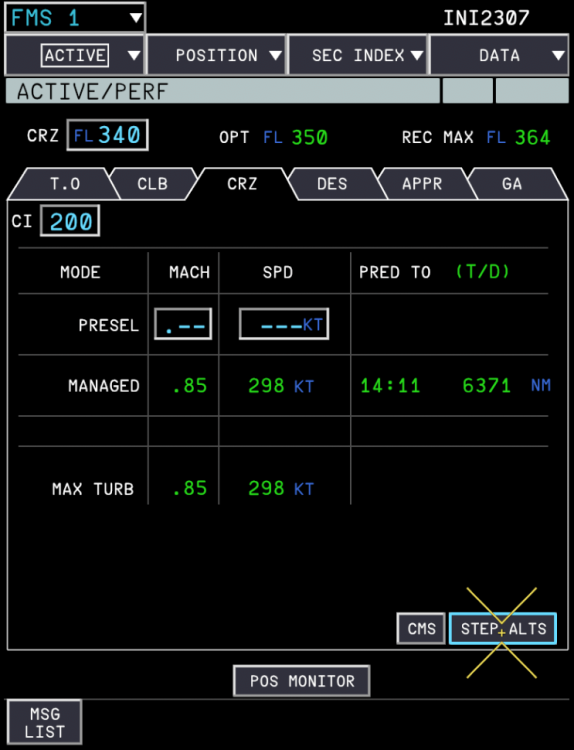
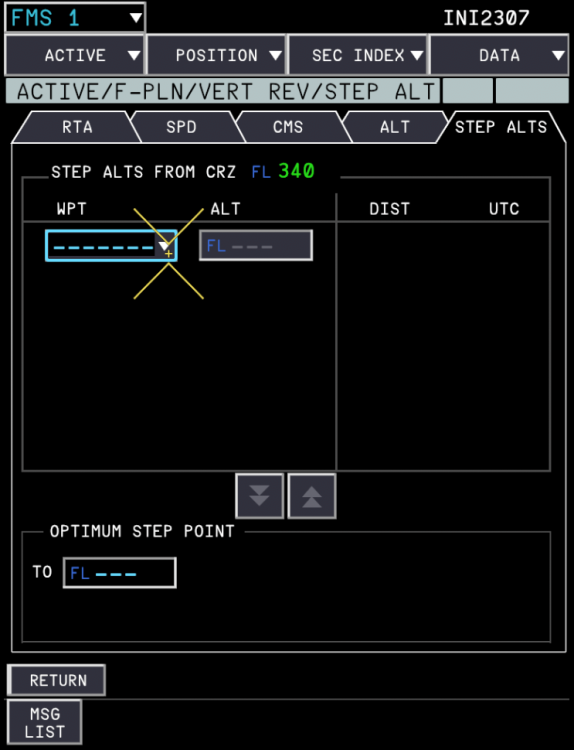
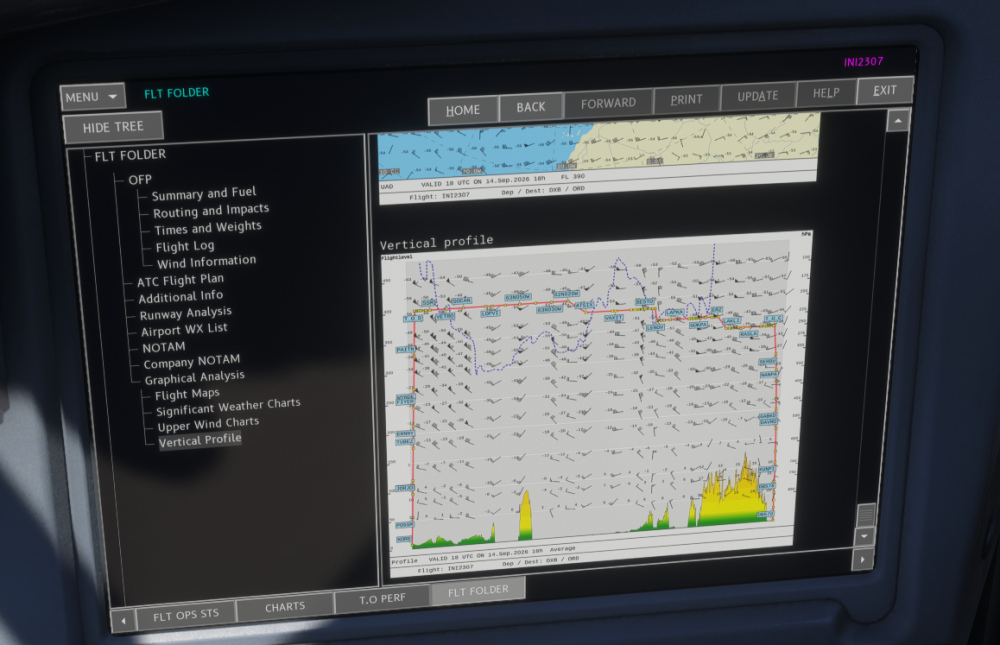
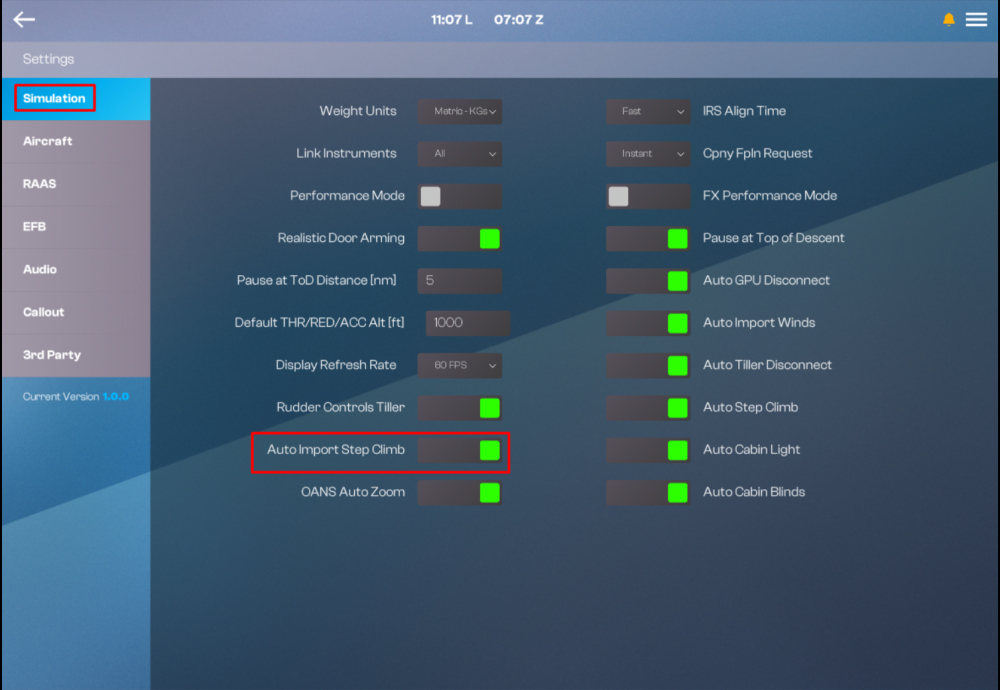
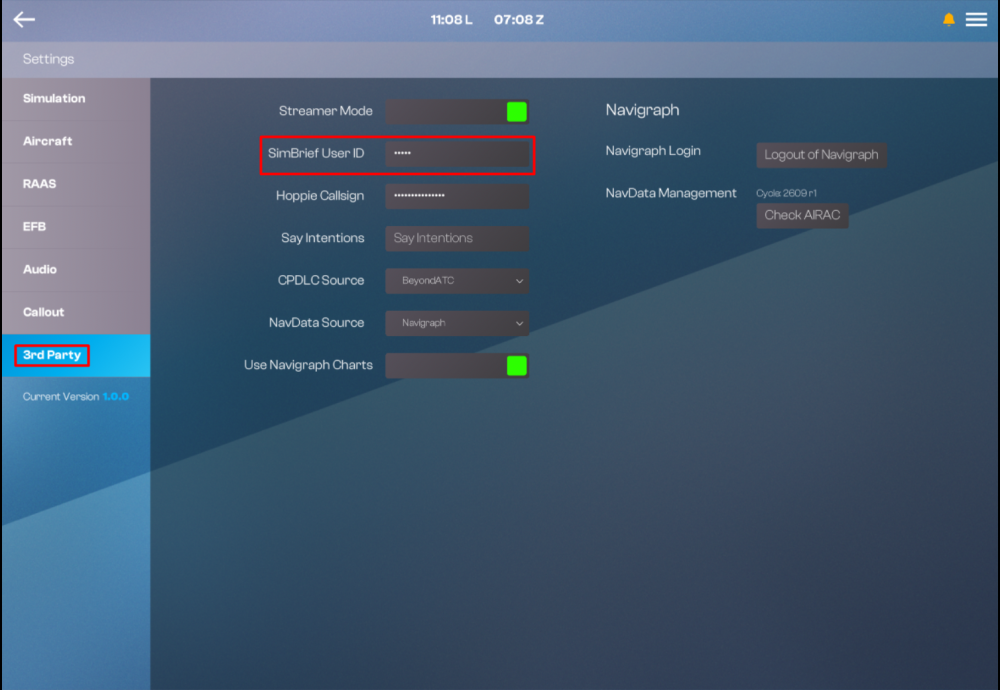
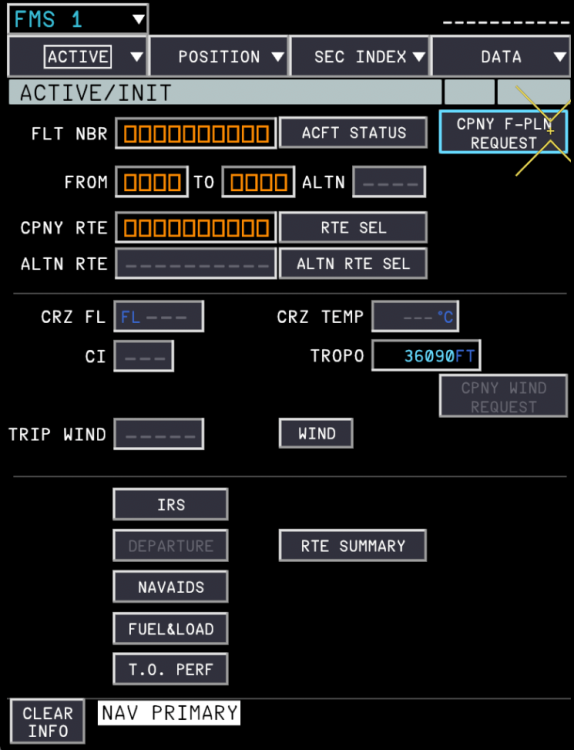
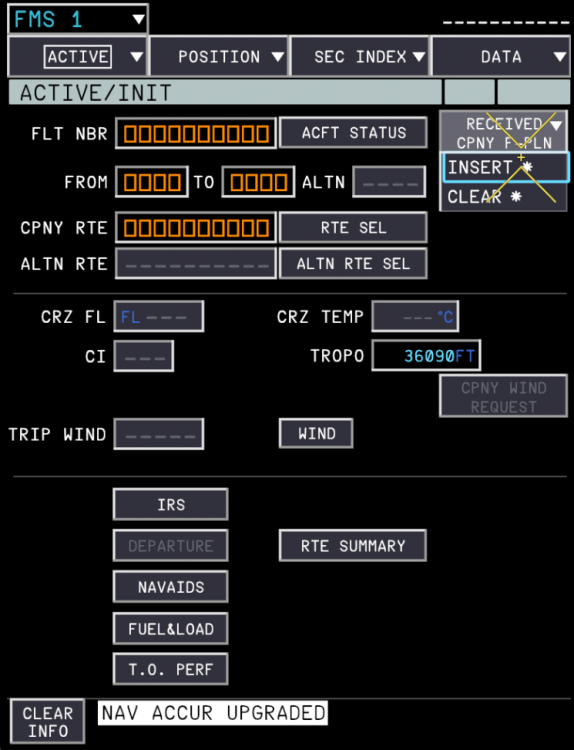
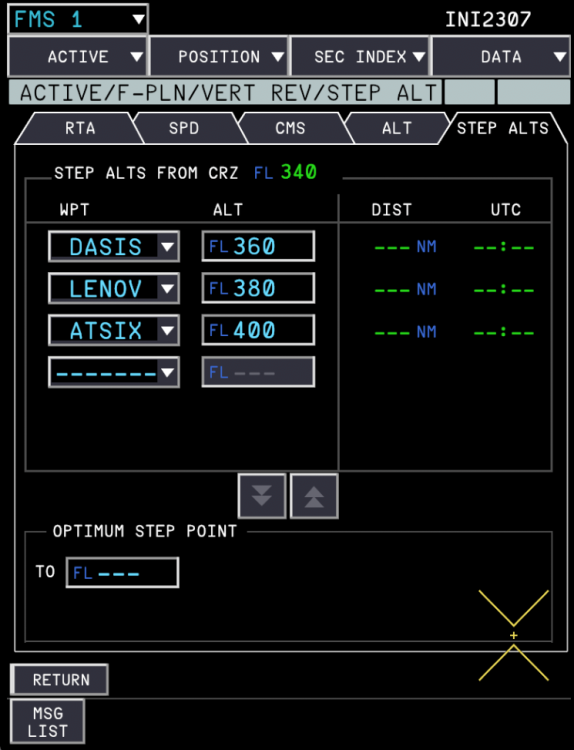
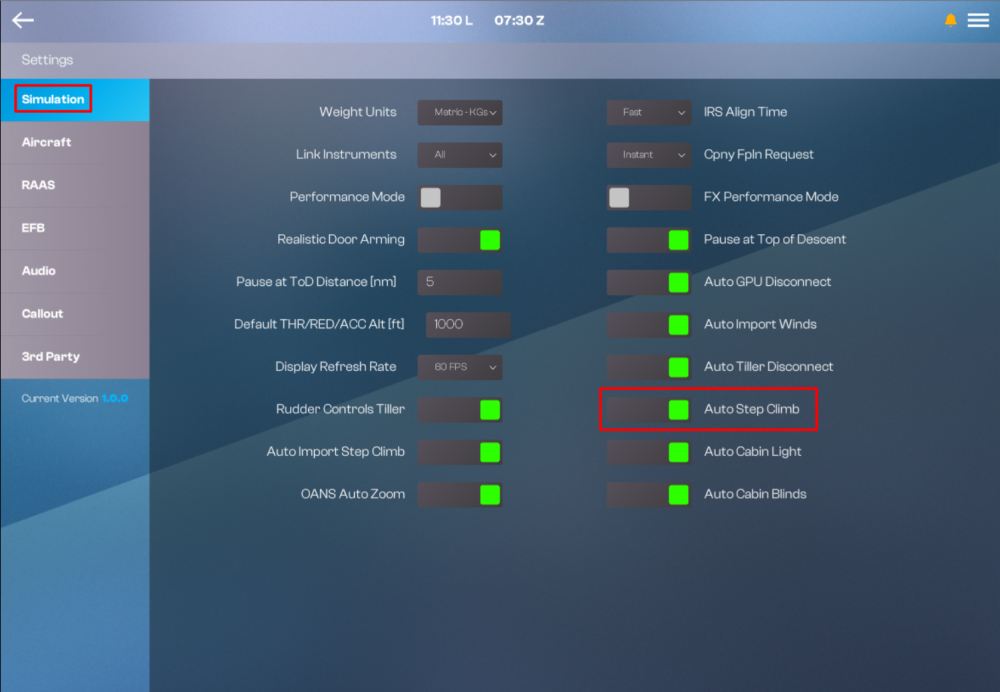
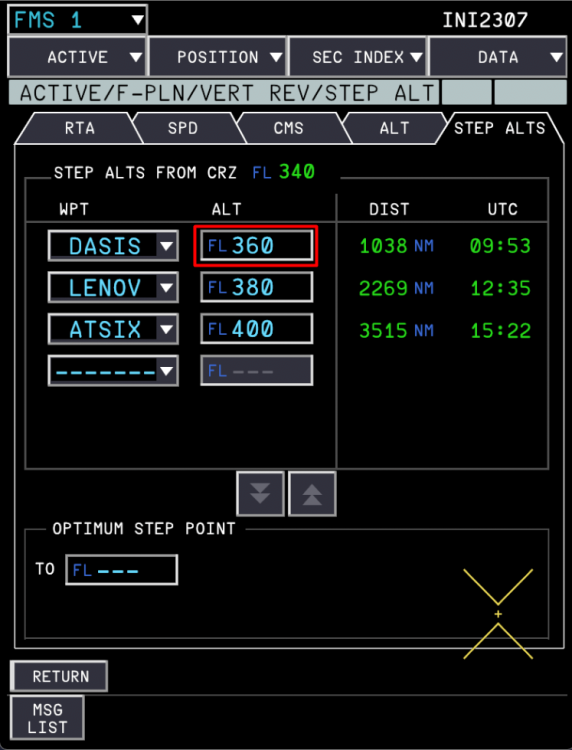
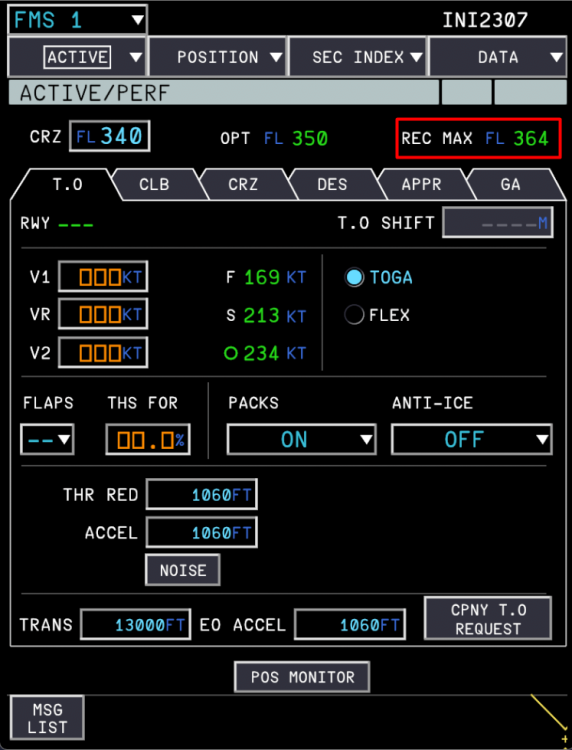
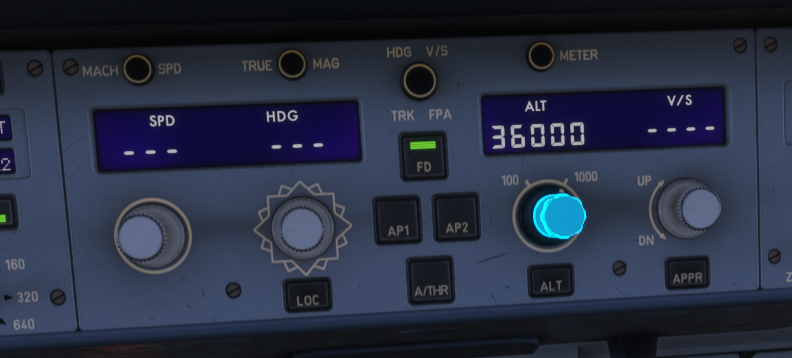
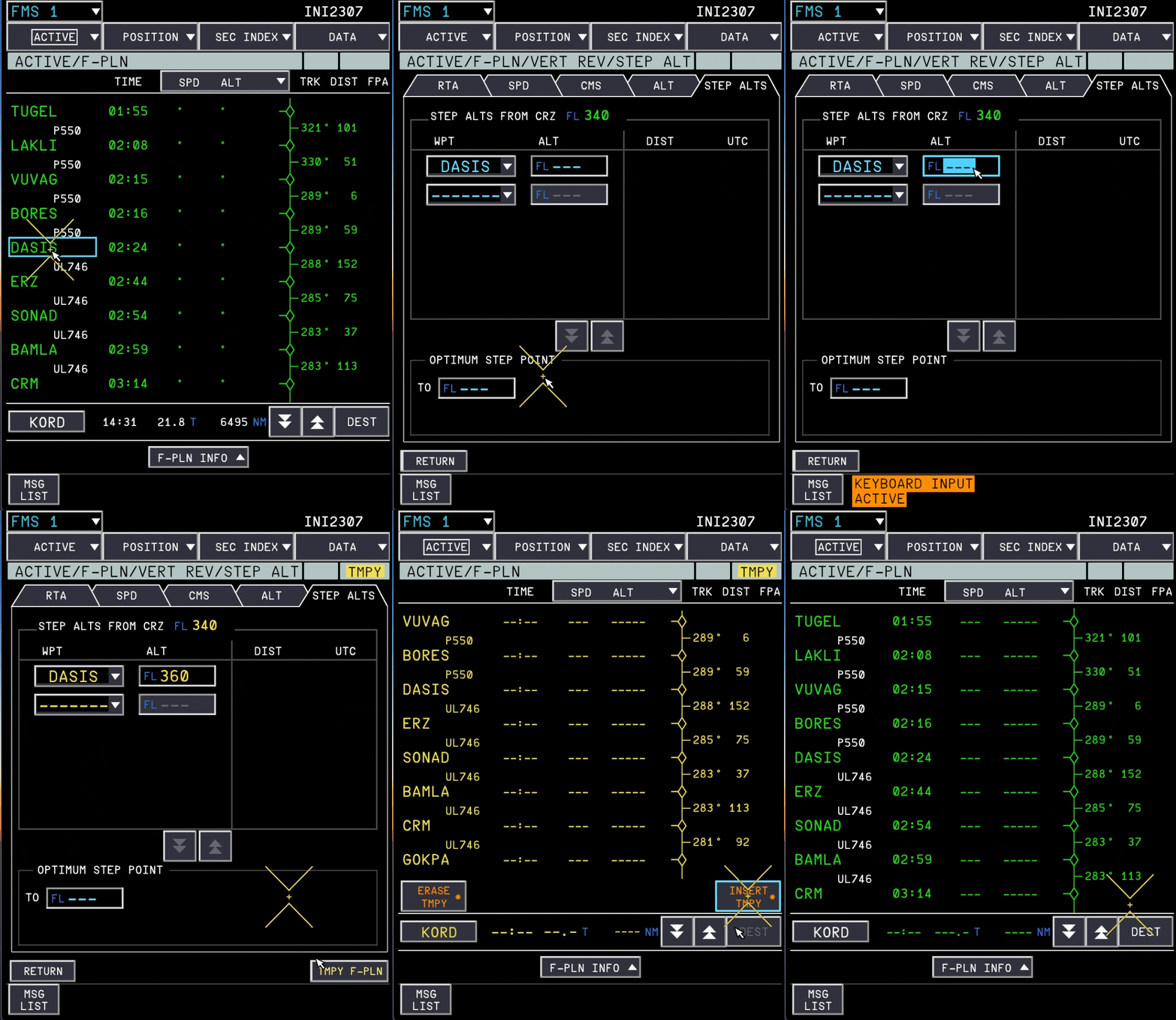
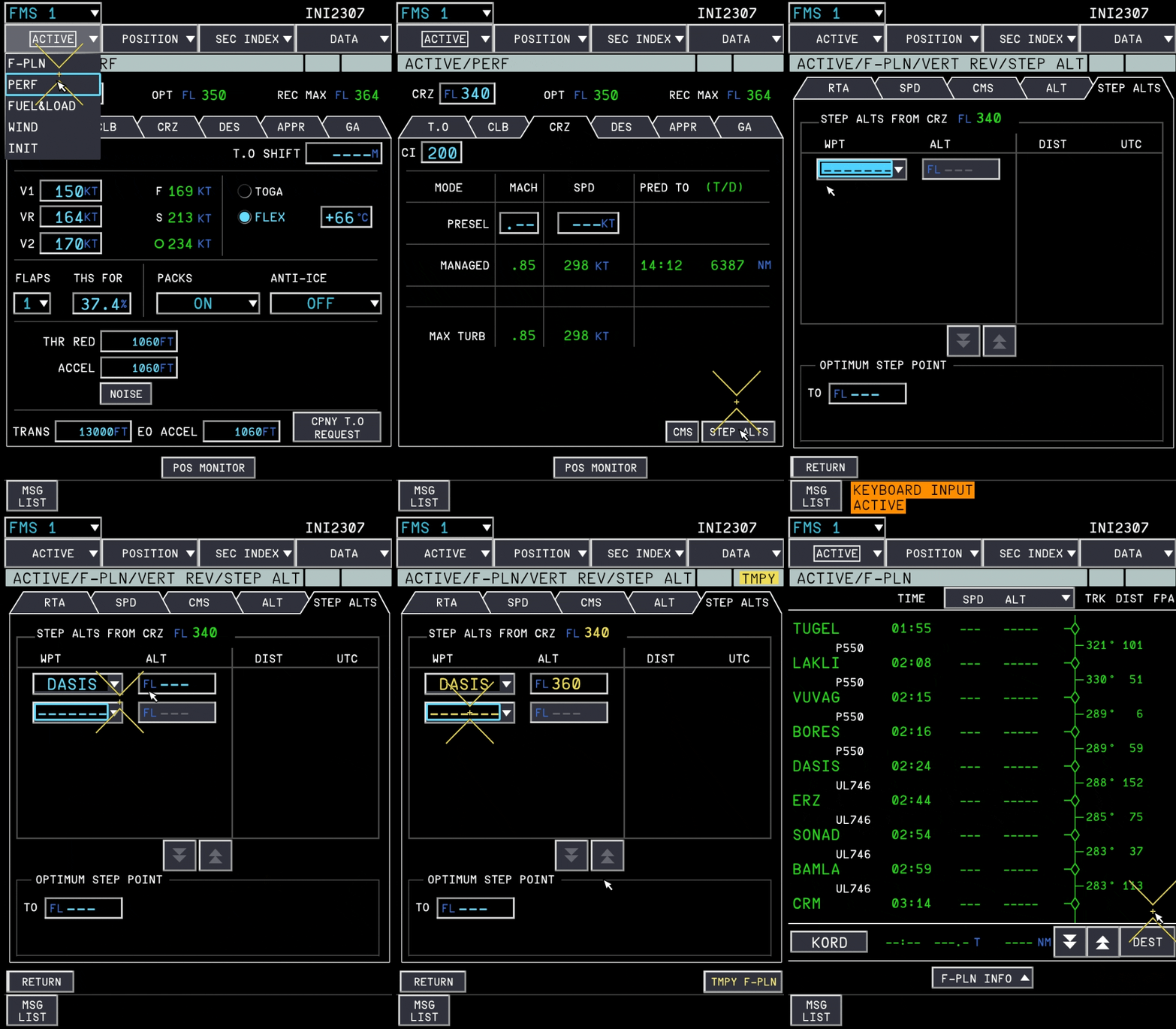
The FMS in the iniBuilds A380 supports step climbs, which can be configured manually or imported automatically from your SimBrief OFP. These step climbs can then be initiated either manually or automatically upon reaching the pre-defined waypoint. Both setup and operation are detailed below. (Click to enlarge image) Accessing FMS Step Alts PageStep climbs can be entered manually or imported directly into the STEP ALTS page. There are two ways to access this: Via ACTIVE / PERF / CRZ page on the FMS (Click to enlarge image) Via ACTIVE / F-PLN page by accessing the menu on any waypoint. (Click to enlarge image) Setup - Manual EntryAltitude Entry via ACTIVE / F-PLN page Select Waypoint: Open your flight plan (F-PLN) and left-click on the desired waypoint where you want the step climb to begin. Open Step Alts: Navigate to Step Alts at the bottom of the list/menu options for that waypoint. Input Altitude: Type the target flight level (for example, type 360 for FL360). Insert Plan: Confirm and enter the change into the temporary flight plan (TMPY F-PLN), then click INSERT TMPY*. (Click to enlarge image) Alternative Direct Type via ACTIVE / PERF / CRZ page Open Step Alts: Go directly to the STEP ALT page via ACTIVE / PERF / CRZ page on the FMS Input Waypoint: Type or scroll to select the target waypoint name. Input Altitude: Type the target flight level (for example, type 360 for FL360). Insert Plan: Confirm and enter the change into the temporary flight plan (TMPY F-PLN), then click INSERT TMPY*. (Click to enlarge image) Setup - Auto Import via SimbriefThe step climbs can be automatically imported onto the STEP ALT page along with your flightplan from Simbrief as long as the following conditions are satisfied: A valid SIMBRIEF USER ID (Numbers only) is set via the EFB Settings > 3rd Party Settings page. The AUTO IMPORT STEP CLIMB option is enabled via the EFB Settings > Simulation Settings page. (Click to enlarge image) To import them, Request Uplink: Intiate CPNY F-PLN REQUEST on the FMS INIT Page. Insert Uplink: Click INSERT * to import the RECEIVED CPNY F-PLN uplink. Verify Import: Go directly to the STEP ALT page via ACTIVE / PERF / CRZ page on the FMS to validate the imported STEP ALTs against your flight plan. (Click to enlarge image) Operation - Automatic Step ClimbThe step climbs entered on the FMS STEP ALT page will be conducted automatically at the defined waypoint as long as the following conditions are satisfied: The AUTO STEP CLIMB option is enabled via the EFB Settings > Simulation page. The FMS STEP ALT page is filled with valid target WAYPOINT and STEP ALT information The target step altitude is not above the computed REC MAX altitude at the time of reaching target waypoint (else step will be deleted and ignored) (Click to enlarge image) (Click to enlarge image) Operation - Manual Step ClimbWhen you are approaching your target step climb waypoint, you will receive a STEP AHEAD message on the FMS. Verify that the target altitude is below your currently computed REC MAX altitude which is found on the FMS PERF page. (Click to enlarge image) To initiate the step, Dial your new target altitude into the FCU ALT window. Push the ALT knob (managed mode) to initiate the managed step climb. The FMS CRZ FL will also update to the new target altitude. (Click to enlarge image)
-
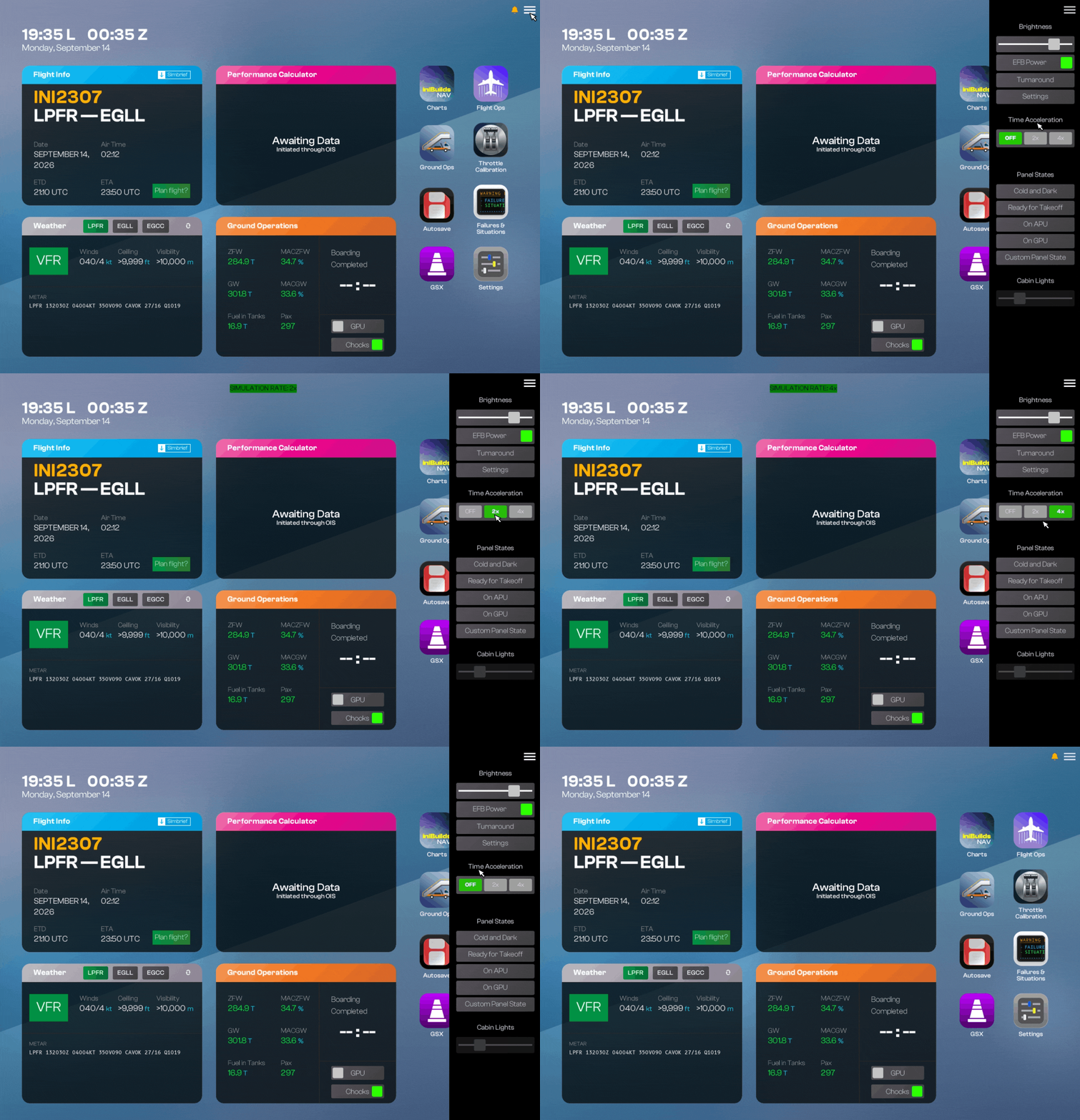
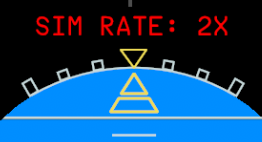
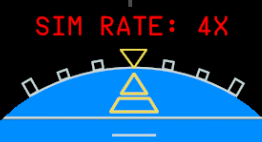
The iniBuilds A380 airliner features upto 4x Time Compression which can be enabled via the Electronic Flight Bag (EFB). This feature increases the simulation rate by upto 4x to allow you to conduct your flights faster, however it may come with a performance penalty depending on your hardware. EFB Time Compression SettingsThe Time Compression controls are in the EFB Options menu which is accessed via the Menu icon (☰) button at the top right corner of the EFB. Here you can choose between various options as follows OFF - disables time compression instantly 2x - enables max 2x time compression 4x - enables max 4x time compression The time compression is automatically disabled or downgraded in the following conditions Autopilot is disengaged Aircraft is above 80N (automatically downgraded to MAX 2X) Sim Pause at Top of Descent is triggered (Click to enlarge image) Current Simulation Rate IndicatorThe current simulation rate is shown on at the top of the EFB display when time compression is active. or It is also shown on at the top of the PFD. or Pitch/Roll Oscillations during Time CompressionAs the time compression feature increases the simulation rate, this also increases the CPU/GPU resource usage in tandem. Results will vary depending on your hardware and sim settings, however in some situations you may observe oscillations in the Pitch/Roll axis due to the performance degradation. If you are experiencing this regularly, please consider the following Use a lower time compression rate (e.g. 2X) Set a lower display refresh rate under EFB Simulation Settings (e.g. 20 or 30 FPS). Lower sim settings that affect CPU usage such as Object and Terrain LOD, Glass Cockpit Refresh Rate, Off-Screen Terrain Pre-caching or Ground/Air/Sea Traffic density. Lower sim settings that affect GPU usage such as Raytraced Shadows, Volumetric Clouds, Texture Resolution. Set Turbulence to "LOW" under the sim Assistances settings Temporarily disable any addons during time compression that may affect flight physics (e.g. RealTurb, FSRealistic etc.)


-
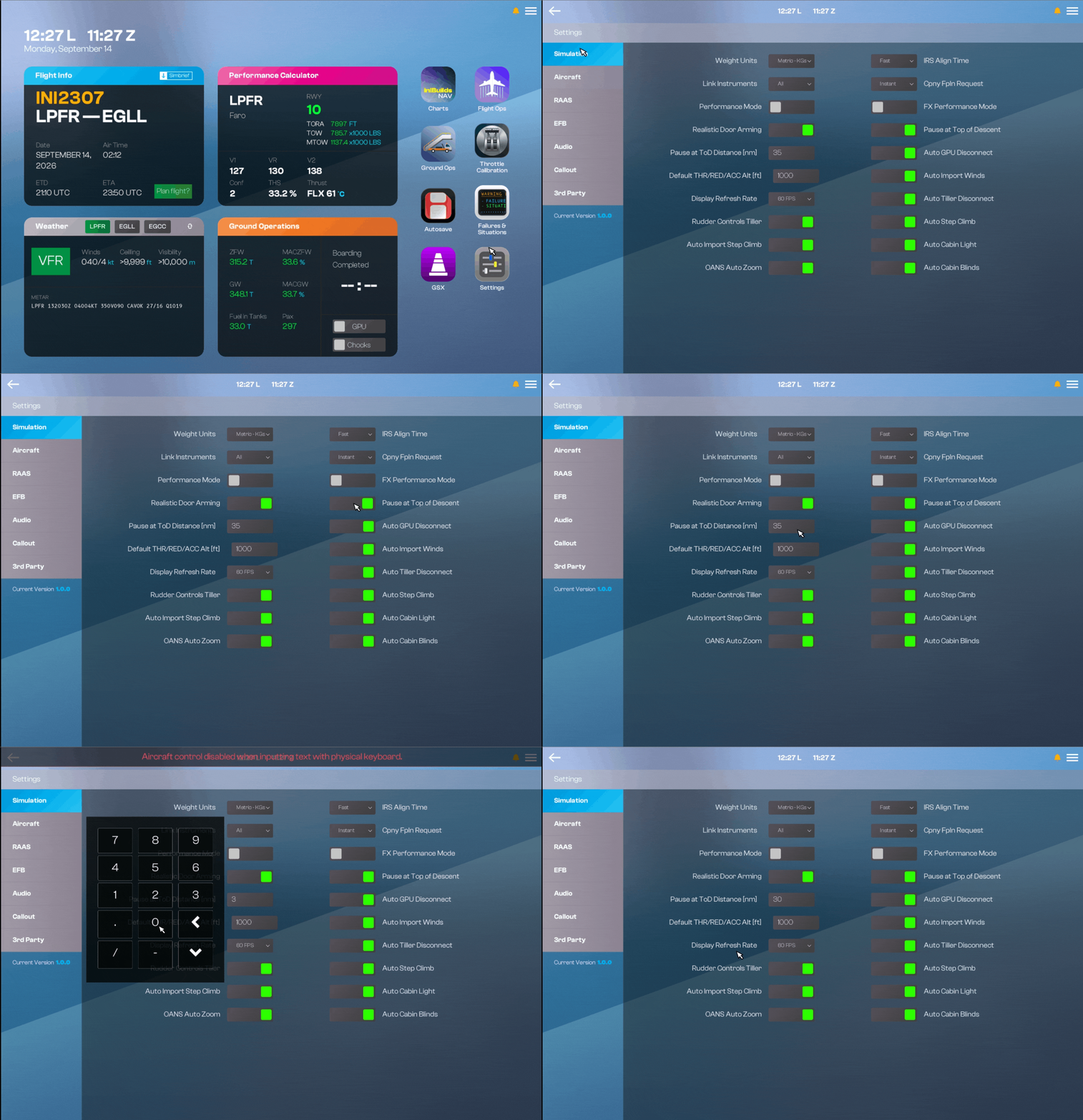
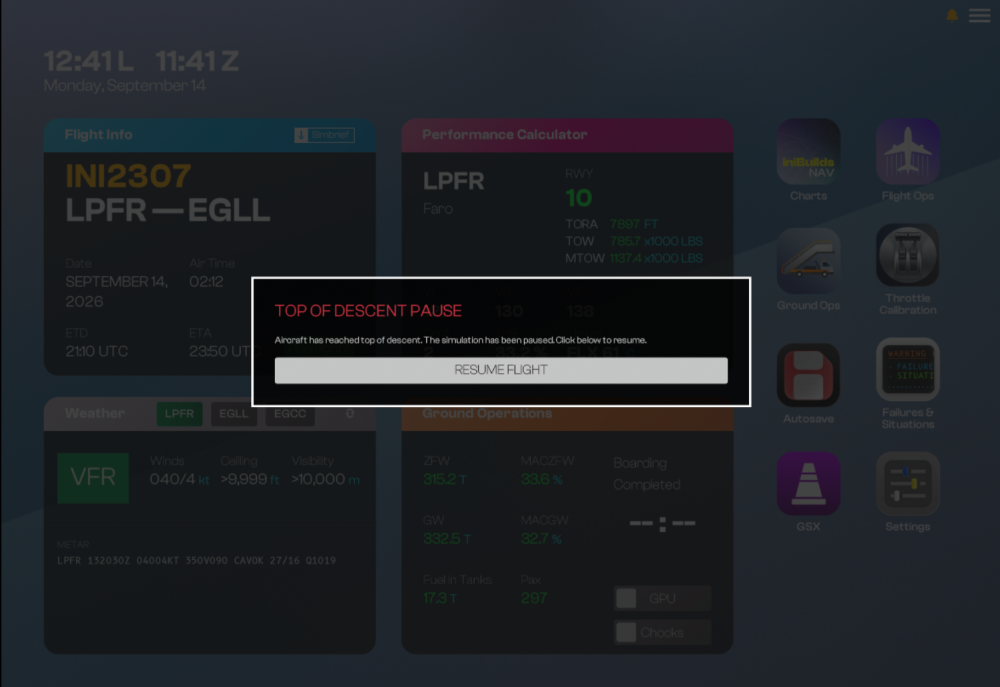
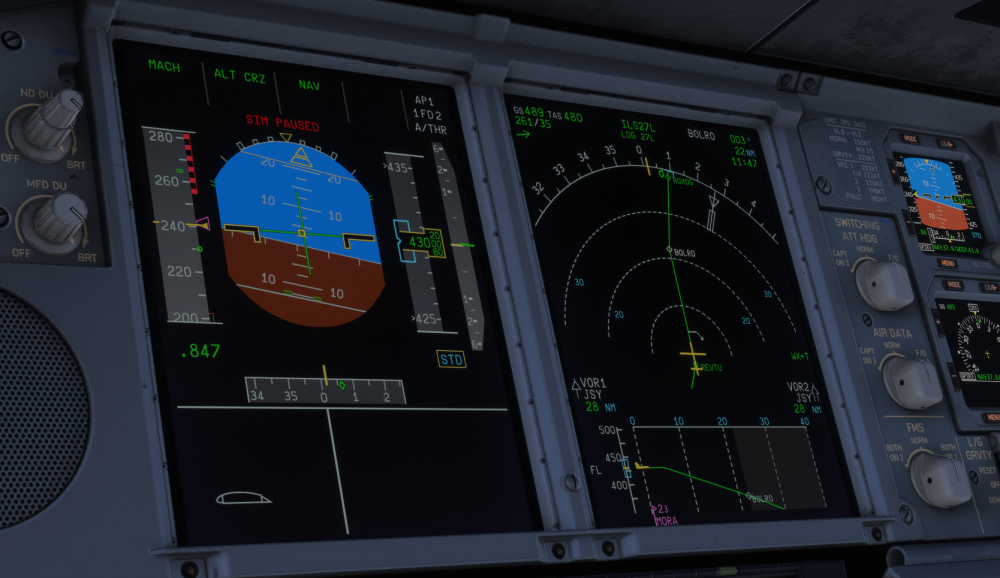
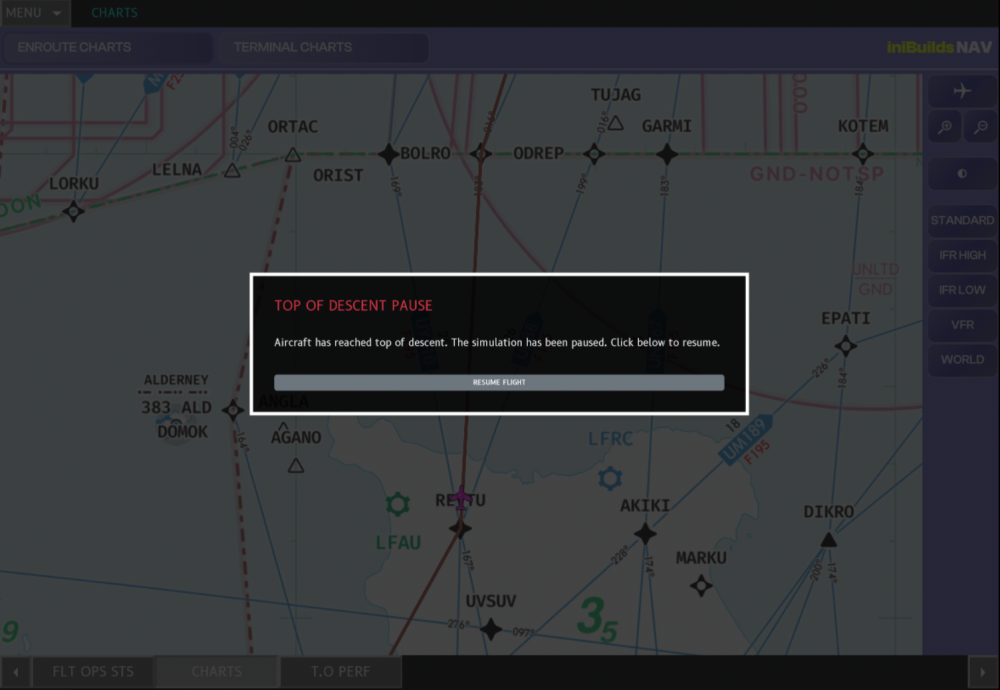
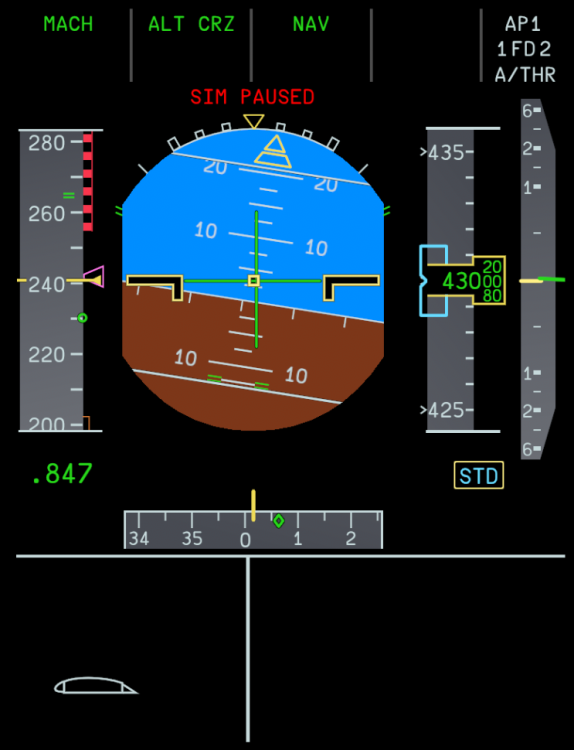
The iniBuilds A380 Airliner features the option to automatically pause your simulator at a user customizable distance prior to your Top of Descent (TOD) pseudo waypoint. This is useful for when you intend to leave you simulator unsupervised but do not wish to miss out the fun of descending into your destination. (Click to enlarge image) EFB Pause at TOD OptionYou can enable the option to automatically Pause at TOD from the EFB Simulation Settings page. Here you can also set the custom distance (in NM) for when before your TOD waypoint you want this pause to engage. (Click to enlarge image) EFB Resuming Flight after Pause at TOD Once the Pause at TOD engages, you will see a SIM PAUSED message in red at the top of your PFD. Additionally you will see a 'TOP OF DESCENT PAUSE' notification on the EFB and OIT screens. To resume your flight, simply press the 'RESUME FLIGHT' button on the EFB. (Click to enlarge image)
-
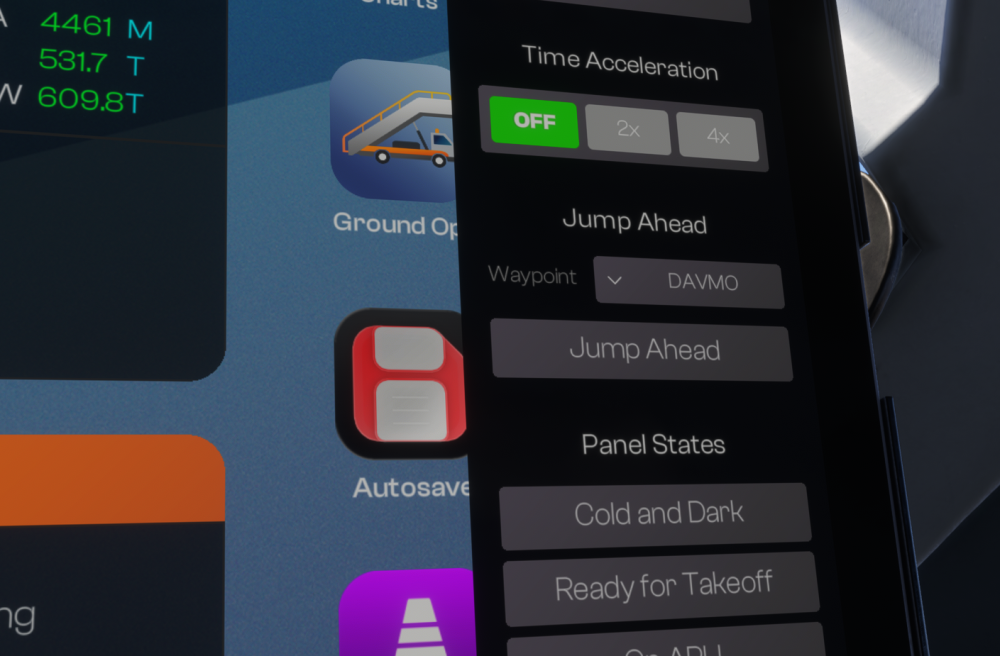
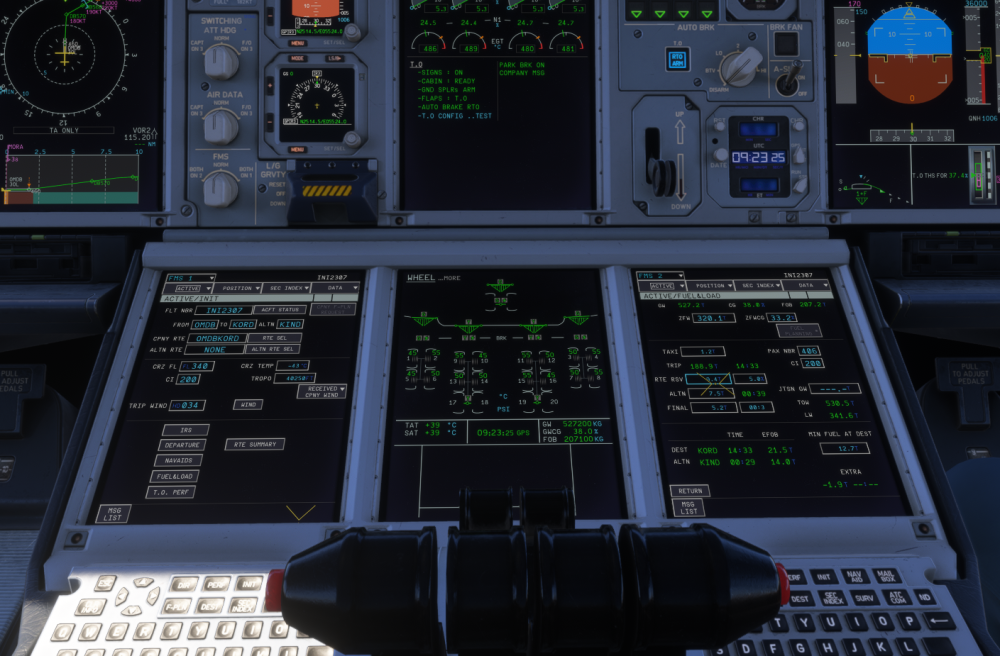
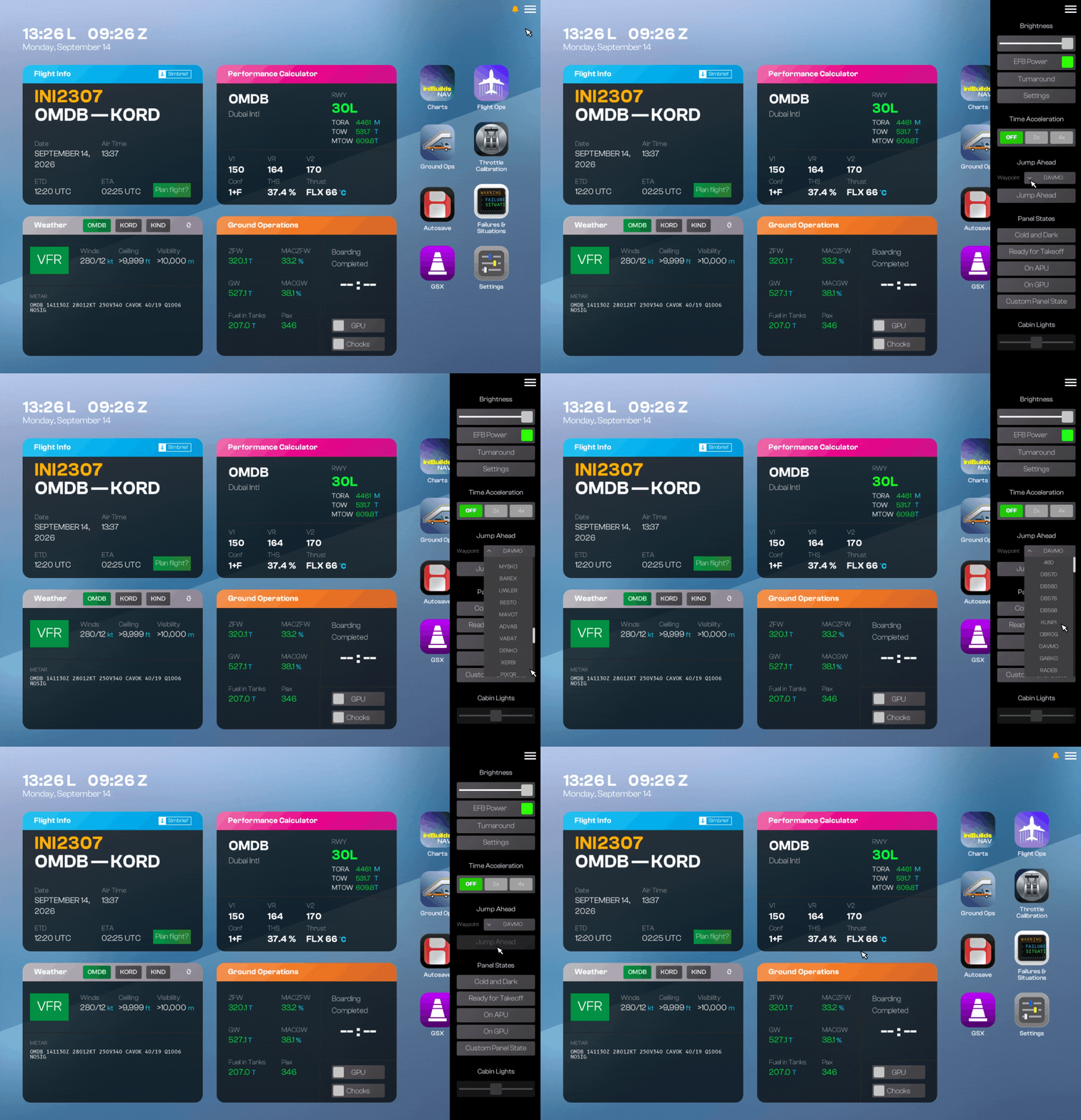
Jump Ahead on the iniBuilds A380 airliner allows you to skip long cruise sectors, quickly conclude your long-haul flights, or jump straight into specific flight phases to practice descent and approach procedures. (Click to enlarge image) Why Jump Ahead?Perfect for concluding long-haul flights when you're short on time but still want an accurate end-of-flight state. Great for practicing approach and landing procedures without flying the entire cruise phase. Use Jump Ahead paired with Time Acceleration (2x/4x) for even faster transitions between key flight phases. Prerequisites (Do This First!)To ensure a smooth transition and proper aircraft system behaviour during a jump, you must prepare your flight plan beforehand: Setup FMS Data: Complete the INIT page on your FMS. Set Weights & Fuel: Fill in the FUEL & LOAD pages with the appropriate flight data. Configure the aircraft: Takeoff and configure the aircraft for Climb or Cruise. ⚠️Note: Feature is designed for use while airborne. While the EFB will allow you to trigger a Jump Ahead without completing the FMS/Fuel setup from pre-flight state, use it at your own risk. Doing so may result in unexpected system behaviour, FMS discrepancies, and incorrect calculations post-jump. This use case is allowed but not supported as a result. (Click to enlarge image) How to Use "Jump Ahead"Once your aircraft is fully set up for the flight, follow these steps: Open the EFB Quick Access Menu: Tap the Menu icon (☰) in the top-right corner of the EFB screen. Locate the Jump Ahead Section: Scroll to the Jump Ahead panel, situated between Time Acceleration and Panel States. Select Your Target Waypoint: Click the Waypoint drop-down selector. A list of fixes along your active flight plan will populate (e.g., DB570, DB560, KLNPI, OBROG, GABKO, RADEB). Choose Your Target Fix: Tap the desired waypoint from the list to select it. Execute the Jump: Click the now-active JUMP AHEAD button beneath the drop-down selector. Confirm the Jump: Click the CONTINUE button to confirm the jump to the selected waypoint shown at the top. (Click to enlarge image) What Happens When You Jump?When the jump is executed, the A380 WASM automatically handles the transition by updating key flight parameters: Position: The aircraft is immediately placed at the selected waypoint along your route. Simulator Time: The in-sim time automatically updates to match the FMS-calculated ETA (Estimated Time of Arrival) for that waypoint. Fuel Load: Aircraft fuel quantity updates dynamically to match the FMS-calculated EFOB (Estimated Fuel On Board) at that point in the flight. Note: EFIS Control Panel settings are reset on jump. Your Navigation Display (ND) settings - including Display Modes, Range, and Overlays - will reset to match the Ready for Takeoff panel state. Manually re-adjust your ND Range and re-select your preferred EFIS overlays appropriate for the current phase of flight.