wangxr_tom
Member
-
Joined
-
Last visited
-
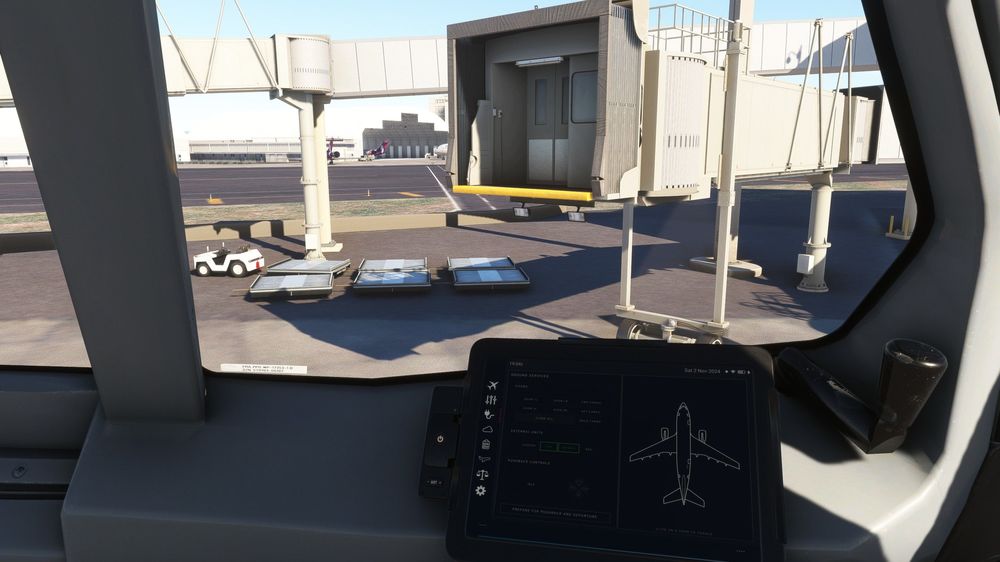
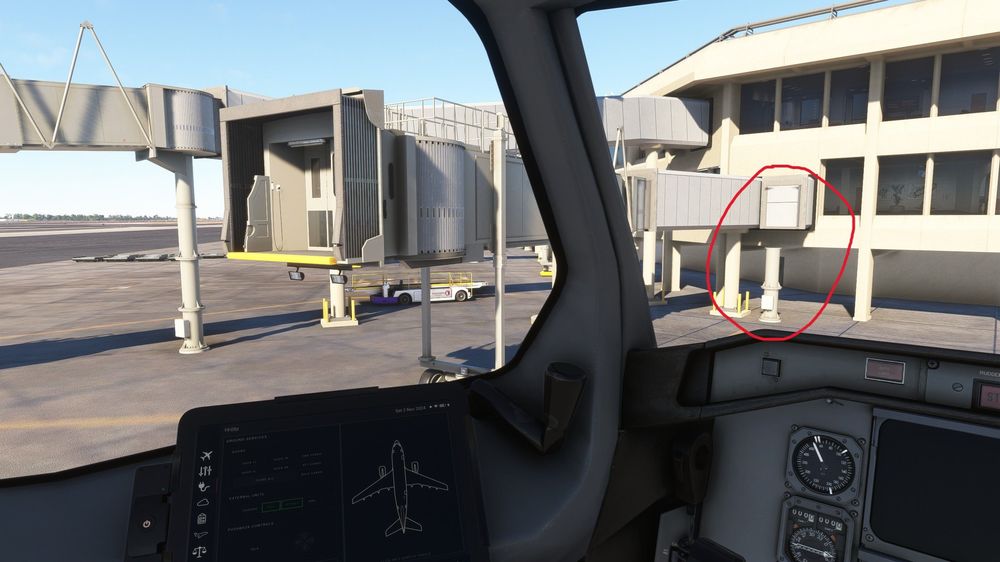
Hello, I just bought this scenery and was testing around the gates. However, I noticed the jetbridges at C4 and C9 were not moving no matter how I positioned the aircraft. Additionally, there seems to be a missing jetbridge at C4. I tried multiple reinstalls and removing everything in my community folder but I can't seem to solve the issue. All other gates work normally, I don't know if this is an issue on my end or a bug with the scenery, any help will be appreciated. My version is v1.1.0 Gate C9: Gate C4 (missing jetbridge in red circle):
-
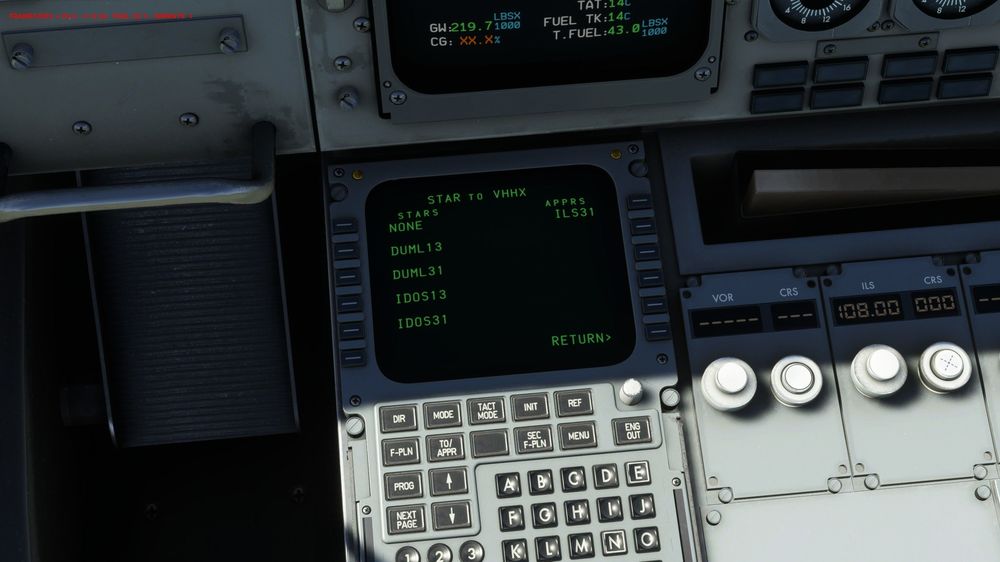
That is my work around for now... I added a set of custom waypoints in the REF page according to the approach charts and everytime I will need to manually enter the waypoints into the FMS, does the job fine enough. However I was not able to capture the localiser until like 10 DME and glideslope only at around 6-7 DME, still have to do a big chunk of the descent manually, not sure if this is a Navigraph error or something related to the plane itself.
-
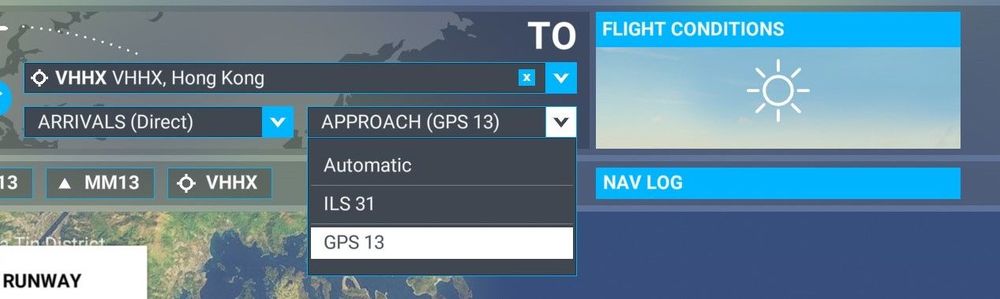
Hi, I was trying to fly the IGS13 approach into VHHX but I couldn't find any approaches to runway 13 on the FMS F-PLN page. I suspect this is because the approach being named GPS13 from the navigraph data and the aircraft might not recognize it I asked on the Navigraph forums and it turns out to be a sim limitation. They have to convert it to a GPS approach for it to work. Are there any work arounds to this or would it be possible for the aircraft to recognize a GPS apparoach in some future update to enable it to fly this apparoch? Thanks.