



Skip to content
View in the app

A better way to browse. Learn more.

iniBuilds Forum

A full-screen app on your home screen with push notifications, badges and more.

To install this app on iOS and iPadOS
  1. Tap the Share icon in Safari
  2. Scroll the menu and tap Add to Home Screen.
  3. Tap Add in the top-right corner.
To install this app on Android
  1. Tap the 3-dot menu (⋮) in the top-right corner of the browser.
  2. Tap Add to Home screen or Install app.
  3. Confirm by tapping Install.

Tarzan

Member
  • Joined

  • Last visited

Everything posted by Tarzan

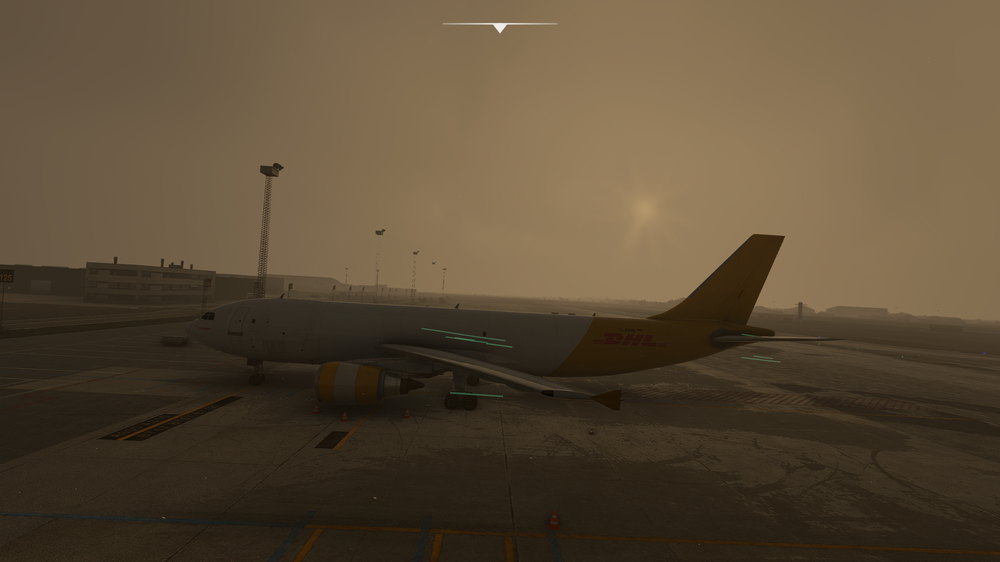
  1. Hey guys, When there is wind I have those strange green stripes. Is there a way to fix this? Regards Luca
  2. Tarzan replied to Tarzan's topic in Support
    You have those static VDGS where u placed the GSX ones in. I mean is there a way to switch your default VDGS off so the GSX ones are the only ones?
  3. Hey everyone, Will it be fully compatible with the Airbus Thrustmaster series? So all three products? Regards Luca
  4. Tarzan posted a topic in Suggestions
    Merry Christmas everyone, Beside the simbrief profiles will we get GSX profiles? Regards Luca
  5. Hey guys, I really enjoy the new scenery and it looks so great. Anyways I have to thinks which I would like to remove. 1. VDGS. Is there a way to turn them off to use only GSX? 2. Statics. I removed them but can’t use the gates where they where placed. Lookin forward for feedback Happy holidays Luca

Account

Navigation

Configure browser push notifications

Chrome (Android)
  1. Tap the lock icon next to the address bar.
  2. Tap Permissions → Notifications.
  3. Adjust your preference.
Chrome (Desktop)
  1. Click the padlock icon in the address bar.
  2. Select Site settings.
  3. Find Notifications and adjust your preference.