ljk811
Member
-
Joined
-
Last visited
Everything posted by ljk811
-
May I kindly ask if there is any update on when the A350 HUD issue might be officially fixed? Thank you!
-
Hi, I found a reproducible issue with the Takeoff Performance calculator. Using the exact same aircraft, airport, runway and weather, simply changing the OIS weight unit from Tonnes to x1000 lbs results in different takeoff performance calculations. The aircraft weight is identical: 273.1 t = 602.1 x1000 lbs However, the calculated V-speeds are different: Tonnes V1 149 VR 152 V2 161 TOGA x1000 lbs V1 137 VR 140 V2 146 FLEX 67°C Changing the weight unit should only affect the display, not the performance calculation. I've attached screenshots showing both results.
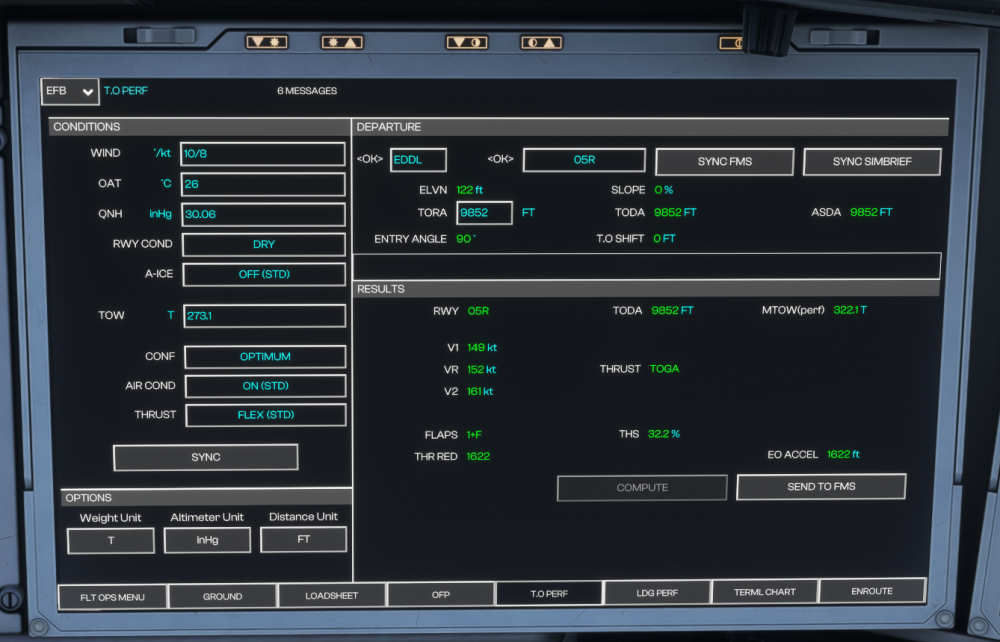
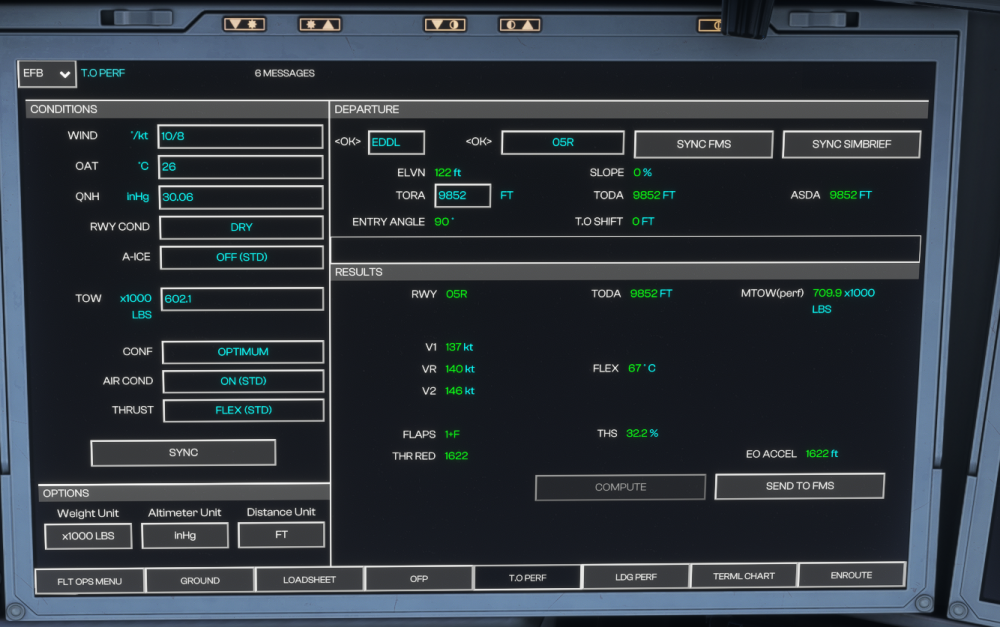
-
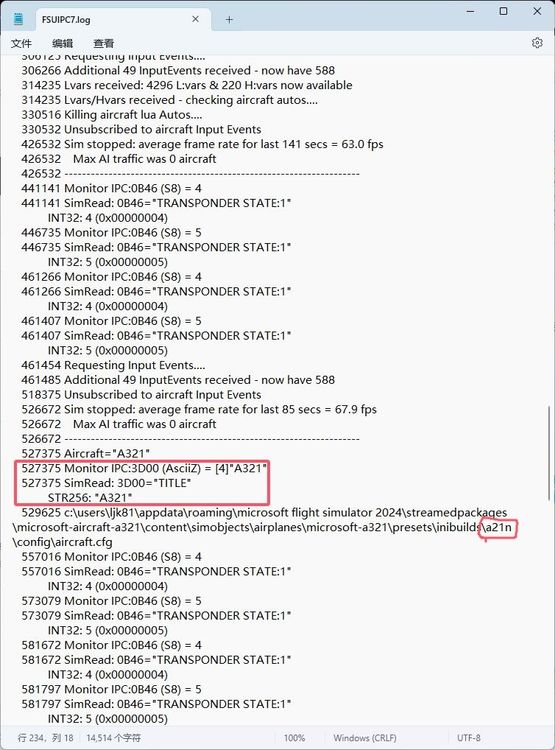
Hi. Because of the needs of some sop monitoring software, I read the title in aircraft.cfg through 3D00 of fsuipc, which is A321, not A21N. Please fix this BUG.