




sujit
Member
-
Joined
-
Last visited
-
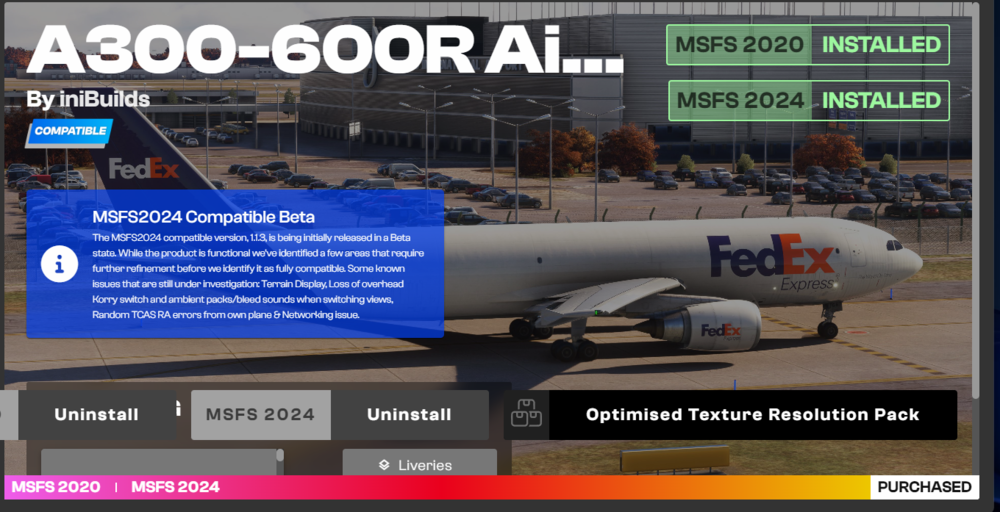
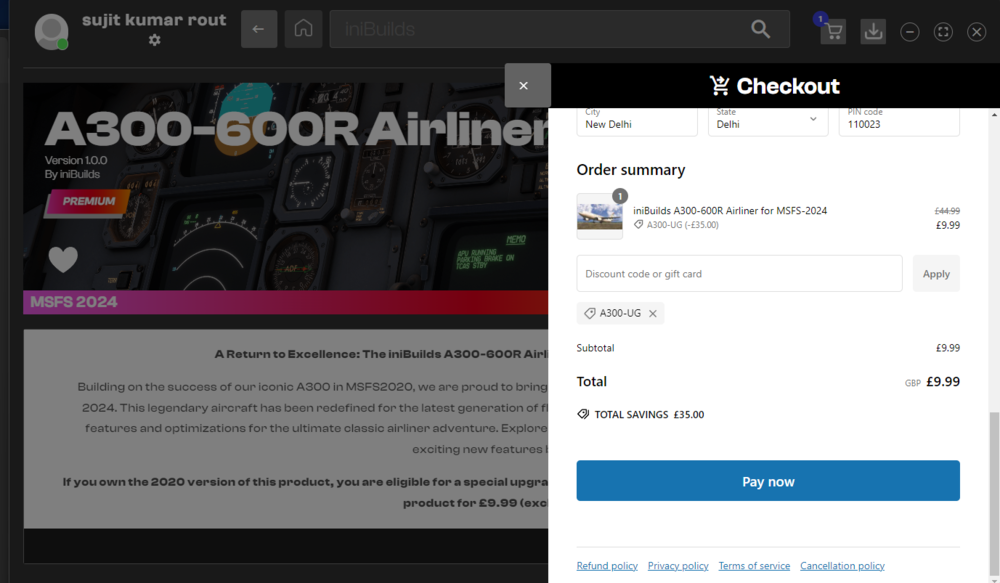
Respected Developer. few days ago i purchased the A300 - 600 forb MSFS 2024 for 10 pounds with the code. So I want to know which version did I purchase and how do I purchase the premium?
-
Respected Developers, I am facing two main problems. First is that I am unable to see any Liveries on my Aircraft. I download my liveries from INIManager but still unable to see the liveries. Second problem is that I am unable to see any engine covers on my Aircraft. But I can open the engine cowlings. Are there any solutions to my problem so that I can see my liveries as well as my engine covers? Thanks for your replies.

-
Member 25 Posted 6 hours ago respected dev & simmers i can nt able to engine cowling open and close, how can i perform this
-
respected dev same hereCYVR-KSEA & EGAA-EGNX not in the database but complete both the flight thanks


