panzer2181
Member
-
Joined
-
Last visited
-
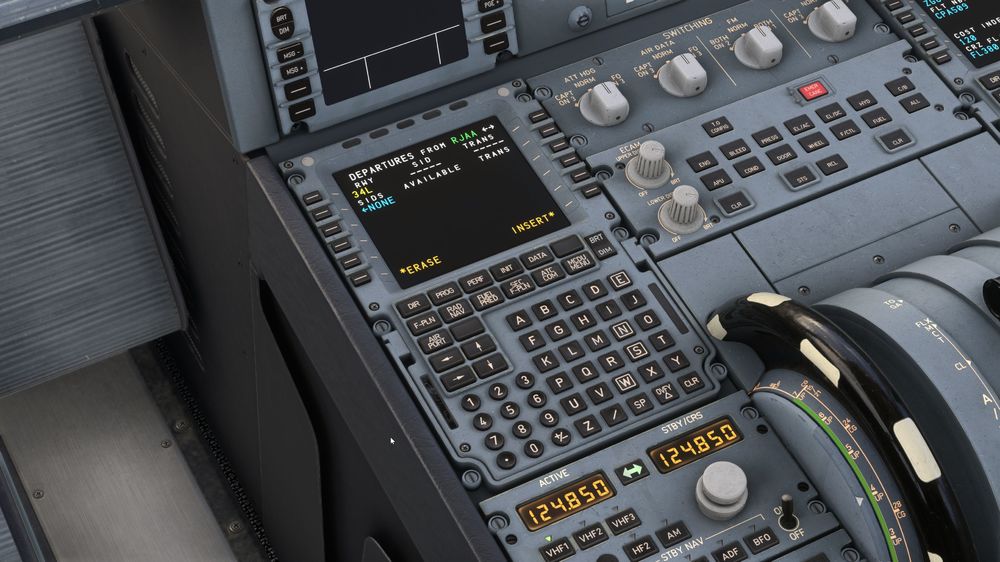
I was using a custom RJAA scenery (Drzewiecki Design). I uninstalled Navigraph database, still same issue. I went to a default scenery with no custom airport (CYUL), and still no SID or STAR. Is it possible to offer the possibility to use custom navigraph data for the A330? I am sure this would not be a huge issue to just update it with the option, and it would give options to simmers. I saw a few people on the web asking the same question with the same issue, but no one seems to have found a solution. I saw one post that mentionned somegthing along the lines of scenery.json order, but no concrete solution was listed.
-
Absolutely no one has had this issue and found a solution?
-
I have tried and tried and tried to find a solution to this issue. I have even removed all of my Navigraph data from the community folder (except the PMDG and iFly folder, I need those), and still no SID or STAR for the A330. I even made sure the FS default navdata is all the way to the top in the scenery order tool (in sim, I am not using a 3rd party reorder tool). I am sure there has to be a solution somehow to this issue... I would REALLY love to try at least the A330. I dont mind going back to the PMDG 777 for long haul, or the Fenix / iFly / FSLabs for medium haul... but still annoying. I hope this issue is not with the A350? I was contemplating in getting it... Any help would be really appreciated.