XFiber
Member
-
Joined
-
Last visited
-
XFiber changed their profile photo
-
My first flight, EDDF-KATL, I got halfway across the Atlantic before my AP turned off and put me 100 miles off course for an undetermined reason. It was a set up and sleep flight, but still, I’ve noticed some unexpected behavior randomly like my rudder pedals randomly kicking out of nowhere mid flight, turning off the AP
-
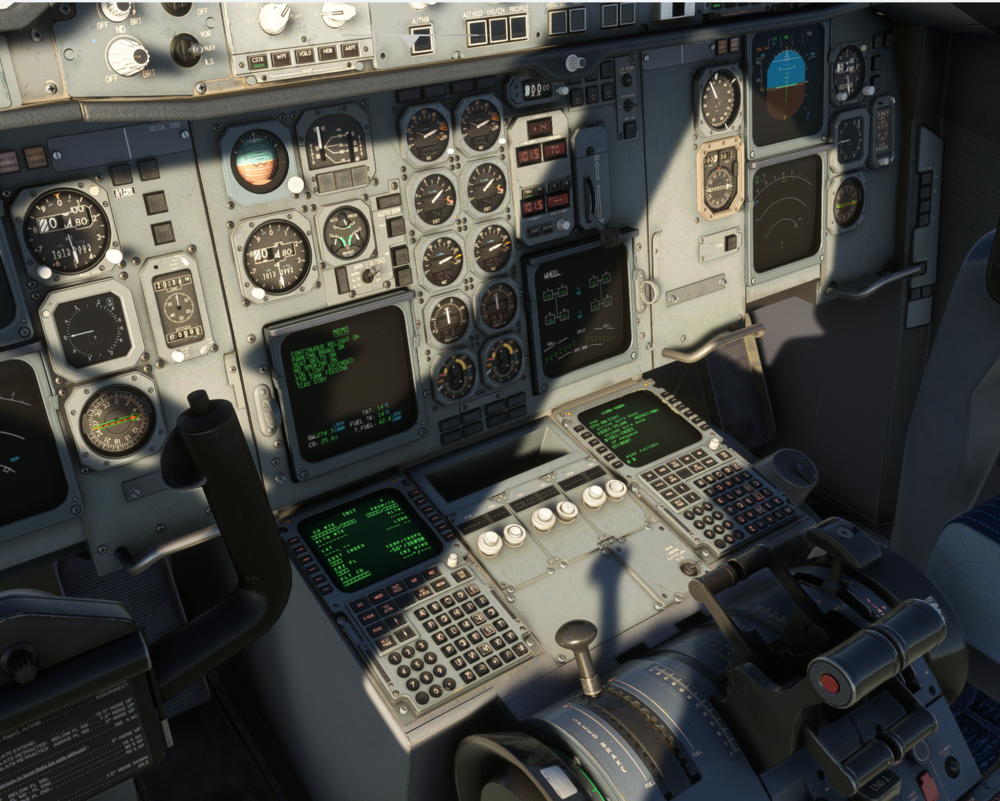
I recently purchased the A300 and have found that after starting up or loading in, the engines are at 100% with the throttle at idle. I've attempted to reset the throttle calibration yet have found that the engines continue to max out when the engine is fully started up at full power. Wanted to see if I could get some troubleshooting recommendations. Attached is a screenshot of the throttle at idle with the engines at max
-
Hi everyone, I'm installing the scenery through the iniManager but it will not show in the sim when loaded up. I only get default textures, any idea what I'm doing wrong? Happy to provide any logs needed, I've installed and reinstalled multiple times, Thanks in advance