




Michael G.
Member
-
Joined
-
Last visited
Everything posted by Michael G.
-
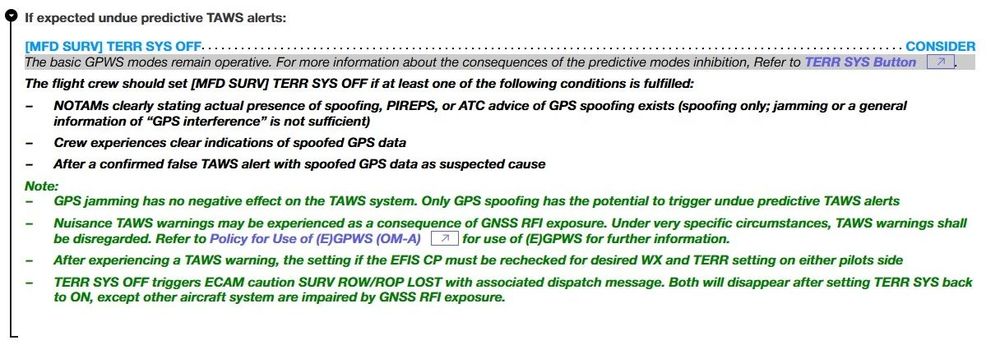
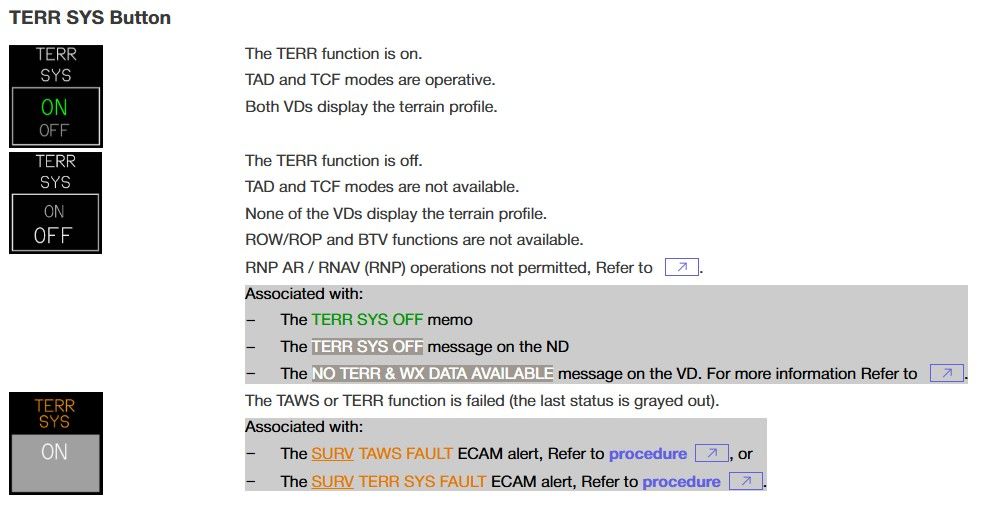
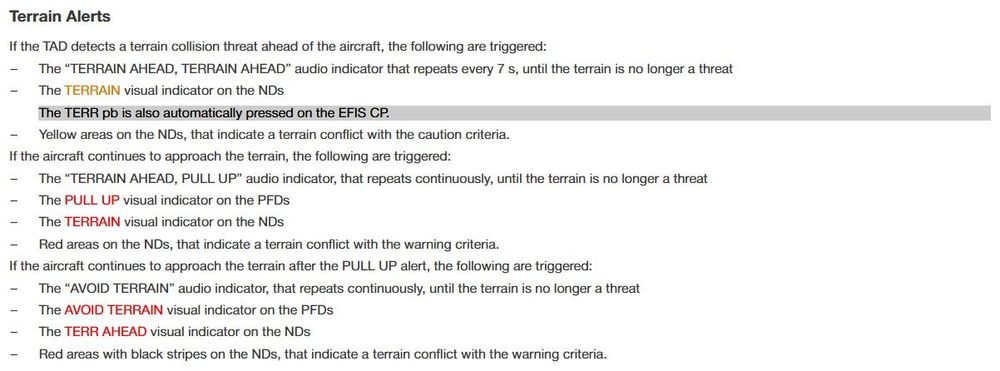
Hello dear iniBuilds Team, With the amount of GPS interference increasing and thus being exposed more frequently to it, I was wondering regarding the TERR SYS. The GPS interference triggers spurious TAWS warnings (PULL UP). According to the Supplementary Procedures for GNSS Interference, it suggests to consider turning the TERR SYS off: After turning TERR SYS off, the spurious PULL UP warnings should then cease if I understand correctly: TAD: Terrain Awareness Display TCF: Terrain Clearance Floor What I was wondering, the iniBuilds A350 still continues generating those warnings, even after disabling the TERR SYS via the MFD. Is this correct system behavior? Any real A350 pilots on here who can shed some light on this? 😇 ----- Aircraft Update Version: v1.2.1 / MSFS2024
-
Hello everyone, Not sure if this was asked somewhere already but is there a way to edit/customize the electronic checklist in the A350? The checklist modeled seems to be the one for Qatar Airways from what I can tell and I really would like to edit it (at my own risk of course) to have it resemble the checklist of another prominent A350 operator. Can someone point me in the right direction?
-
Same here. FPS starts out kind of okay but is degrading with time (already by just sitting at the gate, but more so in flight). In my case it seems to be due to VRAM (using an RTX 3080). Took off from OTHH (default scenery), using the A350 with default cabin (cockpit door closed) and FS2024 SU2.
-
A fan of the Swiss I see. I think this video may interest you (that is if you haven't already seen it) 🙂


