



Skip to content
View in the app

A better way to browse. Learn more.

iniBuilds Forum

A full-screen app on your home screen with push notifications, badges and more.

To install this app on iOS and iPadOS
  1. Tap the Share icon in Safari
  2. Scroll the menu and tap Add to Home Screen.
  3. Tap Add in the top-right corner.
To install this app on Android
  1. Tap the 3-dot menu (⋮) in the top-right corner of the browser.
  2. Tap Add to Home screen or Install app.
  3. Confirm by tapping Install.

PLOP

Member
  • Joined

  • Last visited

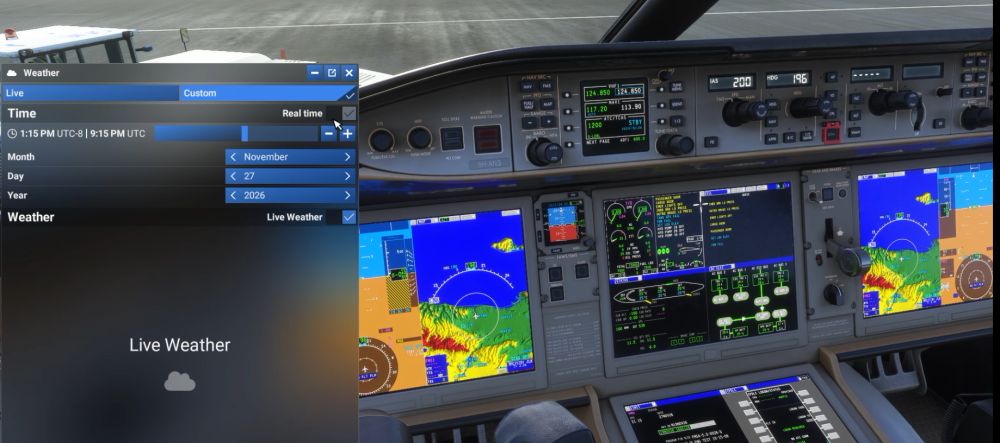
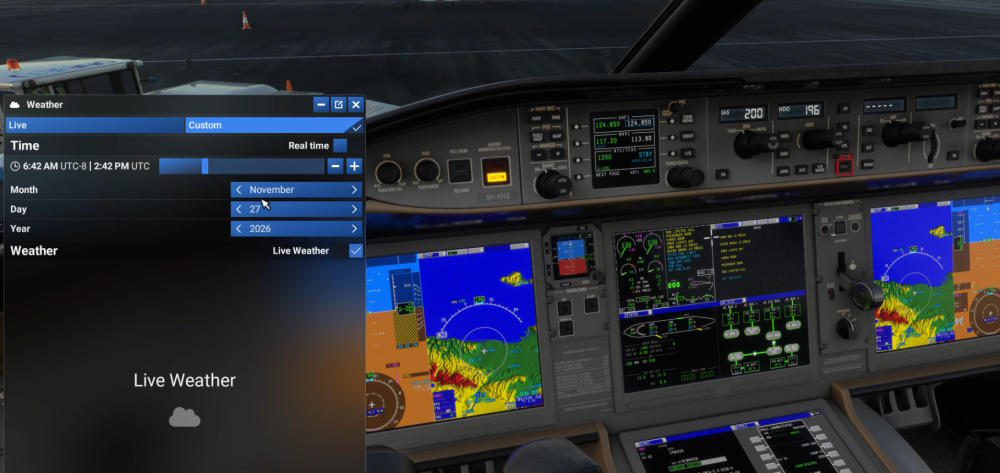
  1. I get a rud limiter fail warning whenever I change the current time in msfs, It consistently pops up when I change the time to early morning and goes away when I set it back to real world time. The master caution and warnings on the cas would pop up immediately when changing time of day, and would instantly disappear when enabling real time (tested multiple times). Normally I would include a clip but the file was too large to show anything. I have included pictures below
Account

Navigation

Configure browser push notifications

Chrome (Android)
  1. Tap the lock icon next to the address bar.
  2. Tap Permissions → Notifications.
  3. Adjust your preference.
Chrome (Desktop)
  1. Click the padlock icon in the address bar.
  2. Select Site settings.
  3. Find Notifications and adjust your preference.