AG973
Member
-
Joined
-
Last visited
-
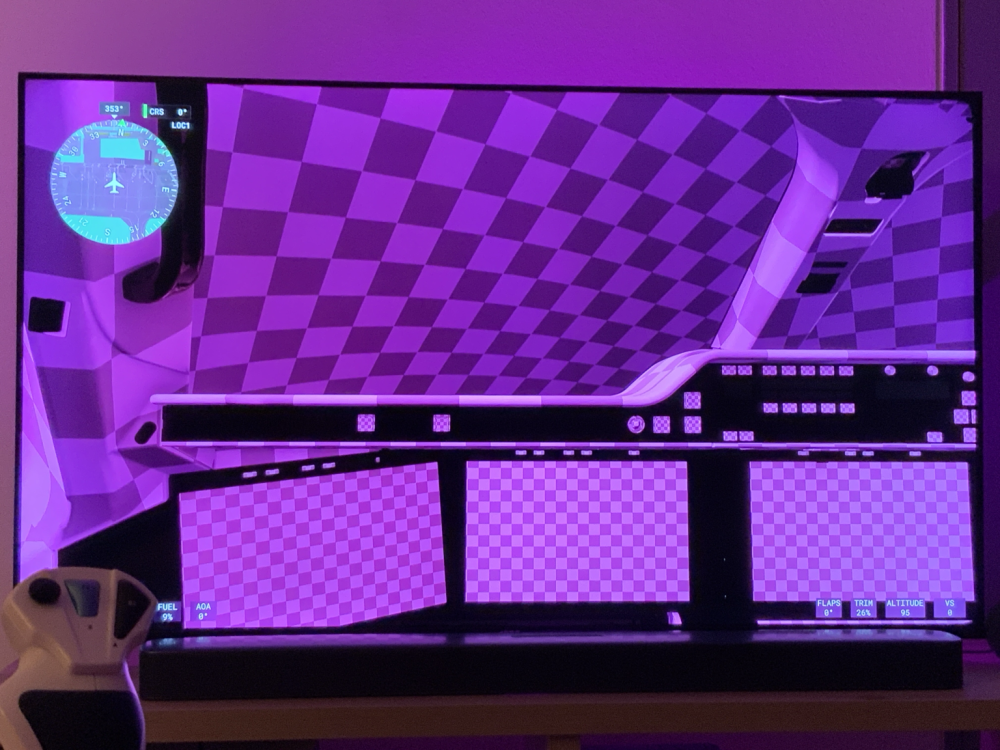
Hello Support Team, I am experiencing a severe graphical issue with the iniBuilds A350 on Xbox Series X running Microsoft Flight Simulator 2024. As shown in the attached screenshot, the cockpit is covered with purple and black checkerboard textures. The issue affects almost the entire cockpit, including the ceiling, overhead panel, instrument panels and displays. The aircraft is therefore visually unusable. Platform: ● Xbox Series X ● Microsoft Flight Simulator 2024 ● Aircraft: iniBuilds Airbus A350 Issue description: Textures appear to be missing or incorrectly rendered, resulting in a purple and black checkerboard pattern throughout the cockpit. Could you please investigate whether this is a known issue with the Xbox Marketplace version of the A350, particularly following the latest aircraft update? I would also appreciate confirmation of whether a fix is planned. I have attached a screenshot showing the problem. Thank you for your assistance.