Skip to content
View in the app

A better way to browse. Learn more.

iniBuilds Forum

A full-screen app on your home screen with push notifications, badges and more.

To install this app on iOS and iPadOS
  1. Tap the Share icon in Safari
  2. Scroll the menu and tap Add to Home Screen.
  3. Tap Add in the top-right corner.
To install this app on Android
  1. Tap the 3-dot menu (⋮) in the top-right corner of the browser.
  2. Tap Add to Home screen or Install app.
  3. Confirm by tapping Install.

viper875

Member
  • Joined

  • Last visited

  1. Those are all off too in the Utilities menu, it's weird. Ok i turned off all the failures in the msfs menu too for awhile, i'll see what happens. thanks for the quick replies.
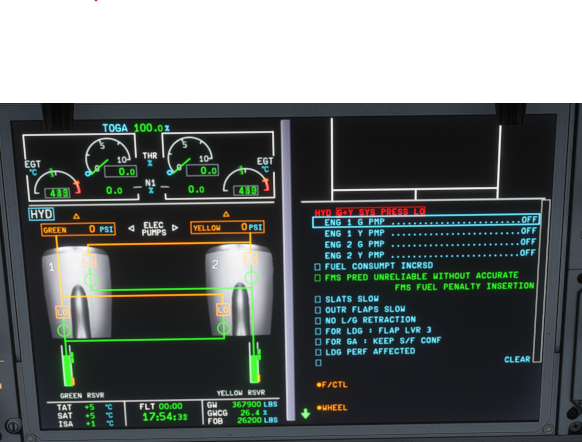
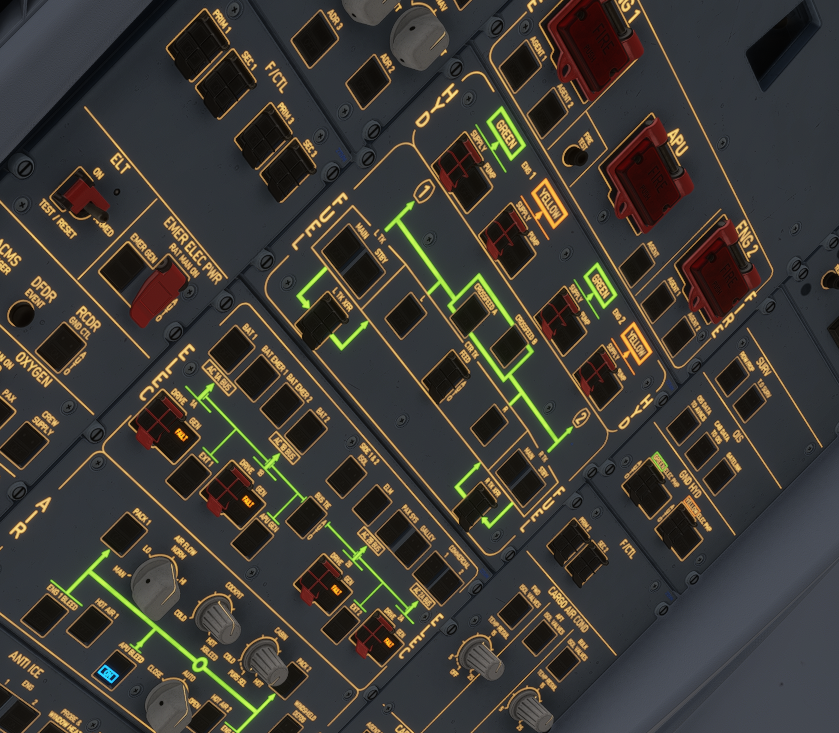
  2. Hey Kyle, well it's like oddly enough I can't even start the engines now if I use the panel states configuration to put it into APU mode, and then then use either Control-E or 'Ready for Takeoff' panel state to try to get the engines going, I get the same hydraulic failure above even without trying to put in any sort of flight plan. These are the hydraulic errors I get on the screen and upper panel. Not sure if I should just try re-installing the plane or something?
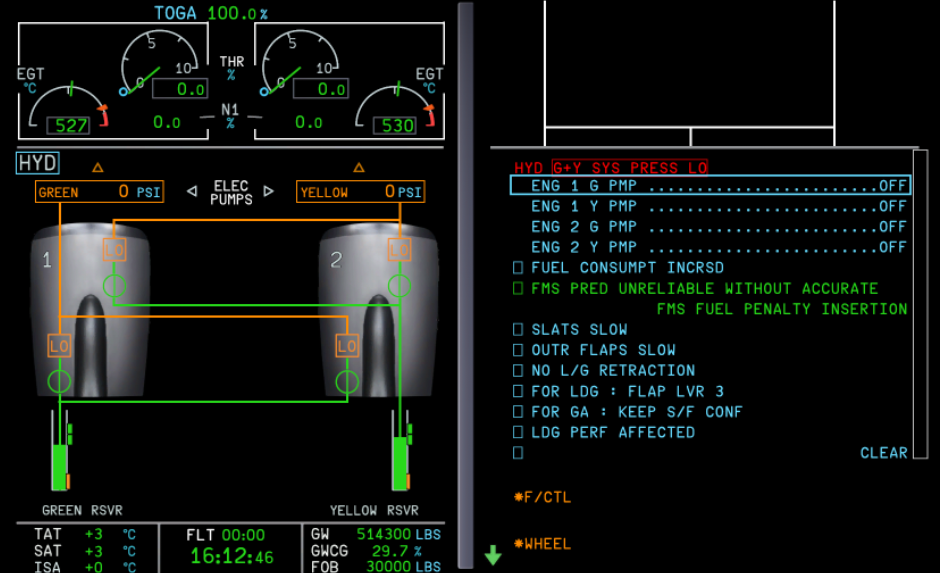
  3. Hi all, I've gotten this Hydraulic pump failure sitting on the ground a couple times now while trying to figure for takeoff. Situation is just loading up ready for takeoff on a runway with engines already running, and then loading simbrief info, and then suddenly engines shutoff with multiple hydraulic warnings as below. Any ideas? thanks!
Account

Navigation

Configure browser push notifications

Chrome (Android)
  1. Tap the lock icon next to the address bar.
  2. Tap Permissions → Notifications.
  3. Adjust your preference.
Chrome (Desktop)
  1. Click the padlock icon in the address bar.
  2. Select Site settings.
  3. Find Notifications and adjust your preference.